Substitute teacher management is the process of turning a staff absence into a covered classroom. In UKG Ready, the absence record and the approval rules already exist. What sits on top is the dispatch process: who gets asked, in what order, and how the hours reach payroll with the right code.



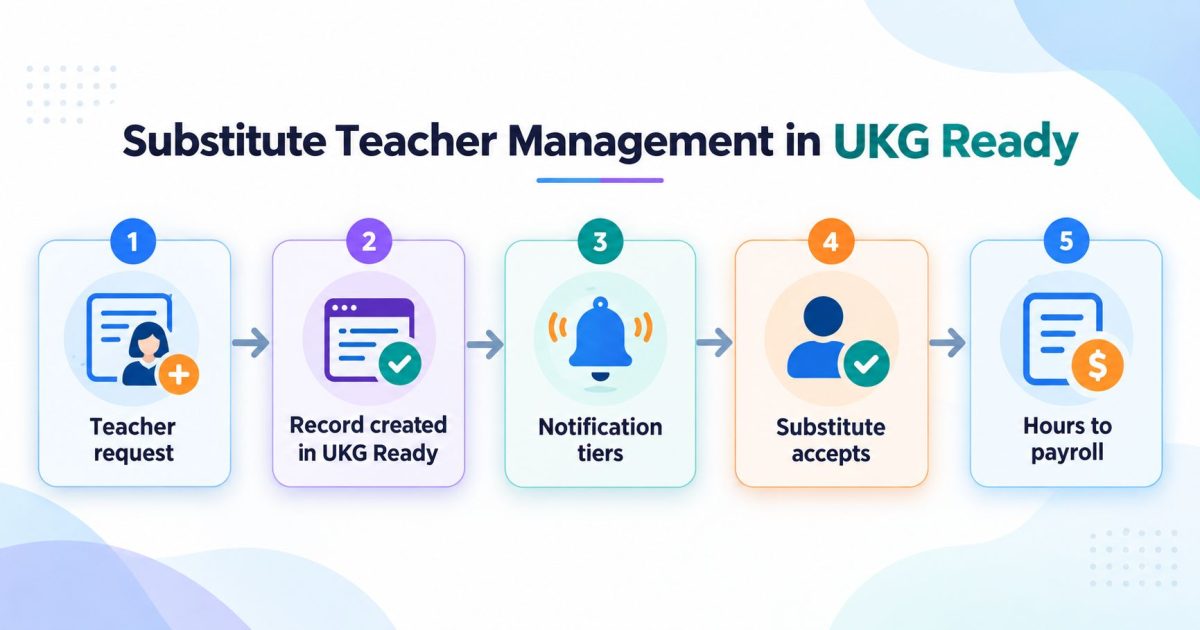
Table of Contents
- What is substitute teacher management?
- Does UKG Ready include substitute teacher management?
- How a substitute request becomes a record in UKG Ready
- What if the absence still needs approval?
- How substitutes get notified
- Short-notice substitute placement: the 90-minute problem
- What happens when two substitutes accept the same shift?
- Eligibility rules in substitute teacher management
- What if your substitutes are not in UKG Ready?
- Getting substitute hours to payroll with the right pay code
- Who pays when the absence is campus funded?
- Substitute placement for a vacant position
- Before a substitute can pick up a shift, you have to hire them
- What to check before you build substitute teacher management
- Frequently asked questions
Most districts do not have a substitute teacher management problem. They have a handoff problem.
The absence gets recorded properly. The leave balance draws down correctly. Then everything stops being a system and starts being a person with a phone list, a spreadsheet, and an evening to spare.

We walked through this recently with an independent school district running UKG Ready. The interesting part was not the software. It was how many separate problems hide inside one phrase. Notification order. Certification matching. Pay differentials. Budget codes. Vacant positions with no employee attached. Each one small, each one capable of breaking the whole flow.
This article covers how the pieces fit together, and where the technical work actually sits. It is written for districts on UKG Ready, but the mechanics apply to any HCM.
What is substitute teacher management?
Substitute teacher management covers everything between a teacher saying “I will not be in” and a qualified adult standing in that classroom.
Four things have to happen. The absence has to be recorded. The right substitutes have to be asked, in the right order. One of them has to claim the shift before the others can. And the hours have to reach payroll coded correctly so the substitute gets paid the right amount from the right budget.
Miss any one of those and someone in the front office ends up doing it by hand.
Does UKG Ready include substitute teacher management?
UKG Ready holds the record. It stores the employee, the leave balance, the approval chain, the cost centers, the skill profiles, and the pay rules. That is what a system of record is built to do, and it does it reliably.
What it does not do is run a dispatch process. There is no teacher-facing page for requesting a substitute. There is no concept of a personal shortlist of preferred subs. There is no escalation ladder that asks five people, waits, then asks everyone.
Ready does have solid shift mechanics you can build on. You can manage open shifts in your schedule, request to fill an open shift in UKG Ready, and notify employees about open shifts. Those are the building blocks.
The gap is the K-12 layer on top: preferred pools, certification-based eligibility, campus budget codes, and vacancy coverage. That layer is what we are describing here.
How a substitute request becomes a record in UKG Ready
Start with the teacher’s side, because it should be boring.
A teacher opens a page, authenticates with their employee ID, and gets three options. Submit a request. View their own requests. Manage their preferred substitute list.
The request itself captures the absence type, the dates, whether it is a full or partial day, the location, any attachment, and a note for the substitute. Location defaults to the employee’s home cost center, though you can let people pick a different site when that is how your district works.
Here is the part that matters technically. When the teacher presses submit, a workflow makes a live call to the UKG Ready API and creates a real absence record inside Ready. Not a copy. Not a nightly file. The record exists in your system of record within seconds, which means the balance draws down and the audit trail stays in one place.
If you are scoping this yourself, you will need to generate an API key in UKG Ready first. And if you want the wider picture, we cover whether UKG has an API and how to integrate Ready, Pro, and Pro WFM separately.
What if the absence still needs approval?
This is where a lot of substitute tools quietly go wrong.
Some absences need no approval. Sick leave and jury duty are usually entitlements, so the request can proceed straight away and substitutes get notified immediately.
Others sit in a multi-step approval chain. A personal day might need a principal and then a district approver. If you notify substitutes the moment the request lands, and the absence then gets denied, you have a substitute arriving for a shift that does not exist.
So the workflow does not assume. It runs a recurring check against Ready and holds the notifications until the record actually reports approved. Only then does it move on.
The principle is simple. Whatever approval rules, permissions, and steps you have configured in Ready keep governing the process. The layer on top reads that state rather than working around it.
How substitutes get notified
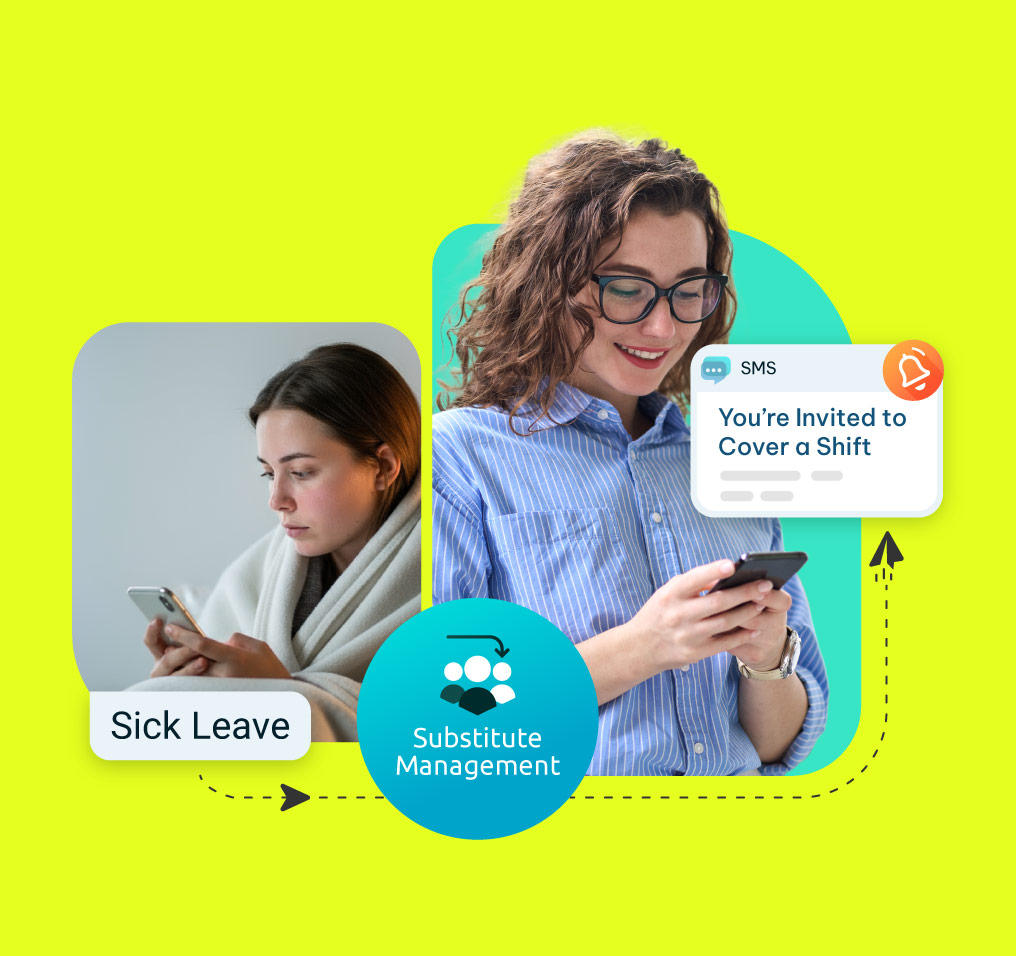
This is the heart of substitute teacher management, and it is more than “send a text.”
Preferred pool first. A teacher can build a personal shortlist of substitutes who know their classroom and their routine. When a request goes out, those people get asked first.
Then a hold timer. The system waits a configured window before widening. In the district build we walked through, that window was 600 minutes, which covers an evening and an early morning. Yours might be 90 minutes or 12 hours depending on how your day runs.
Then everyone else. If nobody in the preferred pool claims it, the request opens to the full eligible list.
You can also change the order of those tiers, or run different sequences for different groups. Elementary might go preferred, then building, then district. Transportation might skip preferred entirely and go straight to the full pool. That branching can key off cost center, location, or employee group.
The notification itself is an email or SMS with a link. The substitute opens it and sees the school, the date, the time, the subject, and the teacher, then accepts or ignores. Nothing to install. No account to create.
If you already send shift notifications out of Ready, you can see how the native version works in our guide to using push notifications to fill open shifts.
Short-notice substitute placement: the 90-minute problem
Then the preference logic has to switch off.
A teacher who wakes up unwell at 6am does not have time for a 600-minute hold. So the configuration includes a short-notice threshold. Below it, the system ignores the preference order and notifies everyone at once.
In the build we reviewed, that threshold was 90 minutes. Anything filed inside that window goes wide immediately.
You can also use the same threshold as a guardrail in the other direction and block requests filed too close to the shift, so the office is not fielding a request at 7:55am for an 8am class. Whether that helps depends on your culture.
For the general UKG case, we cover the same problem in how to fill last-minute shift call-outs fast.
What happens when two substitutes accept the same shift?
One of them gets it, and the other needs to be told clearly.
The build we walked through used first come, first serve. The first substitute to accept takes the shift. When the second opens their link, they see that the request has already been accepted by another employee. No confusion, no double-booked classroom.
That requires a state check at the moment of claim rather than a simple link. It is a small detail that causes real chaos when it is missing.
First come, first serve is not the only option. Some districts award by seniority. Others use a look-back so work spreads across the substitute pool instead of going to whoever checks their phone fastest. If seniority or skill ranking is how your district thinks, we cover the mechanics in customizing and automating scheduling in UKG with employee ratings, seniority, and skill levels.
Eligibility rules in substitute teacher management
A SPED classroom should not be offered to someone without the certification. A bus route should go to a licensed driver. And an office professional position may never get a substitute at all.
The right approach is to inherit the rules you already maintain rather than build a second set.
Limit lists. UKG Ready uses limit lists to control who sees what. If your limit lists are configured properly, the substitute layer can respect them directly. One permission model, not two.
Skill profiles. Certifications live on the employee’s skill profile in Ready. You can filter substitute eligibility against them, so paras cover paras, drivers cover drivers, and a math classroom only offers to someone qualified. Our guide on accessing employee skills and certifications in UKG covers where that data sits.
Cost centers. Request a site other than the home location and only substitutes cleared for that site get notified.
An exempt flag. Sometimes a district needs to remove a specific substitute from all notification traffic. Keep that control at district level rather than handing it to every building administrator, and keep it exportable so it can be audited.
One hard rule applies to all of it. The data that governs the filter has to live in UKG Ready or in the layer above it. If eligibility lives in a spreadsheet on someone’s desktop, it governs nothing.
What if your substitutes are not in UKG Ready?
Many districts do not carry their substitute pool in the HCM at all. Subs may be casual staff paid through the finance system, and the HCM holds only contracted employees.
That breaks any design assuming the HCM owns the roster, and it is one of the most common surprises in a K-12 scoping call.
The workable pattern is to hold the substitute roster in the layer that runs the dispatch, keep contracted employees in Ready, and let each system be authoritative for what it actually owns. The absence goes to Ready because the balance lives there. The substitute’s worked hours go to the finance system because that is what pays them.
Getting substitute hours to payroll with the right pay code
This is the part that gets a substitute system rejected by the business office, and almost nobody writes about it.
Districts rarely pay a flat substitute rate. Common variations include a premium for Mondays and Fridays, an uplift from the eleventh consecutive day worked, and a flat differential for special education assignments.
The division of labor should be clean. Payroll calculates. The substitute layer’s job is to attach the correct pay code, cost center, and job assignment to the worked hours and deliver them, either through an API or a scheduled file.
If you are mapping this out, our guides on pay types and pay codes in UKG and job and cost center transfers are the right starting points. For the transfer mechanics specifically, see the UKG job transfer API.
Time capture itself is flexible. Some districts track no substitute time at all and simply export who worked which date. Others track it in Ready. Others track it in the layer above. All three work, and the choice usually follows where the substitutes are paid from. If your hourly K-12 staff need a clock, we cover that in UKG time clocks for school district hourly staff.
Who pays when the absence is campus funded?
Here is the problem that came up hardest in that district walkthrough, and it is worth reading closely if you work in payroll.
Most substitute costs come out of a district line. But some do not. Professional development is a good example. A campus or a department authorizes the training and agrees to fund the substitute covering the class. So the budget code varies request by request, and it cannot be a fixed list, because the funding might come from special education one week and a grant the next.
Today, in many districts, that field is free text. And when nobody fills it in, the substitute still has to be paid, so the cost lands on the campus account by default. By year end the account is negative and somebody is reconciling it by hand.
The fix has three parts.
Branch by absence reason. Most absence types can flow straight through with no human involvement. A small number need a code first. Flag those.
Hold the flagged ones. A flagged request creates no absence record and sends no notifications. It waits in an admin queue.
Release in one step. An administrator enters the budget code and presses release. At that moment the absence record is created in Ready, the substitutes get notified, and the worked hours are queued for the finance system with the code attached.
Then make the field mandatory. If the code is missing, nothing moves. That one setting removes the year-end reconciliation entirely.
It does add a human touchpoint, and that is worth naming honestly rather than pretending otherwise. But it applies to a handful of absence types, not all of them. The other eighty percent stay touchless.
Substitute placement for a vacant position
One more case that breaks the usual model.
A teacher resigns. The position sits open while the district recruits. Meanwhile a guest teacher covers the class, and the salary allocated to that vacant position is what pays them.
The problem is that substitute requests normally anchor to an employee, and there is no employee here. The budget follows the position, not a person. And payroll needs certainty that only one person occupies the position at a time, which in most districts is a manual check.
The fix is to let a request anchor to either an employee or a position. Districts running UKG typically have every position in the system already, often one to one, so the position list is available to pull from. An administrator selects the position instead of a person, and everything downstream works the same way.
Before a substitute can pick up a shift, you have to hire them
Worth a brief note, because it is the same pipeline.
Substitute hiring is its own bottleneck in K-12, and reference checks are usually the slowest step. Calling three references for every applicant, chasing voicemails, and typing the responses back into the system takes days that districts filling a sub pool in August do not have.
That part is automatable in the same way. The system emails the references, collects the responses, and writes them back to the candidate record. One school corporation did exactly this inside UKG, and the Tippecanoe School Corporation case study walks through how. We also cover the general approach in reference check automation for schools.
A deeper substitute bench makes every part of the process above work better. There is no notification ladder clever enough to fix an empty pool.
What to check before you build substitute teacher management
Use this as a scoping checklist.
- Does the absence create a real record in your HCM, or a copy you reconcile later?
- Does the process wait for your existing approval chain, or bypass it?
- Can teachers keep a preferred substitute list?
- Is the escalation ladder configurable, with a hold timer you control?
- Is there a short-notice override, and can you set the threshold?
- What happens when two substitutes accept at once?
- Does eligibility inherit your limit lists and skill profiles, or need a second permission model?
- Where does the substitute roster live if subs are not employees in the HCM?
- Do worked hours reach payroll with the correct pay code and cost center?
- Can you capture a variable budget code, and make it mandatory where it matters?
- Can a request anchor to a vacant position, not just an employee?
- Can you export everything for audit?
If a vendor cannot answer the pay code and budget code questions specifically, the business office will find the gap later, and later is more expensive.
Where to start
Start by writing down what your front office does manually today. Not the software features. The actual steps.
Who calls the subs. Who checks certifications. Who types the budget code when a campus forgets. Who reconciles the negative account in June. That list is your requirements document, and it is usually shorter than anyone expects.
Then automate the touchless majority and leave a human step only where the data genuinely requires one.
CloudApper is the process layer that closes the gaps enterprise software cannot, across HR, ERP, CRM, and beyond, on any platform, in weeks not quarters. If you want to see the substitute workflow end to end, our K-12 substitute request management solution for UKG page walks through it.
Frequently asked questions
What is substitute teacher management?
Substitute teacher management is the process of turning a staff absence into a covered classroom. It includes recording the absence, notifying eligible substitutes in the right order, letting one of them claim the shift, and sending the worked hours to payroll with the correct pay code.
Does UKG Ready include substitute teacher management?
UKG Ready holds the absence record, the approval rules, the cost centers, and the skill profiles. The dispatch process, meaning preferred pools, tiered notifications, and K-12 budget coding, typically runs as a connected layer on top. Configuration varies by package, so confirm yours with your UKG contact.
How does a substitute request reach UKG Ready?
Through an API call at the moment of submission. The absence record is created live inside Ready, so the leave balance and audit trail stay in one place rather than in a second system you reconcile later.
How long should you wait before opening a shift to all substitutes?
It depends on your day. A district covering evening and early-morning callouts might hold for 600 minutes. A district with mostly same-day requests might hold for 90. The important thing is that the timer is configurable rather than fixed.
What happens if two substitutes accept the same shift?
The first acceptance wins and the second sees that the shift is already taken. That requires a state check at the moment of claim, not just a link, which is what prevents a double-booked classroom.
Can you limit substitutes by certification?
Yes. Certifications sit on the employee skill profile in UKG Ready, and eligibility can filter against them so special education, transportation, and subject-specific roles only offer to qualified people.
How do substitute hours get paid correctly?
The substitute layer attaches the pay code, cost center, and job assignment to the worked hours and delivers them to payroll by API or file. Payroll performs the calculation, including day-of-week premiums, consecutive-day uplifts, and certification differentials.
What if a substitute is covering a vacant position instead of an absent teacher?
The request needs to anchor to the position rather than a person, because the funding follows the position. Districts running UKG usually have every position in the system already, so the list is available to select from.



October 19, 2026
UKG Pro WFM Project Time Tracking for Global Agencies: One Activity Profile, Two Approval Lines, Five Languages
A global agency on UKG Pro WFM has to tie every hour to a client, project and task, across hourly, salaried, on-site and warehouse staff in five languages. This piece looks at the visibility and approval problems underneath, and how CloudApper adds a role-based time entry layer while UKG stays the system of record.

October 6, 2026
Union Vacation Accrual in UKG Ready: How Manager Self-Service Keeps Time-Off Approvals Contract-Compliant
Union contracts decide how vacation accrues and what managers may approve, yet approvals rely on the balance on screen. For a unionized envelope and packaging manufacturer moving to UKG Ready, CloudApper calculates CBA tenure tiers and carryover caps and posts contract-accurate balances that managers approve against.

October 1, 2026
12-Month Pay for 10-Month Employees in UKG Ready: Automating Pay Spreading for School-Based Nonprofits
A school-based services nonprofit pays ten-month staff over twelve months, and the pay spread math lives in a fragile spreadsheet. CloudApper adds a pay spread engine to UKG Ready that splits school-year earnings across every pay period, recalculates mid-year changes and handles true-ups when staff leave.

August 25, 2026
Manager Self-Service in UKG Pro Built for SOX: Why the Delegation Matrix Comes Before the Forms
Enterprises have automated parts of the workforce change process, but the parts are scattered across email, chat, the HCM and a ticket queue, so the control exists while its evidence does not. Here is why SOX-ready manager self-service in UKG Pro starts with the delegation matrix, and how CloudApper adds a leader portal inside UKG Pro.