
A call-out shift needs coverage in hours, not days. See how CloudApper extends UKG to fill last-minute shift call-outs in UKG Pro WFM by identifying qualified, available employees instantly and pushing real-time notifications before a shift becomes a coverage gap.
Table of Contents
UKG Pro WFM already has an Open Shifts feature that represents shifts still needing coverage, giving managers visibility into scheduling gaps, plus employee self-service that lets people request an open shift directly from their phone. What adds real value on top, especially the moment an unplanned call-out hits, is narrowing that visibility down automatically to the employees who are actually qualified and actually available right now, instead of a broader post-and-wait. CloudApper extends UKG to automate exactly that part of the shift bidding process by identifying eligible, available employees the instant an urgent shift opens and pushing them a real-time notification so you can fill last-minute shift call-outs in UKG Pro WFM before they turn into a coverage gap.
TL;DR
- UKG Pro WFM’s Open Shifts feature shows coverage gaps and lets employees request shifts from their phone.
- A call-out shift is harder to fill than a routine gap, since it needs fast coverage from qualified employees.
- Manually checking who’s qualified and available, then working a call list, is where schedulers lose time.
- CloudApper extends UKG to identify eligible employees automatically and push a real-time notification instantly.
- The accepted shift syncs back into UKG Pro WFM automatically, with no manual entry required.
What Makes a Last-Minute Call-Out Different From a Normal Open Shift
Not every open shift carries the same pressure. A call-out shift has a few things working against it that a routine schedule gap doesn’t.
- No advance notice. A planned open shift can sit posted for days while people request it. A call-out shift needs to be filled in hours, sometimes less, since the person was supposed to be there today.
- A narrower eligibility window. Not every available employee is qualified for the specific role, certification, or department the call-out affects, so a broad “anyone available” post risks pulling in the wrong fit for a shift that can’t afford one.
- Coverage math gets urgent fast. Once a shift sits unfilled past a certain point, it stops being an open slot on a schedule and becomes an actual coverage gap, with real operational consequences.
Speed and precision both matter here at the same time, and that’s exactly where a scheduler working the problem by hand ends up fighting the clock.
The Real Challenge: Manually Working a Call-Out List Under Time Pressure
UKG Pro WFM’s Open Shifts feature gives schedulers a real tool to post an open shift, and employees can request it directly from their phone through native self-service once it’s posted. What still often falls on the scheduler in the moment of a call-out is figuring out who to notify first: manually checking who’s qualified, who’s actually available, who hasn’t already hit overtime limits, then working down that list one call or message at a time while the clock runs.
For a single call-out, that’s manageable. During a busy season, or at a location with a lot of scheduling variability, that manual triage repeated call-out after call-out is where the real time pressure lives. This is exactly where CloudApper extends UKG, automating the qualification and availability check so the right notification goes out the moment the shift opens, without the manual list-working in between.

How CloudApper Extends UKG to Fill Last-Minute Shift Call-Outs Fast
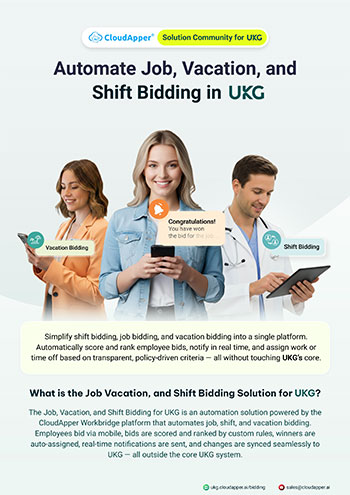
CloudApper works alongside UKG Pro WFM, and every step below runs the moment a call-out shift gets logged.
The Moment a Shift Opens, Eligible Employees Get Identified Automatically
Configured criteria, role, certification, department, availability, and overtime status run automatically the instant a shift call-out is logged, narrowing the pool down to exactly who qualifies for that specific shift. Nobody manually checks each name against a mental checklist.
Real-Time Bid Notifications Go Out Immediately
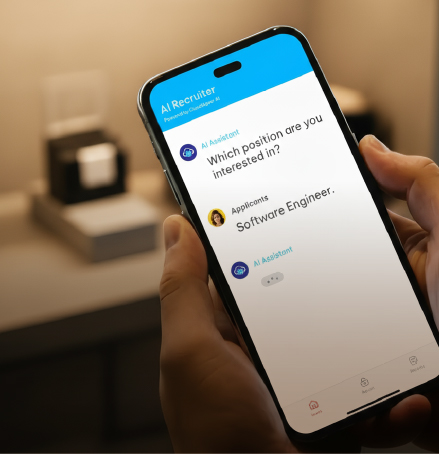
Eligible employees get a push notification the moment the shift opens, instead of a scheduler working through a phone list one person at a time. The gap between “someone calls out” and “the right people know about it” shrinks to almost nothing.
Employees Bid From Their Phone, in Whatever Order You Configure
However the business wants call-outs prioritized, seniority, first response, or another rule entirely, employees respond directly from their device. The scheduler isn’t manually deciding who gets first crack at the shift each time; the configured rule handles it consistently.
The Shift Gets Assigned and Synced Back Into UKG
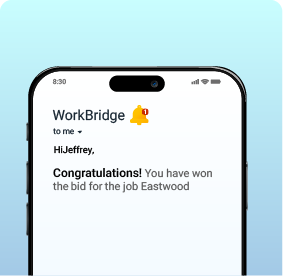
Once someone accepts, the assignment updates in UKG Pro WFM automatically. The schedule reflects reality right away, with no manual entry required to close the loop.
Benefits of Automating Last-Minute Shift Call-Out Coverage in UKG
Here’s what changes once this runs automatically instead of manually:
- Call-out shifts get filled in minutes, not after someone works through a call list by hand.
- Only qualified, available employees get notified, so no wrong-fit assignment slips through under time pressure.
- Coverage gaps get caught and closed early, before they turn into an actual operational problem.
- Schedulers spend far less time on manual triage, deciding who to call first every time a call-out happens.
- The same process scales, handling one call-out or several at once without extra manual effort.
- Every call-out leaves a record, showing who was notified and when, for whenever that history matters.
Frequently Asked Questions
How Does the System Know Which Employees Are Qualified for a Specific Call-Out Shift?
Role, certification, department, availability, and overtime status are all set up as eligibility rules ahead of time. When a call-out shift is logged, those rules run automatically against the employee pool, so only the people who actually qualify for that shift receive a notification.
Can Notifications Be Prioritized by Seniority or Another Rule?
Yes. The order in which eligible employees are notified or allowed to bid can be configured to match how the business wants call-outs handled, whether that’s seniority, first response, or another rule specific to the organization.
What Happens Once an Employee Accepts a Call-Out Shift?
The assignment syncs back into UKG Pro WFM automatically, updating the schedule to reflect who’s actually covering the shift, with no manual entry needed to close out the process.
Every Call-Out Filled Before It Becomes a Coverage Gap
Filling last-minute shift call-outs fast in UKG was never about UKG lacking the tools to post and fill an open shift; it has a real one in the Open Shifts feature and native self-service requests. The pressure point was the manual work of figuring out who to notify in the middle of an emergency, under a clock that doesn’t wait. CloudApper extends UKG to automate that qualification-and-notification step, so you can fill last-minute shift call-outs in UKG the instant they happen, with the assignment landing back in UKG without anyone re-entering it.
If your schedulers are still working a call-out list by hand, contact us today to see how CloudApper automates shift bidding in UKG and lets the right notification go out the moment a shift opens.