When punches cannot reach payroll, auditors ask for the original time. This guide covers FLSA recordkeeping basics, a written continuity procedure, the five item outage evidence packet, and how CloudApper AI TimeClock for UKG keeps device-side punch times intact for UKG.




Table of Contents
- What UKG Does Natively
- Where the Friction Shows Up
- What to Do Within UKG First
- Where Native Tools Run Out
An investigator does not open with “why did the network go down?” The first question is “show me the original time.” If your answer is a supervisor’s memory and a spreadsheet built three days later, the outage has become a records problem. CloudApper AI TimeClock for UKG is a tablet clock that holds punches on the device and syncs them to UKG, which is one way to keep the original time intact.
What UKG Does Natively
UKG Ready and Pro WFM store punches and timecard edits with the reason behind each edit, and they report exceptions for review. The open question is what exists for hours worked while a site network or internet provider sits between the employee and that system.
Where the Friction Shows Up
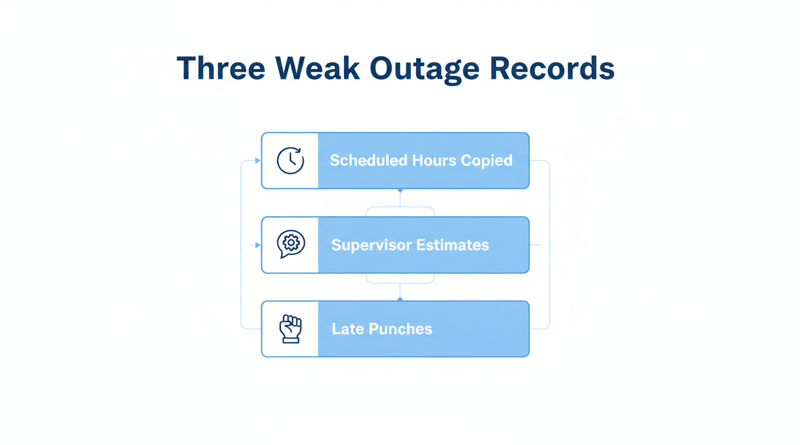
The U.S. Department of Labor states in Fact Sheet #21 that the FLSA does not require a time clock, and that any method works if records of hours worked are complete and accurate. Outages tend to produce three weak records:

- Scheduled hours copied into the timecard instead of actual hours.
- Supervisor estimates with no employee confirmation.
- Late punches with no trace of when the work happened.
Each is hard to defend in an audit.
What to Do Within UKG First
Write the continuity procedure before the outage:
- Name who declares an outage and logs its start and end.
- Choose the fallback: paper, supervisor log or device capture.
- Require employee initials on manual records the same day.
- Keep a baseline, as in how to baseline your missed punch rate in UKG, so a spike is visible.
Test the network with a Wi-Fi site survey for UKG tablet clocks, and settle who owns the exception queue after 10 p.m.
Where Native Tools Run Out
UKG can only document what reaches it. It cannot show the moment an employee stood at a clock that could not connect, so the original event needs a home on the device side. CloudApper AI TimeClock for UKG stores each punch with its local time and syncs it when the connection returns, keeping original time separate from sync time.
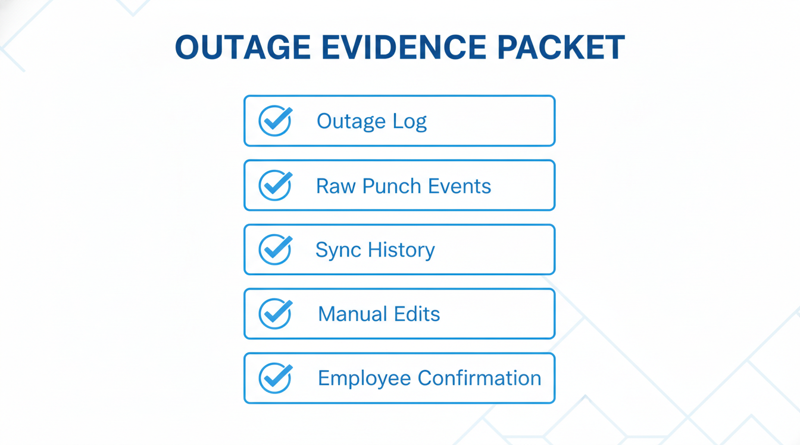
Assemble this packet for any outage:
- Outage start, end, affected sites and the provider ticket.
- Raw punch events with employee ID, punch type, local time and device.
- Sync history showing when each event reached UKG.
- Every manual edit, with reason and approver.
- Employee confirmation of unresolved discrepancies.
CloudApper AI TimeClock for UKG
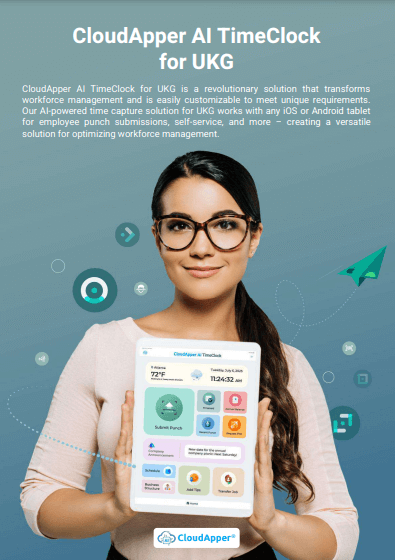
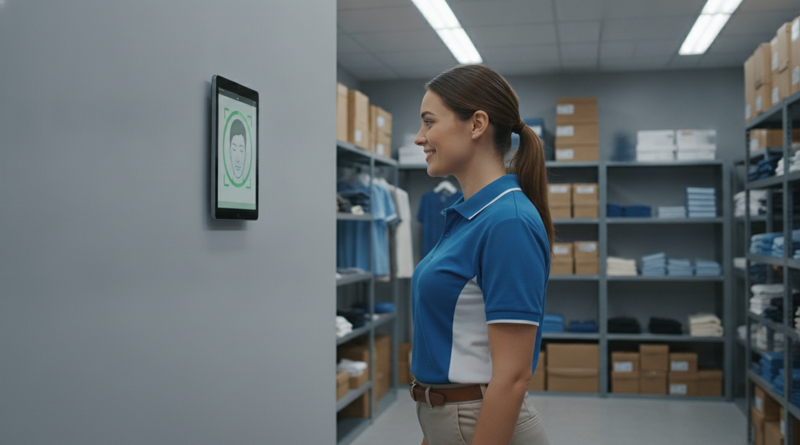
CloudApper AI TimeClock for UKG is an iPad and tablet based, affordable alternative to InTouch DX and other legacy UKG (Kronos) clocks, at roughly 25% of the cost of traditional UKG clocking hardware. It captures punches offline, includes face recognition, and syncs to UKG Ready and Pro WFM with audit trails. See offline punch buffering for UKG time clocks, punch audit trails for union grievances and DOL wage and hour audit readiness.
Frequently Asked Questions
Q: What should I document when employees cannot punch during a network outage?
Record the outage start and end, affected sites, the fallback used, and each employee’s actual start, end and break times, confirmed by the employee the same day.
Q: Does the FLSA require a time clock or offline capture?
No. The U.S. Department of Labor says any timekeeping method is acceptable if records of hours worked are complete and accurate.
Q: How do I reconcile offline punches after service returns?
Confirm each event kept its original time, check for duplicates and gaps, review overtime and meal exceptions, and document each correction.
Q: Can I use scheduled hours when the clock was unavailable?
Scheduled hours are not a record of hours worked. Use them only to cross-check employee-confirmed times.
Q: What will an auditor or union steward ask to see?
Raw punch events, sync history, the edit trail, the outage ticket, approvals and the policy or CBA rule you applied.
If you want original punch times protected when a site loses connectivity, book a demo of CloudApper AI TimeClock for UKG and have your UKG admin validate the sync.


November 19, 2026
Enroll Once, Punch Anywhere? Biometric Enrollment for Floaters and Cross-Site Staff on UKG
Float pool staff punch at several sites, so one enrollment has to work in many places. This guide covers home versus visiting rules, transfers, consent by jurisdiction, fallback options, and a five step cross-site test, plus how CloudApper AI TimeClock for UKG fits.

November 18, 2026
Re-Pointing Tablet Time Clocks When Your UKG Tenant Changes: A Cutover Checklist
Moving from UKG Ready through a reseller to UKG direct, or from Ready to Pro WFM, changes endpoints, credentials, ID maps and pay codes behind every tablet clock. This checklist covers what to verify, how to plan the cutover window, and how CloudApper AI TimeClock for UKG fits.
November 17, 2026
Which UKG Time Clocks to Replace First: A Site-Risk Ranking for a Mixed InTouch Fleet
Replacing every UKG InTouch clock at once rarely makes sense. This guide ranks a mixed 9000, 9100 and DX fleet by support exposure, failure history, site criticality, payroll risk and cost, then shows where CloudApper AI TimeClock for UKG offers an affordable tablet alternative for the swaps you choose.
November 13, 2026
Who Owns the Ticket When a Punch Goes Missing on a Tablet Clock Synced to UKG
A punch goes missing on a tablet clock synced to UKG, and the ticket bounces between IT, HR and a vendor. This guide separates capture, delivery and timecard layers, suggests an ownership rule and escalation packet, and shows how CloudApper AI TimeClock for UKG fits as an affordable tablet alternative.