Prepare your UKG environment for a DOL wage and hour audit — what investigators request, where timekeeping records fail under scrutiny, and how to close the gaps before they find them.



Table of Contents
- What the DOL Actually Requests in a Wage and Hour Investigation
- What UKG Does Well for Audit Readiness
- Where UKG Timekeeping Records Break Down Under DOL Scrutiny
- What to Do Within UKG Before an Audit Arrives
- Where Native UKG Hardware Falls Short for Audit-Grade Records
- How CloudApper AI TimeClock for UKG Closes the Audit Gap
- Frequently Asked Questions
- Closing
DOL wage and hour audit readiness for UKG users comes down to whether your records can prove what they show. An investigation usually starts with an email, or a certified letter if the complaint was formal, from the Department of Labor’s Wage and Hour Division. It names your organization, references an investigation period, often two to three years, and requests specific timekeeping, payroll and scheduling records by a deadline. From that point you have to prove your records are accurate.

UKG Ready and UKG Pro WFM capture time data with high fidelity, but accurate capture and audit-ready records are different things. The distance between them is specific and fixable before the letter arrives. CloudApper AI TimeClock for UKG addresses several of those points directly, and this guide identifies which ones.
What the DOL Actually Requests in a Wage and Hour Investigation
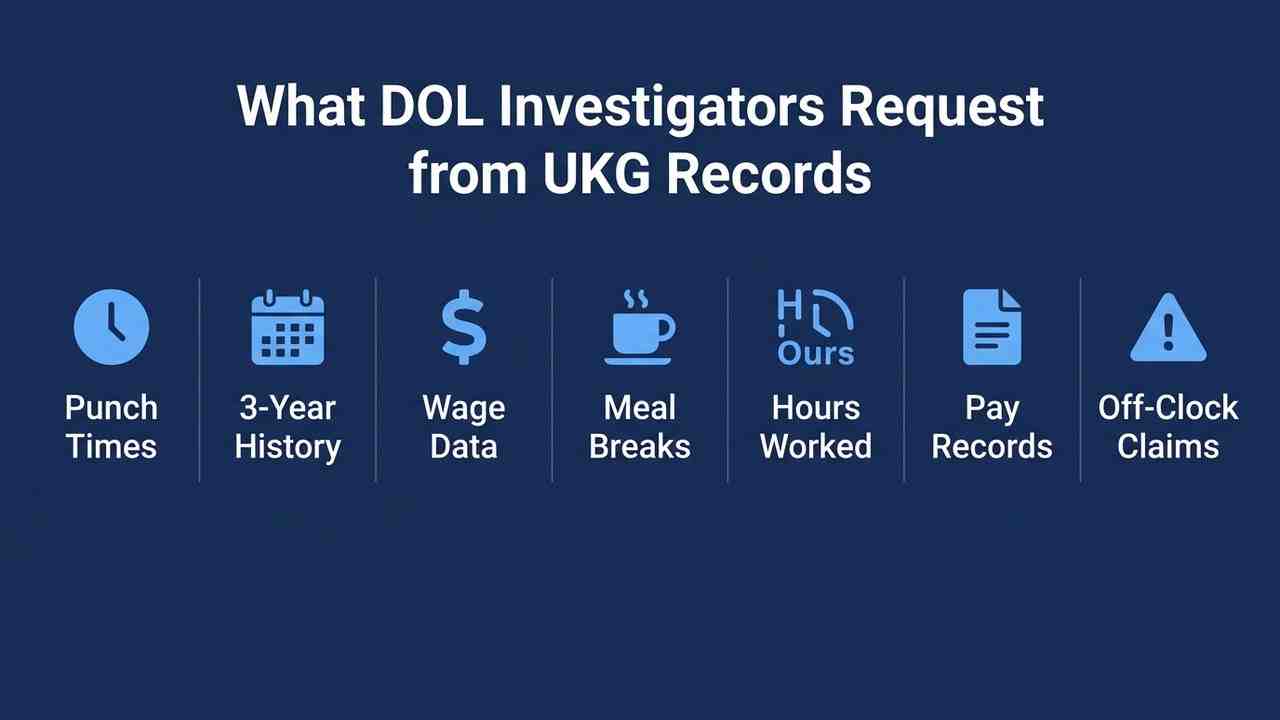
The Fair Labor Standards Act requires employers to maintain accurate time records for all non-exempt employees for a minimum of two years (payroll records) and three years (timecards and wage schedules). When WHD investigators open a case, the records request typically covers:
- Clock-in and clock-out times for each workday, for each employee under investigation
- Total daily and weekly hours worked
- Basis of pay (hourly rate, pay period)
- Total wages paid each pay period
- Any deductions
- Break and meal period records, where applicable under state or local law
- Records of off-the-clock work allegations, if raised in the complaint
The two areas where UKG organizations most commonly run into problems are break and meal period documentation and the integrity of the punch record itself — specifically, whether the timestamp reflects when the employee actually worked, or when someone pressed a button.
What UKG Does Well for Audit Readiness
UKG Ready and UKG Pro WFM maintain robust timekeeping data. The platform stores clock-in and clock-out times at the transaction level, preserves timecard approval workflows, logs manager edits with timestamps and user IDs, and supports configurable pay rules that enforce overtime, shift differentials, and premium pay calculations. The audit trail for timecard changes in UKG is well-structured — every edit is logged with who made it, when, and what it replaced.
For organizations using UKG’s native hardware, the basic punch data is there. The platform’s reporting engine can pull employee-level time detail across any date range within the retention period. That is a real foundation for audit response.
The challenge is not UKG’s software capability. It is what sits between your employees and the UKG record.
Where UKG Timekeeping Records Break Down Under DOL Scrutiny
The punch identity problem. A DOL investigator reviewing a pay discrepancy allegation will look closely at whether the punch record can prove who clocked in. If your terminals are badge-based or PIN-based — no biometric verification — there is no technical barrier to identity substitution at the clock. The WHD does not need to prove it happened in every case; they need to demonstrate that your records cannot rule it out. That uncertainty is enough to shift the evidentiary burden in a contested investigation. Compliance-grade time clock configuration requires identity verification at the point of capture — not at the manager approval stage.
The missed punch correction trail. Every manual timecard correction in UKG generates an edit log entry. In an audit, investigators will request that log. A high volume of manager-initiated corrections — particularly corrections that consistently add time after the fact — is a pattern that triggers questions. Missed punch policies in UKG Pro govern how those corrections are processed, but the policy does not change how the log looks to an investigator. The cleaner the underlying punch record, the shorter that conversation.
Break and meal period documentation. In states with mandatory meal break laws — California, Massachusetts, New York, Oregon, and others — the DOL and state labor agencies want to see not just that a break occurred, but that the employee acknowledged it. A punch-out and punch-in for a 30-minute window is a data point. An employee attestation that the break was uninterrupted — captured at the time it happened — is a compliance record. These are different things, and the difference matters in contested wage claims. Break hour verification at the time clock is the mechanism that makes that documentation available.
Multi-state complexity. Organizations operating across state lines carry layered compliance obligations: different overtime thresholds, different break requirements, different minimum wage floors, different recordkeeping mandates. UKG’s pay rule configuration handles much of this, but the execution at the terminal level — whether employees in California are documenting breaks differently than employees in Texas — is a gap that pure software configuration cannot close without hardware that surfaces the right workflow at the right location. Multi-state hour tracking in UKG Pro WFM describes how to approach the configuration, but configuration requires a capture device that can surface location-specific attestations.
Timecard adjustment volume and pattern. A DOL investigator reviewing your records will not look only at individual time entries. They will look at the distribution: How many corrections were made? By whom? On which days? At what step in the approval chain? A pattern of corrections made by a single manager, for employees on a single shift, consistently rounding in one direction, is a red flag that can convert a routine records review into a full investigation. Timecard adjustments in UKG are legitimate and necessary — but their frequency and distribution tell a story that your audit preparation should review before investigators see it.
What to Do Within UKG Before an Audit Arrives
The most valuable audit preparation work happens in UKG before any investigation opens. Four specific steps reduce your exposure and make record production faster if you are ever contacted.
Run a correction audit. Pull the timecard edit log for a rolling 90-day period. Sort by editor, shift, and edit type. Identify any manager who is making corrections at a rate significantly above the organizational average. Investigate before an investigator does. Unusual patterns almost always have an explanation — coverage issues, system configuration, a specific location problem — but that explanation needs to be yours to give, not theirs to find.
Confirm your retention configuration. FLSA requires two years for payroll records, three years for timecards. Verify that UKG’s data retention settings are configured to meet the three-year minimum for time records. Many organizations let this default to a shorter window without realizing it. A records request for an investigation dating back 26 months should not require you to reconstruct anything from spreadsheets.
Review your break attestation coverage. If you operate in any state with mandatory break laws, confirm that your UKG configuration is capturing a break event — not just inferring one from the gap between punches. If your terminals do not prompt for break acknowledgment, that is a configuration gap worth closing before an audit surfaces it.
Document your pay rule logic. Investigators who find discrepancies between hours worked and wages paid will ask for your pay rule documentation. UKG’s configuration is detailed and auditable, but the documentation — a plain-language explanation of how overtime, shift differentials, and on-call pay are calculated — needs to exist separately and be accessible to your legal and HR team. On-call pay miscalculations are a specific audit risk area where the gap between system configuration and actual pay outcome can produce wage liability that no one intended.
Where Native UKG Hardware Falls Short for Audit-Grade Records
UKG’s software infrastructure supports audit-ready recordkeeping. The hardware layer introduces the gaps.
Proprietary UKG terminals — Intouch DX, 9000, 9100, 4500 — capture time at a transaction level. What they do not do, without additional configuration cost, is:
- Verify the identity of the person punching in through biometrics
- Surface location-specific break attestation prompts at the terminal
- Capture a signed employee acknowledgment of hours worked at the point of clock-out
- Operate offline and sync automatically, ensuring no punch data is lost at remote sites
Each of these gaps is defensible in a routine payroll environment. In a DOL investigation where a claimant is alleging pay discrepancies or off-the-clock work, each gap becomes a line of questioning you need to answer without the evidence to close it cleanly.
How CloudApper AI TimeClock for UKG Closes the Audit Gap
CloudApper AI TimeClock for UKG runs on standard Android tablets or iPads and syncs directly with UKG Ready and Pro WFM. It does not replace UKG — it replaces the hardware terminal and adds the capture-layer capabilities that turn UKG’s data into audit-grade records.
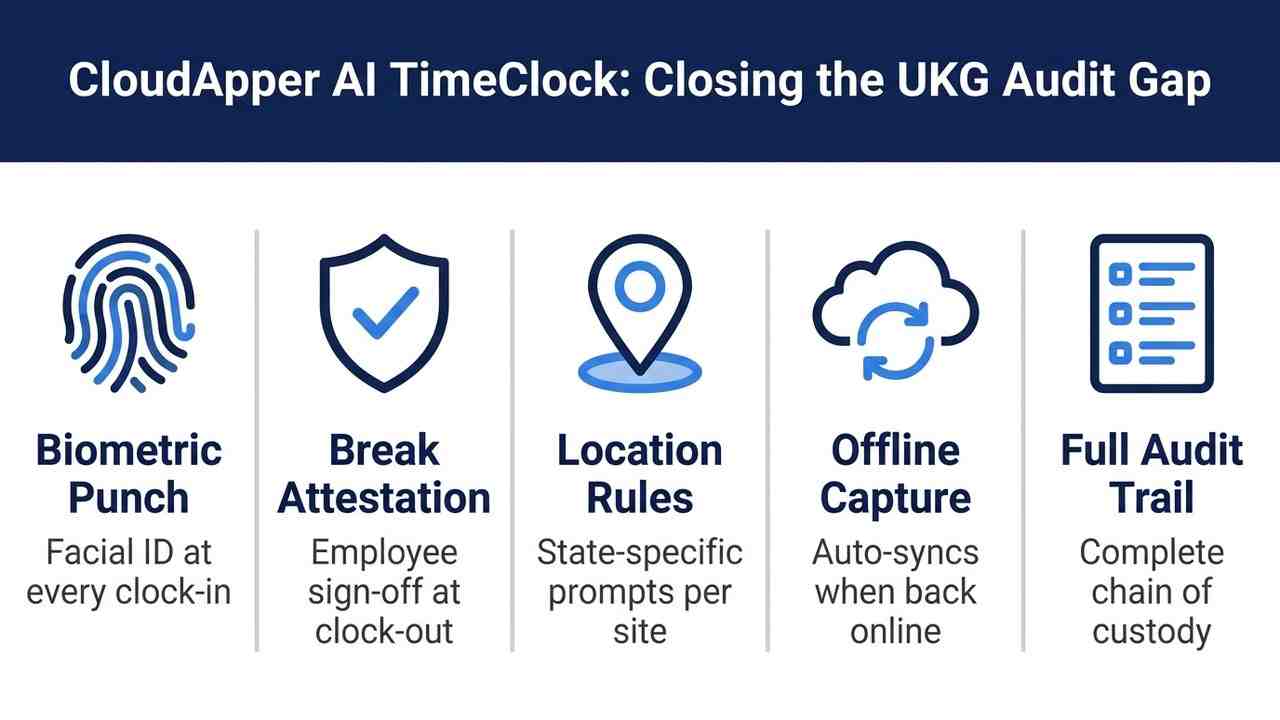
Biometric identity at every punch. Facial recognition verification is included in the standard licensing, at no extra cost. Every punch is tied to a confirmed identity. The shared-credential question disappears from your audit response.
Attestation at the terminal. CloudApper AI TimeClock supports configurable attestation prompts at clock-out — employees confirm their hours, their break, and any relevant compliance acknowledgment before the punch is recorded. That confirmation is stored with the time record and is retrievable for audit response. Timecard attestation workflows built on top of this capture layer give HR and managers a defensible record at every level.
Location-specific compliance workflows. Attestation prompts, break requirements, and data capture forms can be configured by location — so employees in California see California-specific break acknowledgment prompts, while employees in states without mandatory break laws see a different workflow. The configuration follows your legal obligations, not a one-size-fits-all terminal behavior.
Offline capture with automatic sync. No punch data is lost at remote or low-connectivity locations. The time record is captured at the terminal, stored locally, and synced to UKG when connectivity is restored. A records request covering a three-year period should never include a gap because a terminal went offline during a storm.
Full audit trail. Every interaction — punch-in, punch-out, attestation, correction request — is logged with a timestamp and user identity. The audit trail that UKG maintains at the software level is extended to the capture layer, giving investigators a complete chain of custody for every time record.
For UKG organizations operating in high-scrutiny industries — healthcare, hospitality, retail, manufacturing — or across multiple states with layered break and overtime requirements, the audit readiness gap between “we use UKG” and “our records are defensible” is a hardware problem. CloudApper AI TimeClock solves it at 25% of the cost of proprietary UKG terminal hardware.
Frequently Asked Questions
Q: How far back can a DOL wage and hour investigation go?
The FLSA statute of limitations is two years for non-willful violations and three years for willful violations. The WHD typically requests records covering the full three-year period in cases where willfulness may be alleged. Organizations should ensure UKG timekeeping data is retained for at least three years and is accessible in a format that can be produced for investigation without manual reconstruction.
Q: What is the most common timekeeping gap that triggers DOL wage and hour findings?
Off-the-clock work allegations and break period disputes are the two most frequent sources of WHD findings in hourly-workforce investigations. Both are addressable through terminal-level attestation — employees confirming actual hours worked and break periods taken at the time of each punch, rather than reconstructing records after the fact.
Q: Does UKG Ready or Pro WFM maintain an audit trail for timecard changes?
Yes. UKG logs all timecard edits with the editor’s user ID, timestamp, and the original versus modified value. This log is accessible through UKG’s reporting tools and is one of the primary documents produced in a wage and hour investigation. Organizations should review this log periodically before an investigation requires them to, since patterns in correction volume and distribution can surface management issues before they become regulatory ones.
Q: Can facial recognition at the time clock be used as evidence of who clocked in?
Yes, within the bounds of your biometric data policy. Biometric identity verification — where each punch is matched to a registered facial template — establishes that the person who clocked in was the employee of record, not a stand-in. This is particularly relevant in buddy punching cases and off-the-clock work complaints where the employer needs to demonstrate that the time record reflects actual employee presence.
Q: What break documentation does a DOL investigator look for in a meal break dispute?
Investigators will look for evidence that the break occurred, that it was uninterrupted, and — in states with mandatory break laws — that the employee received the legally required period. A punch gap is insufficient on its own in most contested cases. An employee attestation captured at the terminal at the time the break ended is the strongest available contemporaneous record.
Q: How does CloudApper AI TimeClock handle multi-state break compliance?
CloudApper AI TimeClock supports location-specific attestation workflows. Break acknowledgment prompts, duration requirements, and compliance language can be configured per location, ensuring that employees in states with mandatory break laws — California, Massachusetts, New York, and others — receive the correct workflow at the terminal, while employees in states without those requirements follow a different flow. The configuration is managed at the admin level without requiring separate hardware for each jurisdiction.
Q: What should UKG administrators do right now to improve audit readiness?
Pull the timecard edit log for the past 90 days and review correction volume by manager and location. Confirm that UKG data retention is set to a minimum of three years for time records. Verify that break events are captured as discrete terminal interactions, not inferred from punch gaps. Document your pay rule logic in plain language that can be handed to outside counsel without a two-hour briefing. These four steps are achievable within UKG’s existing configuration before any investigation opens.
Closing
A DOL wage and hour audit does not create a compliance problem — it reveals one. The organizations that respond confidently to a WHD records request are the ones that built their timekeeping infrastructure assuming the records would be scrutinized, not assuming they would not.
If your UKG environment captures time accurately but cannot verify identity at the terminal, cannot produce break attestations at the employee level, or has a high volume of post-hoc corrections, those are solvable problems — and CloudApper AI TimeClock for UKG is the hardware layer that solves them without replacing your UKG investment.
Explore the full solution and schedule a demonstration at https://ukg.cloudapper.ai/affordable-ukg-kronos-time-clock/



October 19, 2026
Nurse Mandatory Overtime Limits in UKG: Documenting Voluntary Overtime at Clock-Out
New York, Pennsylvania and Washington restrict mandatory overtime for nurses, which makes documented consent the key record. Learn how UKG Pro WFM and UKG Ready separate voluntary and mandated overtime, and how CloudApper AI TimeClock captures consent on an affordable unit tablet.

October 16, 2026
Heat Illness Recovery Breaks in UKG for Construction and Logistics Crews
State heat rules in California, Washington and beyond require cool-down breaks that payroll must be able to prove. Learn how UKG Ready and UKG Pro WFM track recovery periods, and how CloudApper AI TimeClock captures them on an affordable jobsite tablet that works offline.
October 15, 2026
PUMP Act Lactation Breaks in UKG: Tracking Them Without Breaking Meal Rules
Lactation breaks protected by the PUMP Act often show up as meal break exceptions in UKG. Learn what federal law requires, how to configure UKG Ready and UKG Pro WFM pay codes, and how CloudApper AI TimeClock records these breaks privately on an affordable tablet clock.
October 14, 2026
Enforcing Minor Work Hour Limits at the UKG Time Clock
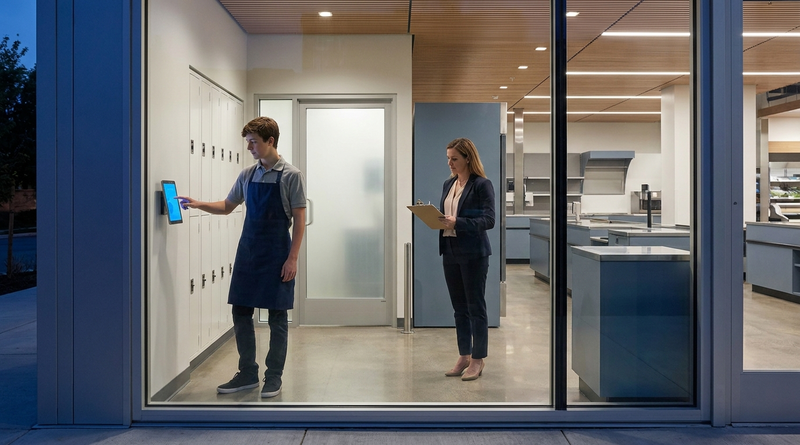
Child labor hour limits are usually built into UKG schedules, but violations happen at the punch. Learn the federal rules for 14 to 17 year olds, how UKG Pro WFM and UKG Ready handle minor rules, and how CloudApper AI TimeClock adds age-based checks on an affordable tablet clock.
