Replacing every UKG InTouch clock at once rarely makes sense. This guide ranks a mixed 9000, 9100 and DX fleet by support exposure, failure history, site criticality, payroll risk and cost, then shows where CloudApper AI TimeClock for UKG offers an affordable tablet alternative for the swaps you choose.


Table of Contents
- What UKG Does Natively
- Where the Friction Shows Up
- What to Do Within UKG First
- Where Native Tools Run Out
Forty-one clocks on the whiteboard. A budget line for twelve. Most teams default to age, oldest first, and then discover that the clock in the break room and the clock at the 24/7 dock door were never the same kind of problem. CloudApper AI TimeClock for UKG gives you a lower-cost option for the swaps you do choose, since it runs on iPads and tablets and syncs into UKG Ready or Pro WFM.
What UKG Does Natively
InTouch 9000, 9100 and DX are UKG’s own clocks, and InTouch DX offers finger scan and TouchFree ID face recognition. Support status differs by model and by contract, so your UKG account team and UKG’s support documentation are the source of truth. Nothing in this guide says a supported clock must be replaced.
Where the Friction Shows Up
Age is easy to read and a poor guide to risk. A clock outage at a union plant, a remote yard or a 24/7 care unit creates overtime disputes, manual timecard fixes and grievance exposure that a back-office clock never does. The people who absorb the calls are the facilities and site operations leads, and their constraints (mounting, power, spare swaps) rarely appear in a headquarters spreadsheet.
What to Do Within UKG First
- Confirm each model’s current support status with your UKG account team, and log the date you checked.
- Pull exception and missed punch data by device and site from UKG.
- Leave stable, covered clocks alone.
- Line the plan up with your UKG renewal checklist so you right-size before you re-sign.
Where Native Tools Run Out
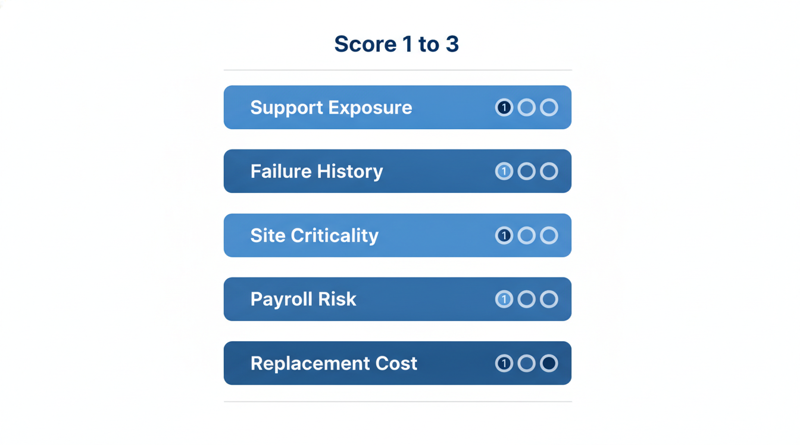
UKG shows you punch data. It will not tell you what a failure costs at each site, so you need a scoring step of your own. Score every clock 1 to 3 on each factor:

- Support exposure: verified status and repair history.
- Failure history: reboots, lost connectivity, service calls.
- Site criticality: payroll cutoff, production, patient staffing.
- Payroll risk: correction volume, buddy punching, shared badges.
- Replacement economics: repair, spare, travel and refresh cost.
Swap the highest totals first. CloudApper AI TimeClock for UKG fits best at high-scoring sites where economics decide, because a tablet costs far less than a proprietary terminal. Your repair, exchange or tablet decision and a CFO ROI case supply the dollars.
CloudApper AI TimeClock for UKG
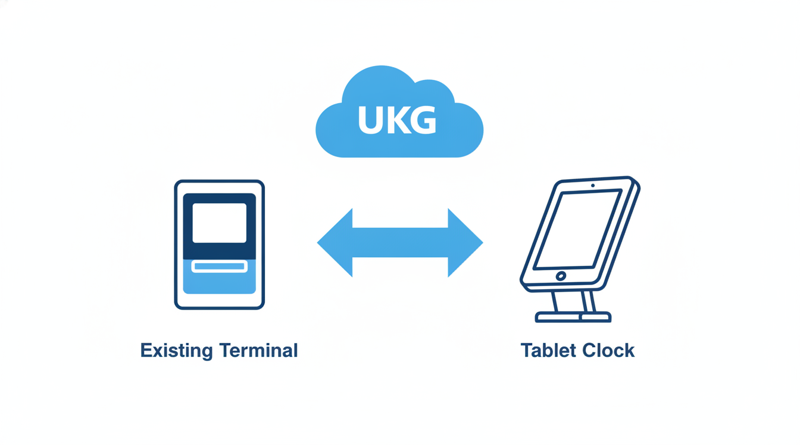
CloudApper AI TimeClock for UKG is an iPad and tablet based, affordable alternative to InTouch DX and other legacy UKG (Kronos) clocks, at roughly 25% of the cost of traditional UKG clocking hardware. It includes face recognition, offline punch capture, PIN, QR and badge options, and syncs punches to UKG Ready and Pro WFM timecards. Because UKG stays the system of record, you can run tablets beside existing InTouch terminals, pilot one site against a written success memo, and check network readiness with a Wi-Fi site survey first.
Frequently Asked Questions
Q: How do I decide which UKG InTouch clocks to replace first?
Score each clock on support exposure, failure history, site criticality, payroll risk and replacement cost, then swap the highest totals first. Age alone is a weak guide.
Q: Do I need to replace every InTouch clock at once?
No. Phase the work and leave stable, supported clocks in place until the cost or workflow case justifies a change.
Q: Can I mix InTouch terminals and tablet clocks in one UKG environment?
Yes, when the tablet solution syncs to UKG Ready or Pro WFM. Validate the integration with your UKG admin first.
Q: Where do I find the current support status of my UKG clocks?
Ask your UKG account team and check UKG’s support documentation, then record the date you verified it.
Q: Which sites suit tablet clocks first?
Sites where replacement economics dominate, connectivity is weak, or a pilot is low risk.
If you are ranking a mixed fleet, book a demo of CloudApper AI TimeClock for UKG and have your UKG admin validate the sync at one pilot site.


November 13, 2026
Who Owns the Ticket When a Punch Goes Missing on a Tablet Clock Synced to UKG
A punch goes missing on a tablet clock synced to UKG, and the ticket bounces between IT, HR and a vendor. This guide separates capture, delivery and timecard layers, suggests an ownership rule and escalation packet, and shows how CloudApper AI TimeClock for UKG fits as an affordable tablet alternative.
November 11, 2026
Moving UKG Time Clocks From Fingerprint to Face: Re-Enrollment, Consent and the Fallback Window
Moving UKG time clocks from fingerprint to face recognition means re-enrolling every employee, refreshing biometric consent, and keeping a fallback window open. This guide covers what UKG supports natively, where costs appear, and how tablet-based CloudApper AI TimeClock for UKG offers an affordable alternative.
November 10, 2026
Self-Service Time Clock Kiosks on UKG: Cutting HR Help Desk Volume Without Cutting Corners on Compliance
Learn how a self-service time clock kiosk connected to UKG Ready or Pro WFM can cut HR help desk ticket volume by giving frontline workers direct access to PTO balances, schedules, punch corrections, and policy answers at the point of work.
November 9, 2026
Tablet Time Clock Queue Times at Shift Change: How Long Is Too Long and What Fixes It on UKG
Shift-change queues at UKG time clocks are a transaction speed problem, not a device count problem. Learn how to diagnose per-punch cycle time, optimize native UKG settings, and deploy CloudApper AI TimeClock to cut queue wait from five minutes to under two.