Float pool staff punch at several sites, so one enrollment has to work in many places. This guide covers home versus visiting rules, transfers, consent by jurisdiction, fallback options, and a five step cross-site test, plus how CloudApper AI TimeClock for UKG fits.


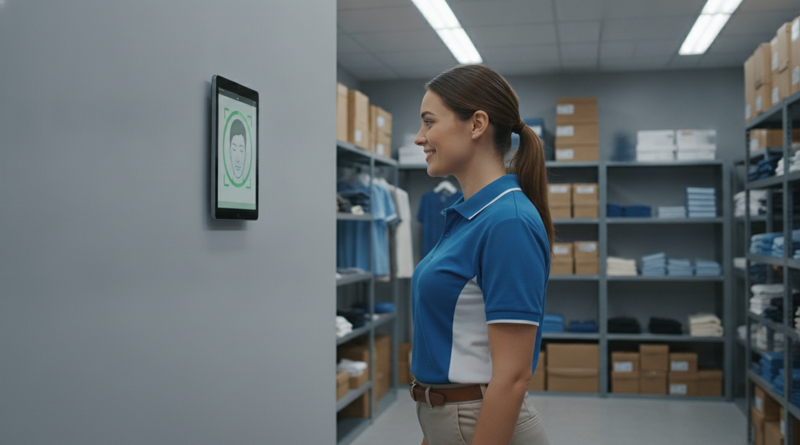
Table of Contents
- What UKG Does Natively
- Where the Friction Shows Up
- What to Do Within UKG First
- Where Native Tools Run Out
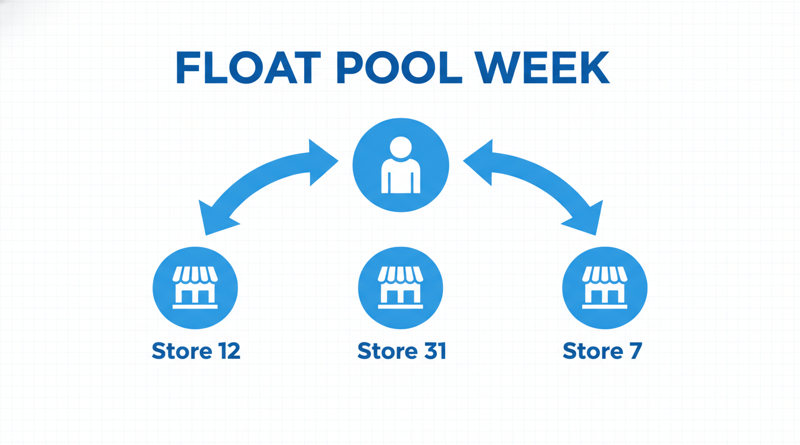
Monday: Store 12. Tuesday: Store 31. Wednesday: Store 7. Thursday: Store 12 again, and the clock says “not enrolled.” That is the float pool week, and it is where most multi-site biometric plans quietly fail. Enrollment is easy to plan for the people who work in one place. CloudApper AI TimeClock for UKG gives you a tablet-based clock at each site that syncs to UKG Ready or Pro WFM, which makes the cross-site question one you can test rather than assume.
What UKG Does Natively
UKG handles home location, transfers, labor levels and work rules, and it can restrict which clocks an employee may use. InTouch DX offers finger scan and TouchFree ID face recognition, with consent captured at enrollment. For single-site staff, that covers the job.
Where the Friction Shows Up
A floater punches at several sites, so every site needs a way to recognize them. Enrolling the same person at each location costs paid time and creates repeated consent events. Consent rules also vary by state or province, so a person crossing a border may cross a different legal standard. Then there is the 6 a.m. moment: a supervisor facing a failed match with no one to call.
What to Do Within UKG First
- Define home versus visiting rules. See how to ensure employees clock in from assigned time clocks in UKG Ready.
- Confirm transfers and labor levels post correctly when a floater punches elsewhere, as in automating job transfers in UKG.
- Write the fallback: badge, PIN or PIN with photo, and who approves it.
- Review consent by jurisdiction with what biometric privacy laws require.
Where Native Tools Run Out
Small sites multiply the hardware problem. A terminal at every location is a capital line item, and the shared kiosk problem in multi-location retail shows what happens when sites share or skip clocks. CloudApper AI TimeClock for UKG runs on an iPad or Android tablet, so a floater-heavy network can put a clock at every site without a terminal budget at every site.

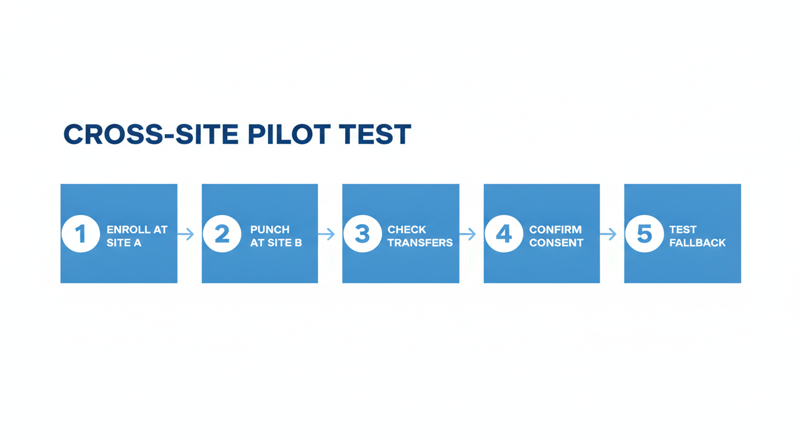
Do not assume one enrollment works everywhere. Test it:
- Enroll a floater at Site A, then punch at Site B.
- Check that transfers and labor levels post correctly.
- Confirm where templates are stored and how they are protected.
- Record consent once and confirm the record is visible at every site.
- Trigger a failed match and run the fallback end to end.
CloudApper AI TimeClock for UKG
CloudApper AI TimeClock for UKG is an iPad and tablet based, affordable alternative to InTouch DX and other legacy UKG (Kronos) clocks, at roughly 25% of the cost of traditional UKG clocking hardware. It includes face recognition, PIN, QR and badge options, offline capture and transfer prompts, and syncs punches to UKG. Use the test list above in a pilot, and size the network with the IT planning guide for 50+ locations.
Frequently Asked Questions
Q: Can a floater enroll once and punch at any location on UKG?
It depends on how your clocks store and share enrollment. Test an enrollment at one site and a punch at another before you roll out.
Q: How do floaters record job transfers when they punch at another site?
Configure transfer or labor level prompts at the clock and confirm they post to the right location in UKG.
Q: Does face recognition consent need to be repeated at each site?
That depends on your jurisdiction and your consent record. Confirm with counsel whether one recorded consent covers every site.
Q: What if a floater’s face does not match at a visiting site?
Use your written fallback, such as a badge, PIN or PIN with photo, with a named approver.
Q: Are tablet clocks practical for many small sites?
Often yes, since tablets cost less than proprietary terminals. Validate the sync with your UKG admin at one pilot site first.
If your float pool spans many sites, book a demo of CloudApper AI TimeClock for UKG and run the cross-site test with your UKG admin.



November 18, 2026
Re-Pointing Tablet Time Clocks When Your UKG Tenant Changes: A Cutover Checklist
Moving from UKG Ready through a reseller to UKG direct, or from Ready to Pro WFM, changes endpoints, credentials, ID maps and pay codes behind every tablet clock. This checklist covers what to verify, how to plan the cutover window, and how CloudApper AI TimeClock for UKG fits.
November 17, 2026
Which UKG Time Clocks to Replace First: A Site-Risk Ranking for a Mixed InTouch Fleet
Replacing every UKG InTouch clock at once rarely makes sense. This guide ranks a mixed 9000, 9100 and DX fleet by support exposure, failure history, site criticality, payroll risk and cost, then shows where CloudApper AI TimeClock for UKG offers an affordable tablet alternative for the swaps you choose.
November 13, 2026
Who Owns the Ticket When a Punch Goes Missing on a Tablet Clock Synced to UKG
A punch goes missing on a tablet clock synced to UKG, and the ticket bounces between IT, HR and a vendor. This guide separates capture, delivery and timecard layers, suggests an ownership rule and escalation packet, and shows how CloudApper AI TimeClock for UKG fits as an affordable tablet alternative.

November 11, 2026
Moving UKG Time Clocks From Fingerprint to Face: Re-Enrollment, Consent and the Fallback Window
Moving UKG time clocks from fingerprint to face recognition means re-enrolling every employee, refreshing biometric consent, and keeping a fallback window open. This guide covers what UKG supports natively, where costs appear, and how tablet-based CloudApper AI TimeClock for UKG offers an affordable alternative.