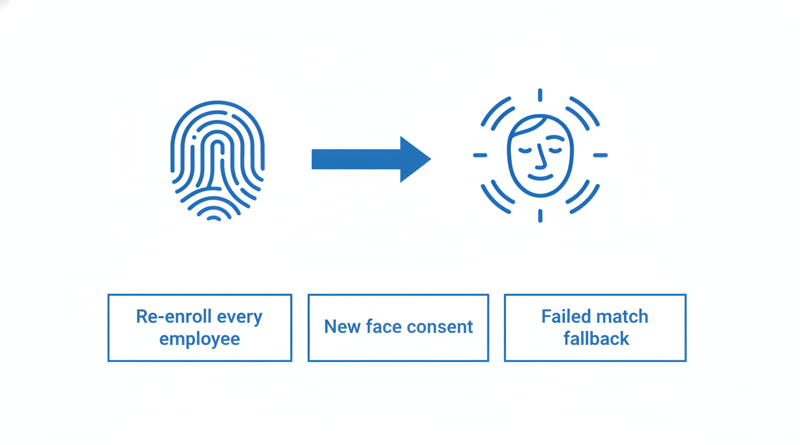
Moving UKG time clocks from fingerprint to face recognition means re-enrolling every employee, refreshing biometric consent, and keeping a fallback window open. This guide covers what UKG supports natively, where costs appear, and how tablet-based CloudApper AI TimeClock for UKG offers an affordable alternative.


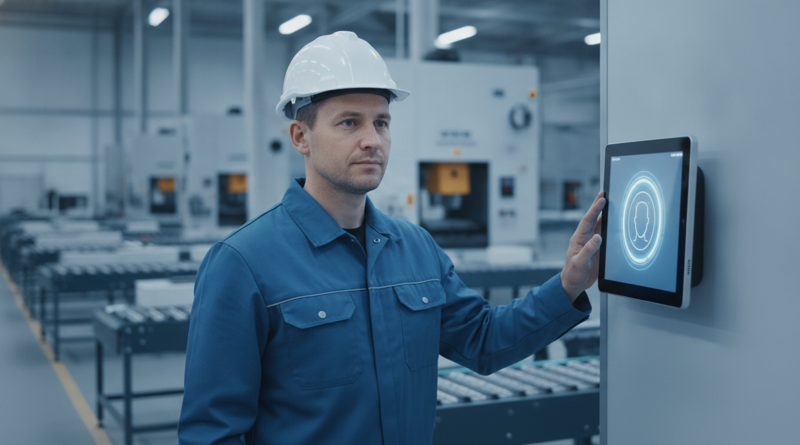
Table of Contents
- What UKG Does Natively
- Where the Friction Shows Up
- What to Do Within UKG First
- Where Native Hardware Runs Out
Pull the punch report for the first Monday after a face recognition go-live: a line at the clock, a supervisor typing manual punches, employees whose fingerprints worked fine last week. UKG Ready and Pro WFM customers can reach face recognition through UKG devices or through CloudApper AI TimeClock for UKG, which runs on tablets you already own and syncs to UKG, so the first question is what the project will cost.
What UKG Does Natively
InTouch DX supports finger scan and TouchFree ID face recognition. UKG’s documentation treats finger and face as separate biometric types, each with its own consent captured at enrollment, and it supports non-biometric options for employees who decline.
Where the Friction Shows Up
A finger template cannot be converted into a face template, so every employee re-enrolls. Multiply headcount by enrollment minutes at loaded wage and show your CFO that number first.

Consent is the second cost. Finger consent does not cover face capture, so the refresh is a new collection event. Illinois BIPA sets damages at $1,000 per negligent and $5,000 per intentional violation (740 ILCS 14/20), which is why our Illinois BIPA guide for UKG time clocks treats written consent as a go-live gate.
Third, face matching moves the exception queue rather than deleting it.
What to Do Within UKG First
- Pilot one site for a full pay period.
- Keep finger scan and badge or PIN active while employees enroll.
- Capture face consent at enrollment. Retire finger scan only when failed matches are rare, then purge old templates per our template purge guidance.
For the fallback window, I recommend the pilot plus at least one full pay period, longer for union sites. Employees who decline can use a PIN and photo verification option, and bargaining units need the steps in changing the time clock in a union shop on UKG settled first.
Where Native Hardware Runs Out
TouchFree ID is an option on InTouch DX, so a fleet with older InTouch models turns a face migration into a hardware refresh. CloudApper AI TimeClock for UKG is the affordable alternative here: an iPad or Android tablet at roughly 25% of the cost of traditional UKG clocking hardware. Our InTouch DX replacement guide has the cost math.
CloudApper AI TimeClock for UKG
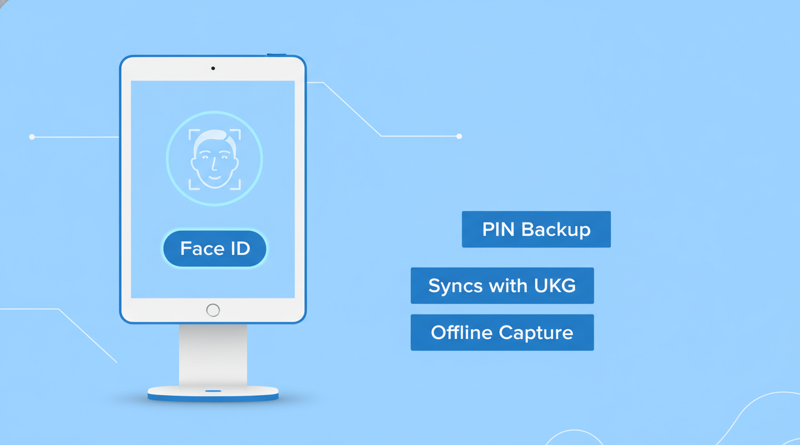
CloudApper AI TimeClock for UKG includes face recognition in the license. Employees enroll on the tablet, a consent screen can be configured into that flow, and PIN, QR or badge punches stay available on the same device, so the fallback window needs no second set of hardware. It syncs with UKG Ready and Pro WFM. Tablets can run beside existing terminals, as described in running InTouch DX terminals and tablet time clocks side by side.
Frequently Asked Questions
Q: Do employees have to re-enroll when UKG time clocks switch from fingerprint to face?
Yes. Finger and face are different biometric types, so each employee completes a new face enrollment. A fingerprint template cannot be converted into a face template.
Q: Does fingerprint consent cover face recognition?
No. Face capture is a separate collection, and UKG’s documentation treats finger and face consent separately. Obtain new written consent before any face enrollment.
Q: How long should the fingerprint fallback stay active after face recognition goes live?
A common practice is the pilot plus one full pay period, longer for union or multi-state sites. Retire it once failed matches are rare.
Q: Should fingerprint templates be deleted after the switch?
Yes. Once fingerprint is retired, purge the templates per your retention policy and applicable law.
Q: Can I use face recognition on UKG without buying InTouch DX terminals?
Yes. CloudApper AI TimeClock for UKG provides face recognition on a standard iPad or Android tablet and syncs punches to UKG Ready or Pro WFM.
If you are weighing a face migration against a hardware refresh, book a demo of CloudApper AI TimeClock for UKG and have your UKG admin validate the integration at one pilot site first.


November 10, 2026
Self-Service Time Clock Kiosks on UKG: Cutting HR Help Desk Volume Without Cutting Corners on Compliance
Learn how a self-service time clock kiosk connected to UKG Ready or Pro WFM can cut HR help desk ticket volume by giving frontline workers direct access to PTO balances, schedules, punch corrections, and policy answers at the point of work.
November 9, 2026
Tablet Time Clock Queue Times at Shift Change: How Long Is Too Long and What Fixes It on UKG
Shift-change queues at UKG time clocks are a transaction speed problem, not a device count problem. Learn how to diagnose per-punch cycle time, optimize native UKG settings, and deploy CloudApper AI TimeClock to cut queue wait from five minutes to under two.
November 6, 2026
Biometric Kiosks at the Job Trailer: What Construction IT Teams Need to Know Before Extending UKG Pro WFM Time Capture
Construction IT teams extending UKG Pro WFM to job trailers must validate middleware compatibility, offline punch buffering, and PPE-ready facial recognition before deploying biometric tablet kiosks. CloudApper hrPad and Crew Punch address each evaluation checkpoint as embedded capabilities.
November 6, 2026
Night-Shift Time Records in UKG: Who Owns the Exception Queue After 10 p.m.?
Between 10 p.m. and 6 a.m., UKG exception queues fill with punch corrections verified by the same supervisor who created them. This guide shows UKG admins where the overnight control gap opens, what to fix inside UKG first, and how tablet-based time capture with offline buffering and biometric verification closes the gap.