Replacing UKG clocking hardware does not have to happen on one date. This guide shows UKG admins how to run Intouch DX terminals and CloudApper AI TimeClock tablets side by side, with site-by-site move or hold rules, exception owners, and rollback triggers.


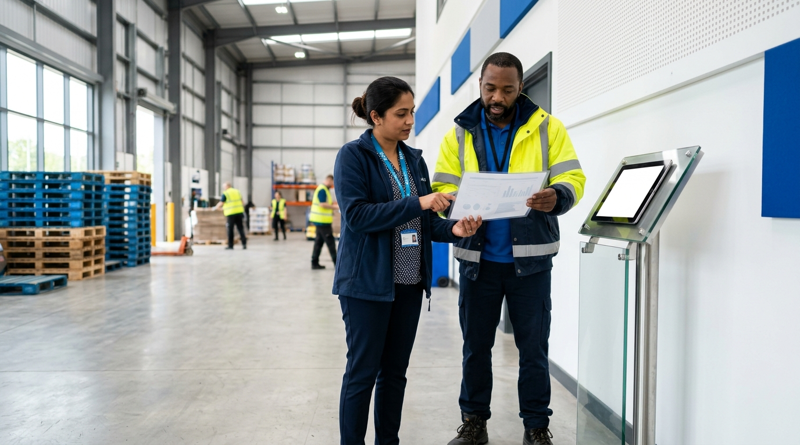
Table of Contents
At 6:02 a.m., one line worker taps a badge on an Intouch DX by the east door while her coworker looks into a tablet at the west door. Same employer, same UKG timecards, two ways to punch, and one supervisor who now has to explain both. Mixed fleets are normal during a hardware refresh, and CloudApper AI TimeClock, an iPad and tablet layer that syncs with UKG Ready and Pro WFM, is built to run beside existing terminals rather than replace them overnight.
What UKG Already Supports
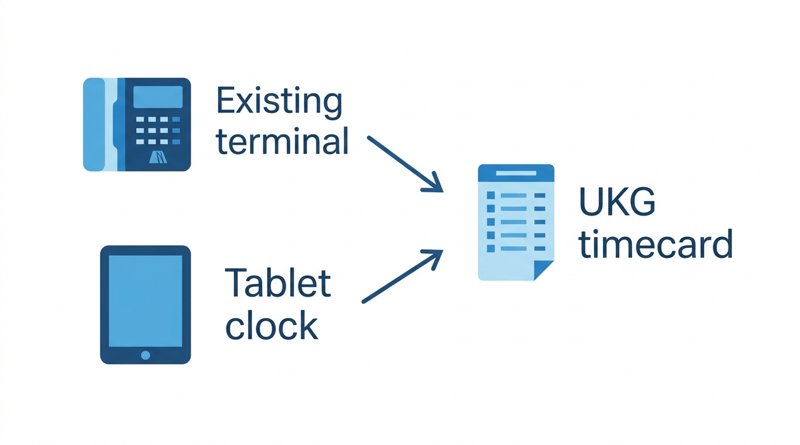
Your Intouch DX terminals keep capturing punches into the same UKG environment, under the same pay rules and the same timecards. Nothing about UKG requires a fleet-wide swap on one date. Units still under warranty can stay in service, and the repair, exchange, or tablet decision can be made one device at a time.
Where Mixed Fleets Get Messy
The technology rarely causes the trouble. Ownership does. When an employee says the clock did not take the punch, someone must know which device class to check and which team owns the fix. Supervisors absorb the first complaints when two doors use two credentials. Spare parts and support contracts split into two inventories. Plan for these costs before the first tablet ships, because they decide whether the overlap feels controlled or chaotic.
Decide Site by Site
Write the move or hold rule for each site before anyone argues about it:
- Move first: sites with terminals at end of life, as covered in the InTouch 9000 sunset guide, remote sites that lose connectivity, and sites where the missed punch baseline clusters at specific clocks.
- Hold: sites with units in warranty and low miss rates, and union sites still waiting on notice.
- Rollback trigger: a pay cycle outside the agreed variance returns the site to its prior terminals.
Run the Overlap Cleanly
Tag every punch with its source device so exceptions can be sorted by device class. Name one owner per exception type, keep a single exception queue, and give supervisors a one-page guide covering both credentials. Reconcile both device types against timecards for at least two pay cycles. A UKG admin can confirm the sync first using the integration validation steps, and the first site doubles as the pilot the CFO will ask for.
Where CloudApper AI TimeClock Fits
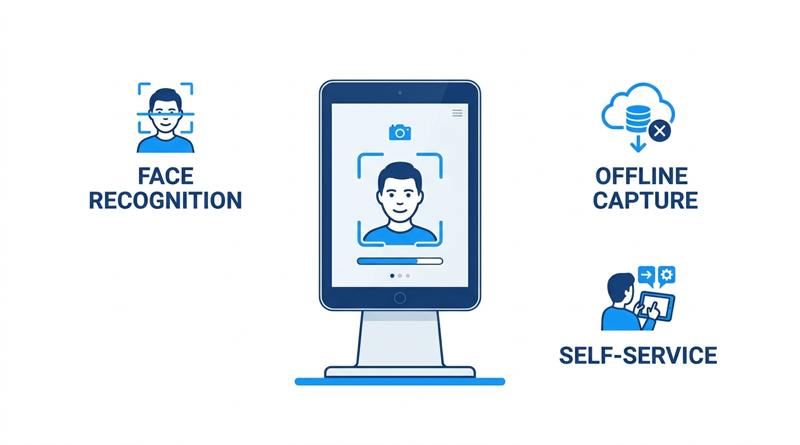
CloudApper AI TimeClock is an affordable iPad and tablet alternative to Intouch DX and other legacy Kronos clocks, at roughly 25% of the cost of traditional UKG clocking hardware, per CloudApper’s pricing comparison. It runs on standard tablets, adds facial recognition, offline capture with automatic sync, and employee self-service for PTO and shift swaps, and posts punches into UKG Ready or Pro WFM. Because it works beside Intouch DX terminals, you replace hardware at the pace your sites justify, as the Intouch DX replacement guide outlines.
Frequently Asked Questions
Q: Can Intouch DX terminals and tablet time clocks run in the same UKG environment?

Yes. Both can send punches into the same UKG Ready or Pro WFM environment while UKG remains the system of record. Validate the integration and pay rules at one site first.
Q: Do you have to replace all UKG time clocks at once?
No. Most organizations replace hardware site by site, starting with units at end of life or sites with connectivity problems.
Q: How do you handle punch exceptions with two device types?
Tag each punch with its source device, keep one exception queue, and assign an owner for each exception type.
Q: How long should two clock types run in parallel?
At least two pay cycles at the pilot site, long enough to reconcile punches against timecards and test the rollback trigger.
Q: Does a tablet time clock need special hardware?
No. CloudApper AI TimeClock runs on standard iPads and Android tablets, so no proprietary devices are required.
If you want to pilot CloudApper AI TimeClock at one site beside your current terminals, you can see how CloudApper AI TimeClock for UKG works and book a demo.




October 29, 2026
How to Baseline Your Missed Punch Rate in UKG Before You Buy Any Clock Hardware
Five people in payroll will give you five missed punch rates. This guide shows UKG admins and CFOs how to build one defensible baseline from expected punches, cause tags, and a 60-day window, and where CloudApper AI TimeClock fits if the data points to hardware.
October 28, 2026
The UKG Time Clock Pilot Memo: Success Criteria Your CFO and Admin Will Both Sign
A UKG time clock pilot succeeds or fails on criteria written before day one. This guide shows UKG admins and CFOs how to set scope, baseline, pass marks, and rollback triggers, and where CloudApper AI TimeClock fits as a tablet-based challenger beside existing UKG terminals.
October 27, 2026
Multilingual Time Clocks for UKG: Making Sure Workers Understand What They Attest To
An attestation is only as defensible as the employee's understanding of the question. Learn how UKG Pro WFM and UKG Ready handle languages, where custom prompts fall short, and how CloudApper AI TimeClock delivers multilingual attestation on affordable tablets.
October 26, 2026
California Seventh Consecutive Day Overtime in UKG: Flagging It at Clock-In
California pays premium rates on the seventh consecutive workday in a workweek, even when total hours stay at 40. Learn how UKG Pro WFM and UKG Ready calculate it, why the cost decision happens before the punch, and how CloudApper AI TimeClock flags it at clock-in.