Exit bag checks and security screening can be paid time under California and Pennsylvania law. Learn how UKG Ready and UKG Pro WFM handle screening time, what to configure first, and how CloudApper AI TimeClock places an affordable tablet clock past every checkpoint.


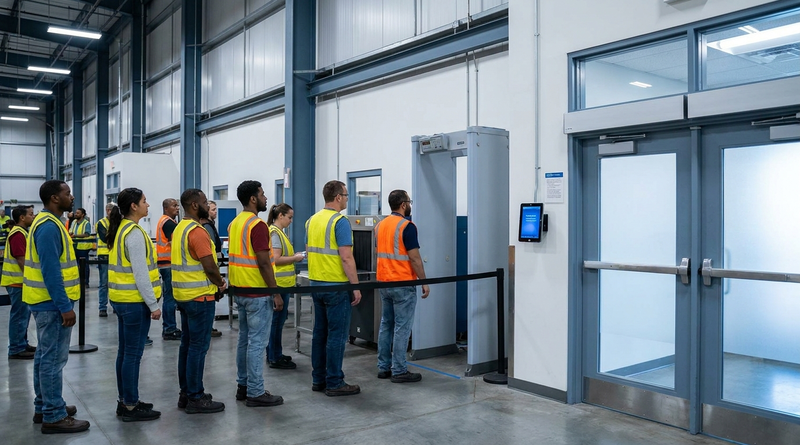
Table of Contents
- When Screening Time Becomes Payable
- What UKG Handles Natively
- Where the Friction Shows Up
- What to Fix Inside UKG First
- Where Clock Placement Becomes the Limit
- CloudApper AI TimeClock at the Exit
- Frequently Asked Questions
The question usually comes from legal, not payroll: “How long does our exit screening take, and who is paying for it?” Security screening time is generally unpaid under federal law, but California and Pennsylvania courts treat exit bag checks as hours worked that UKG should capture. When the punch-out happens before the line forms, those minutes vanish, and a CloudApper AI TimeClock tablet past the checkpoint brings them back.
When Screening Time Becomes Payable
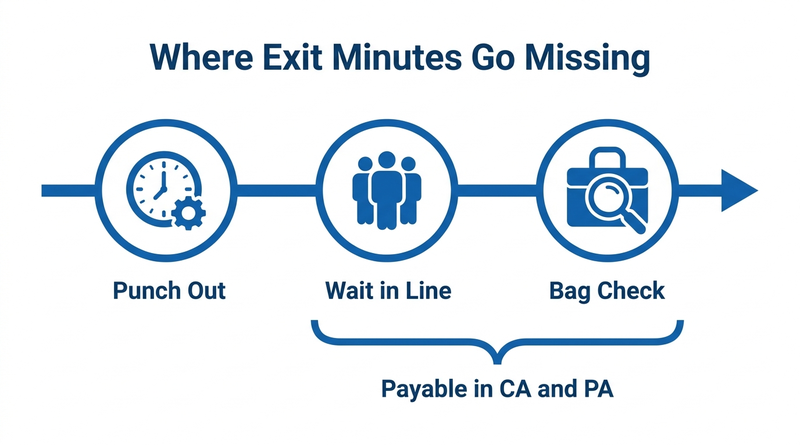
Federally, Integrity Staffing Solutions v. Busk (2014) held that post-shift screening is not compensable under the FLSA. State law is where the exposure lives. In Frlekin v. Apple (2020), the California Supreme Court held that time spent waiting for and undergoing exit bag searches on the employer’s premises is hours worked. In Heimbach v. Amazon.com (2021), the Pennsylvania Supreme Court reached a similar result under the state Minimum Wage Act, with no de minimis exception.

What UKG Handles Natively
UKG Ready and UKG Pro WFM handle the pay side well. Admins can create a screening pay code, apply state-specific work rules, and keep rounding rules neutral so the final minutes are not trimmed. The UKG punch record also provides the audit trail to defend the policy once the time is recorded.
Where the Friction Shows Up
The friction is layout. Clocks usually sit near the break room, while screening sits at the building exit, so employees punch out, then walk to the line and wait. In a 3PL or distribution center with several hundred people per shift change, a few minutes each adds up to real unpaid hours weekly. Retail stores with manager bag checks repeat the pattern at a smaller scale, often at a shared kiosk.
What to Fix Inside UKG First
Time each checkpoint at peak shift change. If waits are consistent, a fixed screening allowance applied by work rule may be enough. Document the policy and study, since both are requested early in a wage and hour audit.
Where Clock Placement Becomes the Limit
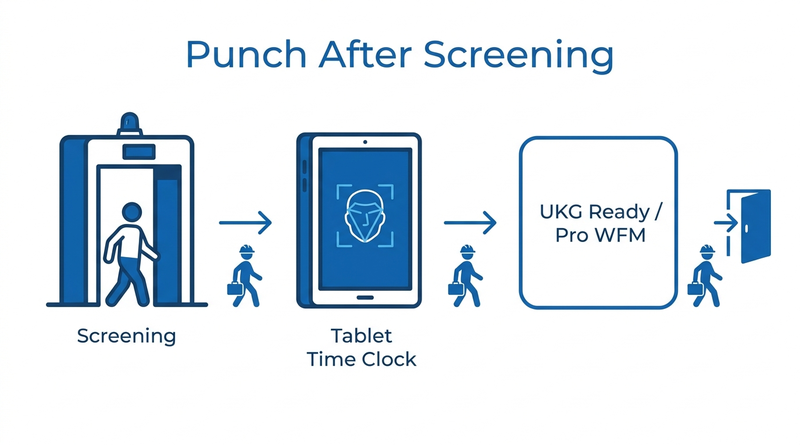
When wait times vary by shift, the defensible answer is a punch taken after screening. Adding InTouch DX terminals at every exit is the direct native route, but at multi-exit sites the cost of more dedicated terminals often holds the change back. That is where CloudApper AI TimeClock fits, running on standard tablets at roughly 25% of the cost of traditional UKG clocking hardware.
CloudApper AI TimeClock at the Exit
CloudApper AI TimeClock turns any Android tablet or iPad into a biometric time clock that syncs directly with UKG Ready and UKG Pro WFM. Mount a tablet just past each screening point so the final punch reflects when employees are free to leave. Facial recognition keeps exit lines moving, and the punch can carry a screening pay code visible in UKG. It works alongside existing InTouch DX clocks, the same approach used for donning and doffing time.
Frequently Asked Questions
Q: Is time spent in security screening paid under the FLSA?
Generally no. Integrity Staffing Solutions v. Busk (2014) held it is not compensable under the FLSA, but state laws can still require pay.
Q: Do California employers have to pay for bag check time?
Yes. Frlekin v. Apple (2020) held that waiting for and undergoing exit searches on the employer’s premises counts as hours worked.
Q: Is security screening time compensable in Pennsylvania?
Yes. In Heimbach v. Amazon.com (2021), the Pennsylvania Supreme Court held that screening time is compensable under the state Minimum Wage Act, with no de minimis exception.
Q: How can UKG track security screening time?
UKG Ready and UKG Pro WFM can track it with a dedicated pay code and state work rules. The most accurate approach is a punch taken after screening.
Q: Where should a time clock go if employees are screened at shift end?
Past the screening checkpoint, so the final punch reflects when employees are free to leave. CloudApper AI TimeClock can run on a tablet at each exit and sync with UKG.
If exit screening adds unrecorded minutes at your sites, see how CloudApper AI TimeClock puts a UKG-connected tablet past every checkpoint on the CloudApper AI TimeClock for UKG page.



November 5, 2026
Tablet Time Clocks in Cold, Wet and Dusty Sites: Who Answers the Work Order When the Screen Fogs Over
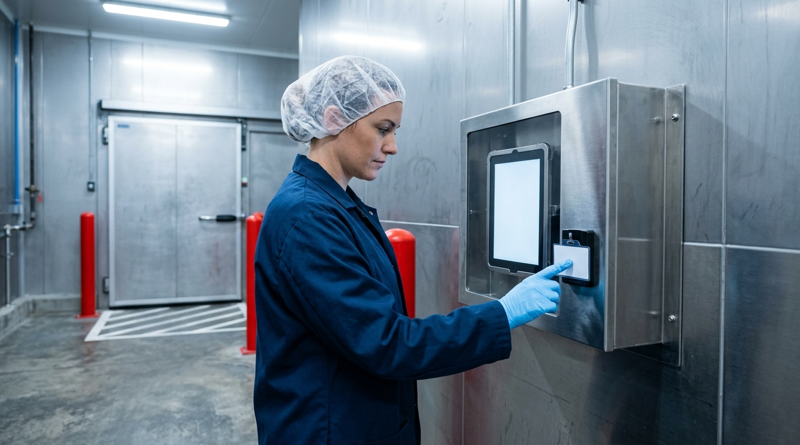
Putting a tablet time clock in cold storage, a washdown line or a dusty dock works when ownership is settled first. This guide gives UKG admins placement rules, fallback punch options, a test plan and a named support owner for each site.
November 4, 2026
Weekend Cutover from Intouch DX to Tablet Time Clocks: The Rollback Rule to Agree Before Friday
A weekend swap from Intouch DX to tablet time clocks works only when the rollback rule is agreed first. This runbook gives UKG admins a Friday to Monday sequence, plant manager acceptance criteria, and a payroll-based trigger for reverting a site.
November 3, 2026
Wi-Fi Site Survey for UKG Tablet Time Clocks: Who Owns the Network Before the First iPad Is Mounted
Moving from wired UKG clocks to tablets shifts a hidden dependency onto your wireless network. This guide shows UKG admins and IT how to survey each clock position, test outage behavior, and assign ownership of access point fixes before go-live.

November 2, 2026
Changing the Time Clock in a Union Shop on UKG: What to Settle Before the First Tablet Ships
Changing the time clock in a union workplace is a labor relations task as much as an IT one. This checklist shows UKG admins and HR leaders what to settle first: agreement review, frozen pay rules, steward briefings, biometric consent alternatives, and a one-site pilot.