Putting a tablet time clock in cold storage, a washdown line or a dusty dock works when ownership is settled first. This guide gives UKG admins placement rules, fallback punch options, a test plan and a named support owner for each site.


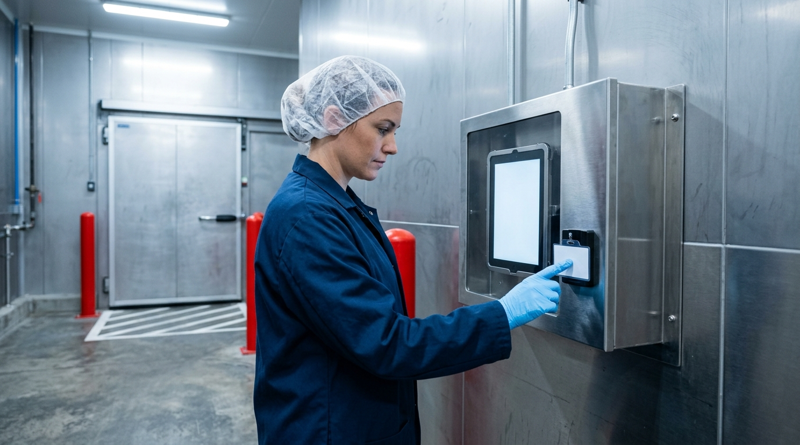
Table of Contents
- What UKG Already Offers Here
- Where Harsh Sites Strain Any Clock
- What to Do Inside Your Process First
- Where Fixed Terminals Run Out
Work order 4471: “Dock 3 time clock screen fogged over, crews punching on paper again.” Someone on a Friday night shift owns that ticket, and it is rarely HR or IT. Putting CloudApper AI TimeClock, the iPad and tablet layer that syncs with UKG Ready and Pro WFM, into a cold room, a washdown line, or a dusty dock works only if you decide who answers that ticket before the tablet is mounted.
What UKG Already Offers Here
Intouch DX and other Kronos terminals are purpose-built fixed devices. UKG Ready and Pro WFM treat every punch alike, whatever device captured it, so the pay engine is not the variable. The variable is the physical station: its housing, mount, and what employees wear when they walk up to it.
Where Harsh Sites Strain Any Clock
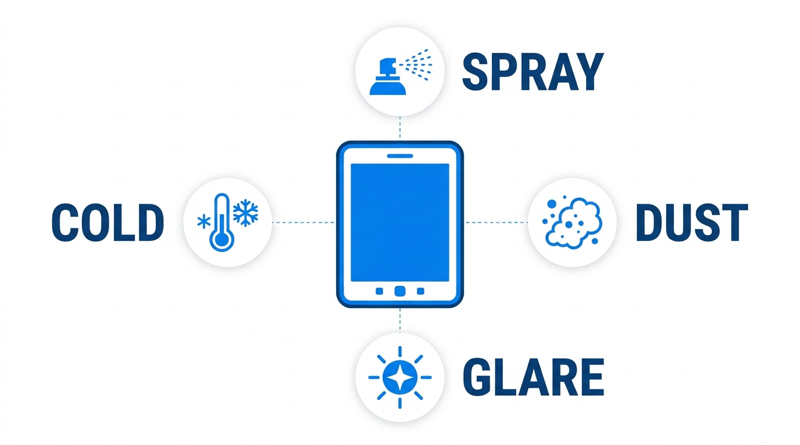
Condensation forms when crews move between a freezer and a warm corridor. Glare washes out a screen near a loading door. Hairnets, masks, safety glasses, and gloves change how a face or fingertip reads. Hose-downs and cleaning chemicals attack seams. With a tablet, the enclosure and mount are a separate purchase, so someone must own their specification. The donning and doffing guide shows how PPE already shapes where the clock sits.
What to Do Inside Your Process First
Settle the operating rules first:

- Placement: mount outside the direct spray zone and away from door glare, as the iPad time clock guide suggests for each industry.
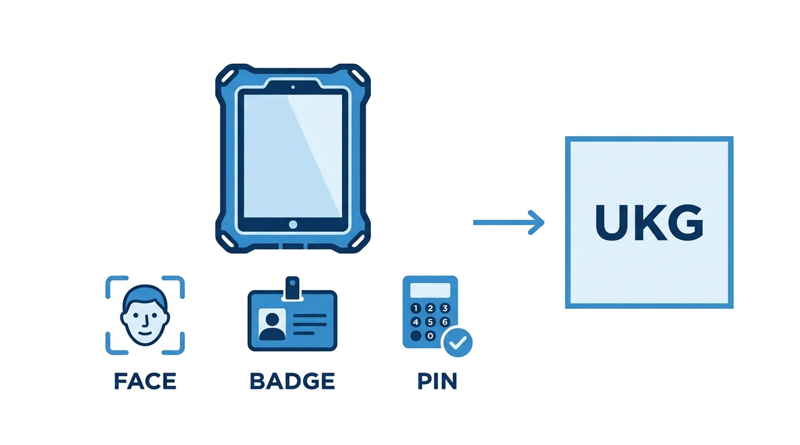
- Fallback: define what happens when a face does not read, such as a badge, QR code, or PIN with photo, using the PIN and photo option.
- Ownership: name the maintenance lead who swaps a failed unit, with a spare ready.
- Test: run gloves, masks, wet faces, and a restart in the real location, using the pilot success criteria.
Lock the device with the steps in the kiosk mode guide, so a restart returns straight to the punch screen.
Where Fixed Terminals Run Out
A fixed terminal gives you one specified device and one replacement part. The limit is cost and flexibility across many stations, where each terminal is a capital line. CloudApper AI TimeClock lets you vary the station by environment, with a sealed enclosure at a washdown line and a plain mount in the break room, all syncing to the same UKG record.
CloudApper AI TimeClock in Demanding Sites
CloudApper AI TimeClock supports face recognition, QR code, barcode, and NFC punches on the same tablet, so crews in gloves or hairnets can use a badge when a face will not read. Offline capture holds punches until a weak signal returns, as the offline punch buffering guide explains. Per CloudApper’s pricing comparison, it costs roughly 25% of traditional clocking hardware. The Intouch DX replacement guide covers the full comparison.
Frequently Asked Questions
Q: Can a tablet time clock work in a cold storage or washdown area?
Yes, with a suitable enclosure and mount, placement outside the direct spray zone, and a fallback punch method. Test condensation, glare, and cleaning exposure on site.
Q: Does face recognition work with gloves, masks, and hairnets?
Gloves do not affect a camera, but masks, hairnets, and safety glasses can. Offer a badge, QR, or NFC fallback.
Q: What should a UKG admin test before buying tablet clocks for a plant?
Test punch success with PPE, glare, wet conditions, network loss, and a restart. Confirm each punch reaches UKG Ready or Pro WFM with the right timestamp.
Q: Who supports a tablet time clock that fails on a night shift?
Assign a named maintenance lead and keep a configured spare on site.
Q: Does moving from Intouch DX to tablets change UKG pay rules?
No. The tablet replaces the capture device only, and UKG Ready or Pro WFM keeps applying your pay rules to every punch.
If you are weighing tablet clocks for a cold, wet, or dusty site, book a demo of CloudApper AI TimeClock for UKG and test it in your own conditions.


November 4, 2026
Weekend Cutover from Intouch DX to Tablet Time Clocks: The Rollback Rule to Agree Before Friday
A weekend swap from Intouch DX to tablet time clocks works only when the rollback rule is agreed first. This runbook gives UKG admins a Friday to Monday sequence, plant manager acceptance criteria, and a payroll-based trigger for reverting a site.
November 3, 2026
Wi-Fi Site Survey for UKG Tablet Time Clocks: Who Owns the Network Before the First iPad Is Mounted
Moving from wired UKG clocks to tablets shifts a hidden dependency onto your wireless network. This guide shows UKG admins and IT how to survey each clock position, test outage behavior, and assign ownership of access point fixes before go-live.

November 2, 2026
Changing the Time Clock in a Union Shop on UKG: What to Settle Before the First Tablet Ships
Changing the time clock in a union workplace is a labor relations task as much as an IT one. This checklist shows UKG admins and HR leaders what to settle first: agreement review, frozen pay rules, steward briefings, biometric consent alternatives, and a one-site pilot.
October 30, 2026
Running Intouch DX Terminals and Tablet Time Clocks Side by Side in One UKG Environment
Replacing UKG clocking hardware does not have to happen on one date. This guide shows UKG admins how to run Intouch DX terminals and CloudApper AI TimeClock tablets side by side, with site-by-site move or hold rules, exception owners, and rollback triggers.