Some UKG sites still run on a clipboard because mobile punching and dedicated terminals never fit. Learn how to match each site to the right UKG capture method, why paper creates FLSA recordkeeping risk under 29 CFR 516, and a five-step cutover plan that includes a shared tablet kiosk option.


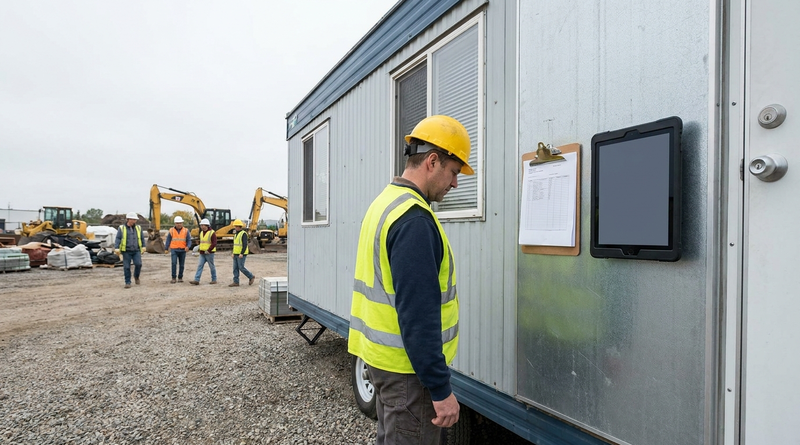
Table of Contents
- What UKG Already Offers for Small Sites
- Why Some Sites Stay on Paper
- Pick the Right Method per Site
- A Five-Step Cutover Plan
- Where a Tablet Fills the Gap
- CloudApper AI TimeClock for Paper-Based Sites
- Frequently Asked Questions
- Retire the Clipboard
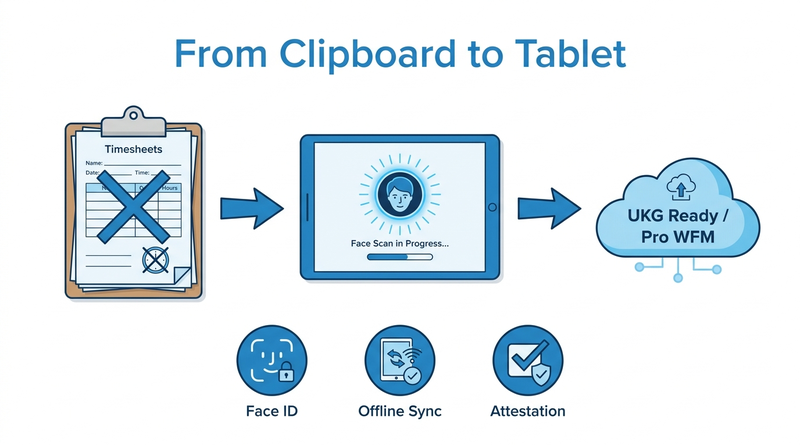
There is a clipboard hanging by the break room door at your smallest site. Every Friday a supervisor copies its handwriting into UKG and guesses at a smudged out-time. This location never got a clock because nobody could justify one for fourteen people. Sites like this are where CloudApper AI TimeClock usually enters the conversation, as a tablet that feeds the same UKG tenant without a terminal on the wall.
What UKG Already Offers for Small Sites
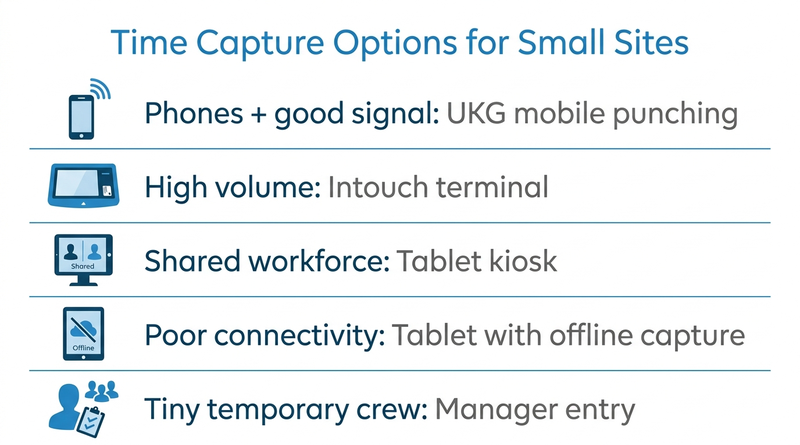
UKG Ready and Pro WFM support web and mobile punching and manager-entered timecards alongside terminals. Where employees have phones and reliable signal, mobile punching is often the right answer. Intouch remains the standard for high-volume locations with shift-change surges. Start there before looking at anything else.

Why Some Sites Stay on Paper
Paper persists where those options do not fit: crews without personal devices, contracts that restrict phone use, yards with spotty signal, or seasonal sites where a permanent terminal never makes the budget. The real cost is the supervisor’s weekly re-entry plus audit risk. Under FLSA rules in 29 CFR 516.2, employers must record hours worked each workday and workweek, and 29 CFR 516.6 requires keeping time cards for two years. Sheets keyed in days later are harder to defend, which is why DOL audit readiness often starts with these locations.
Pick the Right Method per Site
| Site profile | Best-fit method |
|---|---|
| Employees with phones and good signal | UKG mobile or web punching |
| High volume, shift-change surges | Intouch terminal |
| Shared workforce, no personal devices | Shared tablet kiosk |
| Poor or no connectivity | Tablet with offline capture |
| Very small, temporary crew | Manager entry as a stopgap |
A Five-Step Cutover Plan
- Measure the baseline. Record supervisor re-keying hours and timecard edits per pay period.
- Choose the method. Use the table and confirm the site’s labor levels in UKG.
- Enroll employees. Set up PINs or biometric enrollment before go-live.
- Run one parallel pay period. Keep paper alongside and compare totals.
- Retire the paper. Archive the sheets per your retention policy.
Where a Tablet Fills the Gap
For shared-workforce and low-connectivity sites, neither mobile punching nor a terminal fits well. This narrow gap is where CloudApper AI TimeClock earns its place, and our guide to geofencing for field workers covers the location controls that come with it.
CloudApper AI TimeClock for Paper-Based Sites
CloudApper AI TimeClock turns an iPad or Android tablet into a shared biometric kiosk that syncs directly with UKG Ready and UKG Pro WFM. Facial recognition, job transfers, attestations, and offline punch buffering are included, and CloudApper prices it at roughly 25% of the cost of traditional UKG clocking hardware. Our iPad as a UKG time clock guide covers setup. A site-by-site hardware review and a time clock ROI case for your CFO show where tablets belong.
Frequently Asked Questions
Q: How do I replace paper timesheets at a remote UKG site?
Match each site to a method: UKG mobile punching where employees have phones and signal, Intouch for high-volume sites, or a shared tablet kiosk where neither fits.
Q: Can UKG employees clock in without an Intouch terminal?
Yes. UKG Ready and Pro WFM support web and mobile punching and manager-entered timecards, and tablet clocks such as CloudApper AI TimeClock sync punches directly into UKG.
Q: Are paper timesheets FLSA compliant?
They can be, but 29 CFR 516.2 requires daily and weekly hours worked, and 29 CFR 516.6 requires keeping time cards for two years. Handwritten records keyed in later are harder to defend in an audit.
Q: How do I capture time at a UKG site with poor internet?
Use a tablet clock with offline capture that stores punches locally and syncs to UKG when connectivity returns.
Q: What is the cheapest way to add time capture to a small UKG location?
UKG mobile punching costs nothing extra where employees have phones and signal. Otherwise, a shared tablet kiosk is usually the lower-cost option.
Retire the Clipboard
Start with the site where Friday re-keying hurts most. See how CloudApper AI TimeClock works at paper-based UKG sites and book a walkthrough.



November 5, 2026
Tablet Time Clocks in Cold, Wet and Dusty Sites: Who Answers the Work Order When the Screen Fogs Over
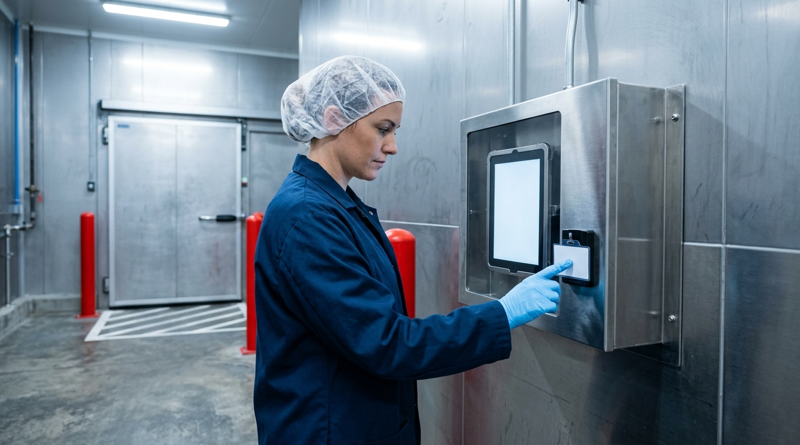
Putting a tablet time clock in cold storage, a washdown line or a dusty dock works when ownership is settled first. This guide gives UKG admins placement rules, fallback punch options, a test plan and a named support owner for each site.
November 4, 2026
Weekend Cutover from Intouch DX to Tablet Time Clocks: The Rollback Rule to Agree Before Friday
A weekend swap from Intouch DX to tablet time clocks works only when the rollback rule is agreed first. This runbook gives UKG admins a Friday to Monday sequence, plant manager acceptance criteria, and a payroll-based trigger for reverting a site.

November 3, 2026
Wi-Fi Site Survey for UKG Tablet Time Clocks: Who Owns the Network Before the First iPad Is Mounted
Moving from wired UKG clocks to tablets shifts a hidden dependency onto your wireless network. This guide shows UKG admins and IT how to survey each clock position, test outage behavior, and assign ownership of access point fixes before go-live.

November 2, 2026
Changing the Time Clock in a Union Shop on UKG: What to Settle Before the First Tablet Ships
Changing the time clock in a union workplace is a labor relations task as much as an IT one. This checklist shows UKG admins and HR leaders what to settle first: agreement review, frozen pay rules, steward briefings, biometric consent alternatives, and a one-site pilot.