Multi-state employers juggle different PTO and sick leave rules in UKG per location, plus their own custom policies on top. See how CloudApper hrPad custom configured with CloudApper AI Platform calculates each rule from real punch data and syncs the result into UKG Pro WFM automatically.



Table of Contents
- TL;DR
- The Different PTO and Sick Leave Accrual Rules Multi-State Employers Have to Apply
- How CloudApper hrPad Automates PTO and Sick Leave Rules in UKG Pro WFM
- Benefits of Automating PTO and Sick Leave Rules Across States in UKG Pro WFM
- Frequently Asked Questions
- Every State’s Rule, Every Company Policy, Calculated Correctly in UKG Pro WFM
UKG Pro WFM does a genuinely strong job handling PTO and sick leave accrual formulas natively. The complexity shows up once your company has facilities or branches across multiple US states. As a workforce management, HR ops, or payroll leader, you’re not applying one accrual formula; you’re applying a different one for every state, on top of whatever custom policies your company runs where no state mandate exists at all. Keeping all of that logic straight across every location gets hard to maintain by hand. That’s where CloudApper hrPad for UKG comes in, running on the CloudApper AI platform in the background. You configure the custom PTO and sick leave rules, hrPad pulls employee punch-in and punch-out data, the platform calculates the accrual, and the result syncs into your UKG Pro WFM system.
TL;DR
- Multi-state employers need different PTO and sick leave rules in UKG for every state, plus their own custom policies.
- UKG Pro WFM handles a single accrual formula well; the complexity comes from running several formulas at once.
- Even states with the same accrual rate differ on caps, carryover, and waiting periods before accrual starts.
- CloudApper hrPad captures real punch-in and punch-out data and calculates each configured rule automatically.
- Calculated balances sync directly into UKG Pro WFM, so every location’s accrual stays accurate without manual tracking.
The Different PTO and Sick Leave Accrual Rules Multi-State Employers Have to Apply
Here’s what piles up once you operate in more than a state or two. None of these rules is unreasonable on its own; the problem is running all of them correctly at once.

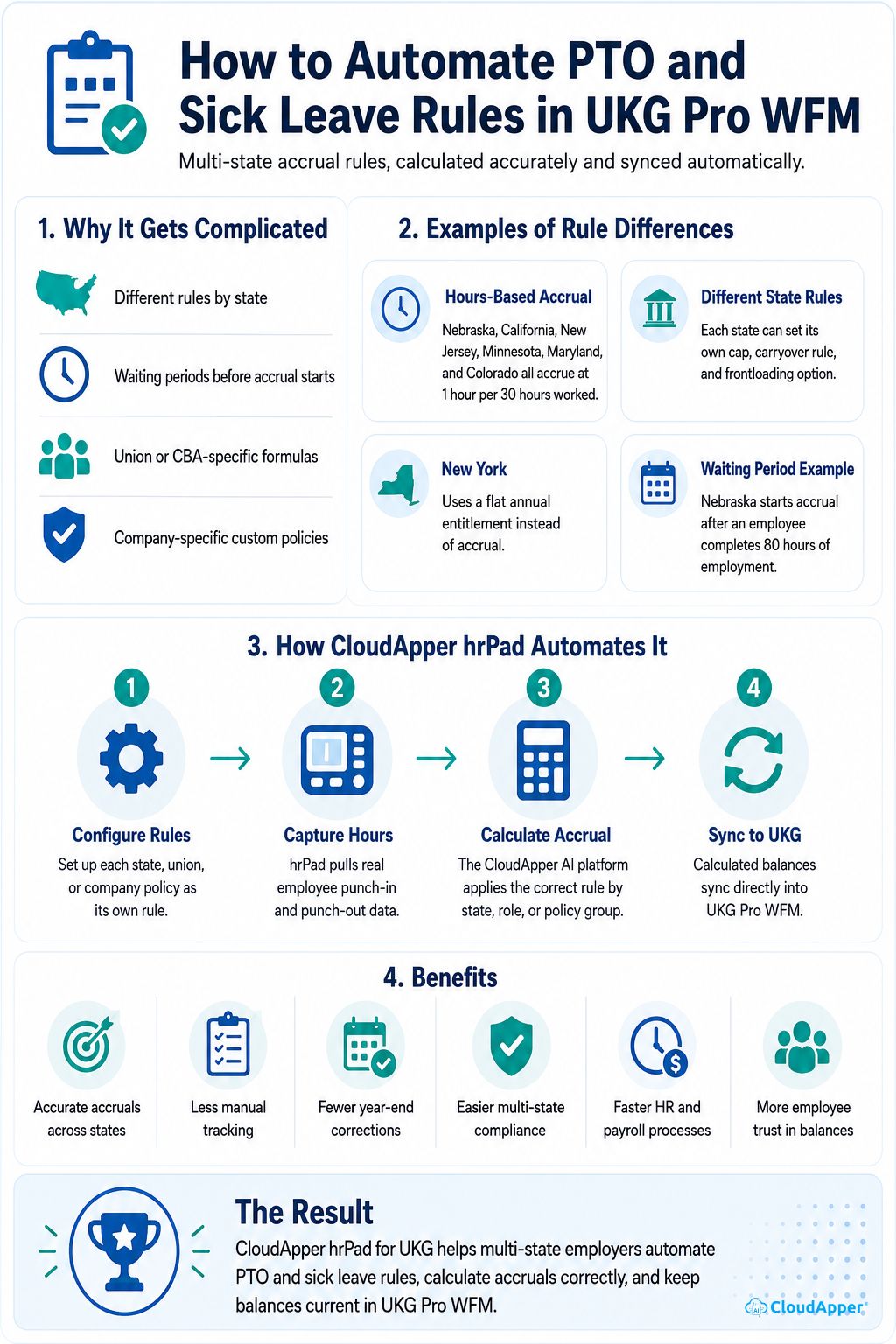
- State-mandated hours-based accrual. Nebraska, California, New Jersey, Minnesota, Maryland, and Colorado all accrue at 1 hour per 30 hours worked, yet each sets its own cap, carryover rule, and frontloading option. New York skips accrual entirely, using a flat annual entitlement instead. Same base rate, different rules, and these are just a few examples among many states.
- Waiting periods before accrual starts. Some states let a new hire start accruing from day one, while others require a minimum amount of work first. Nebraska’s law, for example, only starts the accrual clock after an employee completes 80 hours of employment. Getting this wrong means either accruing time an employee isn’t legally entitled to yet or withholding time they’ve actually earned.
- Union or CBA-specific accrual formulas. Some locations may have collectively bargained accrual rates or caps sitting on top of the state’s baseline.
- Company-specific custom policies. Bonus PTO for perfect attendance, accrual rates that increase with tenure, or department-specific policies exist purely because your company decided they should.
A company with branches in just four or five states can easily be running this many distinct formulas at once, all needing to stay accurate as real hours get worked.
How CloudApper hrPad Automates PTO and Sick Leave Rules in UKG Pro WFM
hrPad works alongside UKG Pro WFM, and every calculation described here runs on the CloudApper AI platform behind it. The pieces fit together like this.
Configure Every State and Company Policy as Its Own Rule
You set up each accrual formula once in the platform, whether that’s a state-mandated hours-based rate like Nebraska’s, a union-negotiated accrual rate layered on top of a state minimum, or a custom company policy that only applies to one department.
CloudApper hrPad Captures Real Punch-In and Punch-Out Data
Actual hours worked per employee, per location, feed directly into the accrual calculation. Nobody is estimating hours or reconciling a separate timesheet system, since the punch data hrPad captures at the point of clock-in and clock-out is the same data the accrual formula runs against.
The CloudApper AI Platform Calculates the Correct Accrual for Each Employee
Every employee gets calculated against the rule that actually applies to them, based on their state, role, or policy group. A warehouse worker in Nebraska accrues under Nebraska’s hours-based formula. An employee in a different state gets calculated under that state’s own cap and carryover rules. Someone in a bonus-attendance program gets that policy applied too, all at the same time, with no rule bleeding into another.
Calculated Balances Sync Directly Into UKG Pro WFM
Once the accrual is calculated, it updates in UKG Pro WFM automatically. No one has to key in a balance or check it against a spreadsheet, since the correct, current number is already sitting there for every employee at every location.
Benefits of Automating PTO and Sick Leave Rules Across States in UKG Pro WFM
Here’s what changes once every state’s formula and every company policy runs through this layer:
- Every accrual rule stays accurate, whether it’s a state formula, a union rate, or a company policy, without anyone tracking it by hand.
- Multi-state compliance stops requiring a separate manual process per location, since every state’s rule runs through the same configured system.
- Year-end balance corrections and audit surprises drop off, because balances were calculated the whole year correctly, not patched at the end of it.
- HR and payroll get their time back, since nobody is doing accrual math across a dozen different state formulas by hand.
- Adding a new state or a new policy doesn’t mean rebuilding the process, it means configuring one more rule alongside the rest.
- Employees trust their balance, because it reflects hours they actually worked, calculated under the rule that applies to them.
Frequently Asked Questions
How Does hrPad Calculate Accrual From Punch-In and Punch-Out Data?
hrPad captures each employee’s actual punch-in and punch-out times as they clock in and out. That real hours-worked data feeds directly into whichever accrual formula applies to that employee, whether it’s a state-mandated rate, a union rate, or a company policy, and the calculated balance syncs into UKG Pro WFM automatically.
Can Different States or Employee Groups Have Completely Different Accrual Rules?
Yes. Each state, department, or employee group can have its own configured rule, whether that’s an hours-based rate with its own cap and carryover terms, or a flat annual entitlement like New York’s. Every rule runs independently, so one group’s formula never affects another’s.
Does Automating Accrual Calculations Replace HR’s Ability to Adjust Balances?
No. Automation removes the manual math behind every calculation, not HR’s oversight. HR still defines every rule and can review or adjust any balance in UKG Pro WFM as needed.
What Happens When a State Changes Its Sick Leave Law?
When a state updates its accrual rate, cap, or carryover rules, the corresponding formula gets reconfigured in the platform rather than rebuilt from scratch, so the updated rule applies going forward without disrupting how other states or policies are calculated.
Every State’s Rule, Every Company Policy, Calculated Correctly in UKG Pro WFM
UKG Pro WFM was never the limitation here. It handles PTO and sick leave accrual well, and it remains exactly what it should be: the accurate system of record for every employee’s balance. The real challenge for a multi-state employer is running every state’s formula and every custom policy correctly, at the same time, without it becoming a full-time manual effort. CloudApper hrPad for UKG, powered by the CloudApper AI platform, takes on that calculation work, so PTO and sick leave rules in UKG stay accurate no matter how many states or policies you’re juggling.
If your team is still tracking accrual exceptions by hand across multiple states, contact us today to see how CloudApper hrPad automates PTO and sick leave rules in UKG Pro WFM and lets every location run its own correct formula automatically.


October 23, 2026
No Tax on Overtime: What It Means for Your UKG Payroll
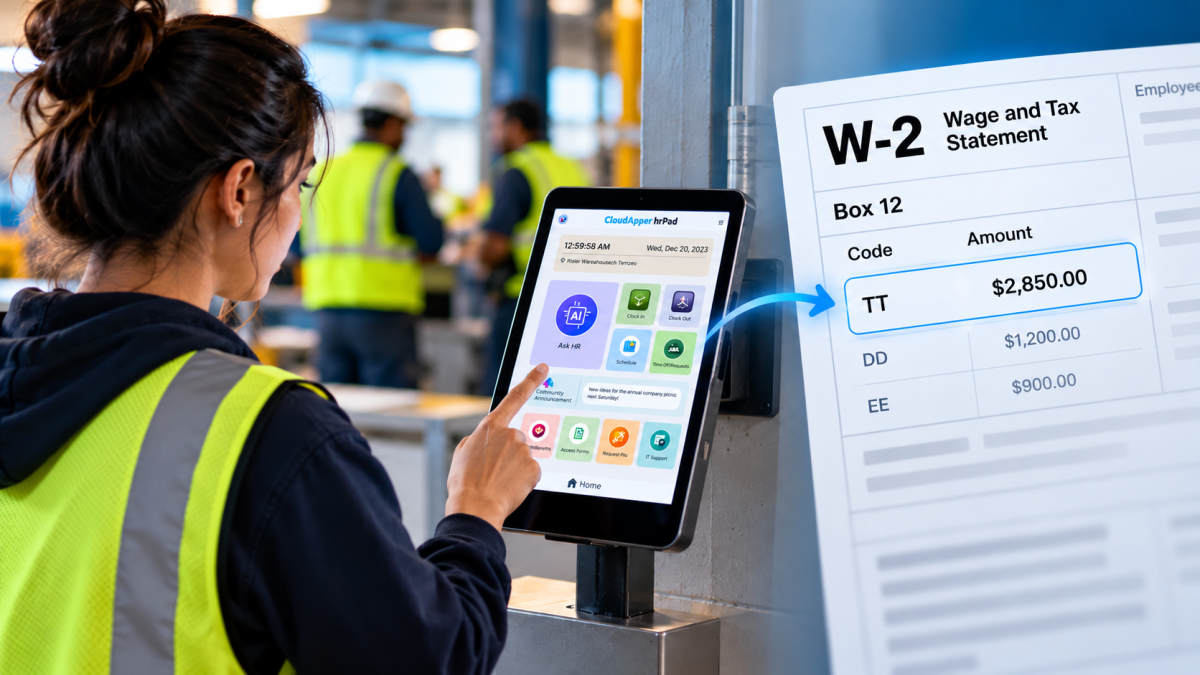
Starting with 2026 wages, employers using UKG must report qualified overtime in W-2 Box 12 (code TT), and only part of the overtime you pay counts. hrPad by CloudApper AI helps capture the details at the time clock.


October 23, 2026
Barcode Labor Tracking on UKG Ready: Two Clocks, One Labor Record, and an ERP-Validated Hierarchy
Some plants keep attendance on the clocks at the door and capture job labor at the workstation. This piece looks at that two-clock model on UKG Ready: scan-only capture for gloved operators, work orders validated against the ERP, and how CloudApper adds that layer using the PCs and scanners already on the line.
October 13, 2026
Paperless HR for Rural Hospitals on UKG: Extending One Kiosk to Documents, E-Signatures and Benefits Data
A rural hospital using CloudApper hrPad as its UKG time clock still handled much of HR on paper. Its next step is extending the same kiosk to documents, e-signatures and transfers, with CloudApper iPaaS moving benefits data to providers, all within network rules that block external AI services.

October 7, 2026
Shared Tablet SSO in UKG: One Time Clock for Every Login Type
Hourly staff on basic UKG logins and managers on SSO can share one tablet time clock without login mix-ups. This guide explains each login type in plain English, compares three shared-tablet setups and shows how hrPad by CloudApper AI makes it work.
