Different departments often need different step progression rules in UKG, hours-based, tenure-based, or union step tables. See how CloudApper extends UKG with an automation layer that calculates each department's correct rule and syncs the result back, without HR losing control.



Table of Contents
- TL;DR
- Why Different Departments Need Different Progression Rules
- The Real Challenge: Running Several Progression Rules Side by Side
- How CloudApper Extends UKG to Automate Wage Progression Calculation Across Every Department
- Benefits of Automating Step Progression Rules Across Departments
- Frequently Asked Questions
- One System of Record, Every Department’s Correct Rule
Many organizations run several departments under one UKG system, and each department can have its own legitimate wage progression rule. Maintenance might progress on hours worked. Clinical support might progress on tenure instead. A unionized production line might follow a step table written directly into its contract. UKG is the payroll and wage system of record, and it handles a single, consistent progression rule well. The complexity shows up when you need several different step progression rules in UKG running side by side across departments, each staying current and each provable if a union or auditor ever asks. CloudApper extends UKG with an automation layer that calculates each department’s correct wage progression rule and syncs the result back into UKG. Here’s where those different rules come from, why they get complicated to run side by side, and what the automation actually does about it.
TL;DR
- Departments often need different rules: hours-based, tenure-based, or union step tables.
- UKG handles one consistent rule well; complexity builds when several rules run at once.
- Without automation, HR often tracks each rule in separate spreadsheets alongside UKG.
- CloudApper extends UKG with an automation layer that calculates each rule and syncs it back.
- HR still reviews and can override every result, so control stays with HR.
Why Different Departments Need Different Progression Rules
None of these rules exist because one department is doing it wrong. They exist because pay progression means something different depending on the work.

Hours-Based Progression for Roles Like Maintenance
Trades and facilities roles often progress by cumulative hours worked. An employee moves from one wage tier to the next once they cross a defined threshold, say 1,040 hours, regardless of how many calendar months that took. Someone working full shifts hits that number faster than someone working part-time, and the rule accounts for that on purpose.
Tenure-Based Progression for Roles Like Clinical Support
Healthcare and other service roles often progress by time in service instead. An employee moves to the next step after two years, or five, regardless of exact hours logged. Tenure-based progression rewards continuity in the role, not raw hours, which fits work where experience and relationships matter as much as time on the clock.
Union-Mandated Step Tables Layered on Top of Either
Add a union contract to either scenario and you get a third layer: specific wage amounts at specific service milestones, written into the CBA itself. There’s no flexibility to interpret these tables loosely, since the numbers and timing are contractual.
None of these rules conflicts with the others in principle. They can all sit inside the same UKG system for the same employer at once, and often do.
The Real Challenge: Running Several Progression Rules Side by Side
UKG provides native pay grade and step progression configuration, and a single, consistent progression rule fits comfortably within that native setup. The complexity comes in when a company needs several distinct step progression rules in UKG running at once. Each department’s configuration has to be built and kept current as contracts and policies change. Hours-based rules need to correctly read timecard nuance for part-time and variable-hour employees. Every rule needs documentation ready for whatever union audit or compliance review comes asking.
In practice, that operational load often pushes HR teams toward department-by-department spreadsheets running alongside UKG, tracking thresholds and calculating wage changes by hand before entering them back in. That’s a common workaround, not a flaw in UKG itself, but it’s still hours of manual work and a real chance for error every time someone crosses a threshold. What actually solves this is a separate layer that takes on the calculation and orchestration work for every department’s rule and syncs the result cleanly back into UKG. Here’s how that works.
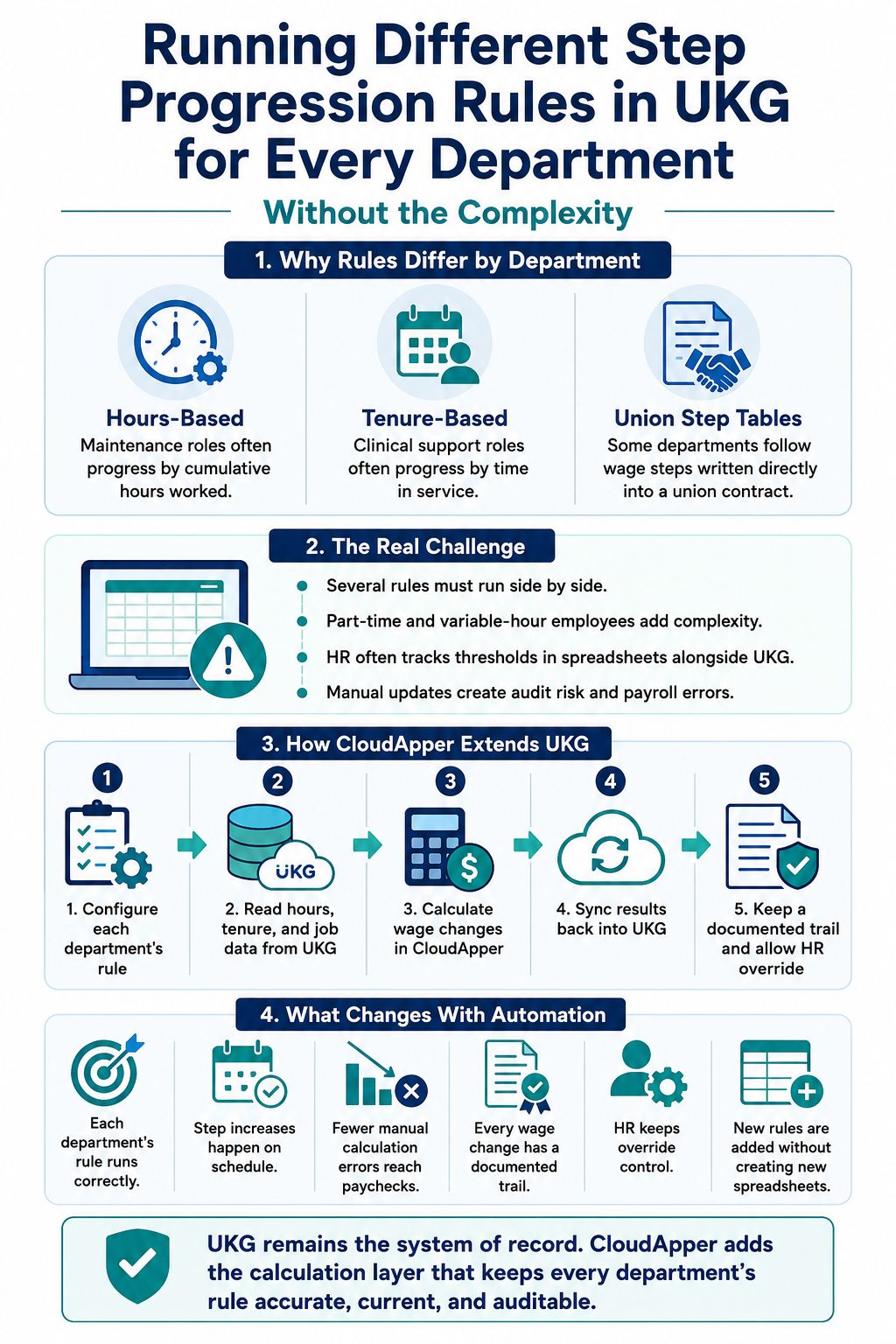
How CloudApper Extends UKG to Automate Wage Progression Calculation Across Every Department
CloudApper works alongside your UKG Pro or UKG Pro WFM system, and every calculation described here happens in that extension layer, with the result syncing back into UKG.
Each Department’s Rule Becomes Configured Logic in CloudApper
HR defines the progression rule for each department or job family once: hours-based, tenure-based, or a union step table with its exact wage amounts and milestones. Each department keeps its own rule, configured on its own terms, with nothing forcing one department’s logic onto another.
CloudApper Reads Timecard and Tenure Data From UKG
Actual hours worked, service dates, and job classification pull directly from UKG data, including part-time and variable-hour employees whose schedules don’t move in tidy weekly increments. None of that gets reconstructed by hand from a separate spreadsheet.
Wage Changes Calculate in CloudApper and Sync Back Into UKG
Once an employee crosses their department’s threshold, whether that’s an hours total, a service anniversary, or a union step milestone, the new rate calculates automatically and pushes into UKG Pro or UKG Pro WFM. Nobody manually recalculates or retypes a wage change once the rule is set.
CloudApper Keeps a Documented Trail for Every Change
Every wage change gets a timestamped record: the previous step, the new step, and the rule that triggered the change. When a union audit or compliance review asks how and when a specific wage change happened, the answer already exists instead of needing to be reconstructed.
HR Still Reviews and Can Override, With a Reason on Record
Automation runs the calculation, but HR keeps the final say. Any wage-step result can be reviewed and overridden, with the override logged alongside a reason. Control stays with HR. What disappears is the manual tracking underneath every decision, not HR’s ability to make one.
Benefits of Automating Step Progression Rules Across Departments
Here’s what changes once each department’s progression rule runs through a configured, automated layer:
- Every department’s own rule runs correctly, without relying on spreadsheets alongside UKG to track thresholds by hand.
- Step increases happen on schedule, which cuts down on missed or late payroll corrections.
- Fewer manual calculation errors reach real paychecks, since nobody is doing the math by hand for every employee, every cycle.
- Every wage change comes with a documented trail, ready for a union audit or compliance review the moment it’s requested.
- HR keeps override control without doing the manual tracking underneath it, so oversight doesn’t disappear, only the busywork does.
- Adding a new department’s rule doesn’t mean adding a new spreadsheet, since the configuration lives in one place instead of scattering across the organization.
Frequently Asked Questions
Can UKG Support Different Step Progression Rules For Different Departments?
UKG handles a single, consistent progression rule well natively. When departments need genuinely different step progression rules in UKG, such as hours-based for one team and tenure-based for another, CloudApper extends UKG with an automation layer that runs each department’s rule separately and syncs the results back into UKG.
Does Automating Step Progression Replace HR’s Ability to Review Changes?
No. HR can review any calculated wage-step result and override it if needed, with the override logged alongside a reason. Automation takes over the manual calculation and tracking, and HR’s decision-making authority stays exactly where it was.
Can Step Progression Be Based on Tenure Instead of Hours Worked?
Yes. Progression rules can be configured around time in service, such as advancing an employee after two years, instead of cumulative hours worked, which fits roles like clinical support where continuity matters more than raw hours logged.
How Does Step Progression Stay Accurate for Part-Time or Variable-Hour Employees?
The calculation reads actual hours worked directly from UKG timecard data, regardless of whether an employee works full-time, part-time, or a variable schedule, so eligibility for a wage step reflects real hours rather than an assumed weekly pattern.
One System of Record, Every Department’s Correct Rule
Running different step progression rules in UKG was never about UKG falling short. UKG stays exactly what it should be: the system of record for pay grades, steps, and wage changes. What each department actually needs is a calculation layer that keeps pace with its specific rule, whether that’s hours, tenure, or a union step table, and CloudApper extends UKG to provide exactly that, syncing every result back where it belongs. HR keeps every department’s rule set up the way that department actually needs it, and keeps the final say on every outcome.
If your departments are still running on separate spreadsheets to track wage steps, contact us today to see how CloudApper automates wage step progression in UKG and lets each department’s rule run the way it’s supposed to.



October 16, 2026
EMS Step Progression on UKG Pro: Automating Longevity Pay Without Bypassing the Wage Approval Trail
A 310-employee county ambulance district on UKG Pro runs two union step schedules, a graded professional structure and two longevity rates. CloudApper Step Progression calculates every annual move, including promotions that keep earned longevity, and posts rates to UKG Pro, where the existing wage approval workflow and audit trail take over.


September 30, 2026
Mid-Shift Job Transfer Pay at Union Sites: Paying Transferred Hours at the Right Step Rate in UKG Pro WFM
Mid-shift job transfer pay at union sites depends on each employee's step, not just the job. CloudApper extends UKG Pro WFM to look up the contract step rate for every transferred hour, write the correct rate back, and keep payroll matched to the agreement.
September 2, 2026
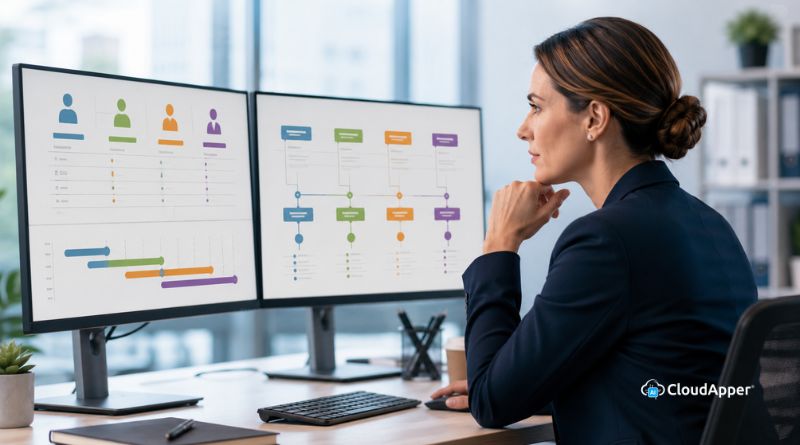
Managing Multiple Local Bargaining Unit-Based Wage Increases in UKG
Managing multiple local bargaining unit-based wage increases in UKG gets complicated fast when contracts set different rates and milestones. The CloudApper AI Platform reads each hire date, applies the correct local's rule, and syncs the new rate into UKG automatically.

March 25, 2025
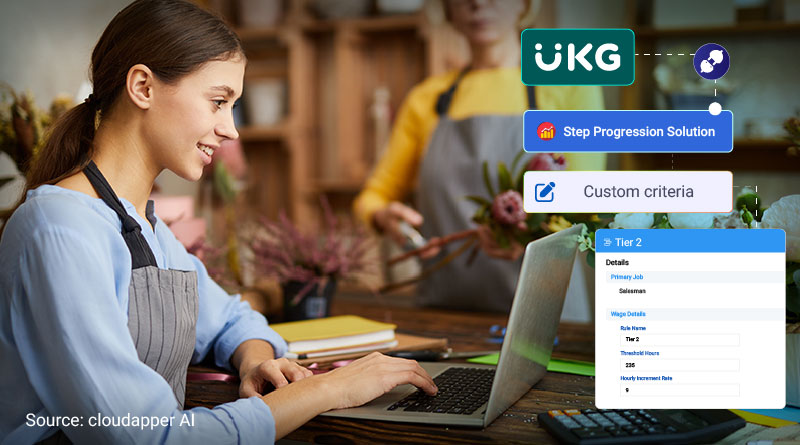
Simplifying Wage Progression Tracking with UKG Pro and CloudApper
A manufacturing company automated wage progression tracking using CloudApper and UKG Pro, improving payroll accuracy, efficiency, and compliance while enhancing employee satisfaction and freeing HR resources for strategic tasks.