Choosing between per-employee and per-location time clock pricing comes down to three numbers: store count, employees per store and holiday peak. See how to run the comparison, with a worked example and vendor questions.



Table of Contents
- What each meter counts
- How retail turnover changes the math
- Run the numbers: a 20-store example
- Questions to ask every vendor
Choosing between per-employee and per-location time clock pricing comes down to three numbers you already have: store count, average employees per store and holiday peak. In retail, where roughly 45% of staff turn over each year, they decide whether your bill follows a moving headcount or a store count that stays put.

The Bureau of Labor Statistics reports retail trade separations averaging 3.8% of employment a month in 2025 (checked November 5, 2026). Over twelve months that is roughly 45%, our arithmetic rather than a BLS figure. Yours will differ.
hrPad by CloudApper AI is a time clock and kiosk that runs on tablets you already own and syncs punches with UKG. UKG keeps your pay rules. hrPad sits at the punch and carries its own license, and CloudApper will quote the unit that fits your stores.
What each meter counts
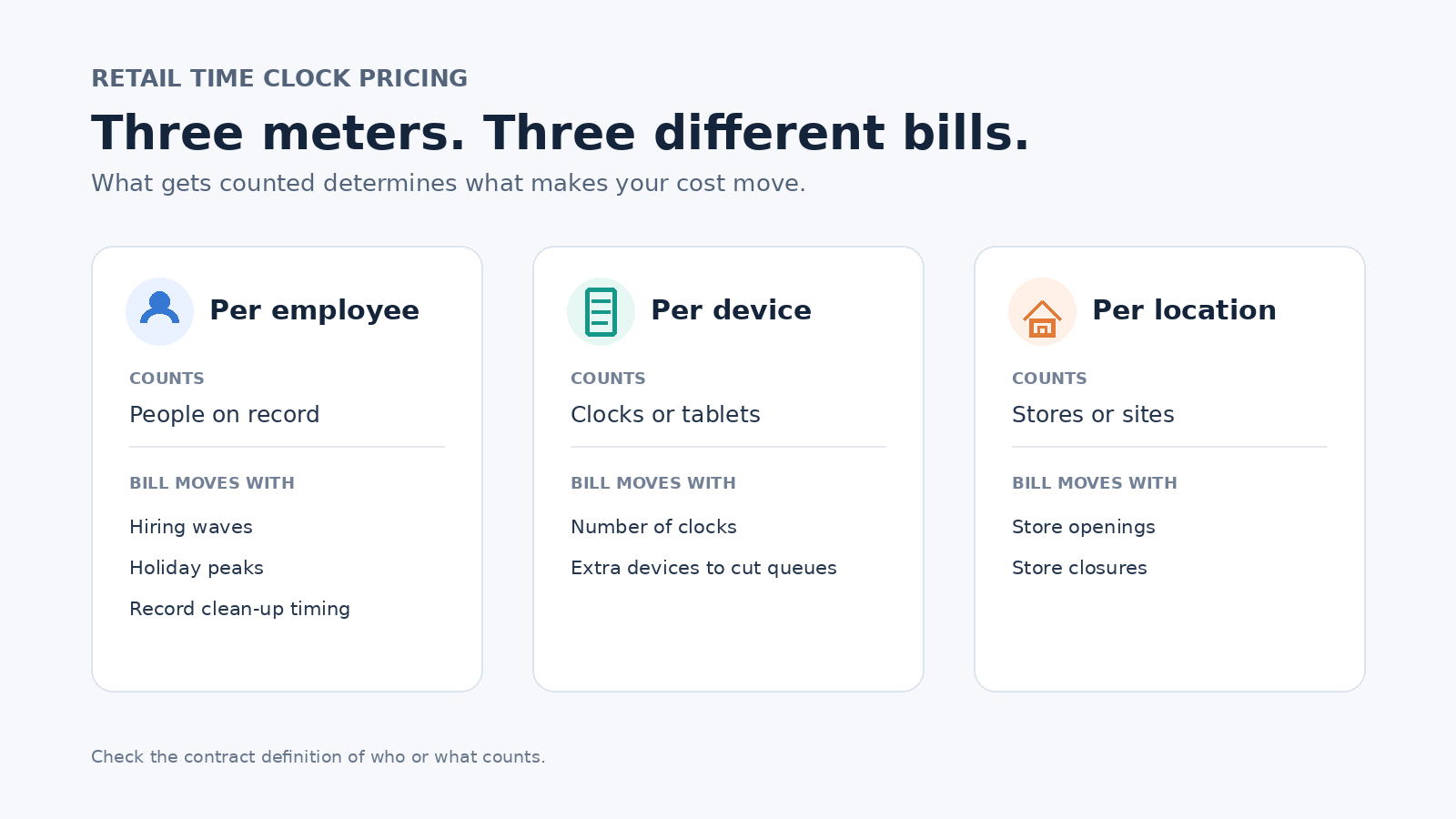
A third-party pricing guide describes UKG as pricing per employee per month, which is easy to forecast for a steady workforce. The question is how a meter behaves when people keep changing.
How retail turnover changes the math
Headcount and people are different numbers. A chain holding 400 employees all year and losing 45% hires about 180 replacements, so roughly 580 different people hit the payroll. A meter counting everyone on record sees 580, and a snapshot sees 400. Add a 30% holiday peak and the count reaches 520 for a couple of months. Lag matters too: someone who quit in September stays counted until the paperwork clears. The contract just has to say what counts.
Run the numbers: a 20-store example
Take 20 stores with 20 employees each. These figures are illustrative, so swap in your own.
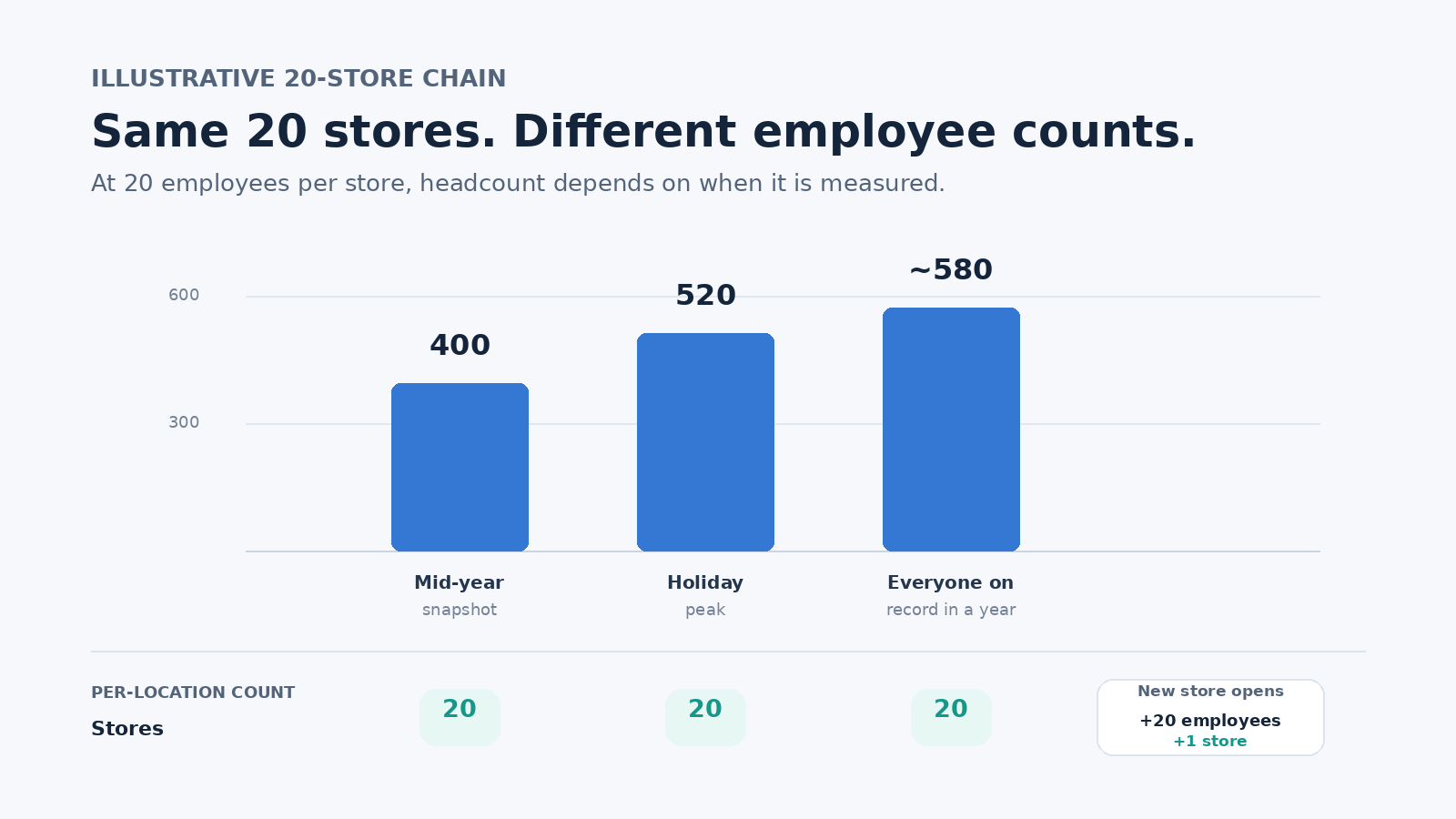
Multiply each count by the rate you are quoted. Per-location often comes out ahead when stores are busy and staff change often. Per-employee can win when stores are small or staff are steady.
Questions to ask every vendor
- Which statuses count: active, paid, enrolled, or any record touched in the period?
- When is the count taken: snapshot, average, peak or year end?
- Is there a true-up at renewal, and what caps the increase?
- How are rehires and people who work at two stores counted?
Get answers in writing. Our UKG renewal checklist for time clock hardware covers the hardware side.
This article is general information, not contract advice. Terms vary by vendor, so confirm them with each one.
Frequently asked questions
What is the difference between per-employee and per-location pricing?
Per-employee counts people, and per-location counts stores. The first moves with headcount, the second with store openings and closures.
Does turnover raise a per-employee bill?
Not by itself. A leaver and a hire cancel out if the contract counts active staff at a set date. The bill rises if everyone on record in the period counts, or if terminated records stay active.
Is per-location pricing cheaper for retail?
Not automatically. It often wins for busy stores with frequent turnover and loses for small ones, so multiply your own counts by the quoted rates.
Does changing the time clock change my UKG license?
No. The clock captures punches, and pay rules and configuration stay in UKG. Confirm contract specifics with your UKG account team.
Want help sizing your stores before you ask for quotes?
Contact CloudApper and we will go through your store count, headcount and holiday peak, and explain how hrPad by CloudApper AI would be licensed for your chain.




October 28, 2026
2027 Minimum Wage Increase: A UKG Payroll Cutover Checklist for January 1
Minimum wage rises on January 1, 2027 in Washington, California, Connecticut, Colorado, Michigan and Seattle. This dated UKG runbook shows what to map, load, test and verify, from November through the first payroll of the new year.
October 23, 2026
No Tax on Overtime: What It Means for Your UKG Payroll
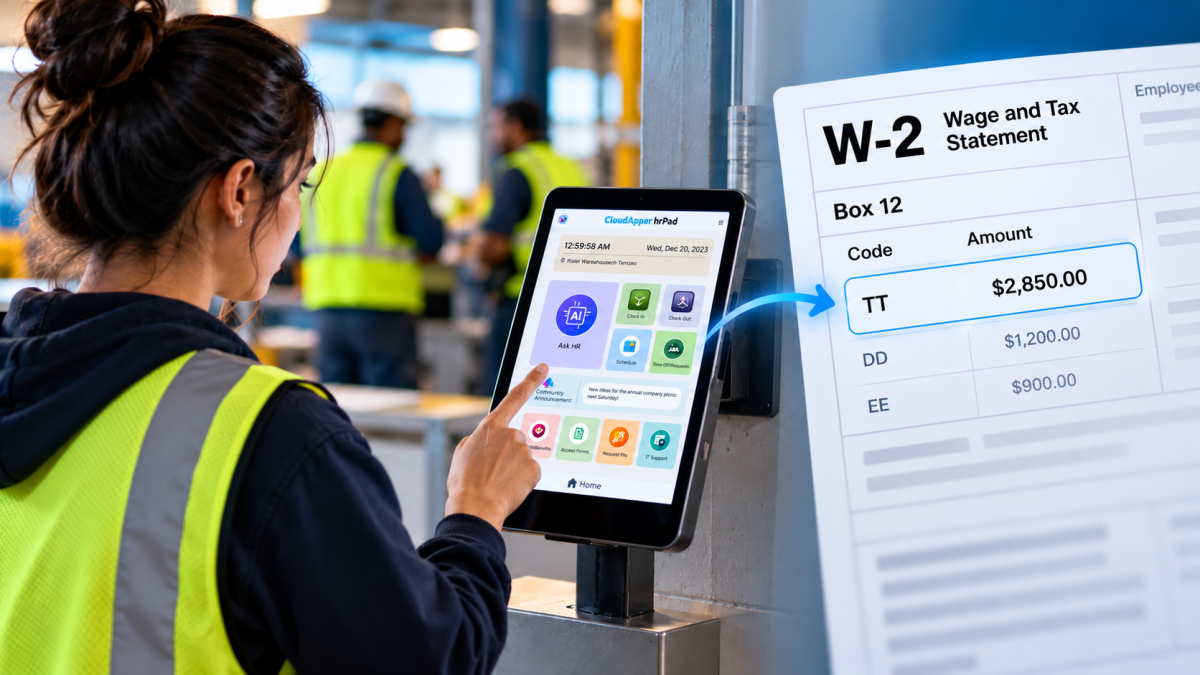
Starting with 2026 wages, employers using UKG must report qualified overtime in W-2 Box 12 (code TT), and only part of the overtime you pay counts. hrPad by CloudApper AI helps capture the details at the time clock.


October 23, 2026
Barcode Labor Tracking on UKG Ready: Two Clocks, One Labor Record, and an ERP-Validated Hierarchy
Some plants keep attendance on the clocks at the door and capture job labor at the workstation. This piece looks at that two-clock model on UKG Ready: scan-only capture for gloved operators, work orders validated against the ERP, and how CloudApper adds that layer using the PCs and scanners already on the line.

October 13, 2026
Paperless HR for Rural Hospitals on UKG: Extending One Kiosk to Documents, E-Signatures and Benefits Data
A rural hospital using CloudApper hrPad as its UKG time clock still handled much of HR on paper. Its next step is extending the same kiosk to documents, e-signatures and transfers, with CloudApper iPaaS moving benefits data to providers, all within network rules that block external AI services.