Retiring UKG InTouch terminals is treated as an asset problem, but the biometric templates and offline punch buffers on those devices make it a records problem. Here is what UKG handles natively, where fleet decommissioning breaks down, and the destruction evidence file that BIPA, CUBI, and Washington HB 1493 actually expect you to produce.


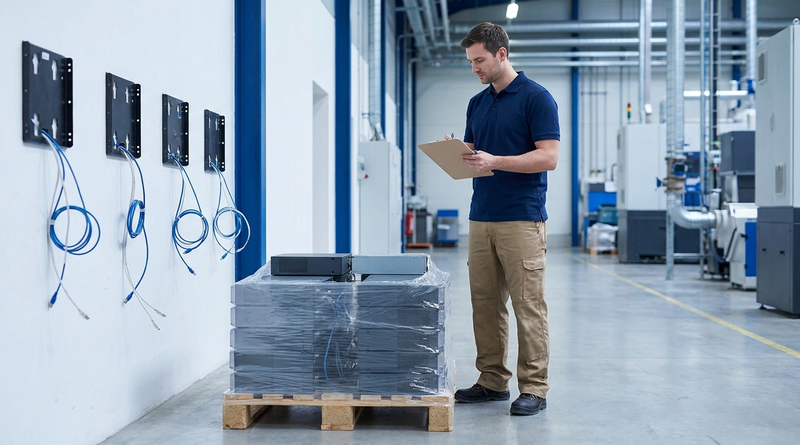
Table of Contents
- What UKG Handles Natively
- Where the Friction Shows Up
- What to Do Inside UKG First
- Where the Native Path Runs Out
The purchase order for the replacement clocks is approved. Install dates are on the calendar. Somewhere in the project plan sits a line reading “collect and remove 140 InTouch terminals,” and no name is assigned to it.

That line is the one carrying the biometric templates.
Refresh plans treat outgoing devices as an asset problem: count them, palletize them, call the recycler. For a biometric clock it is a records problem, and it stays one long after the pallet leaves the dock. Organizations moving to tablet-based capture with CloudApper AI TimeClock face this once, at the transition, because the endpoint stops being where templates live.
What UKG Handles Natively
UKG documents template deletion clearly, and the tooling works. Per UKG’s device finger and face scan data statement, templates are removed by unenrolling the employee at the InTouch or 4500 device, by an employee declining consent at the device, or through People Editor in UKG Ready, UKG Pro WFM, and Workforce Central. Templates are held for the duration of employment and deleted within a defined window after termination, with backup retention not exceeding 90 days. On InTouch DX, the local menu carries explicit Delete All Punches and Delete All Offline Data actions.
Retiring one clock and reassigning twelve employees is fully covered. The mechanism is not where this breaks.
Where the Friction Shows Up
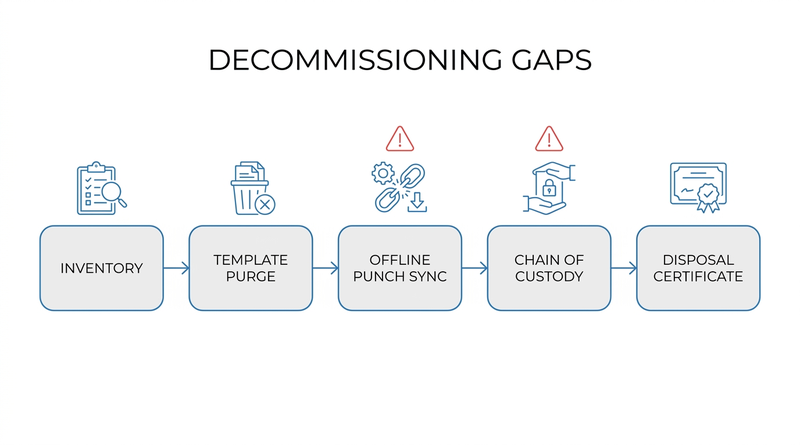
Those mechanisms are per-device, per-employee actions. A fleet retirement is a project, and projects fail at the edges. A failed terminal cannot run its own purge. A unit pulled by a facilities contractor during a remodel leaves the building before HRIS knows it existed. Offline buffers hold punches that never synced, so wiping destroys payroll evidence instead of protecting it. And most often: the reset was done correctly, but nine months later, facing an audit or a grievance, nobody can show when it happened, who did it, or which serial number it covered.
That last failure is the expensive one, because the statutes are written around documentation. Illinois BIPA requires a publicly available written policy with a retention schedule and destruction guidelines, with destruction when the purpose of collection is satisfied or within three years of the individual’s last interaction. Damages run $1,000 per negligent violation and $5,000 per intentional or reckless violation, assessed per person and per method of collection following the August 2024 amendment. Texas CUBI carries civil penalties up to $25,000 per violation. Washington’s HB 1493 lifts its retention limits once an identifier is unenrolled, which makes unenrollment the event worth proving. The state-by-state biometric privacy picture shapes what your destruction record must contain, and the BIPA policy requirements govern destruction as much as collection.
What to Do Inside UKG First
Sequence matters more than tooling.
- Inventory every terminal in scope by model and serial number, including spares in storage and units at closed sites.
- Reconcile unsynced offline punches into UKG before any wipe, and export the audit history you need for wage and hour defense while it is still queryable. UKG Ready’s 365-day filtering window catches teams out, though that limit has a workaround.
- Delete templates through People Editor first as the system-of-record action, then unenroll at the device.
- Run Delete All Punches and Delete All Offline Data on each functioning unit, recording the outcome against the serial number.
- Notify employee representatives where the collective bargaining agreement requires it. The CBA detail governing punch data usually governs notice obligations too.
Produce anything you plan to rely on during this window, not afterward, which is what DOL wage and hour audit readiness demands of timekeeping records generally.
Where the Native Path Runs Out
None of that produces a defensible artifact. UKG gives you actions, not an evidence file, and you assemble that yourself: a per-serial destruction record with date, actor, and method; chain of custody from removal through carrier to vendor receipt; an ITAD certificate of destruction referencing your serial numbers rather than generic tonnage; server-side confirmation of template deletion; and an exception log for units that were dead, lost, or unrecoverable.
The deeper issue is architectural. These obligations exist because templates and punch buffers sit on a device that eventually leaves your control, and fleet size multiplies it. Forty sites means forty chain-of-custody records, and the rollout planning that installed the new devices has a mirror image on the way out that rarely gets budgeted.
Where CloudApper AI TimeClock Changes the Shape of the Problem
To be direct: no time capture system removes the biometric retention and destruction obligation. CloudApper AI TimeClock stores facial recognition templates, and the same statutory duties apply to them.
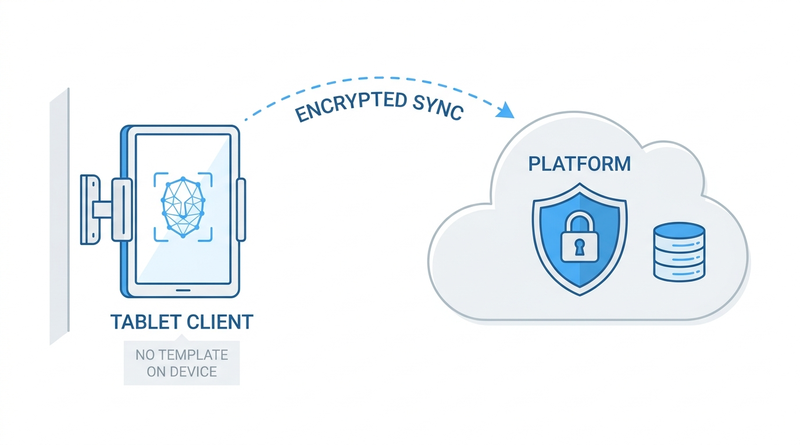
What changes is where the data sits. CloudApper AI TimeClock runs on standard Android tablets and iPads as a client, with templates and punch data held in an encrypted platform certified to HIPAA, GDPR, CCPA, and FIPS 140-2. Retiring a tablet becomes an asset action rather than a data destruction event: no template to chase on the device, no offline buffer stranded on a failed unit, no per-endpoint purge to document across 40 sites. Deletion is a platform action with a platform audit trail, which is the artifact the statutes want. For teams working through InTouch 9000 end of life, that belongs in the decision alongside hardware cost, because it decides whether the next refresh repeats this project or skips it.
Frequently Asked Questions
Q: How do I delete biometric templates from a UKG InTouch time clock?
There are three supported paths. Unenroll the employee at the InTouch or 4500 device, have the employee decline consent at the device, or delete the templates through People Editor in UKG Ready, UKG Pro WFM, or Workforce Central. Deleting through People Editor is the system-of-record action and should come first; device-level unenrollment then clears the local copy.
Q: How long can we keep biometric time clock data after an employee leaves?
Under Illinois BIPA, destruction must occur when the purpose of collection is satisfied or within three years of the individual’s last interaction, whichever comes first. UKG’s default behavior deletes templates within a defined window after termination, with backup retention not exceeding 90 days. Your written policy governs, so confirm the schedule in the policy matches what your systems actually do.
Q: Does a factory reset on a UKG time clock satisfy BIPA destruction requirements?
A reset removes the data but does not by itself satisfy the statute. BIPA is built around a written retention and destruction policy plus adherence to it, which means you need a record of what was destroyed, when, by whom, and on which device. A reset with no documentation is hard to defend later.
Q: What documentation should we keep when decommissioning UKG time clocks?
Keep a per-serial destruction record with date, actor, and method; a chain-of-custody trail from device removal to disposal vendor receipt; an ITAD certificate of data destruction listing your serial numbers; server-side confirmation of template deletion; and an exception log covering devices that were lost or non-functional.
Q: Do we have to notify the union before destroying biometric templates?
It depends on the collective bargaining agreement. Biometric enrollment terms are commonly negotiated, and where they are, destruction and any change in capture method usually fall under the same notice provisions. Check the language before the project starts rather than after devices have shipped.
Q: What happens to offline punches stored on a clock we are retiring?
They are lost if you wipe first. Reconcile all unsynced offline transactions into UKG before running any purge or reset, and export the punch history you may need for wage and hour defense while it is still retrievable. Sequencing this backwards destroys payroll evidence you are separately obligated to keep.
Q: Does moving to tablet-based time clocks eliminate the biometric destruction obligation?
No. The statutory duties attach to the biometric data regardless of which device captures it. What changes is the operational burden: when templates live in the platform rather than on each endpoint, deletion becomes one documented action instead of a per-device purge, and retiring a tablet no longer creates a data destruction event.
If you are scoping a clock refresh and the decommissioning half is still unassigned, map what your evidence file will contain before the devices come off the wall. Teams weighing whether the next cycle needs to repeat this exercise can review how tablet-based capture with CloudApper AI TimeClock syncs to UKG Ready and UKG Pro WFM and compare the full lifecycle picture rather than the purchase price alone.




October 16, 2026
Heat Illness Recovery Breaks in UKG for Construction and Logistics Crews
State heat rules in California, Washington and beyond require cool-down breaks that payroll must be able to prove. Learn how UKG Ready and UKG Pro WFM track recovery periods, and how CloudApper AI TimeClock captures them on an affordable jobsite tablet that works offline.
October 15, 2026
PUMP Act Lactation Breaks in UKG: Tracking Them Without Breaking Meal Rules
Lactation breaks protected by the PUMP Act often show up as meal break exceptions in UKG. Learn what federal law requires, how to configure UKG Ready and UKG Pro WFM pay codes, and how CloudApper AI TimeClock records these breaks privately on an affordable tablet clock.
October 14, 2026
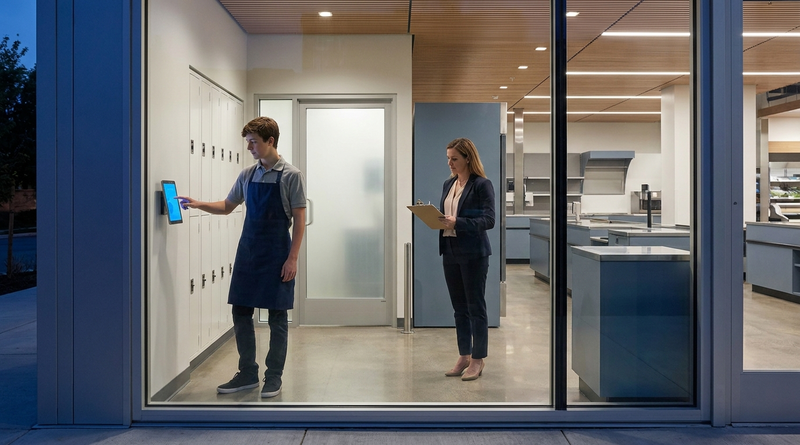
Enforcing Minor Work Hour Limits at the UKG Time Clock
Child labor hour limits are usually built into UKG schedules, but violations happen at the punch. Learn the federal rules for 14 to 17 year olds, how UKG Pro WFM and UKG Ready handle minor rules, and how CloudApper AI TimeClock adds age-based checks on an affordable tablet clock.
October 13, 2026
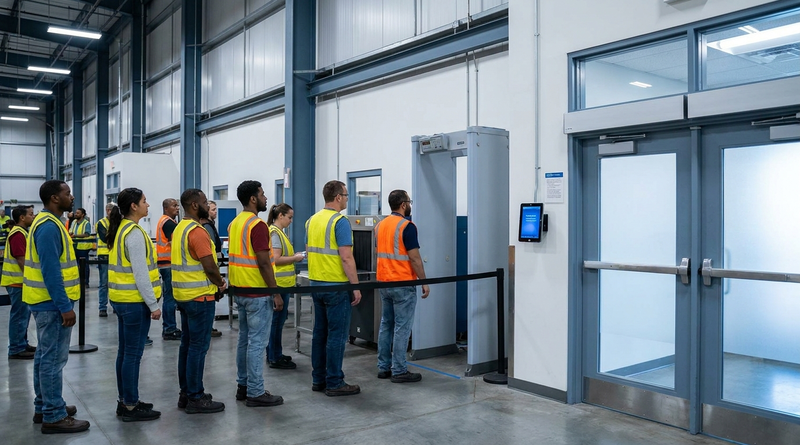
Security Screening and Bag Check Time in UKG: Where Post-Shift Minutes Become Payable
Exit bag checks and security screening can be paid time under California and Pennsylvania law. Learn how UKG Ready and UKG Pro WFM handle screening time, what to configure first, and how CloudApper AI TimeClock places an affordable tablet clock past every checkpoint.
