IT planning guide for deploying CloudApper AI TimeClock across 50+ UKG locations — covering network requirements, MDM enrollment, biometric security, phased pilot strategy, and go-live logistics. Tablet-based deployment uses existing MDM infrastructure and eliminates proprietary UKG terminal lifecycle management.


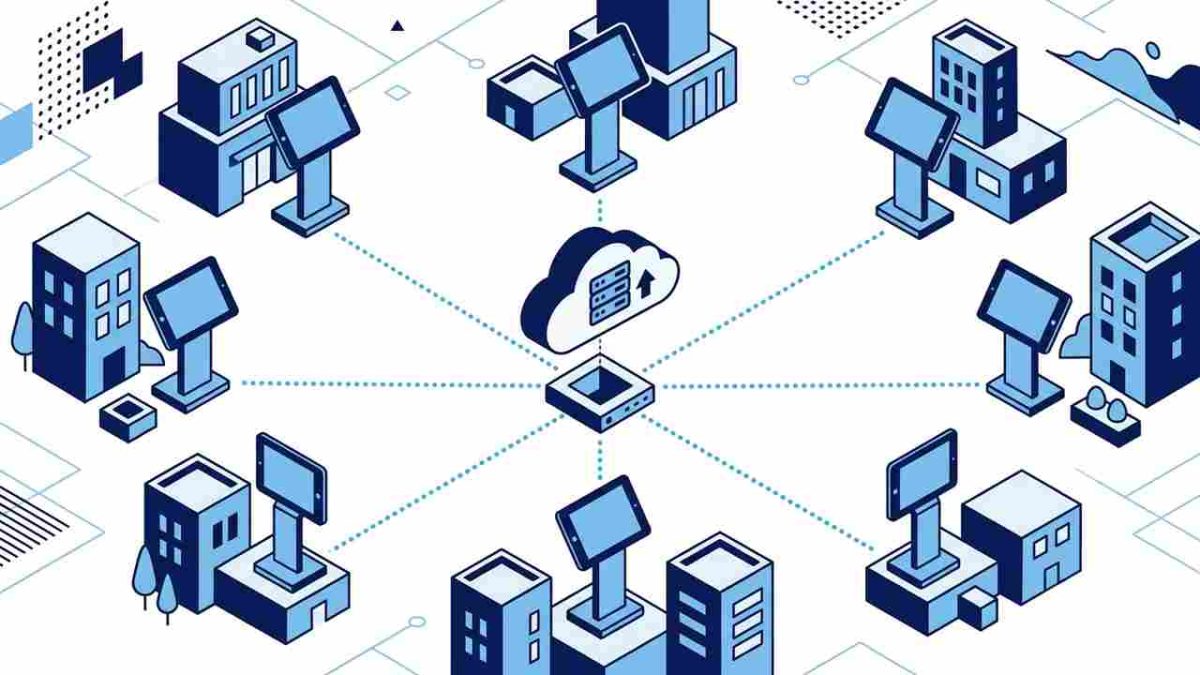
Table of Contents
- Why Tablet-Based Time Clocks Change the IT Calculus
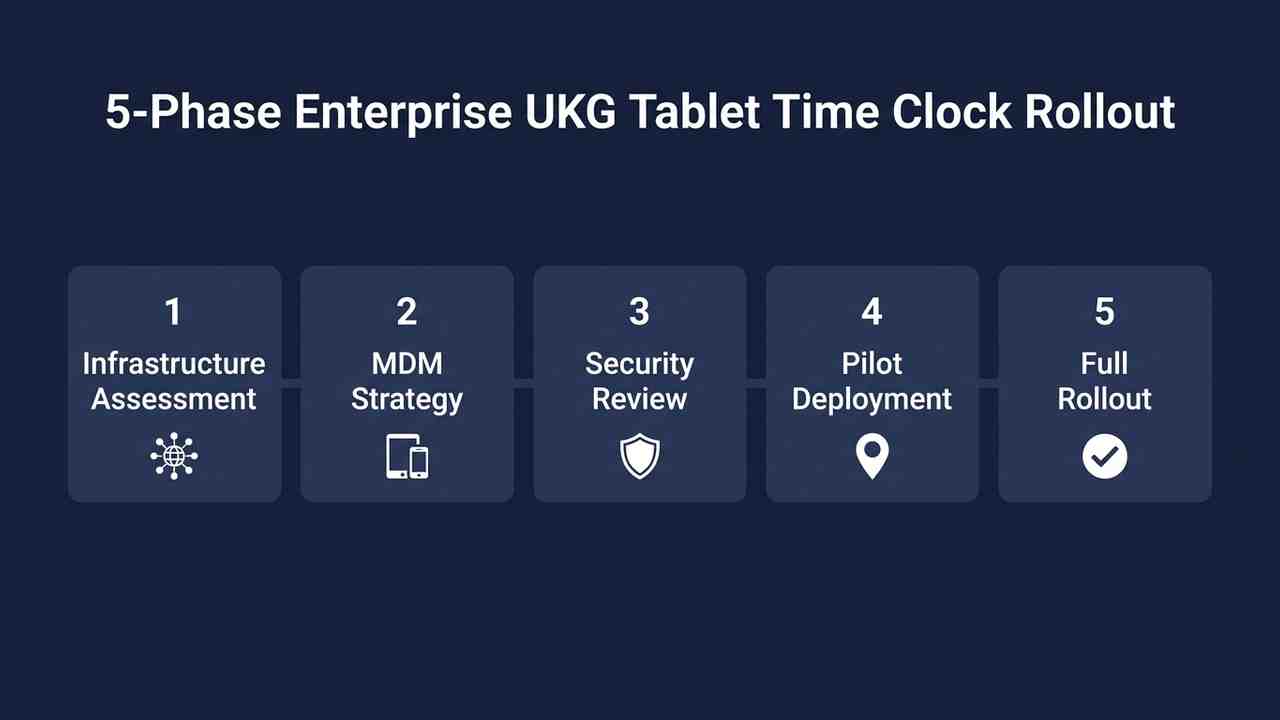
- Phase 1: Infrastructure Assessment
- Phase 2: MDM Strategy and Device Enrollment
- Phase 3: Security Review and Compliance Validation
- Phase 4: Pilot Site Deployment and Validation
- Phase 5: Full Rollout — Sequencing and Logistics
- How CloudApper AI TimeClock Simplifies the IT Picture at Scale
- Frequently Asked Questions
- Closing
The request usually arrives from HR or Payroll, not from a project manager with a scope document: “We need to replace the time clocks at all our locations. Can IT take a look?” By the time an IT Director at a 60-location manufacturer or a 90-site retail chain opens that ticket, it has already grown. Replace the hardware, yes, but also connect it to UKG, lock it down so employees can only use the time clock, make it work when the network is down, handle facial recognition and have it running at every site within a quarter.
What sounds like a hardware refresh is a multi-workstream infrastructure project, and the organizations that execute it well treat it that way from day one. This guide covers the IT planning for an enterprise UKG tablet time clock rollout across 50 or more locations, using CloudApper AI TimeClock for UKG as the software layer.
Why Tablet-Based Time Clocks Change the IT Calculus
Traditional UKG hardware deployments — Intouch DX, 9000, 9100, 4500 devices — involve proprietary firmware, vendor-managed update cycles, physical procurement lead times, and hardware support contracts that make IT-side lifecycle management a recurring project. A device failure at a remote site means waiting for a replacement unit. A firmware update means coordinating with UKG’s support channel. End-of-life on a terminal model means a full hardware refresh project.
iPad/Tablet-based inTouch terminal alternatives change that model. The device layer is commodity hardware — procurable from any commercial vendor, replaceable within 24 hours at most locations, and managed through the same MDM infrastructure IT already operates. iPads deployed as UKG time clocks follow existing Apple device management workflows. Android tablets follow existing Android Enterprise or third-party MDM policies. The application layer — CloudApper AI TimeClock for UKG — sits on top of the standard device and handles the UKG sync, biometric processing, attestation logic, and offline capture.
This means the IT planning question shifts from “how do we manage proprietary terminal firmware at 60 sites” to “how do we apply our existing device management infrastructure to a new device class.” That is a more tractable problem, with existing tooling. Organizations that have replaced UKG hardware with tablets report immediate IT lifecycle simplification alongside the hardware cost reduction.
Phase 1: Infrastructure Assessment
Before touching a single device, IT needs a clear inventory across three dimensions: network readiness, physical installation environment, and UKG environment configuration.
Network readiness per location. CloudApper AI TimeClock communicates with UKG Ready or Pro WFM over standard HTTPS. The bandwidth requirement is minimal — the application syncs punch data, not video or large files. However, each terminal needs reliable Wi-Fi or wired Ethernet access to a network segment with outbound HTTPS permitted to the CloudApper and UKG API endpoints. For locations with guest Wi-Fi networks or heavily segmented production floor networks, confirm that the time clock VLAN or segment has the required outbound access before deployment begins.

For locations with unreliable connectivity, offline time capture is available in CloudApper AI TimeClock — punch data is stored locally on the device and synced when connectivity is restored. Identify your remote or low-connectivity sites in the assessment phase and configure those devices for offline-first operation from the start, rather than treating it as an exception case during go-live.
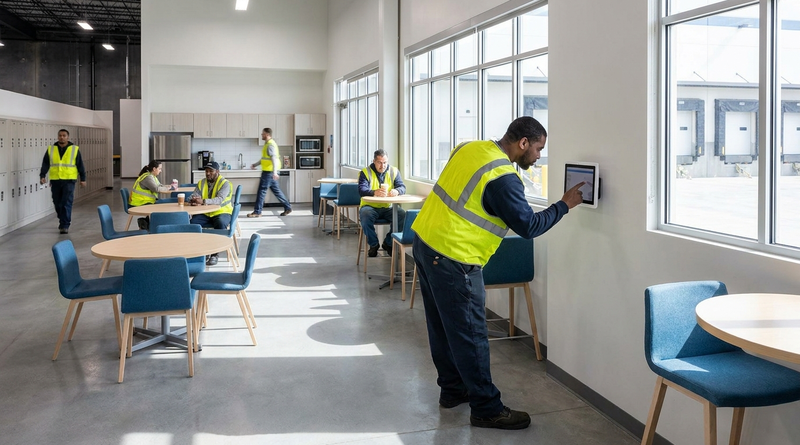
Physical installation environment. A tablet time clock needs a mounting solution, a power source, and a stable position at clock-in height — typically between 48 and 60 inches from floor to center. For manufacturing and warehouse environments, assess whether the tablets need industrial-grade cases or enclosures rated for the ambient conditions: dust, temperature, humidity. For multi-terminal locations — shift handover points, multiple entrances — map every intended installation point before ordering hardware or mounts.
UKG environment configuration. The UKG side of a multi-location rollout requires that each location’s employee groups, cost centers, pay rules, and labor level entries are correctly configured before the first terminal goes live. Work with the HRIS team to confirm that UKG employee records include the correct location assignments and that time clock policies are configured per site. Expanding UKG Pro Dimensions time clocks across locations requires clean underlying UKG data — a terminal that syncs to UKG with mismatched labor levels or unassigned employee records will produce errors that are harder to diagnose post-deployment than pre-deployment.
Phase 2: MDM Strategy and Device Enrollment
This is the phase where the tablet-based deployment model pays its first dividends. Proprietary UKG terminals have no MDM layer — they are managed through UKG’s hardware support channel. Tablets are fully MDM-addressable, which means IT can manage the full device lifecycle through existing infrastructure.
Choose your MDM platform. Most enterprise IT environments already run one of the major MDM platforms — Microsoft Intune, Jamf for iOS, VMware Workspace ONE, or a third-party Android Enterprise provider. If your tablet hardware is Android, Android Enterprise COSU (Corporate-Owned, Single-Use) mode is the right profile for a dedicated time clock device: it locks the device to the CloudApper AI TimeClock application, disables all other apps, prevents configuration changes by end users, and enables remote management and wipe. If your tablet hardware is iPad, Apple Supervised mode with a single-app kiosk profile achieves the same result.
Build a standard device configuration template. Before enrolling any devices, build and test a baseline configuration that includes: the CloudApper AI TimeClock application installed and pinned to the foreground, auto-update policy defined — typically allow updates during off-hours — screen brightness locked or set to a minimum for readability, auto-lock disabled since the time clock app manages its own idle state, and remote wipe enabled. Test this configuration on three to five pilot devices before applying it to the full fleet.
Staged enrollment. For a 50+ location rollout, enroll devices in waves. A common approach is to complete full MDM enrollment at pilot sites, validate the end-to-end workflow, then enroll the remaining sites in geographic or operational clusters. This limits the blast radius of any configuration issue discovered mid-rollout and gives IT teams at regional sites time to support the installation.
Phase 3: Security Review and Compliance Validation
For organizations in regulated industries — healthcare, financial services, government-adjacent operations — the security review is not a checkbox at the end of the project. It is a gate that affects which hardware is selected, how biometric data is handled, and what network architecture the terminals sit on.
Biometric data handling. CloudApper AI TimeClock captures facial recognition data for identity verification at the terminal. The biometric template used for matching is stored encrypted and is not transmitted as a raw image — the system performs local template matching and sends only the punch confirmation to UKG. For organizations subject to HIPAA, GDPR, or CCPA, confirm that the biometric data storage and processing architecture meets your organization’s data classification requirements. CloudApper AI TimeClock is HIPAA, GDPR, CCPA, and FIPS 140-2 certified. Biometric privacy law requirements at state and provincial levels — Illinois BIPA, Texas, Washington, and others — may also require specific data handling disclosures and consent workflows before enrollment goes live.
Network segmentation. Time clock terminals at manufacturing, healthcare, or retail sites should sit on a dedicated VLAN or network segment, not on the corporate LAN or employee devices network. The terminal needs outbound HTTPS to the CloudApper API and to UKG endpoints — nothing else. Firewall rules should restrict all other outbound traffic from the terminal segment.
Physical security and access control. A time clock terminal at an entrance or production floor is a physical endpoint that should not be removable without authorization. Use locking mounts and tamper-evident hardware where appropriate. The combination of biometric verification, kiosk mode, and network segmentation means the device cannot be used for anything other than its intended function. Preventing unauthorized punches is an HR objective that IT enables through the hardware configuration decisions made in this phase.
Phase 4: Pilot Site Deployment and Validation
The pilot is not a proof of concept — it is a full production deployment at a representative subset of your locations. Select three to five sites that represent the range of your deployment conditions: one high-traffic location, one remote or low-connectivity location, one location with multiple terminals, and one location in a regulated environment if applicable.
Run the pilot for a minimum of one full pay period. This is the only way to confirm that the UKG sync is producing accurate punch records, that overtime calculations are firing correctly, and that payroll does not require manual reconciliation to close the period. Anything that requires manual correction during the pilot pay period is a system configuration issue to resolve before the full rollout.
The validation checklist covers: punch data appearing in UKG within expected sync intervals, facial recognition matching enrolled employees accurately, offline capture storing and syncing correctly, break attestation prompts firing at the correct point in the clock-out workflow, and missed punch correction workflows routing to the correct approver. Remote management via MDM must also be confirmed operational — you should be able to push a configuration update to any pilot device from central IT without physical access.
Phase 5: Full Rollout — Sequencing and Logistics
With a validated pilot, the full rollout is a logistics and execution problem, not a technical discovery problem. The configuration is proven. The remaining work is replication at scale.
Sequencing. Roll out by cluster — geographic clusters for organizations with regional IT support, operational clusters for organizations where the rollout team has domain expertise at each site type. Avoid rolling out more than 10–15 new locations per week if your IT staffing requires on-site support at each location. If remote enrollment is fully operational through MDM — devices shipped pre-enrolled, terminal comes online and self-configures — the pace can increase substantially.
Hardware procurement and staging. Pre-stage tablets at a central location: enroll in MDM, install the CloudApper AI TimeClock application, validate the configuration, mount in the intended enclosure or case, and ship to site. This approach reduces on-site installation time to mount-and-connect and is significantly faster than enrolling devices at each location individually.
Employee biometric enrollment. Biometric enrollment — capturing the facial template for each employee — can be handled at the terminal during first use, or pre-enrolled by HR through the CloudApper admin interface before the terminal goes live. For large sites with hundreds of employees, pre-enrollment reduces day-one congestion at the terminal and ensures that all employees can clock in immediately. Real-time facial recognition enrollment takes approximately 20–30 seconds per employee at the terminal for first-use enrollment at smaller sites.
Go-live support. Assign an on-call contact for each location during the first week of live operation. The most common issues in week one are not technical failures — they are employee habit issues and edge cases in UKG configuration that the pilot did not surface. Having a named contact who can distinguish a configuration issue from a training issue saves hours of troubleshooting per location.
How CloudApper AI TimeClock Simplifies the IT Picture at Scale
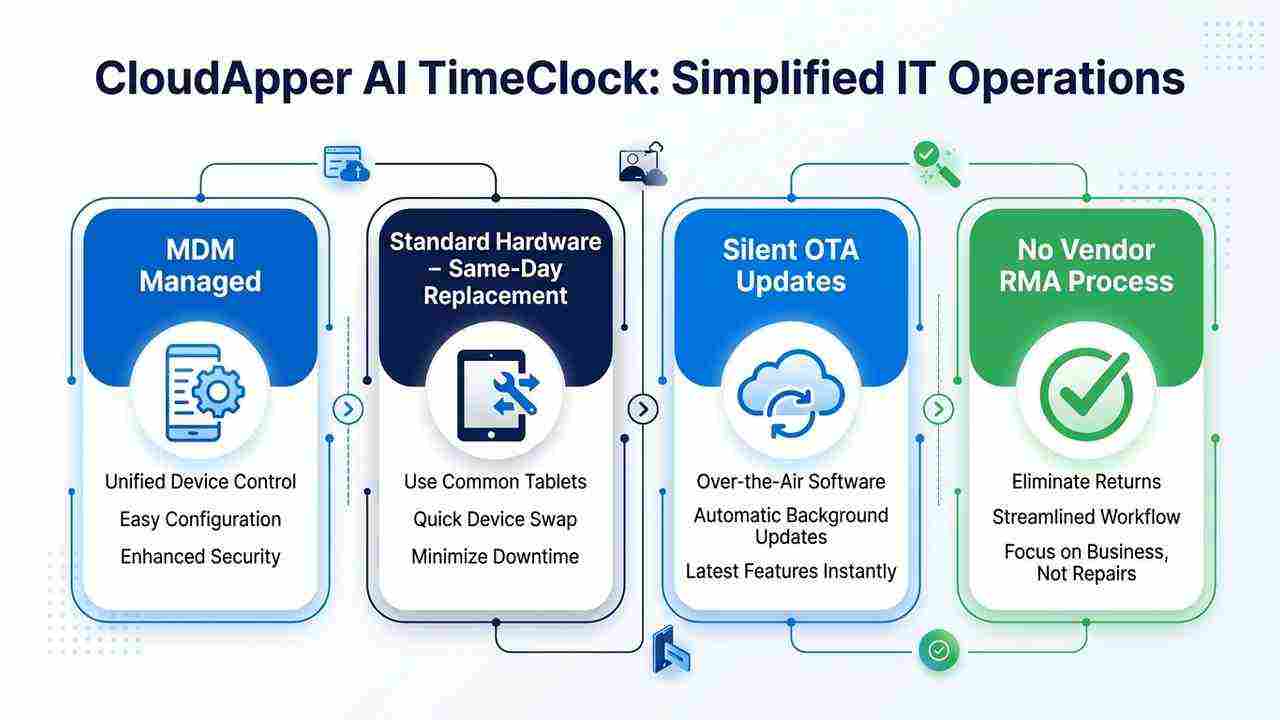
CloudApper AI TimeClock for UKG runs on standard Android tablets or iPads, syncs directly with UKG Ready and Pro WFM, and sits entirely within existing MDM infrastructure. The operational simplification compounds across the device lifecycle: a device failure means dispatching a standard tablet from IT’s spare hardware pool — not waiting for a UKG terminal RMA. Software updates push silently through MDM during off-hours — no physical access, no maintenance windows requiring coordination with UKG support. New location deployments use the same enrollment workflow as every existing location — no new vendor engagement required.
Geofencing enforcement restricts clock-in to designated physical locations without additional hardware. Attestation workflows for compliance — break acknowledgments, health screenings, policy confirmations — are configurable per location through the admin interface, not through terminal firmware updates. Biometric facial recognition is included in standard CloudApper AI TimeClock licensing at no additional cost.
Frequently Asked Questions
Q: What network ports and endpoints does CloudApper AI TimeClock for UKG require?
CloudApper AI TimeClock communicates over standard HTTPS (port 443) to the CloudApper API and to UKG Ready or Pro WFM endpoints. No inbound ports are required on the terminal. Firewall rules should permit outbound HTTPS from the terminal VLAN to the CloudApper API endpoint and to your UKG tenant’s API URL. All traffic is TLS-encrypted. Your network team can confirm the specific IP ranges with CloudApper during the pre-deployment technical review.
Q: Can CloudApper AI TimeClock be managed through Microsoft Intune?
Yes. CloudApper AI TimeClock runs on standard Android tablets and iPads, both fully supported by Microsoft Intune. Android devices can be enrolled in Android Enterprise COSU mode through Intune to lock the device to the time clock application. iOS devices can be enrolled in Supervised mode with a single-app kiosk profile. Remote configuration, app updates, and device wipe are all managed through your existing Intune infrastructure — no additional MDM tooling is required.
Q: How does biometric enrollment work at scale for a 50+ location deployment?
Biometric enrollment — capturing each employee’s facial template — can be handled through the CloudApper admin interface before terminal deployment, or at the terminal during first use. For large-site deployments with 200+ employees, pre-enrollment through the admin interface is recommended: HR uploads the employee dataset, templates are generated and associated with UKG employee records, and employees can clock in from day one without an enrollment step at the device.
Q: What happens to punch data if the terminal loses network connectivity?
CloudApper AI TimeClock stores punch data locally on the device when connectivity is unavailable. When the network connection is restored, the application automatically syncs stored punches to UKG in chronological order. Biometric verification continues to operate during offline periods — facial recognition runs against the locally stored template database. There is no punch data loss from a connectivity outage, and no manual intervention is required to sync when connectivity returns.
Q: How long does a full 50-location rollout typically take?
A 50-location rollout with pre-staged hardware and remote MDM enrollment typically completes in four to six weeks, including a two-week pilot phase. Organizations with on-site IT support requirements at each location, complex physical installation requirements, or large-scale biometric pre-enrollment should plan for six to eight weeks. The primary variable is not the software or UKG configuration — it is hardware procurement lead time, physical mounting logistics, and on-site support availability.
Q: Does CloudApper AI TimeClock require changes to the existing UKG configuration?
CloudApper AI TimeClock syncs with UKG through the existing API integration — it does not require modifications to UKG’s core configuration. However, the rollout is the right moment to audit UKG employee records, labor level assignments, pay rule configurations, and time clock policies for each location. Errors in the underlying UKG configuration that were manageable at smaller scale become visible and problematic at 50+ locations. The IT rollout and the UKG configuration audit should run in parallel, not sequentially.
Q: What is the recommended spare hardware ratio for a multi-location deployment?
For a tablet-based deployment, a 5–10% spare hardware buffer is standard — one spare tablet per 10–20 active terminals, staged centrally and enrolled in MDM. Because replacement tablets can be shipped and operational within 24–48 hours and require no vendor RMA process, the spare ratio is lower than for proprietary terminal deployments. For locations in areas with longer shipping lead times — remote sites, international locations — a local spare should be on-site.
Closing
An enterprise UKG tablet time clock rollout at 50+ locations is an infrastructure project that benefits from the same phased planning discipline IT applies to any large-scale device deployment — assessment, configuration, pilot, then scale. What makes the tablet-based approach different from a proprietary terminal rollout is that it uses infrastructure IT already operates, hardware IT already manages, and a supply chain IT already controls.
If your organization is evaluating a time clock hardware refresh — replacing aging UKG proprietary terminals, consolidating from multiple legacy systems, or deploying at new locations — the planning conversation starts at https://ukg.cloudapper.ai/affordable-ukg-kronos-time-clock/



October 22, 2026
Illinois One Day Rest in Seven Act: Configuring UKG for Meal and Seventh-Day Rest Rules
Since 2023, Illinois requires 24 hours of rest in every rolling seven-day period and earlier, more frequent meal periods. Learn how UKG Pro WFM and UKG Ready can enforce ODRISA rules, and how CloudApper AI TimeClock adds seventh-day and meal checks on an affordable tablet.
October 19, 2026
Nurse Mandatory Overtime Limits in UKG: Documenting Voluntary Overtime at Clock-Out
New York, Pennsylvania and Washington restrict mandatory overtime for nurses, which makes documented consent the key record. Learn how UKG Pro WFM and UKG Ready separate voluntary and mandated overtime, and how CloudApper AI TimeClock captures consent on an affordable unit tablet.

October 16, 2026
Heat Illness Recovery Breaks in UKG for Construction and Logistics Crews
State heat rules in California, Washington and beyond require cool-down breaks that payroll must be able to prove. Learn how UKG Ready and UKG Pro WFM track recovery periods, and how CloudApper AI TimeClock captures them on an affordable jobsite tablet that works offline.
October 15, 2026
PUMP Act Lactation Breaks in UKG: Tracking Them Without Breaking Meal Rules
Lactation breaks protected by the PUMP Act often show up as meal break exceptions in UKG. Learn what federal law requires, how to configure UKG Ready and UKG Pro WFM pay codes, and how CloudApper AI TimeClock records these breaks privately on an affordable tablet clock.
