Construction IT teams extending UKG Pro WFM to job trailers must validate middleware compatibility, offline punch buffering, and PPE-ready facial recognition before deploying biometric tablet kiosks. CloudApper hrPad and Crew Punch address each evaluation checkpoint as embedded capabilities.


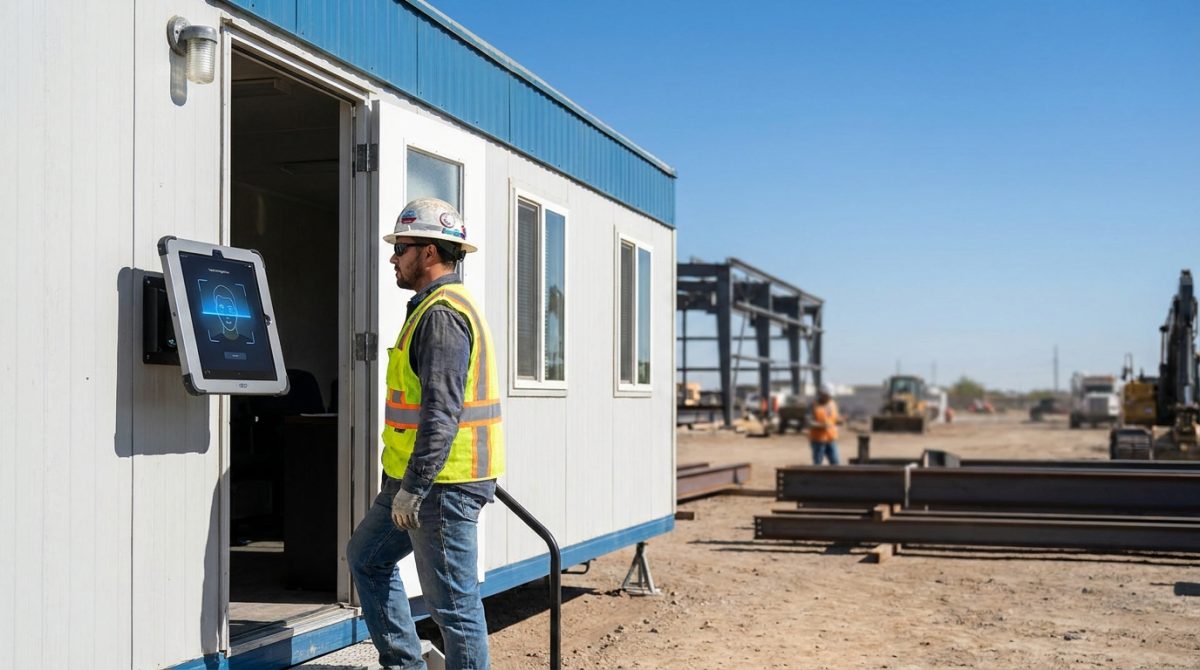
Table of Contents
When a construction and engineering contractor running UKG Pro WFM across multiple active job sites decides to evaluate biometric time capture at the job trailer, the first question is rarely “which tablet?” It is: will adding a new time capture layer require any changes to the in-house middleware that connects UKG to the ERP? That is the question IT teams at large contractors are working through right now, and it is the right question to start with.

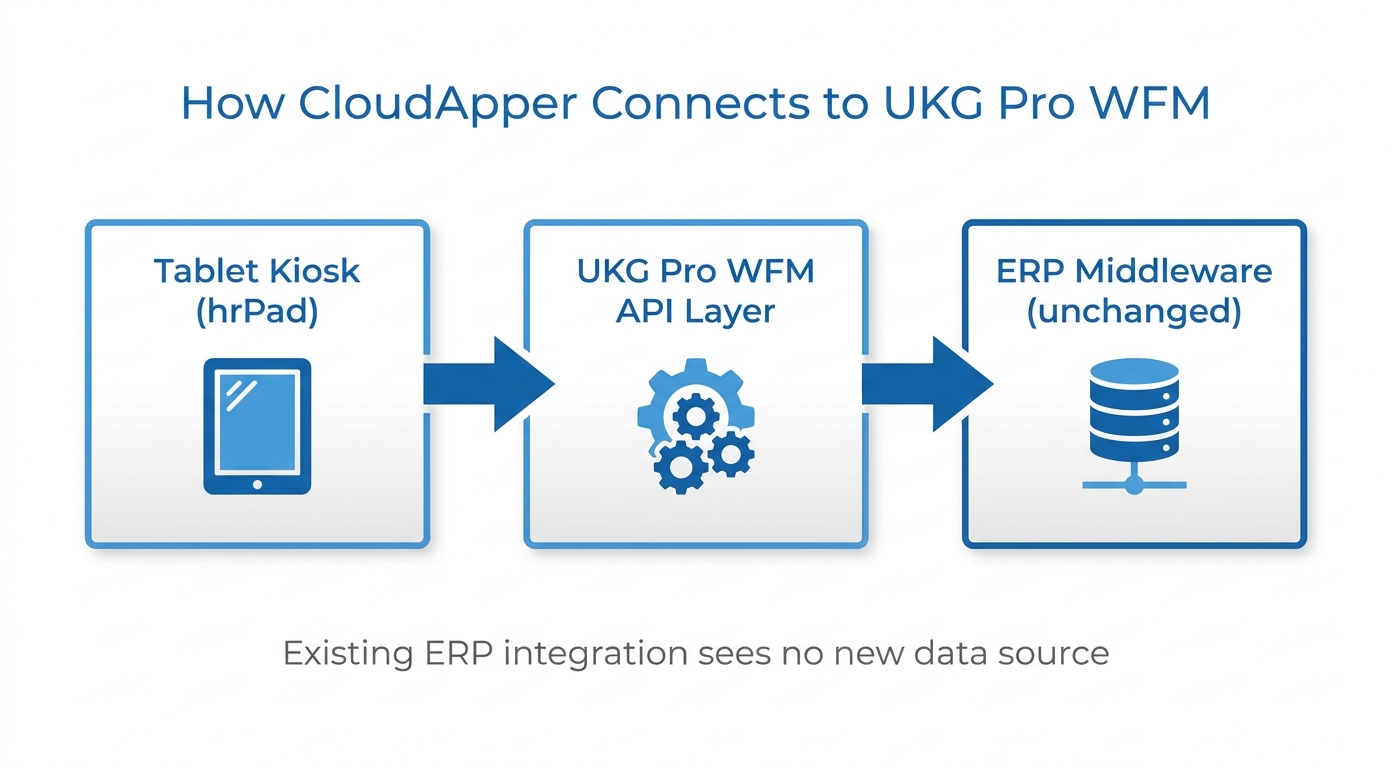
CloudApper hrPad for UKG and CloudApper Crew Punch for UKG extend UKG Pro WFM time capture to job trailer environments in a way that connects to UKG through the same API layer the existing middleware already uses. The ERP integration does not see a new data source; it sees the same UKG data it has always processed. That design premise is the first box to validate before anything else, and it is what makes the evaluation viable for contractors who have spent years building a stable integration between UKG and their project management or job costing systems.
Offline Punch Buffering Is Not Optional in Construction
Job trailer connectivity is not office connectivity. Many construction sites operate in areas where cellular and Wi-Fi coverage is inconsistent, and IT teams know this from experience before any vendor conversation starts.
“So like, in some of the areas we have… the internet connection is spotty at best.”
— IT Team Member, construction and engineering contractor with multiple active job sites
Offline punch buffering in CloudApper hrPad is not an add-on configuration. Punches queue locally on the device and sync to UKG Pro WFM automatically when connectivity is restored, with no manual intervention and no lost records. For a contractor operating across multiple sites with varying network reliability, this is a baseline functional requirement. Any evaluation should include a live demonstration of offline behavior, not just a checkbox on a feature list.
Facial Recognition When Your Workforce Wears PPE
Construction environments introduce variables that standard biometric enrollment workflows are not designed for. Workers wear hard hats. They rotate through safety glasses with different lens tints. Enrollment conditions and daily punch conditions are rarely identical, and the team responsible for timekeeping accuracy will surface this during any honest pilot.
“So when enrolling biometrics, does it recognize people, for example, if you’re wearing hard hats or like safety glasses, or do they move all of those?”
— On-site Timekeeping Subject Matter Expert, construction and engineering contractor with multiple active job sites
CloudApper hrPad accommodates PPE coverage with configurable facial recognition tolerance levels and fallback authentication modes for conditions where face recognition is impractical. The evaluation concern went further than recognition accuracy:
“And I think what worried me was facial recognition: how do we store the pictures? What do you do for anti-spoofing? What happens if they throw in a photograph?”
— IT Team Member, construction and engineering contractor with multiple active job sites
Biometric data storage and anti-spoofing are compliance and security questions, not just user experience ones. For organizations in jurisdictions with biometric privacy requirements, understanding how facial templates are stored and deleted is part of the evaluation process. CloudApper stores biometric templates in encrypted form, with configurable data retention and deletion workflows built to support regulatory requirements.
Hardware Ownership and Device Management
Construction operations typically own their time clock hardware rather than leasing it. As the IT and Workforce Systems Lead at one large construction contractor put it, “we currently actually purchase our time clocks. We don’t lease them. So it’s one lump sum.”
CloudApper hrPad runs on standard Apple iOS tablets. A construction organization purchases the hardware once and manages it through its existing MDM solution. For teams already running Microsoft Intune across the organization, the kiosks enroll in the same MDM workflow as other managed devices. There is no proprietary terminal to lease or renew and no vendor-specific hardware refresh cycle to plan around. The iPad-based time clock model for UKG converts a capital expense the organization already understands into a software-managed asset it already knows how to operate.
Running the Evaluation Against Real Job Site Conditions
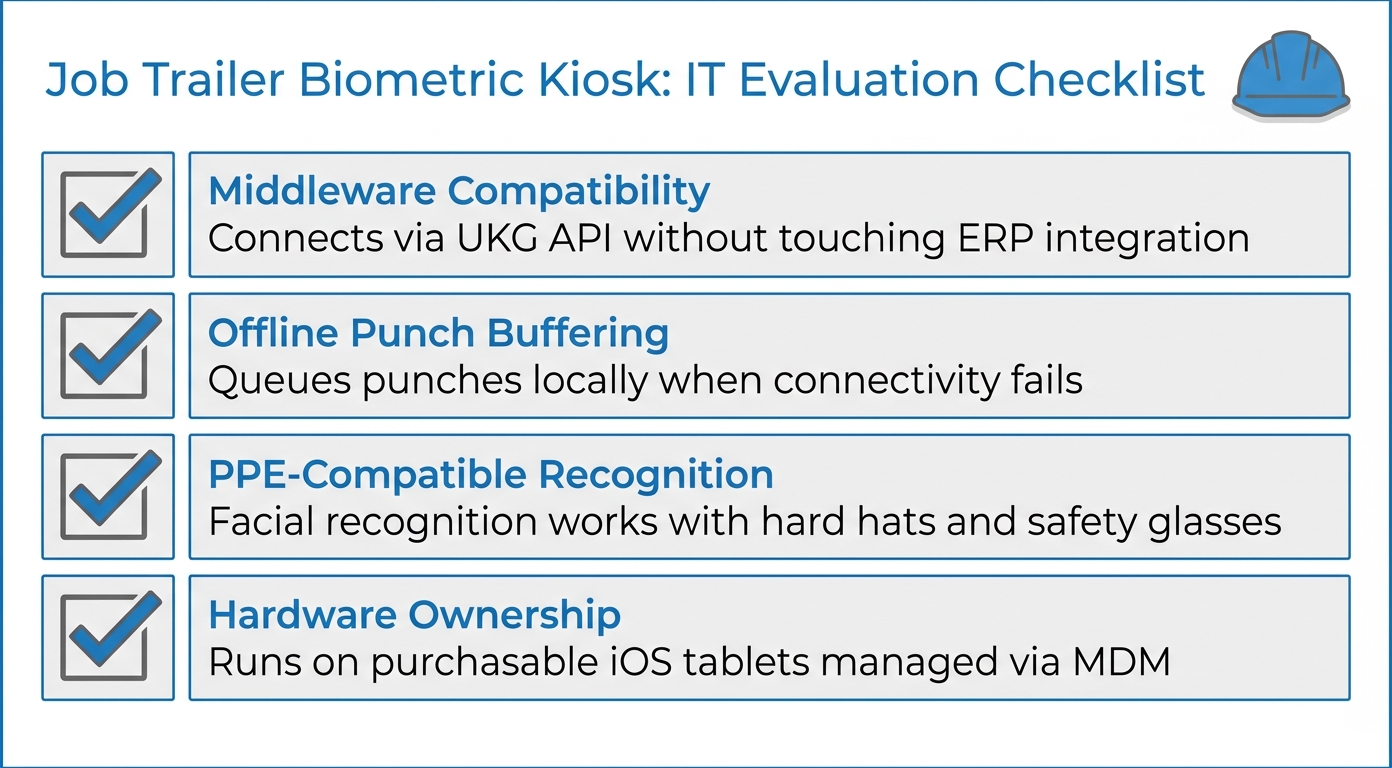
The checkpoints that matter for a construction IT team extending UKG Pro WFM to job trailers are concrete. Middleware compatibility: does the new time capture layer connect through the existing UKG API layer without touching the ERP integration? Offline punch buffering: does the system queue punches locally without network dependency? PPE-compatible recognition: does facial recognition function reliably when workers wear hard hats and safety glasses? Anti-spoofing: how are biometric templates stored and what prevents photograph-based fraud? Hardware model: does the solution run on purchasable, MDM-manageable hardware the organization controls?
CloudApper hrPad and CloudApper Crew Punch for UKG address each of these checkpoints as embedded capabilities in the platform, not as custom development requests. For construction teams also managing labor compliance exposure across job sites, accurate time capture at the trailer is the upstream input that makes every downstream payroll and job costing calculation accurate. The group punch capability in CloudApper Crew Punch adds crew-level time capture with job cost code transfers, extending the same middleware-compatible, offline-capable architecture to multi-worker punch scenarios common in construction operations.
Ready to walk through the evaluation against your specific site conditions and middleware architecture? Reach out at ukg.cloudapper.ai/contact-us to connect with a CloudApper solutions engineer.


November 6, 2026
Night-Shift Time Records in UKG: Who Owns the Exception Queue After 10 p.m.?
Between 10 p.m. and 6 a.m., UKG exception queues fill with punch corrections verified by the same supervisor who created them. This guide shows UKG admins where the overnight control gap opens, what to fix inside UKG first, and how tablet-based time capture with offline buffering and biometric verification closes the gap.
November 5, 2026
Tablet Time Clocks in Cold, Wet and Dusty Sites: Who Answers the Work Order When the Screen Fogs Over
Putting a tablet time clock in cold storage, a washdown line or a dusty dock works when ownership is settled first. This guide gives UKG admins placement rules, fallback punch options, a test plan and a named support owner for each site.
November 4, 2026
Weekend Cutover from Intouch DX to Tablet Time Clocks: The Rollback Rule to Agree Before Friday
A weekend swap from Intouch DX to tablet time clocks works only when the rollback rule is agreed first. This runbook gives UKG admins a Friday to Monday sequence, plant manager acceptance criteria, and a payroll-based trigger for reverting a site.
November 3, 2026
Wi-Fi Site Survey for UKG Tablet Time Clocks: Who Owns the Network Before the First iPad Is Mounted
Moving from wired UKG clocks to tablets shifts a hidden dependency onto your wireless network. This guide shows UKG admins and IT how to survey each clock position, test outage behavior, and assign ownership of access point fixes before go-live.