Healthcare procurement often attaches a BAA to every vendor by reflex, but for time clocks that can point at the wrong law. Learn why employee punches usually are not PHI, when patient data or biometric laws change the analysis, and the five-step review healthcare IT should run before deploying a UKG time clock.


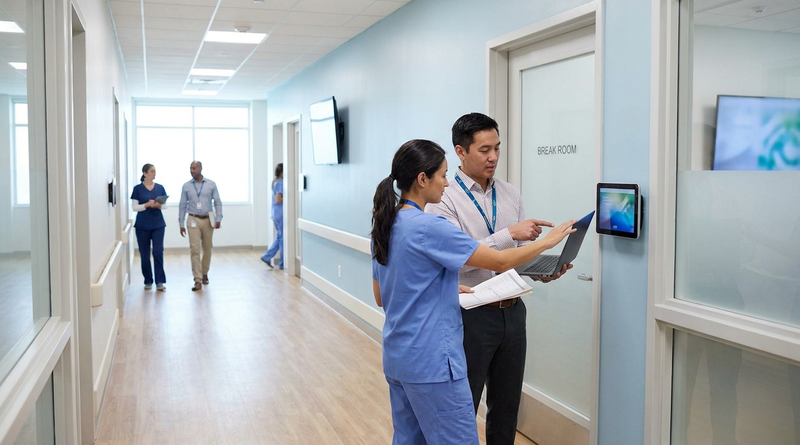
Table of Contents
- What HIPAA Actually Covers Here
- Where the Analysis Changes
- What to Review Before Deployment
- Where Hardware Choice Enters the Picture
- CloudApper AI TimeClock in a Healthcare Review
- Frequently Asked Questions
- Settle the Review Before the Questionnaire
Most healthcare procurement teams attach a Business Associate Agreement to every vendor contract by reflex. For a time clock, that reflex often points at the wrong law. The question that decides your review is narrower: what data does the clock collect, and whose data is it? The answer is the same whether the device is a UKG Intouch terminal or a tablet running CloudApper AI TimeClock, so settle it before the security questionnaire goes out.
What HIPAA Actually Covers Here
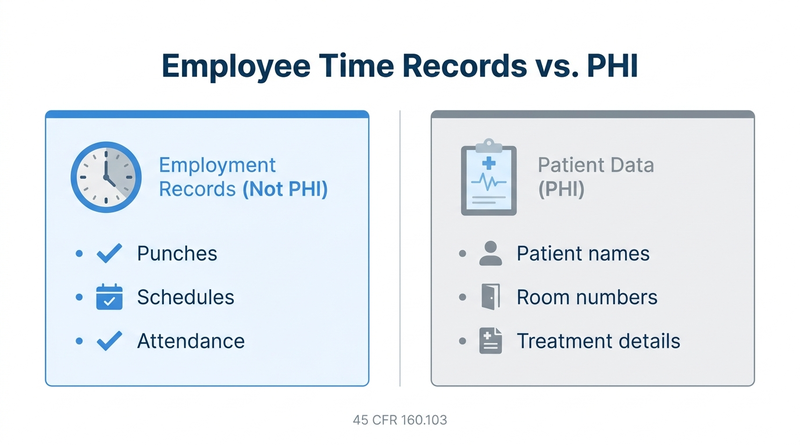
HIPAA’s definition of protected health information in 45 CFR 160.103 excludes information in “employment records held by a covered entity in its role as employer.” Employee punches, schedules, and attendance generally fall there. A BAA is required when a vendor creates, receives, maintains, or transmits PHI on a covered entity’s behalf, not simply because the customer is a hospital.

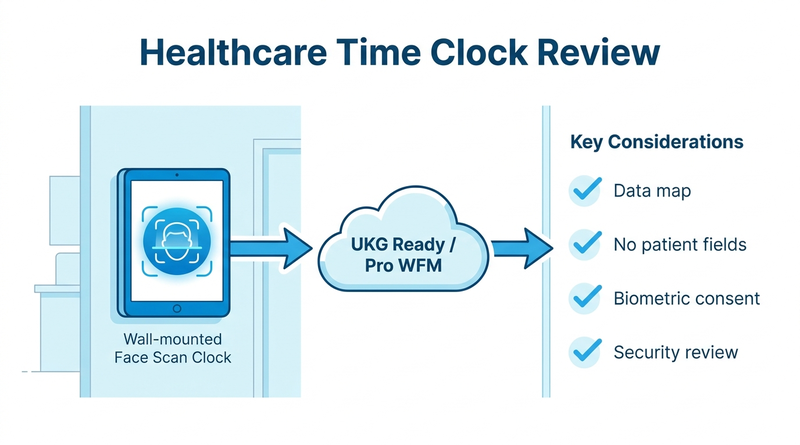
UKG Ready and UKG Pro WFM already hold these workforce records as your system of record, and Intouch devices capture them inside that same employer data flow.
Where the Analysis Changes
Three situations deserve a closer look:
- Patient data in clock fields. A free-text comment, custom form, or task code that captures a patient name or room number can pull PHI into the time record.
- Health screening attestations. Symptom or exposure questions may be employee health information governed by other laws and your own policies.
- Biometric templates. Facial or fingerprint data is usually not PHI, but state laws such as Illinois BIPA regulate notice, consent, retention, and destruction.
What to Review Before Deployment
Instead of defaulting to a BAA, run this review:
- Map the data. List every field the clock captures, including custom forms and attestation questions.
- Block patient data. Configure fields so a patient identifier cannot be entered.
- Check biometric law by state. Confirm consent, retention, and destruction requirements under BIPA, Texas CUBI, and Washington’s rules.
- Run the security review. Cover encryption, access control, device lockdown, and audit trails.
- Decide on the BAA. Sign one only if PHI remains in scope after steps 1 and 2.
Where facial recognition is restricted, PIN and photo verification keeps the review simpler.
Where Hardware Choice Enters the Picture
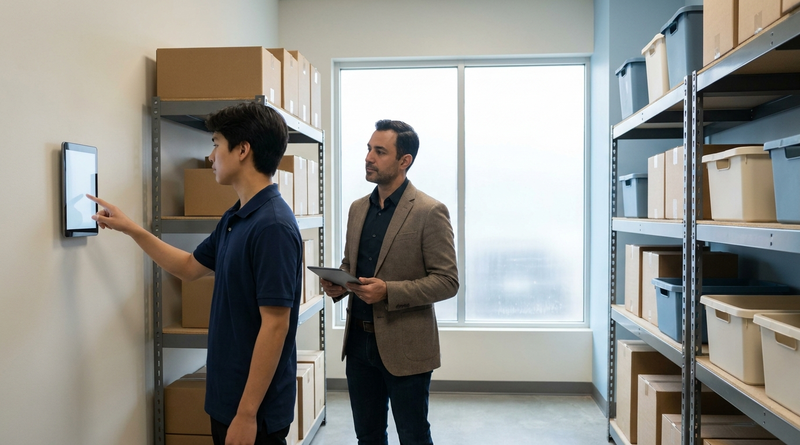
Compliance does not decide between Intouch and a tablet, because the data flow is the same. What changes is cost and coverage across clinics and outpatient sites. This is where CloudApper AI TimeClock fits for healthcare organizations that need more capture points without more terminals.
CloudApper AI TimeClock in a Healthcare Review
CloudApper AI TimeClock runs on an iPad or Android tablet and syncs directly with UKG Ready and UKG Pro WFM. CloudApper states HIPAA, GDPR, CCPA, and FIPS 140-2 compliance, and its forms and attestations can be configured to keep patient data out of time records. It is priced at roughly 25% of the cost of traditional UKG clocking hardware. IT can work through the tablet security review, validate sync with an integration test script, and plan a biometric template purge for any retired devices.
Frequently Asked Questions
Q: Does a time clock vendor need a BAA?
Not automatically. A BAA is required only when the vendor handles PHI on a covered entity’s behalf, and employee time records held in the employer role are generally excluded from PHI.
Q: Is employee time and attendance data PHI?
Generally no. 45 CFR 160.103 excludes employment records held by a covered entity in its role as employer, which typically includes punches, schedules, and attendance.
Q: Are biometric time clock templates covered by HIPAA?
Usually not, because they are employee data. State biometric laws such as Illinois BIPA still regulate notice, consent, retention, and destruction.
Q: When would a time clock need a BAA in healthcare?
When the clock captures patient information, for example through free-text comments or custom fields. Configuring fields to block patient identifiers usually keeps PHI out of scope.
Q: What should healthcare IT review before deploying a tablet time clock?
Map every captured field, block patient data, confirm state biometric requirements, and complete a security review.
Settle the Review Before the Questionnaire
Evaluating clocks for new clinics? Bring the data map to the first meeting. See how CloudApper AI TimeClock fits a healthcare UKG deployment and book a walkthrough.



October 27, 2026
Multilingual Time Clocks for UKG: Making Sure Workers Understand What They Attest To
An attestation is only as defensible as the employee's understanding of the question. Learn how UKG Pro WFM and UKG Ready handle languages, where custom prompts fall short, and how CloudApper AI TimeClock delivers multilingual attestation on affordable tablets.
October 26, 2026
California Seventh Consecutive Day Overtime in UKG: Flagging It at Clock-In
California pays premium rates on the seventh consecutive workday in a workweek, even when total hours stay at 40. Learn how UKG Pro WFM and UKG Ready calculate it, why the cost decision happens before the punch, and how CloudApper AI TimeClock flags it at clock-in.

October 23, 2026
New York Spread of Hours Pay in UKG: Catching the 10-Hour Span Before Payroll Does
New York owes an extra hour of pay when a workday spans more than 10 hours or includes a split shift. Learn how UKG Pro WFM and UKG Ready calculate the premium, why missed split-shift punches hide it, and how CloudApper AI TimeClock keeps punches accurate on affordable tablets.

October 22, 2026
Illinois One Day Rest in Seven Act: Configuring UKG for Meal and Seventh-Day Rest Rules
Since 2023, Illinois requires 24 hours of rest in every rolling seven-day period and earlier, more frequent meal periods. Learn how UKG Pro WFM and UKG Ready can enforce ODRISA rules, and how CloudApper AI TimeClock adds seventh-day and meal checks on an affordable tablet.
