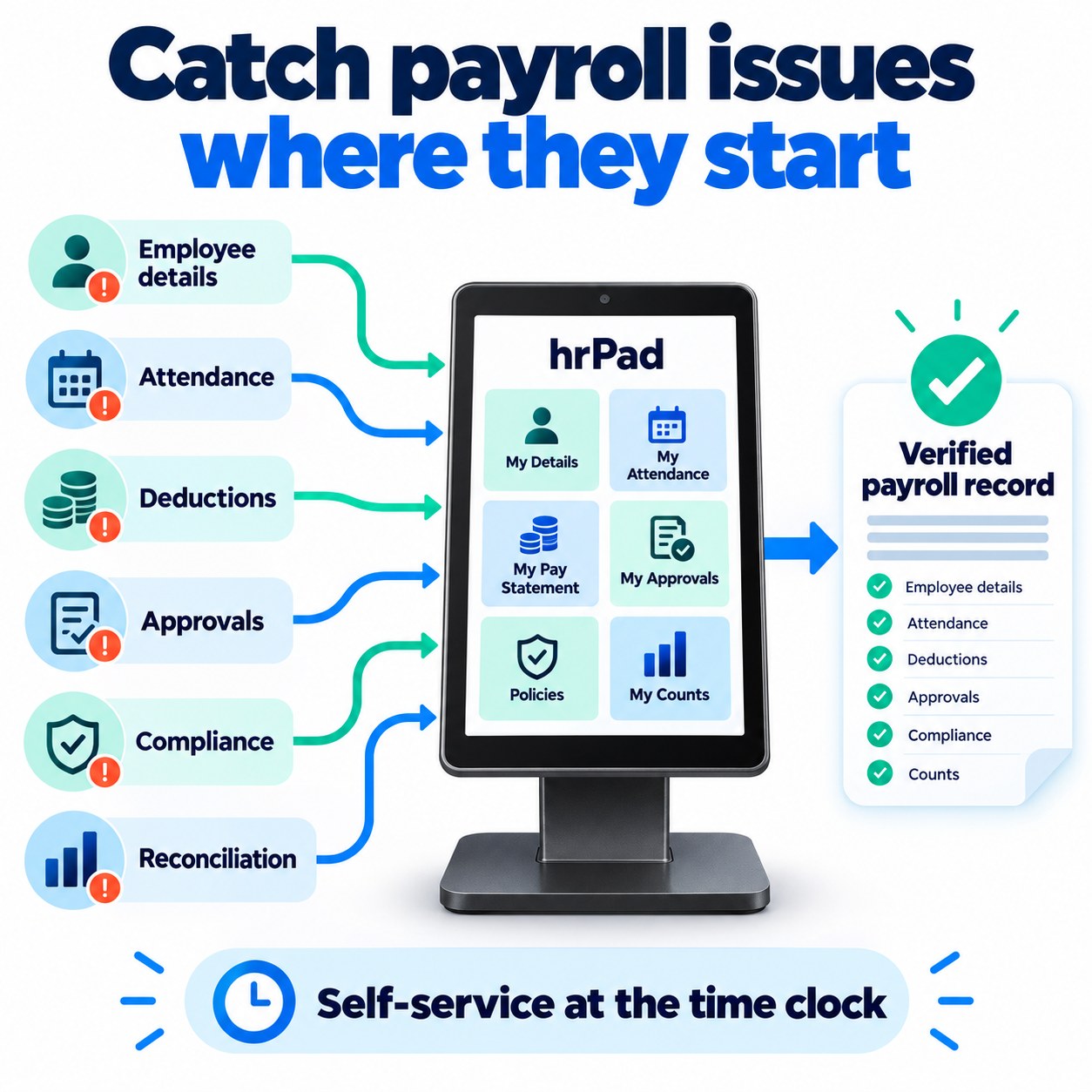
Most UKG payroll questions start upstream of payroll: in employee details, attendance, deductions, approvals, compliance or reconciliation. hrPad by CloudApper AI catches each one at the time clock.


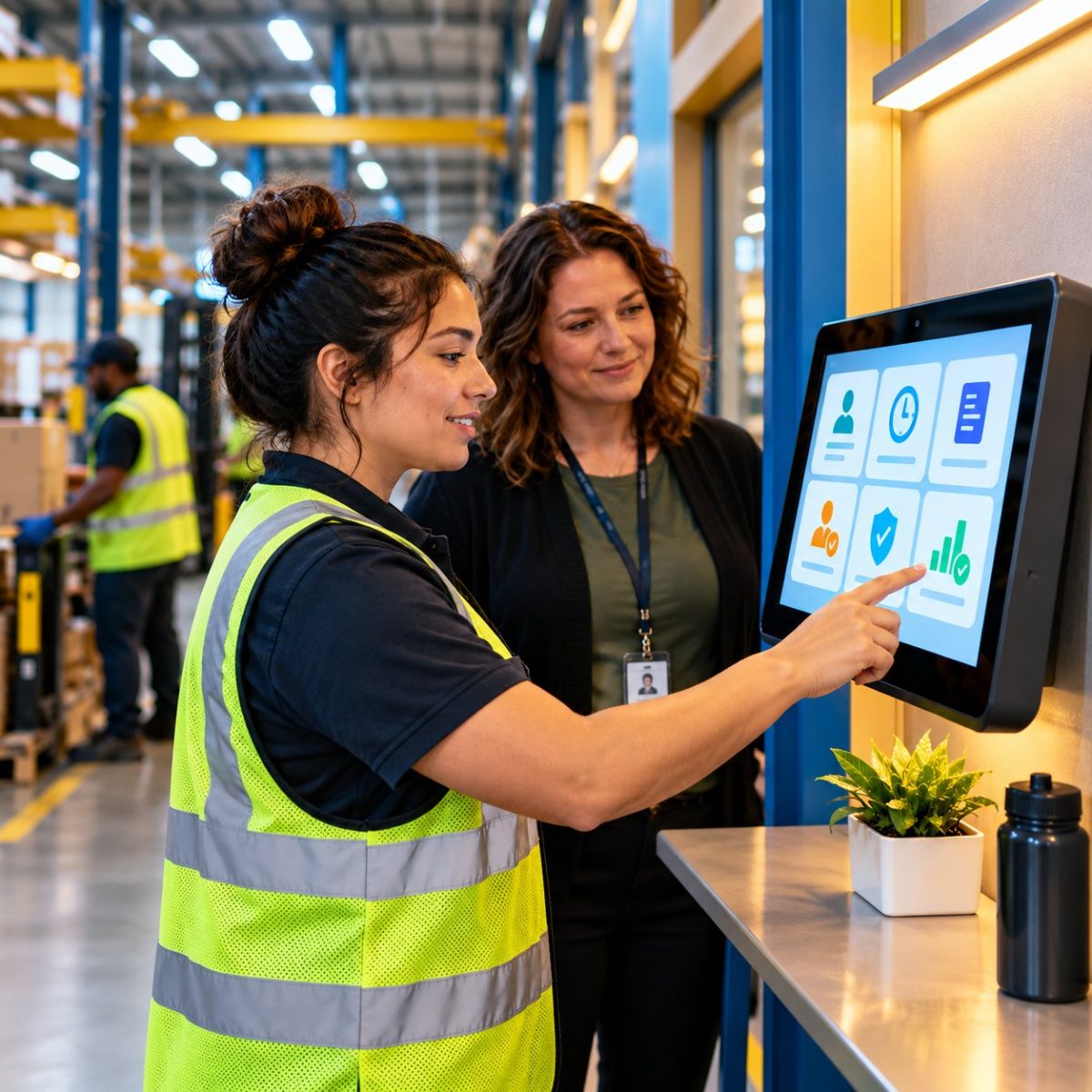
Table of Contents
- Why “my paycheck is wrong” is rarely a payroll problem
- The six links behind most UKG payroll questions
- Where hrPad catches each link
- Where hrPad fits next to UKG
- What fixing the data at the source looks like
- Find your weak link in one pay period
- Frequently asked questions
- Bring your tally to a conversation
An hourly worker stops by HR on payday and says the check is short. It sounds like a payroll question. Most of the time it isn’t. In a UKG environment, the paycheck is the last stop in a chain that starts with the employee record and runs through the time clock, the manager’s approval and the pay rules. When the number looks wrong, the cause of most UKG payroll errors sits in one of six places upstream of payroll, and the fastest fix is to catch it where the work gets recorded.

Below are those six places as they show up in UKG Pro, UKG Pro Workforce Management (formerly Dimensions) and UKG Ready, plus where hrPad by CloudApper AI steps in at the time clock so fewer of these questions reach HR at all.
Why “my paycheck is wrong” is rarely a payroll problem
Payroll engines like UKG Pro Payroll do exactly what they are built to do. They calculate pay from the data they receive. If the address on file is old, a meal break was skipped without anyone noting it, or a timecard was approved late, payroll processes that data faithfully and the employee sees the result on the stub.
So investigating a pay question turns into detective work. Someone pulls the timecard, checks the punch history, looks at the accrual balance, confirms the cost center and asks the manager whether the timecard was signed off on time. One question can touch four or five records before anyone finds the real cause.
In a typical UKG setup, a paycheck travels a predictable path. The employee record lives in UKG Pro or UKG Ready. Time gets captured in UKG Pro WFM or UKG Ready at a clock, kiosk or mobile app. A manager reviews and approves the timecard before the pay period closes, and the approved hours and pay codes flow to payroll. Then the check goes out and the employee reads the stub.
Questions show up at that last step. They start somewhere in the four before it.
The six links behind most UKG payroll questions
If you tag every pay question your team gets for a few weeks, nearly all of them fall into one of these six buckets.
| Link | What the employee asks | Where it usually starts | How hrPad helps at the clock |
|---|---|---|---|
| Employee details | “Why was the wrong state tax taken out?” | An address, phone or work location that changed but was never updated | Workers review and update their own details at the kiosk, within your UKG security settings |
| Attendance | “Why am I missing hours?” | A missed punch or skipped meal break discovered at pay period close | Attestations and break rules run at clock-out, while the shift is still fresh |
| Deductions and balances | “What is this line on my stub?” | A deduction or PTO change nobody explained | Pay stub and accrual access plus a 24/7 AI assistant that answers from your own HR documents |
| Approvals and transfers | “Why was I paid at the wrong rate?” | A late sign-off or hours booked to the wrong job or cost center | Managers authenticate transfers right at the device, with an audit trail |
| Compliance and policy | “Nobody told me that rule.” | A policy that was published but never reached the floor | Policies delivered at the punch, with acknowledgments captured on custom forms |
| Reconciliation | “My count doesn’t match my check.” | Piece counts, tips or multi-job hours that disagree across systems | Workers confirm their daily data at clock-out, and the validated record syncs to UKG |
Where hrPad catches each link
hrPad is a tablet-based self-service kiosk and time clock that connects to UKG Pro, UKG Pro WFM and UKG Ready. It doesn’t replace any of them. It puts the right check or the right answer in front of the employee at the one moment almost every hourly worker shows up: the punch.

1. Employee details
A worker moves across a state line, forgets to tell HR, and the next check withholds for the old state. Frontline employees rarely log into a desktop HR portal, so small changes like this sit unreported for weeks. With hrPad, employees can update addresses, phone numbers and emergency contacts from the kiosk, and the change follows the permissions you’ve already set in UKG. For organizations with people in several states, that alone heads off a lot of multi-state withholding mix-ups.
2. Attendance
Missed punches are the classic source of short checks. The trouble is timing. If a missing out-punch only surfaces when the manager reviews timecards on the last day of the period, nobody remembers what happened on Tuesday. hrPad runs conditional attestations at clock-out instead. The employee confirms whether they took their break, or flags an exception, while the shift is still in their head. In states with strict meal and rest rules, like California, that record also supports your meal and rest break compliance.
3. Deductions and balances
“What’s this deduction?” and “Why is my PTO lower?” are two of the most repetitive questions HR answers. Usually the answer is already in a policy document or on the stub. The employee just can’t get to it. At the hrPad kiosk, workers can view their pay stub and check accrual balances, and they can ask the built-in AI HR assistant. The assistant answers from the documents you upload, such as your handbook, benefits guides and PTO policy, which keeps answers consistent with your rules instead of generic advice. CloudApper explains how this works in its post on AI answers grounded in your HR policies.
4. Approvals and transfers
A worker covers two hours in a higher-paid role, but the hours stay booked to their home job. Or a timecard misses the approval deadline and gets corrected next period as an adjustment. Both create pay questions that trace back to a step between the clock and payroll. hrPad enforces role-based job and cost center transfers at the moment time is recorded, and the manager can authenticate the transfer right at the tablet. The approval, timestamp and user action are logged, so if someone asks later, the answer is already written down.
5. Compliance and policy
Plenty of pay disputes start with a rule the employee never saw: a new overtime pre-approval policy, a rounding rule or a change to break timing. hrPad can show policy messages at the punch and collect acknowledgments through custom forms, so you have a dated record that the employee saw the rule. That matters beyond the conversation at the HR window. Under the U.S. Department of Labor’s Fact Sheet #21 on FLSA recordkeeping, employers must keep payroll records for at least three years and the records that wage calculations are based on, such as time cards, for two. If you’re preparing for a review, CloudApper’s guide to DOL wage and hour audit readiness in UKG goes deeper.
6. Reconciliation
Piece-rate crews, tipped staff and people who work several positions in one week produce the hardest questions, because the hours in UKG and the counts on a clipboard or POS report have to agree before pay is right. hrPad lets workers confirm daily data, such as units, tips or job splits, on a custom form at clock-out, and the validated record goes to UKG without anyone re-keying a spreadsheet. If your teams juggle multiple roles, see how hrPad handles multi-position time tracking in UKG, and for crews, how crew time tracking ties to productivity bonuses.
Where hrPad fits next to UKG
It’s worth being clear about the boundary. hrPad doesn’t calculate pay, and it doesn’t replace UKG Pro Payroll, UKG Pro WFM or UKG Ready. It doesn’t give tax advice either. What it does is shorten the distance between a worker and a correct answer, and catch bad data before it reaches payroll. UKG stays your system of record. hrPad makes sure what goes into it is right the first time.
That distinction also explains why the kiosk model works for frontline teams. Many hourly employees never log into an HR portal at all, but every one of them punches in. Putting self-service at the clock meets them where they already are.
What fixing the data at the source looks like
A U.S. marine towing company with thousands of employees spread across tugboats and hopper barges had been running timekeeping manually. Errors piled up every pay period. After moving to tablet-based time clocks from CloudApper, with face or PIN verification, offline capture for crews out of range and automatic sync to UKG once connectivity returned, the company reported a 95% reduction in payroll errors.
Nothing about their payroll calculation changed. The data going into it did.
Find your weak link in one pay period
You don’t need a big project to figure out where your pay questions come from. One pay cycle is enough.
Start by logging every pay question your HR and payroll team gets for one full pay period, whether it arrives by email, phone, ticket or walk-up. Tag each one with the link it traced back to, then count. In most organizations, one or two links account for the majority. Fix the biggest one at the point of capture, run the same tally the next period and compare the numbers.
The tally also gives you a clean baseline, which makes it much easier to show leadership what changed.
Frequently asked questions
What causes most UKG payroll errors?
Most UKG payroll errors start before payroll runs. The common causes are outdated employee details, missed punches or skipped breaks, unexplained deductions or balance changes, late approvals or wrong job and cost center assignments, policies employees never saw, and counts that don’t match hours. Payroll calculates correctly from the data it receives, so fixing that data upstream prevents the error.
Does hrPad replace UKG Pro Payroll or UKG Pro WFM?
No. hrPad works alongside UKG Pro, UKG Pro WFM and UKG Ready. It captures time and self-service data at a tablet kiosk and syncs it to UKG, which remains your system of record. hrPad doesn’t calculate pay or provide tax advice.
Can employees see their pay stub and PTO balance at the hrPad kiosk?
Yes. Employees can view their pay stub and accrual balances at the kiosk, and they can ask the AI HR assistant questions that it answers from the policy documents your organization uploads.
How long do employers have to keep payroll and time records?
According to the U.S. Department of Labor’s Fact Sheet #21, employers must keep payroll records for at least three years. Records that wage calculations are based on, such as time cards, piece work tickets and wage rate tables, must be kept for two years. State rules may require longer, so check with your counsel.
How can HR reduce repeat paycheck questions from hourly workers?
Track every pay question for one pay period and tag it by cause. Then fix the most common cause where the data is created, usually at the time clock, with attestations, self-service updates and on-the-spot answers. Re-measure the next period to confirm the drop.
Bring your tally to a conversation
If you run the one-period tally and want help reading it, or you’d like to see how hrPad handles your top link inside your own UKG setup, contact the CloudApper team. A short call is usually enough to map your biggest source of pay questions to a fix you can test next pay period.


October 23, 2026
No Tax on Overtime: What It Means for Your UKG Payroll
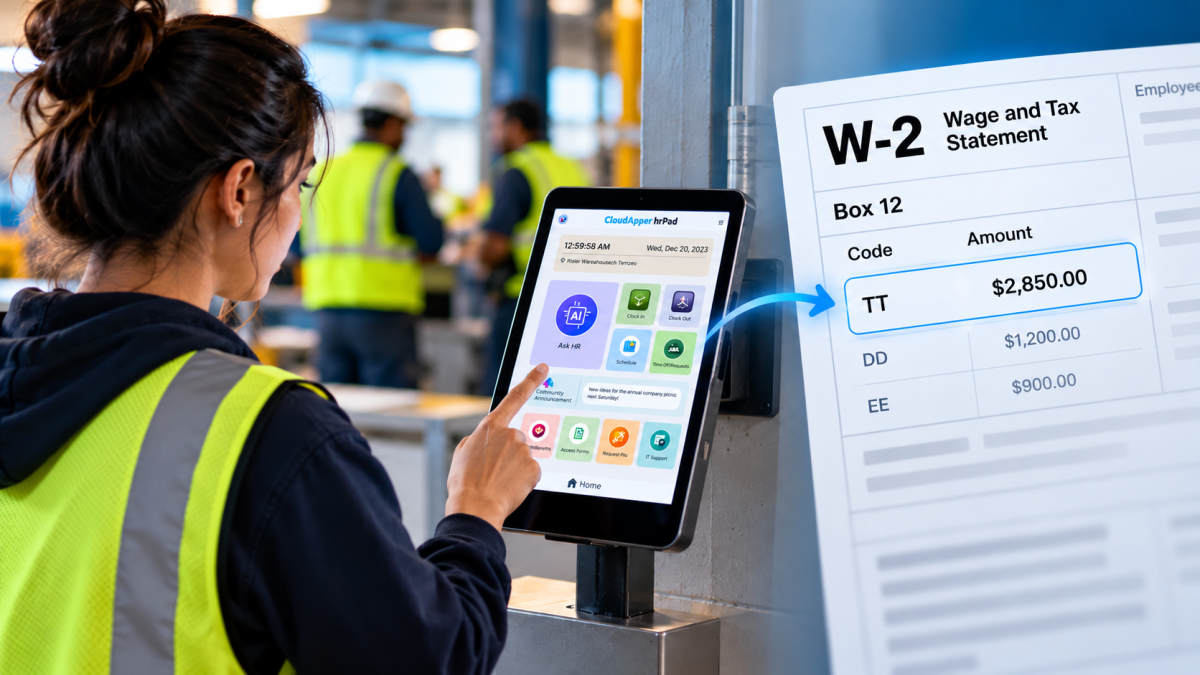
Starting with 2026 wages, employers using UKG must report qualified overtime in W-2 Box 12 (code TT), and only part of the overtime you pay counts. hrPad by CloudApper AI helps capture the details at the time clock.


October 23, 2026
Barcode Labor Tracking on UKG Ready: Two Clocks, One Labor Record, and an ERP-Validated Hierarchy
Some plants keep attendance on the clocks at the door and capture job labor at the workstation. This piece looks at that two-clock model on UKG Ready: scan-only capture for gloved operators, work orders validated against the ERP, and how CloudApper adds that layer using the PCs and scanners already on the line.
October 13, 2026
Paperless HR for Rural Hospitals on UKG: Extending One Kiosk to Documents, E-Signatures and Benefits Data
A rural hospital using CloudApper hrPad as its UKG time clock still handled much of HR on paper. Its next step is extending the same kiosk to documents, e-signatures and transfers, with CloudApper iPaaS moving benefits data to providers, all within network rules that block external AI services.
October 7, 2026
Shared Tablet SSO in UKG: One Time Clock for Every Login Type
Hourly staff on basic UKG logins and managers on SSO can share one tablet time clock without login mix-ups. This guide explains each login type in plain English, compares three shared-tablet setups and shows how hrPad by CloudApper AI makes it work.