One employee, two related legal entities, two employee records that never meet: the multi-EIN problem breaks punch attribution, hides overtime that joint employment rules say must be aggregated, and leaves payroll re-coding hours by hand. What UKG handles natively, and why the fix lives at the point of capture.



Table of Contents
- What UKG Handles Natively
- Where the Friction Shows Up
- What to Do Inside UKG First
- Where Native Tools Run Out
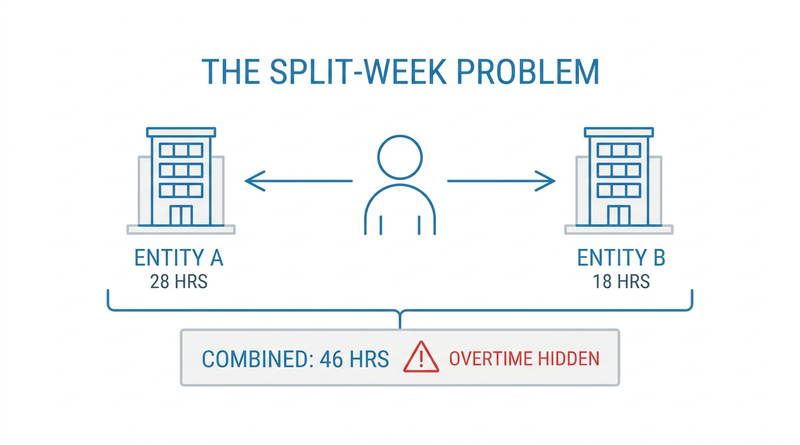
A nurse picks up Tuesday and Thursday at the surgical center and the rest of her week at the hospital. Same health system, same badge, same parking lot. Two legal entities, two EINs, and on Friday her 46 hours sit in two employee records that have never heard of each other.

Payroll finds it. Payroll always finds it, two days before the run, and fixes it by hand.
This is the multi-EIN problem, and it is different from the multi-state and multi-location problems UKG teams already solve. It lives at the point of capture, which is why organizations running shared tablet kiosks with CloudApper AI TimeClock meet it earliest: the same device serves workers from both entities all day.
What UKG Handles Natively
UKG handles multi-entity structures better than most platforms. UKG Ready supports multiple EINs inside a single company instance, with employees assigned to an entity and paid under it. UKG Pro WFM carries entity, location, and job through the business structure, and cost centers and labor categories can attribute worked hours at whatever granularity the organization defines. For an employee who belongs cleanly to one EIN, punches, pay rules, and reporting all follow that assignment without drama.
The design assumption is the tidy case: one person, one employer of record. That assumption is what breaks.
Where the Friction Shows Up
An employee working under two EINs typically exists as two employee records. Each record accrues its own hours, applies its own pay rules, and knows nothing about its twin. Three failures follow from that split.
Punch attribution fails first. At a shared clock, the punch lands on whichever record the badge or profile is mapped to, regardless of which entity the person is actually working for that shift. Payroll then re-codes hours after the fact, which is the same reconciliation burden covered in tracking employees with multiple jobs, compounded by a legal-entity boundary.
Overtime aggregation fails quietly. Under the FLSA’s horizontal joint employment rules, related entities that jointly employ a worker must combine her hours when calculating overtime. Forty-six hours split 28 and 18 across two records looks like zero overtime to each record individually. A common paymaster arrangement under 26 U.S.C. § 3121(s) does not fix this — it consolidates FICA reporting, not overtime math, and the two are routinely confused.
Evidence fails last and hurts most. When a DOL inquiry or a union grievance asks which entity controlled the worker in a given week, the contemporaneous record is the punch data. Hours re-coded by payroll three days later are an interpretation, not evidence, and wage and hour audit readiness is judged on what was captured, not what was corrected.
What to Do Inside UKG First
Most of the pain yields to configuration discipline before any hardware question arises.
- Map the population: who works across entities, how often, under which arrangement. A dozen dual-entity employees justify a different design than four hundred.
- Decide the aggregation posture with counsel — whether the entities are horizontal joint employers — and configure overtime calculation to match. This is a legal determination; the system only enforces it.
- Use cost centers or labor categories as the entity dimension on every punch, the same mechanism as associating punches to specific cost centers, so hours carry their entity tag from the moment of capture.
- Build a scheduled cross-record report that surfaces combined weekly hours for dual-entity employees before payroll locks, not after.
- Keep conventions consistent with how you already handle hours and wages moving between locations, so the entity boundary is not a special case nobody remembers.
Where Native Tools Run Out
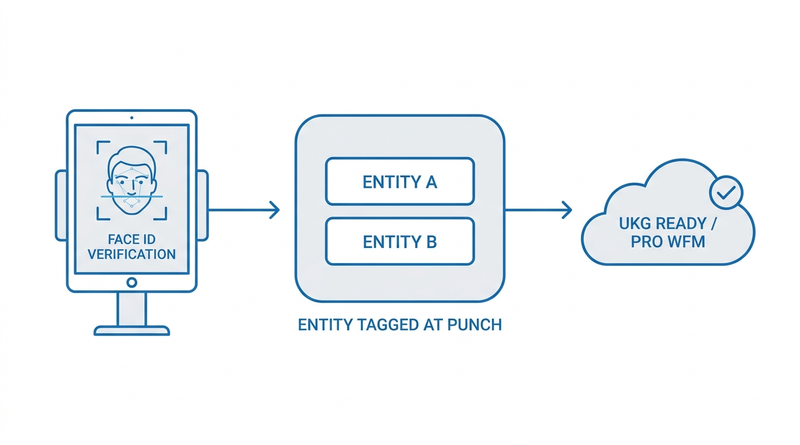
Every step above still depends on the punch arriving tagged with the right entity, and that decision happens at a physical device in a hallway. Proprietary terminals attribute punches by badge-to-record mapping — they cannot ask the person which entity she is working for right now, enforce it against her schedule, or capture the answer as data. This is where the multi-EIN problem stops being a configuration exercise, and it is the gap CloudApper AI TimeClock was built to close: capture-time attribution, before the record ever reaches UKG. The confusion this prevents is the entity-level cousin of multi-job code confusion, and it lands on payroll the same way.
How CloudApper AI TimeClock Handles Dual-Entity Punches
To be precise about scope: no time clock determines W-2 assignment, tax withholding, or joint-employer status. Those live in payroll, tax, and legal processes. What the capture layer controls is whether the record entering UKG is right the first time.
CloudApper AI TimeClock runs on any Android tablet or iPad and verifies identity by facial recognition, so a shared kiosk serves both entities’ workers without badge-mapping collisions. At punch, it can present an entity or job selection, validate the choice against the employee’s schedule, record transfers mid-shift, and sync the tagged punch directly to UKG Ready or UKG Pro WFM. The attribution question gets answered once, by the person, at the moment of work, not three days later by payroll. The same capability covers contingent and temp worker tracking, where the employing entity changes assignment by assignment. And because it replaces proprietary terminals at roughly a quarter of their cost on tablets the organization already owns, adding a second entity’s worth of capture points is a software decision, not a capital request.
Frequently Asked Questions
Q: How does UKG handle an employee who works for two different EINs?
UKG Ready supports multiple EINs in one instance, and an employee working under two entities typically has two employee records, one per EIN. Each record tracks its own hours and applies its own pay rules. Combining hours across the records for overtime or reporting requires deliberate configuration or a cross-record report; it does not happen automatically.
Q: Do we have to combine hours across two related companies for overtime?
If the entities are horizontal joint employers under the FLSA — related employers who share control of the same worker — hours worked for both must be aggregated when calculating overtime. Whether that test is met is a legal determination for counsel, not a system setting, but once made, the timekeeping configuration has to enforce it.
Q: Does a common paymaster arrangement solve overtime across two EINs?
No. A common paymaster under 26 U.S.C. § 3121(s) lets related corporations consolidate FICA reporting through one entity so Social Security wage bases are not duplicated. It is a tax mechanism. It has no effect on the FLSA requirement to aggregate hours for overtime when joint employment exists.
Q: How do we stop punches landing in the wrong entity at a shared time clock?
Attribution has to happen at capture. That means the clock must identify the person reliably, present or infer the entity for that shift, validate it against the schedule, and write the entity tag onto the punch itself. Badge-mapped terminals attribute by record, not by shift, which is why shared-device environments re-code hours after the fact.
Q: Can one tablet time clock serve employees from two legal entities?
Yes. A tablet kiosk running CloudApper AI TimeClock verifies each person by facial recognition and applies that person’s entity and job context at punch, so a single device in a shared facility captures correctly tagged time for both entities and syncs each punch to the right place in UKG.
Q: Does the time clock decide which entity issues the employee’s W-2?
No. W-2 assignment, withholding, and employer-of-record questions are payroll and tax determinations made in UKG and by the organization’s tax processes. The capture layer’s job is narrower: make sure every hour enters the system already attributed to the entity the work was performed for.
If dual-entity employees are showing up in your payroll exceptions week after week, the fix starts at the device on the wall, not in the correction queue. See how CloudApper AI TimeClock captures entity-tagged, biometrically verified punches on tablets you already own and syncs them to UKG Ready and UKG Pro WFM at https://ukg.cloudapper.ai/affordable-ukg-kronos-time-clock/.



November 5, 2026
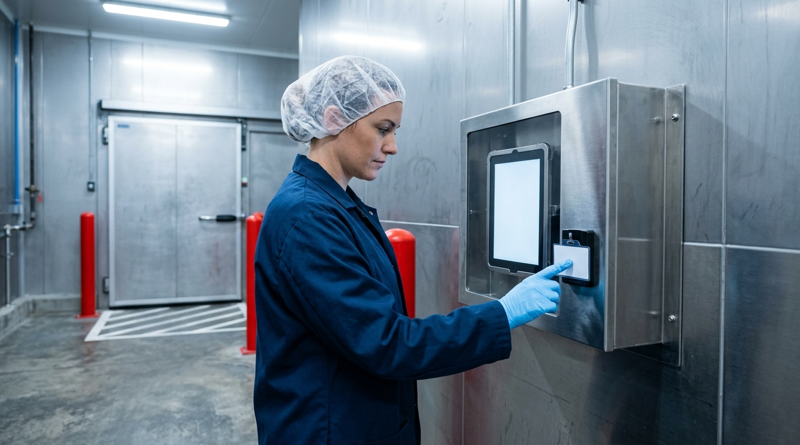
Tablet Time Clocks in Cold, Wet and Dusty Sites: Who Answers the Work Order When the Screen Fogs Over
Putting a tablet time clock in cold storage, a washdown line or a dusty dock works when ownership is settled first. This guide gives UKG admins placement rules, fallback punch options, a test plan and a named support owner for each site.
November 4, 2026
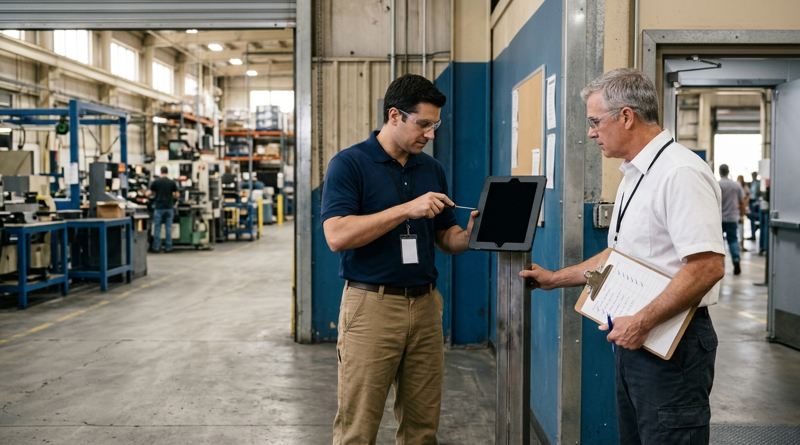
Weekend Cutover from Intouch DX to Tablet Time Clocks: The Rollback Rule to Agree Before Friday
A weekend swap from Intouch DX to tablet time clocks works only when the rollback rule is agreed first. This runbook gives UKG admins a Friday to Monday sequence, plant manager acceptance criteria, and a payroll-based trigger for reverting a site.

November 3, 2026
Wi-Fi Site Survey for UKG Tablet Time Clocks: Who Owns the Network Before the First iPad Is Mounted
Moving from wired UKG clocks to tablets shifts a hidden dependency onto your wireless network. This guide shows UKG admins and IT how to survey each clock position, test outage behavior, and assign ownership of access point fixes before go-live.

November 2, 2026
Changing the Time Clock in a Union Shop on UKG: What to Settle Before the First Tablet Ships
Changing the time clock in a union workplace is a labor relations task as much as an IT one. This checklist shows UKG admins and HR leaders what to settle first: agreement review, frozen pay rules, steward briefings, biometric consent alternatives, and a one-site pilot.