
A collective bargaining agreement sets its own rules for who gets first pick on an open shift. Seniority-based shift bidding in UKG Pro applies those rules automatically, using CloudApper AI to rank bids, break ties, and keep a grievance-ready record.
Table of Contents
UKG Pro’s scheduling module accurately handles shifts, coverage, and employee data, whether your workforce is unionized or not. A unionized workforce usually operates under a collective bargaining agreement, and that CBA sets out its own rules for how employees bid on open shifts based on seniority. If you need automated seniority-based shift bidding in UKG Pro that actually reflects those rules, a generic bidding setup won’t cut it. The most efficient solution is adding a separate rule layer on top of the UKG Pro data you already have. That layer gets built entirely around your CBA and your workforce’s seniority, not a generic bidding setup. This article walks through what that rule set actually needs to cover and how CloudApper AI applies custom bidding rules to it within your existing UKG Pro setup.
TL;DR
- A CBA’s seniority and tie-break rules sit outside standard UKG Pro scheduling.
- Eligibility, based on classification or certification, has to be checked before ranking.
- CloudApper AI applies your specific CBA rules against live UKG Pro data.
- Bids are ranked by seniority, with ties broken by a documented rule.
- Every bid and award is logged automatically for grievance defense.
What Makes Union Shift Bidding Different From Standard Scheduling
Many organizations run shift bidding without a union involved, and a straightforward first-come, first-served or manager-approved process works fine for them. A CBA changes the terms. Seniority isn’t a nice-to-have ranking; it’s often a negotiated right written into the contract, and getting the order wrong isn’t a minor bug; it’s a potential grievance. The same goes for eligibility: a CBA might restrict certain shifts to a specific classification or qualification, and a bidding system that ignores those CBA restrictions can violate the agreement even if the schedule itself looks fine.
A labour contract’s bidding rules are specific to that contract, negotiated between two parties, and no scheduling platform is going to ship one organization’s CBA as a built-in setting. If an organization already uses UKG Pro, it can instead take the schedule and employee data that UKG Pro already manages well and apply its specific CBA rules to it, which is exactly what a rule and workflow automation layer like CloudApper AI can do.
The Rules a Seniority-Based Bid Process Actually Has to Encode
Seniority Order Determines Who Gets First Pick
The starting point for shift bidding by seniority is straightforward: when more than one employee wants the same open shift, the person with the most seniority has first right of refusal. What’s rarely straightforward is how seniority itself is calculated. Some contracts count time in the specific job classification; others count total time with the employer regardless of role changes along the way. A rule set that gets this wrong produces bid results that look reasonable but violate the contract underneath.
Ties Get Broken by a Documented Rule, Not Whoever Calls First
Two employees hired on the same date happen more often than you’d think, and most CBAs specify exactly how that gets resolved: classification seniority, then badge number, then sometimes a documented lottery. Handled informally, a tie usually gets broken by whoever submitted their bid first or whoever the scheduler happened to reach, and that’s precisely the kind of inconsistency a grievance can point to. Applied the same way every time the same tie-break scenario comes up, it stops being a judgment call and becomes a documented step in the process.
Bid Eligibility Depends on Classification and Qualification
Not every open shift is available to everyone with enough seniority to want it. A shift might require a specific certification, a classification that the CBA restricts to certain roles, or a location where an employee isn’t cross-trained. Union shift bidding: UKG customers need to check eligibility before ranking by seniority, not after, so an ineligible high-seniority bid never makes it to the top of the list in the first place. Organizations that run different bidding rules across multiple sites usually layer eligibility on top of that site-level variation rather than replacing it.
A Bid Window Opens and Closes on a Set Schedule
Most CBA shift bidding rules specify a window, how long a posted shift stays open for bids, and when the award has to be finalized. A shift that lingers open past its contractual window, or is awarded before the window closes, is a process violation, regardless of who should actually have won it.

How CloudApper AI Applies These Rules Alongside UKG Pro
Setting up automated seniority-based shift bidding in UKG Pro is mostly a matter of integrating CloudApper AI with your UKG Pro environment and configuring the seniority, tie-break, and eligibility rules that match your specific CBA inside the platform. Once that’s done, it runs against your live UKG Pro data going forward, so there’s no ongoing manual translation between what the contract says and what the schedule shows.
Seniority Data Comes From the Employee Record Already in UKG Pro
Hire date, classification history, and job assignment already live in UKG Pro, and that’s what the seniority ranking pulls from directly. There’s no separate seniority list to maintain by hand alongside the HR record, which is usually where the two start to disagree in the first place.
Tie-Break and Eligibility Rules Are Configured, Not Fixed
Your specific tie-break sequence and eligibility restrictions get set up once, matching your CBA rather than a generic default. If your agreement changes in the next negotiation, the rule set updates without anyone having to rebuild the bidding process from scratch.
Every Bid and Award Is Logged for Grievance Defense
Every bid, its rank, and the reasoning behind the final award get recorded automatically, producing a grievance-ready bid record without anyone having to assemble one after the fact. If an award is ever grieved, the record shows exactly which rule applied and why, rather than relying on someone’s memory of how a decision was made months earlier. That distinction matters more than it might sound: a labour relations administrator explaining a decision from memory is in a much weaker position than one pointing to a timestamped record showing the rule applied and to whom.
What the Bid Process Looks Like From Open to Award
Configuring the rules is one thing, but it helps to see how they actually play out once a shift is posted. Here’s the sequence from the moment a shift opens to the moment it’s awarded.
- A shift opens for bidding, and CloudApper checks it against your configured eligibility rules, automatically narrowing the pool to employees who meet the right qualifications, certifications, seniority range, department, and availability for that specific shift.
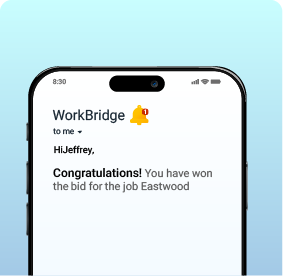
- Every eligible employee is notified via the channel your organisation uses, and each submits their bid within the open window specified in your CBA, with no need to track down a scheduler or fill out a paper form.
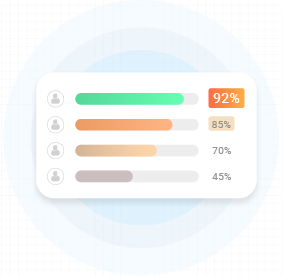
- As bids come in, they’re ranked by seniority in real time, and whenever two bids are on equal footing, the documented tie-break rule fires automatically rather than waiting for someone to make a judgment call.
- Once the bid window closes, the shift goes to the top-ranked eligible bidder, and everyone who didn’t win sees the outcome rather than being left to wonder what happened.
- The award writes directly to the UKG Pro schedule, so the shift appears correctly without anyone manually re-entering it after the bid closes.
Frequently Asked Questions
Does This Replace UKG Pro’s Native Scheduling?
No. UKG Pro continues to retain the schedule, employee records, and shift data exactly as configured. CloudApper AI applies the seniority and eligibility rules to that data and writes the resulting award back into the schedule.
Can Bidding Rules Differ Across Bargaining Units or Sites?
Yes. Different bargaining units or locations often operate under different agreements, and the rule set can be configured separately for each one rather than forcing a single set of rules across a workforce governed by more than one contract.
How Does This Hold Up If a Bid Award Gets Grieved?
Every bid and the reasoning behind the award are logged as they happen, so producing the record for a grievance is a matter of pulling what’s already there rather than reconstructing a decision after the fact.
Does This Cover Vacation Bidding Too, or Only Shifts?
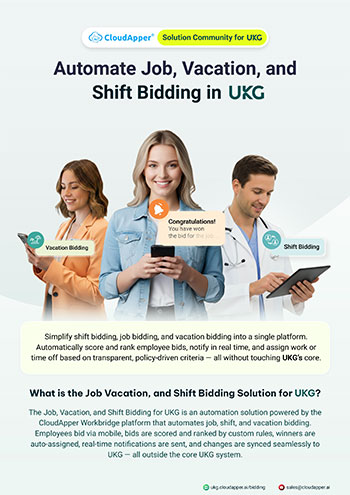
The same seniority and eligibility logic applies to vacation and job bidding as well, not just open shifts, since the underlying CBA rules usually govern all three the same way. For a broader look at automating job, shift, and vacation bidding in UKG, the general mechanics work the same regardless of whether a union contract is involved.
The Contract Sets the Rules. The System Should Apply Them Consistently.
Seniority-based shift bidding in UKG Pro isn’t about replacing what UKG Pro already does well. It’s about making sure the rules your CBA actually specifies are applied consistently every time, rather than relying on whoever’s running the bid that week to remember them correctly. CloudApper AI reads the seniority and employee data already in UKG Pro, applies your specific tie-break and eligibility rules, and keeps the record that makes an award defensible if it’s ever challenged.
Running shift bidding for a union workforce without a documented seniority process? Contact us to see how CloudApper AI applies your CBA’s rules alongside UKG Pro.