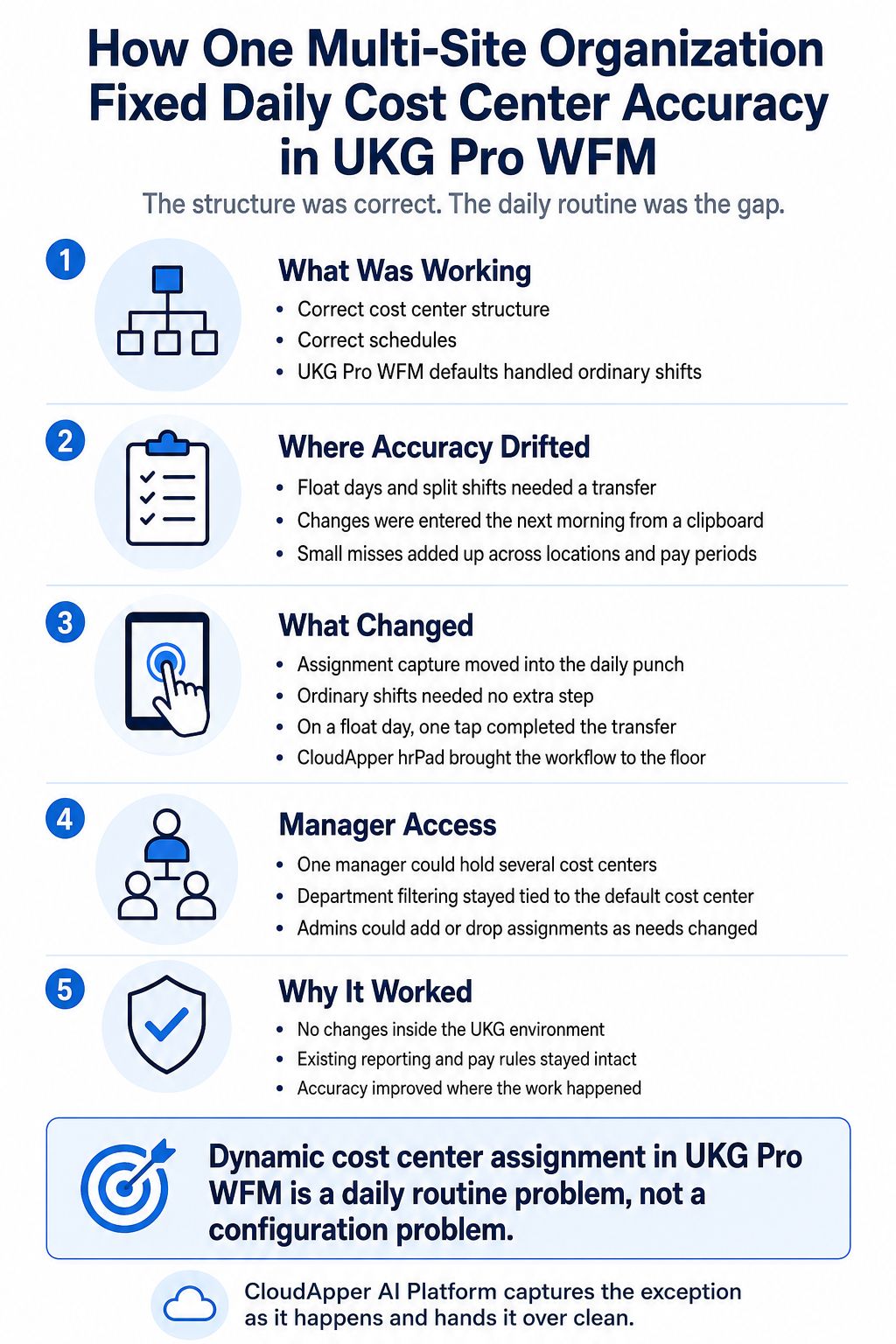
A multi-site non-profit organization had its UKG Pro WFM cost center structure configured correctly but still recorded coverage on paper. Moving dynamic cost center assignment in UKG Pro WFM to the point of the punch improved accuracy and widened manager access.




Table of Contents
- TL;DR
- Why Cost Center Accuracy Depends on More Than Configuration
- What Changed When the CloudApper AI Platform Took On Assignment Capture
- What This Means for Other Multi-Site Organizations on UKG Pro WFM
Most workforce management projects treat reporting accuracy as a setup problem. Build the structure correctly, assign sensible defaults, and the numbers should come out clean. For a workforce that stays put, they usually do. But when people move between cost centers inside the same day, dynamic cost center assignment in UKG Pro WFM turns into a daily job rather than a one-time one. The question stops being how the system is configured and starts being how the day actually runs.

One multi-location organization ran into this with its setup in good shape. The cost center structure was right. The schedules were right. What lagged behind was the daily record of who had worked where, and that record sat on a sign-in sheet until a supervisor typed it up the next morning.
The fix came from the CloudApper AI Platform for UKG, which builds workflows on top of a UKG environment without altering it. The interesting part of this story is not the technology. It is where the problem turned out to be hiding.
TL;DR
- UKG Pro WFM supports cost center defaults natively.
- Accuracy slips only on float days, not ordinary shifts.
- Next-morning paper entry let labor allocation drift quietly.
- The CloudApper AI Platform captures cost center at the punch.
- Managers hold several cost centers without losing departmental filtering.
Why Cost Center Accuracy Depends on More Than Configuration
UKG Pro WFM Already Supports Cross-Cutting Reporting Dimensions
UKG Pro WFM tracks work at more dimensions than most organizations realize. A cost center can be linked to a job inside the business structure, so when an employee’s primary job carries that link, the linked cost center is what surfaces as the default. Labor Categories go further. They sit outside the hierarchy on purpose, built to describe the kind of work someone did rather than only where they did it, and every employee carries a default labor category on their record.
Between the two, a reporting dimension that cuts sideways across departments instead of nesting neatly inside one is usually within reach. This organization had set all of that up correctly, and it was working.
Defaults Cover the Steady State, and Float Days Add a Manual Step
Defaults handle the ordinary shift well and ask nothing of anyone. Most shifts need no attention at all, which is the whole point of having them.
Float days are the other case, and they behave the same way in any timekeeping system. Somebody gets pulled to cover elsewhere at short notice. Somebody splits a shift between two areas. The record only picks that up if a transfer gets entered, by a person who knows what happened, soon enough that they still remember it precisely. None of that is a question about what the system can do. It is a question about how the day runs.
Recording Coverage the Next Morning Introduces Avoidable Drift
Here, the transfers were entered the following morning by a supervisor working off a clipboard. Plenty of organizations run it this way, and it is a reasonable place to begin. It also drifts.
A coverage change made at six in the morning gets remembered accurately, or roughly. A split shift gets logged under whichever area came to mind first. Each of these is small on its own. Stack them across a pay period and several locations, though, and the labor allocation comes out pointing the right way while the details are off. Nothing flags it either, so it tends to turn up in a budget review months later, once the periods are closed.
Manager Oversight of Overlapping Areas Raised a Second Requirement
Some managers ran operations that overlapped across locations, which meant one manager genuinely needed to see more than one cost center. They also needed to keep the departmental filtering that made their day-to-day view manageable.
Those two pull in opposite directions. Open up a manager’s access and the departmental filtering loses its edge. Keep it tight, and the manager cannot see everyone they answer for. Most organizations pick one and live with the other.
What Changed When the CloudApper AI Platform Took On Assignment Capture
The approach was simple enough to state. Stop recording assignments after the fact and capture them during the punch, the one moment when nobody has to guess. The CloudApper AI Platform carried both requirements, with CloudApper hrPad as the tablet-based employee self-service kiosk integrated with UKG Pro WFM that brings it to the floor.
Assignment Capture Moved Into the Daily Punch
The platform set the tablets up to land on the right cost center by themselves. An ordinary shift involves no decision and no typing. On a float day, whoever is covering elsewhere taps once as they punch, and the transfer is done.
Manager Access Widened Across Overlapping Cost Centers
On the manager side, the platform made it possible for one manager to hold several cost centers at once. Department-level filtering stays tied to a manager’s designated default cost center and nothing else, so that behavior looks the same as it always did. The additional cost centers grant access at the assignment level. Administrators add and drop those assignments as needs change, without a broader reconfiguration.
The Solution Deployed Without Changing the UKG Environment
None of it required work inside UKG. The platform runs alongside the existing environment with no changes to current setup, configuration, or workflows, so the reporting and pay rules already in place keep behaving as designed. Dynamic cost center assignment in UKG Pro WFM got better without anyone touching the configuration that was already correct.
What This Means for Other Multi-Site Organizations on UKG Pro WFM
Separate the Structure Question From the Daily Routine Question
The useful lesson here is diagnostic. When labor allocation looks unreliable in an operation where people move between cost centers, the first instinct is to audit the structure, and that audit usually comes back clean. A narrower question gets further. On the day an assignment changes, who records it, how many steps does it take, and how long afterward does it happen? Accuracy follows those three answers much more closely than it follows configuration quality.
Extend the Environment Rather Than Rebuilding Inside It
Capability built beside the system of record survives platform updates. Capability built inside it does not. The same logic runs through customizing UKG Pro without breaking it on the next update, where the durable move is to let the system of record keep doing what it does well and put the workflow layer next to it.
For this organization, one workflow layer ended up carrying a requirement that reached both the frontline punch and manager access, and neither half touched the UKG environment underneath.
Frequently Asked Questions
Can UKG Pro WFM Track A Reporting Dimension That Does Not Follow The Org Chart?
Yes. Labor Categories sit outside the business structure hierarchy on purpose, built for classifying work beyond job and location, and every employee carries a default labor category. A reporting dimension that cuts across departments is available natively.
If The Structure Already Exists, What Does The CloudApper AI Platform Add?
It helps with daily routine rather than structure. Defaults cover the steady state well, but exception days depend on someone entering a transfer promptly. The platform shrinks that to one tap during a punch the employee is already making.
What Happens When An Employee Works In Two Cost Centers During The Same Shift?
The employee taps to transfer at the tablet when the change happens, and the CloudApper AI Platform records both segments so the punch reflects each cost center worked. The labor cost splits correctly and no supervisor has to enter an adjustment the next day.
Can One Manager Be Assigned To More Than One Cost Center At A Time?
Yes. The CloudApper AI Platform configures manager access so one manager can hold several cost centers at once. Department-level filtering stays tied to their designated default cost center only, and the additional cost centers grant access at the cost center level without department-level filtering applied.
Accuracy Lives Where the Work Happens
Dynamic cost center assignment in UKG Pro WFM is less a configuration problem than a daily routine problem, which is why configuration reviews so rarely change anything. The structure is usually fine. What decides whether the reports can be trusted is whether the exception gets caught as it happens, by the person who knows, in an interaction short enough that it actually gets done. UKG Pro WFM holds the structure and the reporting. The CloudApper AI Platform handles what happens on the floor, while it is happening, and hands it over clean.
If labor allocation depends on someone writing up yesterday’s coverage, the fix probably is not in the structure. Contact us to see what the CloudApper AI Platform would do in your UKG environment.



October 19, 2026
UKG Pro WFM Project Time Tracking for Global Agencies: One Activity Profile, Two Approval Lines, Five Languages
A global agency on UKG Pro WFM has to tie every hour to a client, project and task, across hourly, salaried, on-site and warehouse staff in five languages. This piece looks at the visibility and approval problems underneath, and how CloudApper adds a role-based time entry layer while UKG stays the system of record.

October 6, 2026
Union Vacation Accrual in UKG Ready: How Manager Self-Service Keeps Time-Off Approvals Contract-Compliant
Union contracts decide how vacation accrues and what managers may approve, yet approvals rely on the balance on screen. For a unionized envelope and packaging manufacturer moving to UKG Ready, CloudApper calculates CBA tenure tiers and carryover caps and posts contract-accurate balances that managers approve against.

October 1, 2026
12-Month Pay for 10-Month Employees in UKG Ready: Automating Pay Spreading for School-Based Nonprofits
A school-based services nonprofit pays ten-month staff over twelve months, and the pay spread math lives in a fragile spreadsheet. CloudApper adds a pay spread engine to UKG Ready that splits school-year earnings across every pay period, recalculates mid-year changes and handles true-ups when staff leave.

September 25, 2026
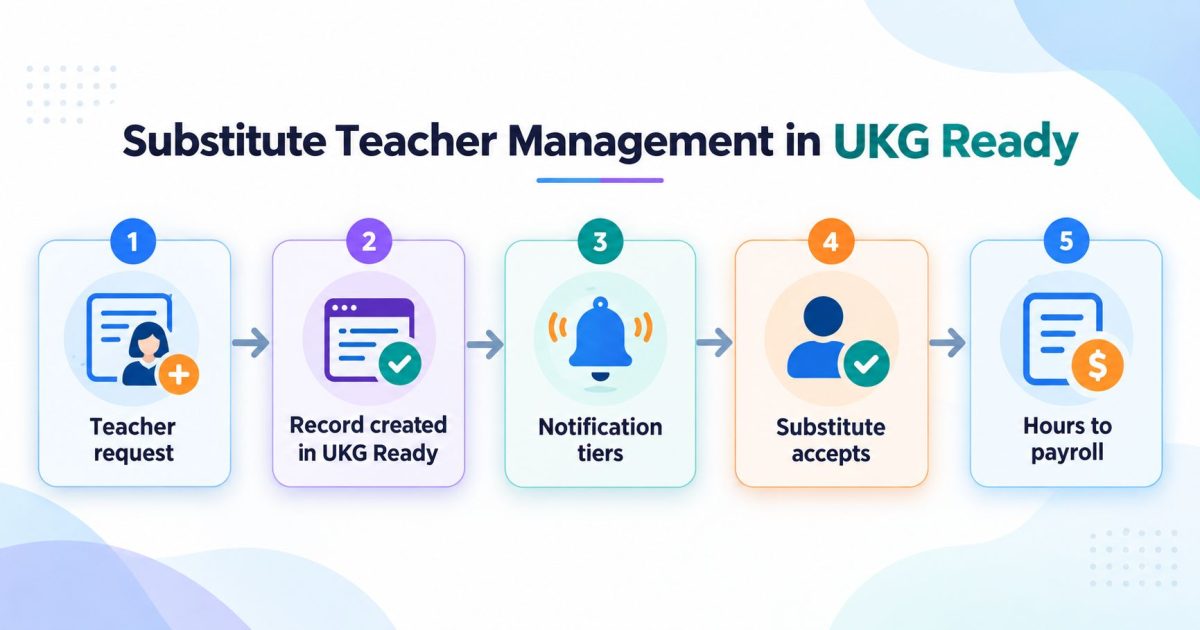
Substitute Teacher Management in UKG Ready
Substitute teacher management is the process of turning a staff absence into a covered classroom. In UKG Ready, the absence record and the approval rules already exist. What sits on top is the dispatch process: who gets asked, in what order, and how the hours reach payroll with the right code.