Wave shifts, mid-shift job transfers, and 25-35% monthly turnover break standard UKG Intouch time clock workflows in warehouse and fulfillment center environments. Here's what operations managers running UKG Ready and Pro WFM actually do about it.


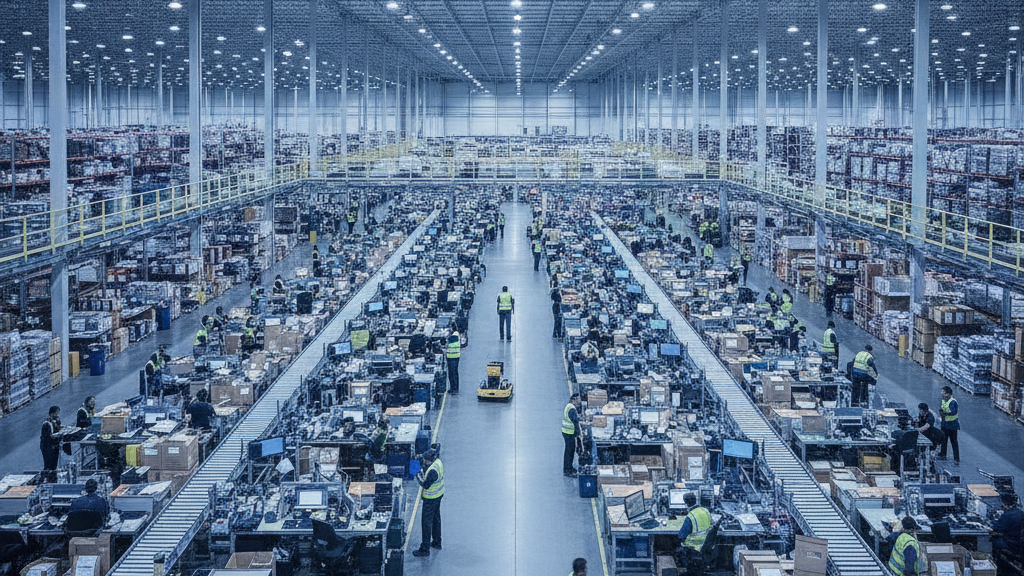
Table of Contents
- What UKG Handles Natively in Warehouse Environments
- Where the Friction Shows Up
- What to Do Within UKG First
- Where Native Tools Run Out
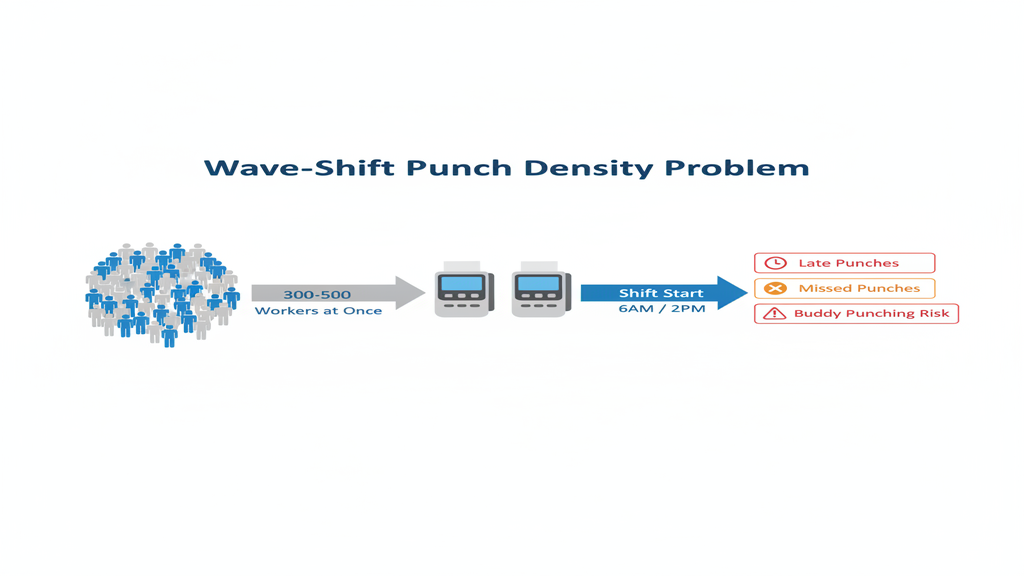
Warehouse time capture in UKG gets hard when wave shifts, mid-shift job transfers and high turnover all hit the same fixed bank of terminals. Operations managers at UKG-run distribution centers and fulfillment hubs often manage 300 to 500 hourly workers on staggered wave shifts, with monthly turnover that can reach 25 to 35 percent. At each shift start, hundreds of workers converge on the clocks at once. Mid-shift, a picker at 6 a.m. becomes a receiver by noon, and the transfer has to be recorded without a supervisor nearby. When transfers go uncaptured, the wrong pay codes flow into UKG payroll, and at that level of turnover the biometric enrollment backlog becomes a daily problem of its own. CloudApper AI TimeClock for UKG runs on tablets, enrolls workers quickly and records job transfers in real time without a dedicated kiosk operator.
What UKG Handles Natively in Warehouse Environments
UKG Ready WFM and UKG Pro WFM both provide solid foundational time capture for warehouse operations. The platform supports multiple punch types, including badge swipe, PIN entry, and biometric verification on compatible Intouch hardware. Job transfers between cost centers and pay codes can be initiated from the terminal. Schedule management, shift differentials, and overtime rule enforcement are all native to the platform. For stable warehouse operations with predictable headcount and low turnover, the native configuration works without intervention.
Where the Friction Shows Up
The structural problem is not what UKG does — it’s what the hardware model assumes. Wave-shift punch density means 300-500 workers converging on 12-15 Intouch terminals at the same window, typically 6 a.m. and 2 p.m. The result is queuing, clock-in delays, and missed punches that land in payroll as corrections rather than recorded data.

Mid-shift job transfers create a second failure point. A worker moving from picking to receiving to packing within a single shift needs to record each transfer at the terminal — but the nearest Intouch terminal may be 300 feet away, and leaving the flow to punch a job change costs the worker and the line. The result: multi-job-code confusion in UKG where workers are paid under the wrong code for large portions of their shift.
High turnover is the third compounding factor. At 25-35% monthly turnover — common in e-commerce fulfillment — biometric enrollment is never finished. New hires are enrolling while former employees’ templates are still active in the system. Enrollment backlogs mean workers clock in with PIN only, which reintroduces buddy punching on the warehouse floor. The biometric enrollment problem compounds during seasonal hiring ramps, when headcount can double in six to eight weeks.
Hardware cost at scale adds the fourth dimension. Running 15-20 Intouch terminals across a large distribution center is a capital investment that grows with each new site and each hardware refresh cycle. UKG time clock hardware costs add up fast in multi-site warehouse operations, and the refresh cycle never stops.
What to Do Within UKG First
Before looking outside the platform, warehouse UKG admins have several configuration levers worth pulling. Staggering wave starts by five to eight minutes per department zone reduces terminal congestion. Configuring quick punch or badge-only entry at high-traffic terminals cuts individual transaction time. Job transfer shortcuts can be mapped to function keys on supported Intouch models to reduce the steps required at the terminal. A strict missed punch correction policy in UKG with a hard 24-hour window forces supervisors to address gaps before they age into payroll disputes.
Where Native Tools Run Out
The configuration fixes above reduce friction at the margins but don’t resolve the structural mismatch. A fixed bank of proprietary terminals cannot scale with wave density without adding more hardware. Job transfers that require workers to walk to a terminal defeat the purpose on a large fulfillment floor. And biometric enrollment tied to proprietary hardware means every new hire requires a dedicated Intouch terminal to be available — there’s no fallback to a secondary device. This is where CloudApper AI TimeClock for UKG addresses the gap that native hardware can’t close.
CloudApper AI TimeClock for UKG in Warehouse Environments
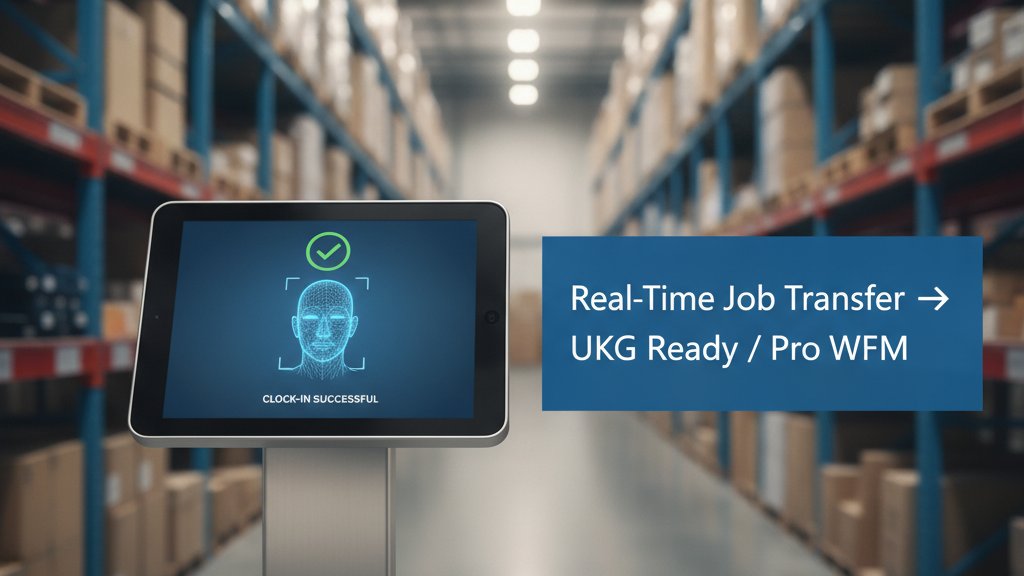
CloudApper AI TimeClock for UKG runs on any standard Android tablet — not proprietary Intouch hardware — and syncs directly with both UKG Ready WFM and UKG Pro WFM. For wave-shift environments, this means a warehouse can deploy 30 tablet kiosks across a fulfillment floor for roughly the same cost as four or five Intouch terminals. Each tablet enrolls biometrics locally, records job transfers in real time without requiring a supervisor authorization step, and syncs all punches directly into UKG.
For high-turnover operations, the enrollment model changes fundamentally. New hires enroll on any available tablet during onboarding — not at a designated Intouch station. Departing employees’ templates are purged from the system on offboarding rather than sitting active in the pool. The result is a biometric environment that stays current with headcount rather than falling weeks behind it.
Workers recording mid-shift job transfers do so at the nearest tablet rather than walking to a fixed terminal bank. Pay code and cost center changes flow into UKG in real time. Hardware costs drop significantly compared to proprietary UKG Intouch rollouts at scale, and facial recognition eliminates missed punches at the point of entry rather than requiring corrections downstream in payroll.
Frequently Asked Questions
Q: How does wave-shift punch density cause payroll problems in UKG?
When hundreds of workers converge on a limited number of time clock terminals at shift start, queuing creates late punches, skipped punches, or workers clocking in for colleagues — all of which become payroll corrections. UKG records the punch time as captured, so punch delays appear in the system as genuine late arrivals. Operations teams that don’t configure a grace period policy absorb the correction workload manually.
Q: Can UKG Intouch terminals handle mid-shift job transfers in warehouses?
Yes — supported Intouch models allow job transfer punches between pay codes and cost centers. The operational constraint is proximity: warehouse workers may need to walk significant distances to a fixed terminal bank to record a job change, which disrupts workflow and reduces compliance. Organizations with large floor footprints often see under-reported job transfers as a result.
Q: What is the best approach to biometric enrollment with 30% monthly turnover?
Organizations running high-turnover warehouse operations need enrollment to happen on demand, at any device, during onboarding — not at a designated hardware station. Tying enrollment to proprietary terminals creates backlogs during ramp periods. A tablet-based solution like CloudApper AI TimeClock for UKG allows enrollment on any available tablet, keeps the biometric pool current with actual headcount, and reduces PIN-only fallbacks that reintroduce buddy punching.
Q: How does CloudApper AI TimeClock sync job transfers with UKG?
CloudApper AI TimeClock for UKG writes job transfer punch records directly to UKG Ready WFM or UKG Pro WFM in real time via native API integration. The pay code and cost center recorded at the tablet punch appear in UKG as standard transfer punches — no manual reconciliation, no secondary data entry. The UKG admin sees the same punch structure they would from an Intouch terminal.
Q: What’s the hardware cost difference between UKG Intouch terminals and tablet-based time clocks at warehouse scale?
UKG Intouch terminals (9000, 9100, DX models) carry significant per-unit hardware costs plus installation, maintenance, and refresh cycles. CloudApper AI TimeClock for UKG runs on standard Android tablets at roughly 25% of the cost of traditional UKG clocking hardware. For a large distribution center requiring 20-30 clock points, the capital cost difference is substantial.
Q: Does a tablet-based time clock integrate with UKG Ready and UKG Pro WFM?
Yes. CloudApper AI TimeClock for UKG syncs natively with both UKG Ready WFM and UKG Pro WFM. The integration is direct — not through middleware — and all punch types (clock-in, clock-out, job transfer, meal break) appear in UKG identically to hardware terminal punches.
Warehouse operations running UKG face a specific set of time capture problems that standard Intouch hardware wasn’t built to solve at scale. If wave shifts, job transfers, and turnover-driven enrollment backlogs are creating payroll accuracy problems in your UKG environment, CloudApper AI TimeClock for UKG is worth a direct look. Explore the full solution at ukg.cloudapper.ai.



October 19, 2026
Nurse Mandatory Overtime Limits in UKG: Documenting Voluntary Overtime at Clock-Out
New York, Pennsylvania and Washington restrict mandatory overtime for nurses, which makes documented consent the key record. Learn how UKG Pro WFM and UKG Ready separate voluntary and mandated overtime, and how CloudApper AI TimeClock captures consent on an affordable unit tablet.

October 16, 2026
Heat Illness Recovery Breaks in UKG for Construction and Logistics Crews
State heat rules in California, Washington and beyond require cool-down breaks that payroll must be able to prove. Learn how UKG Ready and UKG Pro WFM track recovery periods, and how CloudApper AI TimeClock captures them on an affordable jobsite tablet that works offline.
October 15, 2026
PUMP Act Lactation Breaks in UKG: Tracking Them Without Breaking Meal Rules
Lactation breaks protected by the PUMP Act often show up as meal break exceptions in UKG. Learn what federal law requires, how to configure UKG Ready and UKG Pro WFM pay codes, and how CloudApper AI TimeClock records these breaks privately on an affordable tablet clock.
October 14, 2026
Enforcing Minor Work Hour Limits at the UKG Time Clock
Child labor hour limits are usually built into UKG schedules, but violations happen at the punch. Learn the federal rules for 14 to 17 year olds, how UKG Pro WFM and UKG Ready handle minor rules, and how CloudApper AI TimeClock adds age-based checks on an affordable tablet clock.