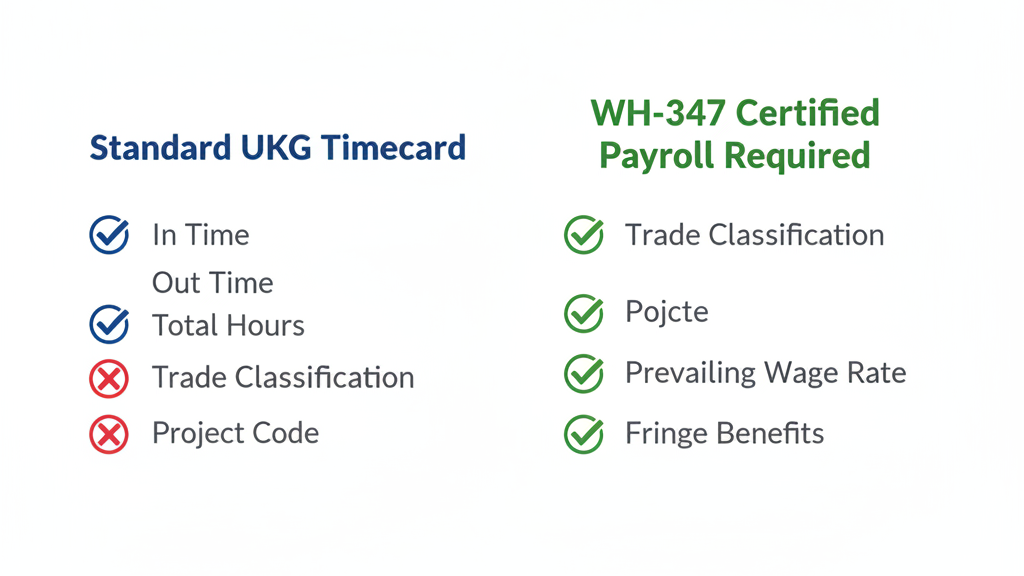
Government contractors running UKG Ready or Pro WFM can't generate WH-347 certified payroll from standard timecard exports because UKG doesn't capture trade classification by project at the punch level. The gap: classification decisions migrate to the payroll desk and get reconstructed from foreman notes — which is exactly what DOL auditors investigate. Here's what must change at the time clock level.


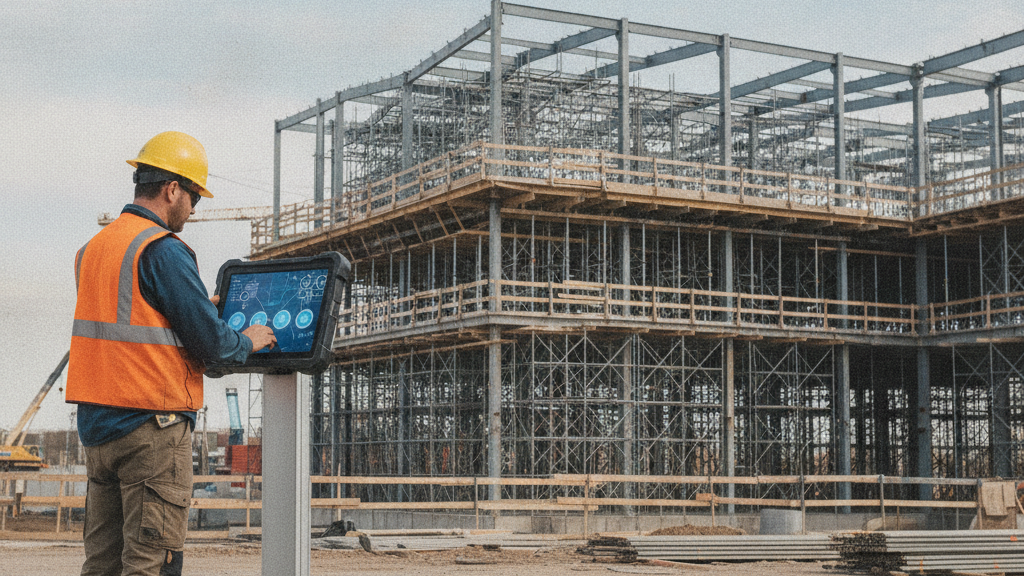
Table of Contents
Davis-Bacon compliance in UKG depends on capturing each worker’s trade classification at the time clock, not reconstructing it at the payroll desk. Certified payroll on the DOL’s WH-347 form needs prevailing wage totals broken out by trade classification and project, week over week. When classification isn’t captured at the punch, payroll teams rebuild it by hand from foreman notes and punch records to work out who was a carpenter and who was a laborer on Tuesday afternoon.

That manual reconstruction is where government contractors get hurt in DOL wage and hour audits. CloudApper AI TimeClock for UKG captures trade classification at the point of punch and syncs it directly into UKG Ready or Pro WFM before anyone opens a spreadsheet.
What UKG Handles Natively
UKG Ready and Pro WFM handle timecards, labor account transfers, and job costing structures that can approximate project-level tracking. For contractors on a single, stable federal project with a consistent trade roster, the native labor account transfer at the time clock — where employees select a cost center or job code at punch-in — can be configured to handle basic classification capture.
Work rules tied to labor accounts can also trigger the correct prevailing wage rate when the right job code is selected. For limited use cases on single-site federal projects with low trade mobility, this native configuration is worth building before adding hardware. The customization options within UKG time capture are more extensive than most contractors realize.
Where the Architecture Runs Out
Three scenarios break the native approach for government contractors.
Workers change trade classification mid-shift. A laborer who performs ironworker work for three hours must be paid at the ironworker prevailing wage rate for those specific hours. UKG doesn’t prompt reclassification during a shift — the adjustment moves to the payroll queue after the fact, reconstructed from memory rather than captured as it happened. The same structural gap affects union CBA rule enforcement in UKG, where classification disputes require point-of-punch documentation to resolve without grievances.
Multi-project jobsites require workers to identify which DOL-covered project they’re clocking into at each punch. UKG’s standard interface doesn’t present this prompt, which means project-level certified payroll requires a downstream mapping step before the WH-347 certified payroll format can be produced.
The WH-347 format — per-worker wage computation by classification per project, submitted weekly — isn’t a standard UKG report output. Generating it requires a custom report build or a manual reformatting process. For contractors who manage workers traveling between sites, the same structural gap creates problems with incorrect pay for travel between job sites in UKG.
What CloudApper AI TimeClock Changes at the Punch Level
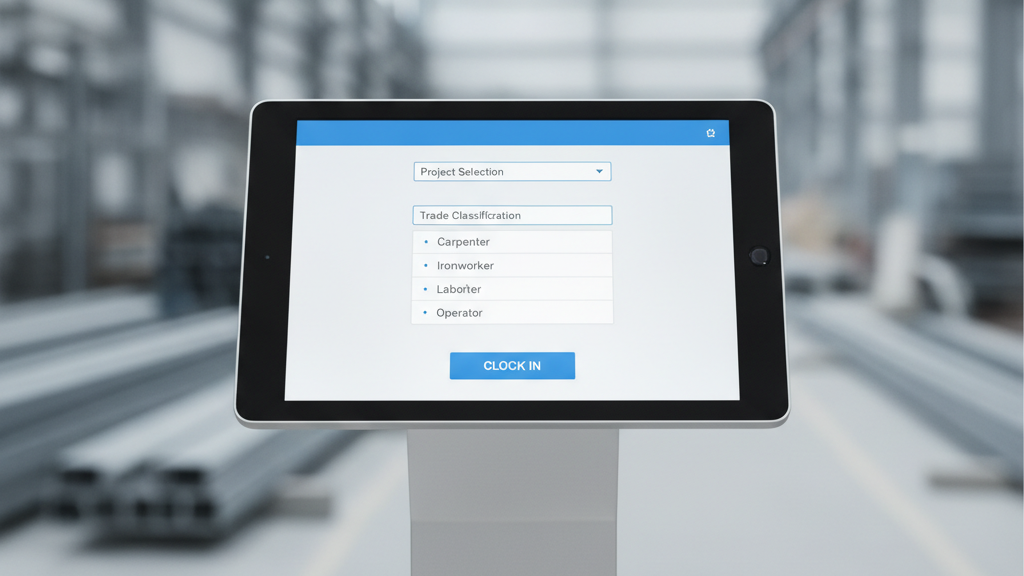
CloudApper AI TimeClock for UKG runs on any Android tablet or iPad at roughly 25% of the cost of UKG Intouch hardware. On federal projects, it adds a custom punch screen that requires workers to select their trade classification and project before the time record is written — inside UKG’s data model, not as a parallel system alongside it.
Mid-shift transfers prompt reclassification with a timestamp. Payroll receives a segmented time record showing which trade classification each worker was in for each hour, rather than a single undifferentiated entry. Role-based access controls govern who can amend a classification after the fact and require a logged reason when they do — so the record that reaches the WH-347 computation reflects the work as it happened, not as it was reconstructed later.
For contractors working remote or underground sites, offline time capture keeps classified punch data intact without connectivity, syncing to UKG when the connection returns. Geofencing restricts punches to the correct project location, preventing hours from being mis-assigned to the wrong federal contract at the source — before the classification step.
For contractors managing workers across multiple legal entities on joint ventures, the platform handles multi-entity time tracking when employees work across different EINs, keeping certified payroll records separate by contracting entity.
Frequently Asked Questions
Q: Does UKG Ready or Pro WFM produce WH-347 certified payroll reports natively?
No. UKG captures timecard data and supports labor account transfers, but generating the DOL WH-347 format with prevailing wage computation by trade classification per project requires either a custom report build or an external process. The standard payroll export does not map to WH-347 without additional configuration.
Q: How does DOL evaluate trade classification records during a Davis-Bacon audit?
DOL auditors look for contemporaneous records — classification tied to the hours worked at the time they were worked, not reconstructed after the fact. Post-hoc corrections based on foreman notes are treated as inconsistent with actual work performed and significantly increase compliance exposure.
Q: Can CloudApper AI TimeClock handle mid-shift trade classification changes?
Yes. A mid-shift transfer punch prompts the worker to reselect their classification and project, and the system logs the transfer with a timestamp. Payroll receives a segmented record by classification rather than a single shift entry — which is what Davis-Bacon requires for mixed-trade days.
Q: What are the consequences of prevailing wage misclassification on a federal project?
Davis-Bacon violations can result in back wage assessments, debarment from federal contracting for up to three years, and DOJ referral for willful violations. Exposure scales with the size of the workforce and the duration of the underpayment.
Q: Does CloudApper AI TimeClock require proprietary UKG hardware?
No. It runs on any standard Android tablet or iPad already on the jobsite. UKG Intouch DX, 9000, or 9100 devices are not required. The custom classification interface operates on hardware you likely already own.
Q: How does geofencing support certified payroll accuracy for multi-site contractors?
Geofencing restricts which project a punch can be assigned to based on the worker’s physical location at clock-in, preventing mis-assignment of hours to the wrong federal contract before the classification is selected. See also construction time tracking compliance practices for multi-site punch enforcement.
Government contractors on UKG who need certified payroll documentation that holds up under DOL review can see how CloudApper AI TimeClock captures trade classifications at the point of punch at https://ukg.cloudapper.ai/affordable-ukg-kronos-time-clock/.



November 5, 2026
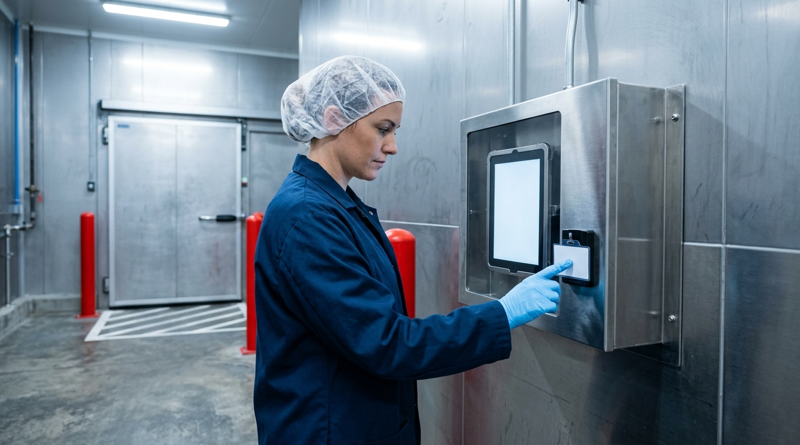
Tablet Time Clocks in Cold, Wet and Dusty Sites: Who Answers the Work Order When the Screen Fogs Over
Putting a tablet time clock in cold storage, a washdown line or a dusty dock works when ownership is settled first. This guide gives UKG admins placement rules, fallback punch options, a test plan and a named support owner for each site.
November 4, 2026
Weekend Cutover from Intouch DX to Tablet Time Clocks: The Rollback Rule to Agree Before Friday
A weekend swap from Intouch DX to tablet time clocks works only when the rollback rule is agreed first. This runbook gives UKG admins a Friday to Monday sequence, plant manager acceptance criteria, and a payroll-based trigger for reverting a site.

November 3, 2026
Wi-Fi Site Survey for UKG Tablet Time Clocks: Who Owns the Network Before the First iPad Is Mounted
Moving from wired UKG clocks to tablets shifts a hidden dependency onto your wireless network. This guide shows UKG admins and IT how to survey each clock position, test outage behavior, and assign ownership of access point fixes before go-live.

November 2, 2026
Changing the Time Clock in a Union Shop on UKG: What to Settle Before the First Tablet Ships
Changing the time clock in a union workplace is a labor relations task as much as an IT one. This checklist shows UKG admins and HR leaders what to settle first: agreement review, frozen pay rules, steward briefings, biometric consent alternatives, and a one-site pilot.
