
UKG Pro sends a timecard change notification, but that alone isn't proof the employee saw it. CloudApper automates how you acknowledge timecard changes in UKG Pro, turning each edit into an emailed yes-or-no reply written back to the employee's record.



Table of Contents
- TL;DR
- Why a Notification Alone Doesn’t Close the Loop
- The Manual Sign-Off Process Organizations Run Instead
- How CloudApper Helps You Get Employees to Acknowledge Timecard Changes in UKG Pro
- What This Gives You Beyond the Notification
- Frequently Asked Questions
- The Notification Was Never the Hard Part
Sending someone a heads-up that their timecard changed and getting them to actually confirm they saw it are two different steps, and most organizations only have the first one running on its own. UKG Pro tracks every timecard edit accurately and can alert the employee the moment it happens, which is what you want it to do. What organizations still need is a way to capture that the employee reviewed the change and responded to it, tied to that same record. In states like New Hampshire, that step isn’t just convenient to have, since employers are required to keep written proof that employees acknowledged changes affecting their pay. CloudApper AI Platform for UKG automates that step, so you can get employees to acknowledge timecard changes in UKG Pro without asking HR to run a manual sign-off process behind it.
TL;DR
- UKG Pro sends the timecard change alert, but not a documented response.
- Manual sign-off works at low volume and breaks down at scale.
- CloudApper emails employees exactly what changed on each edit.
- A yes-or-no reply is all it takes to acknowledge, no login needed.
- The response writes straight back to the employee’s record in UKG Pro.
Why a Notification Alone Doesn’t Close the Loop
A notification tells someone something changed. It doesn’t produce a record that they read it, understood it, and responded to it, and those are genuinely different things once a compliance requirement, an internal audit, or a disputed paycheck comes asking for one specifically. UKG Pro already holds everything the acknowledgment needs to attach to: the employee record, the edit itself, who made it, and when it happened. What an organization needs on top of that is the automated step that turns the alert into a captured response and writes it back next to the change it belongs to, so the record and the proof live in one place instead of two. Without that step, someone still has to close the loop by hand.

The Manual Sign-Off Process Organizations Run Instead
Without an automated way to acknowledge timecard changes in UKG Pro, that step is usually a person. HR prints a form, starts an email thread, or tracks down the employee at their next shift to get a signature. It works when it’s one or two changes a week, because someone can hold that in their head. It stops working once a company runs hundreds of timecard edits across a pay period, because now someone has to chase down every signature, match it back to the specific edit it belongs to, file it somewhere findable, and hope nothing gets missed before an audit or a wage complaint asks for it.
The paper trail also tends to live apart from the timecard it documents. A signed form sits in a folder, or an email sits in someone’s inbox, while the actual edit lives inside UKG Pro. Reconstructing which acknowledgment belongs to which change, months later, is the kind of task nobody wants to do under time pressure, and it’s usually the first thing that falls behind when a payroll team is already stretched during a busy period.
None of this is a criticism of the people doing it. A manual sign-off process is a reasonable answer when the volume is low, and plenty of organizations built it that way for exactly that reason. It just doesn’t scale the same way the underlying data already does.
How CloudApper Helps You Get Employees to Acknowledge Timecard Changes in UKG Pro
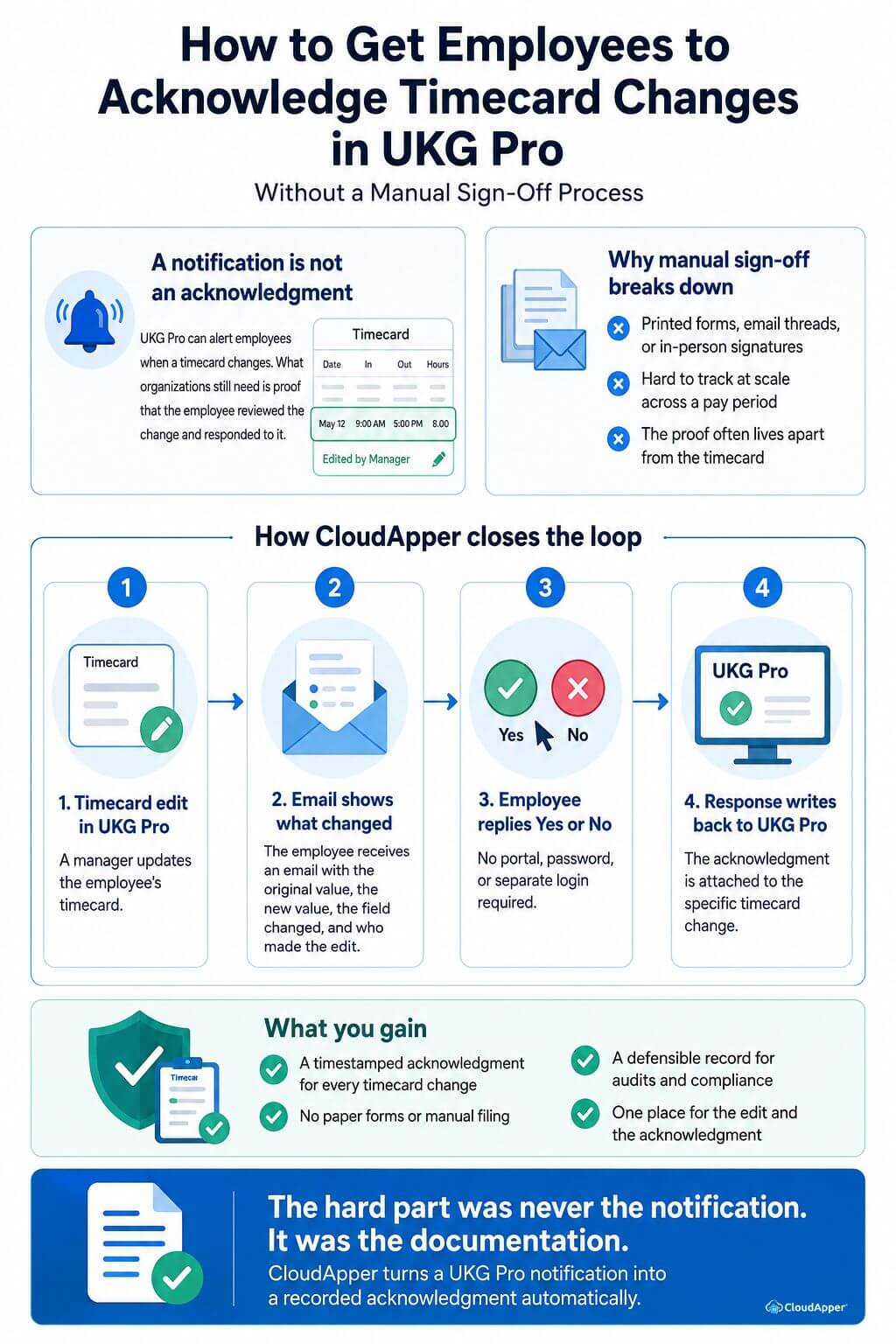
A Timecard Edit Triggers an Email With What Changed
The moment a manager updates an employee’s timecard in UKG Pro, CloudApper sends the employee an email that spells out exactly what changed, not just that something did. The message shows the original value, the new value, which field was touched, whether it was a clock time, a break, or a shift, and who made the edit. There’s nothing for the employee to go looking for. Everything they need to decide whether the change is correct is already in the message.
The Employee Replies Yes or No, No Login Required
The employee doesn’t need to open a portal, remember a password, or track down a link. They reply directly to the email with a yes or a no, confirming they’ve seen the change and either accept it or flag a problem with it. It’s the same action as replying to any other email, which is why people actually reply instead of letting it sit unread.
The Response Writes Back to the Employee’s Record in UKG Pro
That reply doesn’t just sit in an inbox waiting for someone to notice it. CloudApper reads the response and sends it back into UKG Pro alongside the employee’s data, attached to the specific change it responded to. The acknowledgment and the edit it belongs to live in the same place from the moment the reply comes in, so there’s no separate file to maintain and no manual matching to do later.
What This Gives You Beyond the Notification
Once the acknowledgment step is automated, the difference isn’t really in what the employee sees, since they were already getting a notification. It’s in what HR can produce the day someone asks for proof.
- A signed, timestamped acknowledgment for every timecard change, whether the employee accepts it or flags it, sitting against the record it belongs to.
- No printed forms, email threads, or physical filing to keep organized and locate months later.
- A defensible answer if a state agency asks how you document employee acknowledgment of pay or hours changes, since the record already exists rather than needing to be assembled after the fact.
- One consistent record for every edit, instead of the change and its acknowledgment living in two different places that someone has to match up manually.
If you’re on UKG Ready instead of UKG Pro, the notification side of this is already covered in a separate piece on notifying employees of timecard adjustments, and the acknowledgment loop described here layers on top of it the same way.
Frequently Asked Questions
Does This Require Employees To Use An App Or Portal?
No. The entire acknowledgment happens by replying to an email. There’s nothing to install and no separate login to remember.
What Happens If An Employee Replies No?
The response is recorded in UKG Pro the same way a yes would be, attached to the change it responded to. HR can see exactly which changes were disputed and follow up using whatever process already applies to a disputed paycheck.
Which States Require Employees To Acknowledge Timecard Changes?
New Hampshire has a written notice and signature requirement for pay rate changes, and it’s commonly read to extend to hours changes as well, though the exact scope is worth confirming with counsel. Other states have their own recordkeeping expectations, so check what applies where you operate.
Does This Change Anything About How UKG Pro Handles Timecards?
No. UKG Pro continues to process timecards, pay rules, and notifications exactly as configured. CloudApper adds the acknowledgment step on top and writes the result back to the employee’s record.
The Notification Was Never the Hard Part
Getting employees to acknowledge timecard changes in UKG Pro isn’t really a notification problem, since UKG Pro already handles that reliably. It’s a documentation problem, and documentation is what a manual sign-off process struggles to keep up with once volume grows. Let the timecard edit trigger the email, let the reply be the acknowledgment, and let both land back in UKG Pro without anyone chasing a signature.
Tired of chasing down signatures for every timecard change? Contact us to see how CloudApper turns a UKG Pro notification into a recorded acknowledgment automatically.



October 19, 2026
UKG Pro WFM Project Time Tracking for Global Agencies: One Activity Profile, Two Approval Lines, Five Languages
A global agency on UKG Pro WFM has to tie every hour to a client, project and task, across hourly, salaried, on-site and warehouse staff in five languages. This piece looks at the visibility and approval problems underneath, and how CloudApper adds a role-based time entry layer while UKG stays the system of record.

October 6, 2026
Union Vacation Accrual in UKG Ready: How Manager Self-Service Keeps Time-Off Approvals Contract-Compliant
Union contracts decide how vacation accrues and what managers may approve, yet approvals rely on the balance on screen. For a unionized envelope and packaging manufacturer moving to UKG Ready, CloudApper calculates CBA tenure tiers and carryover caps and posts contract-accurate balances that managers approve against.
October 1, 2026
12-Month Pay for 10-Month Employees in UKG Ready: Automating Pay Spreading for School-Based Nonprofits
A school-based services nonprofit pays ten-month staff over twelve months, and the pay spread math lives in a fragile spreadsheet. CloudApper adds a pay spread engine to UKG Ready that splits school-year earnings across every pay period, recalculates mid-year changes and handles true-ups when staff leave.

September 25, 2026
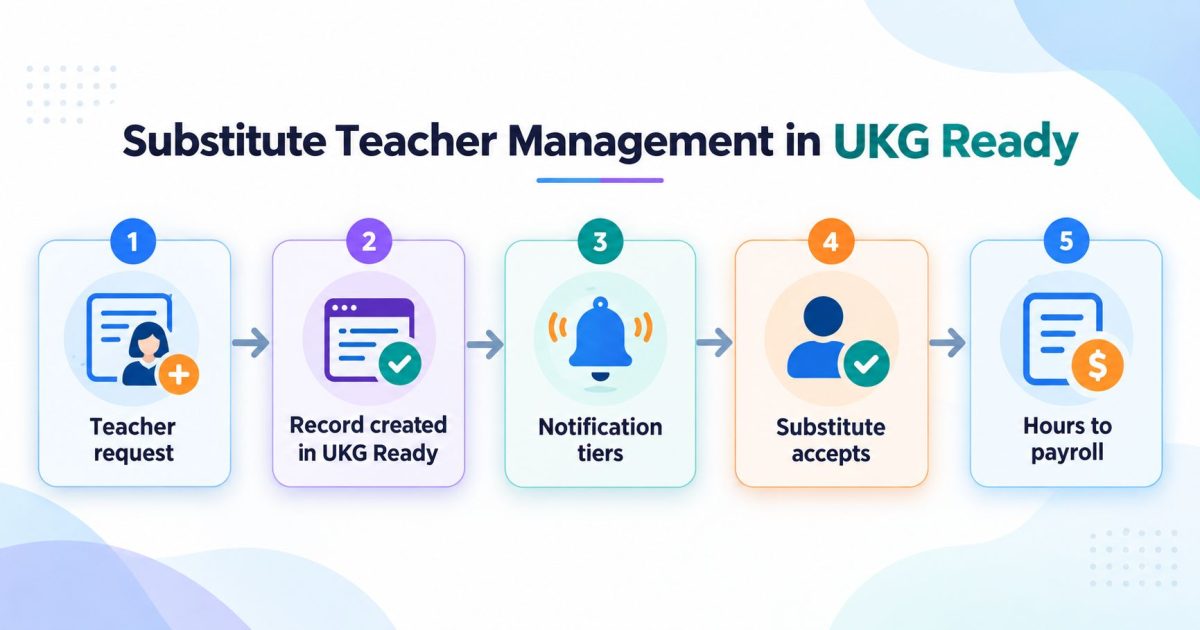
Substitute Teacher Management in UKG Ready
Substitute teacher management is the process of turning a staff absence into a covered classroom. In UKG Ready, the absence record and the approval rules already exist. What sits on top is the dispatch process: who gets asked, in what order, and how the hours reach payroll with the right code.
