UKG/Kronos Roll Call enables rapid group attendance verification for emergencies and daily operations. CloudApper AI tablets supercharge UKG/Kronos Roll Call with secure one-tap group clock-ins, facial recognition, location controls, and instant UKG sync—delivering accurate muster reports, improved safety compliance, and operational efficiency.


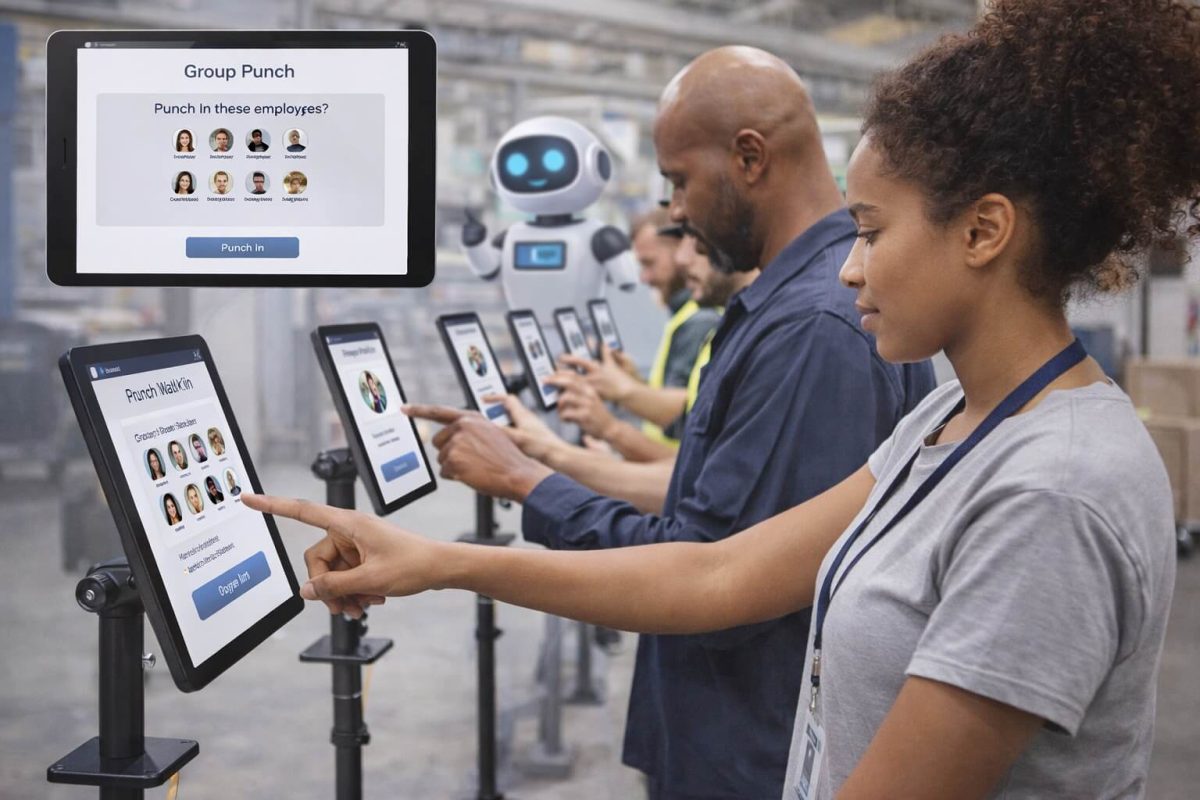
Table of Contents
It’s 6:00 AM at a bustling construction site. Thirty workers have just arrived, ready to start their shift. The foreman needs to clock everyone in, assign them to specific job codes, and get them deployed to their work areas—all while the clock is ticking and project deadlines loom. This scenario plays out thousands of times daily across industries, highlighting a critical workforce management challenge that UKG/Kronos Roll Call was designed to address.
While traditional time clocks work well for individual punches, they create significant bottlenecks when multiple employees need to clock in or out simultaneously. This is where group punch capabilities become essential, and understanding UKG/Kronos Roll Call—along with how modern AI-powered solutions can enhance it—can transform operational efficiency for organizations managing shift-based or group-oriented workforces.
TL;DR
UKG/Kronos Roll Call facilitates fast group time tracking for safety and shift management. CloudApper AI tablets elevate UKG/Kronos Roll Call by enabling supervisors to punch in/out entire teams securely via biometrics and geofencing, with offline support and automatic real-time sync to UKG—ensuring compliance, accuracy, and swift emergency response.
What Is UKG/Kronos Roll Call?
UKG/Kronos Roll Call is a workforce management feature that enables supervisors and managers to clock in or out multiple employees simultaneously, rather than having each worker individually interact with a time clock. This group punch functionality is built into UKG Pro, UKG Ready, and UKG Dimensions (formerly Kronos Workforce Dimensions), allowing authorized personnel to manage time entries for their teams efficiently.
Understanding UKG/Kronos Roll Call begins with recognizing the fundamental problem it solves: when dozens or even hundreds of employees need to record their time within a narrow window—such as at shift changes or project starts—individual time clocks create bottlenecks, waste productive time, and introduce opportunities for errors or time theft.
The traditional UKG/Kronos Roll Call process typically involves a supervisor accessing the system through a desktop terminal or designated device, selecting multiple employees from their roster, and executing a group punch action. The system then records the time entry for all selected employees, often with options to assign them to specific departments, job codes, or cost centers simultaneously.
However, while understanding UKG/Kronos Roll Call’s core functionality is straightforward, organizations often discover that successfully implementing this capability in real-world operational environments presents unique challenges—particularly in field locations, manufacturing floors, or other settings where desktop access is impractical.
Who Needs UKG/Kronos Roll Call and Why It Matters
Understanding UKG/Kronos Roll Call also means recognizing which organizations benefit most from this functionality. UKG/Kronos Roll Call isn’t just a convenience feature—it’s a business-critical tool for organizations across numerous industries where employees work in groups, shifts, or teams that start and end simultaneously.
Industries That Depend on UKG/Kronos Roll Call Functionality
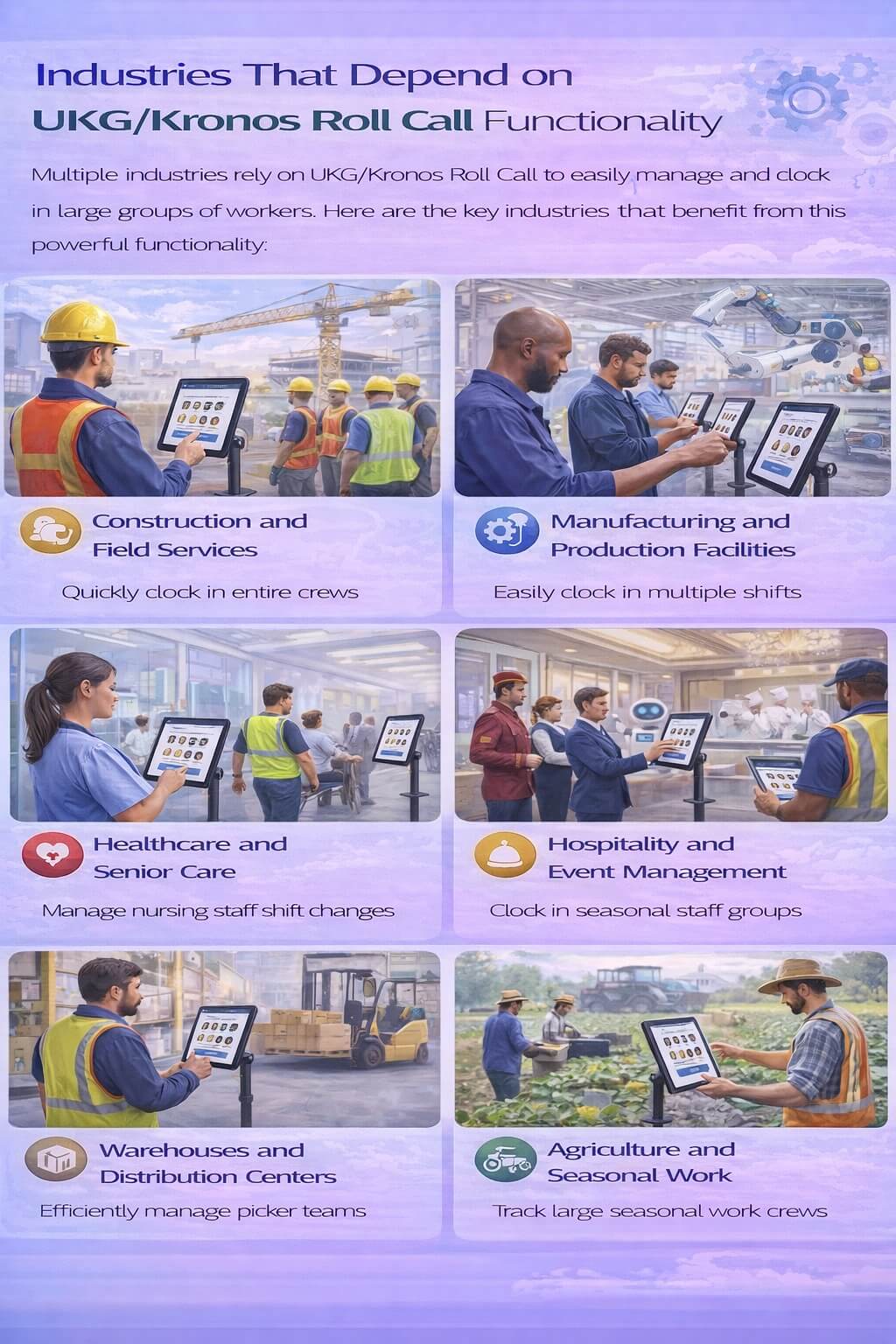
Construction and Field Services: Understanding UKG/Kronos Roll Call is crucial for construction companies, where foremen manage crews of 20-50 workers across multiple job sites. These supervisors need efficient ways to track labor costs by project. UKG/Kronos Roll Call enables them to clock entire crews in while assigning them to specific construction projects, ensuring accurate job costing from the first minute of work.
Manufacturing and Production Facilities: Manufacturing plants operating multiple shifts often experience shift change bottlenecks when hundreds of workers need to clock in and out within a 15-minute window. Understanding UKG/Kronos Roll Call helps production supervisors manage these transitions smoothly while maintaining accurate attendance records.
Healthcare and Senior Care: Nursing supervisors in hospitals, assisted living facilities, and home healthcare agencies use UKG/Kronos Roll Call to manage shift changes for nursing staff, CNAs, and caregivers. Understanding UKG/Kronos Roll Call in healthcare contexts ensures compliance with staffing regulations while maintaining clear records of who was on duty during specific time periods.
Hospitality and Event Management: Hotels, restaurants, and event venues frequently need to clock in large groups of seasonal or event-specific staff. Understanding UKG/Kronos Roll Call allows managers to efficiently manage these high-volume punch scenarios during peak operational periods.
Warehouses and Distribution Centers: Distribution supervisors managing picker teams, loading dock crews, or receiving departments benefit from understanding UKG/Kronos Roll Call’s ability to quickly clock in work groups and assign them to specific warehouse zones or operational areas.
Agriculture and Seasonal Work: Farm operations and food processing facilities employing seasonal workers need streamlined methods to track large groups of employees. Understanding UKG/Kronos Roll Call provides the framework for managing these workforce populations effectively.
The Business Case for Effective UKG/Kronos Roll Call Management
Beyond operational convenience, properly understanding and implementing UKG/Kronos Roll Call functionality delivers measurable business benefits:
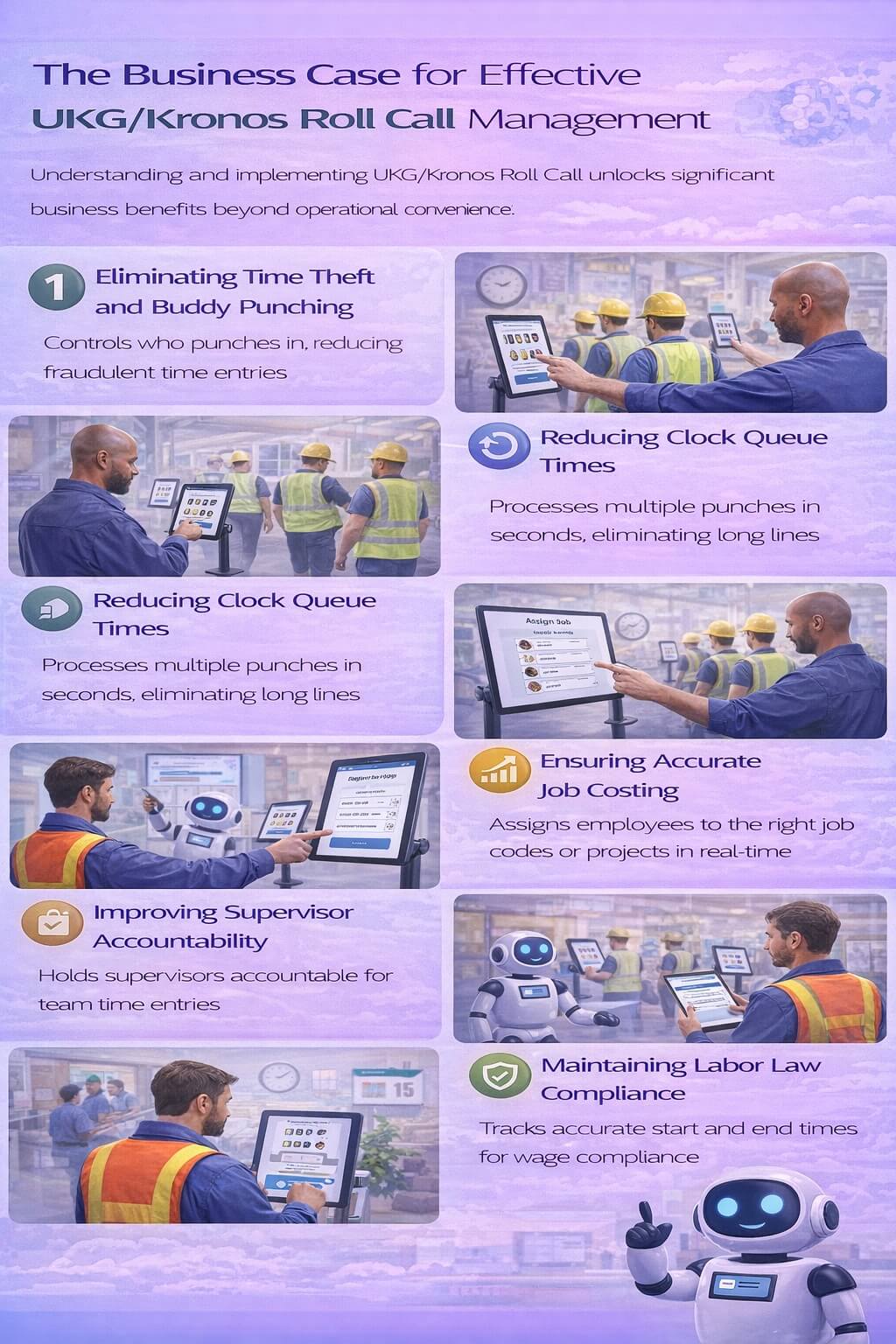
Eliminating Time Theft and Buddy Punching: When supervisors control the punch process through UKG/Kronos Roll Call, organizations gain an additional verification layer that reduces fraudulent time entries. Understanding UKG/Kronos Roll Call means recognizing that the supervisor serves as a witness to employee presence, dramatically reducing buddy punching incidents.
Reducing Clock Queue Times: Long lines at traditional time clocks waste productive minutes and create frustration. Understanding UKG/Kronos Roll Call reveals how supervisors can process multiple punches in seconds rather than having each employee wait their turn, eliminating these bottlenecks entirely.
Ensuring Accurate Job Costing: For project-based industries, accurate labor allocation is crucial for profitability analysis. Understanding UKG/Kronos Roll Call means recognizing how it enables real-time assignment of employees to the correct job codes, projects, or cost centers at the moment of punch, ensuring financial data accuracy from the start.
Improving Supervisor Accountability: With UKG/Kronos Roll Call, supervisors take direct responsibility for their team’s time entries. Understanding UKG/Kronos Roll Call creates clear accountability chains and reduces disputes about who was or wasn’t working during specific periods.
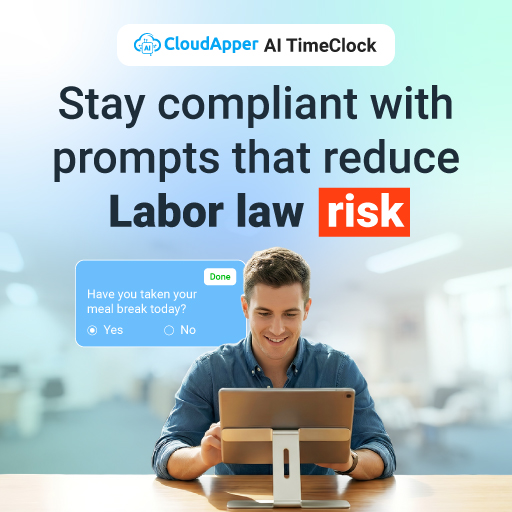
Maintaining Labor Law Compliance: Accurate time tracking is fundamental to wage and hour compliance. Understanding UKG/Kronos Roll Call helps organizations maintain defensible records showing exactly when employees started and ended their work periods, protecting against potential labor law violations.
How UKG Handles Roll Call: Native Capabilities You Should Know
Understanding UKG/Kronos Roll Call requires examining both its native capabilities and operational limitations. UKG’s workforce management platforms include built-in group punch functionality, but knowing what it can and cannot do is essential for organizations seeking to optimize their processes.
Native UKG/Kronos Roll Call Capabilities
When understanding UKG/Kronos Roll Call, it’s important to recognize that UKG Pro, Ready, and Dimensions all provide supervisor-driven group punch functionality that allows authorized users to:
- Select multiple employees from their supervised teams
- Execute clock-in or clock-out actions for entire groups
- Assign labor categories, departments, or projects during the punch
- Override or correct time entries when necessary
- View real-time attendance status for their teams
These features provide a solid foundation for group time tracking, and many organizations successfully use native UKG/Kronos Roll Call for their basic needs. Understanding UKG/Kronos Roll Call at this level helps organizations appreciate its core value.
Where Native Roll Call Falls Short
However, truly understanding UKG/Kronos Roll Call means also recognizing where organizations frequently encounter challenges when relying solely on standard implementations:
Device and Location Constraints: Understanding UKG/Kronos Roll Call limitations reveals that traditional implementations often require access to desktop computers or specific terminals. This creates problems for supervisors working in field locations, manufacturing floors, or other environments where desktop access is impractical. A construction foreman can’t carry a desktop computer to a remote job site, and a warehouse supervisor shouldn’t need to walk to an office to perform roll call.
Limited Mobility and Flexibility: When understanding UKG/Kronos Roll Call is tied to fixed-location devices, supervisors lose the flexibility to perform group punches at the actual work location. This separation between where work happens and where time is recorded can lead to inaccuracies and compliance concerns.
Connectivity Dependencies: Standard UKG/Kronos Roll Call implementations typically require constant internet connectivity. Understanding UKG/Kronos Roll Call challenges means recognizing this poses significant problems for construction sites, agricultural operations, remote facilities, or locations with unreliable network infrastructure.
Interface Complexity: While functionally capable, standard UKG interfaces weren’t necessarily designed for rapid, high-volume punch scenarios. Understanding UKG/Kronos Roll Call from a user experience perspective reveals that supervisors managing 30-50 employees may find the native interface cumbersome during peak times, leading to rushed entries and potential errors.
Verification Gaps: Understanding UKG/Kronos Roll Call thoroughly means recognizing that native implementations typically lack built-in identity verification features. While the supervisor’s oversight provides some accountability, there’s no automated way to verify that the employee being clocked in is actually present, opening potential compliance gaps.
Limited Customization: Different industries and operational environments have unique workflow requirements. Understanding UKG/Kronos Roll Call limitations includes recognizing that standard implementations may not offer the customization options needed to match specific operational processes, forcing organizations to adapt their workflows to the system rather than vice versa.
How CloudApper hrPad Enhances UKG/Kronos Roll Call with AI-Powered Tablets
Understanding UKG/Kronos Roll Call completely means exploring how modern AI-powered solutions can address its limitations while preserving and extending its core benefits. CloudApper hrPad represents the evolution of group punch functionality, transforming understanding UKG/Kronos Roll Call from knowing what it should do to experiencing what it can actually accomplish in real-world operations.
CloudApper hrPad doesn’t replace UKG/Kronos Roll Call; instead, it provides an enhanced interface and expanded functionality that makes group punch operations more efficient, accurate, and adaptable to diverse workplace settings. By combining the power of UKG’s backend workforce management with a purpose-built AI-powered tablet interface, hrPad addresses the operational gaps that prevent many organizations from fully realizing the benefits of understanding UKG/Kronos Roll Call capabilities.
AI-Powered Interface Designed for Group Punch Operations
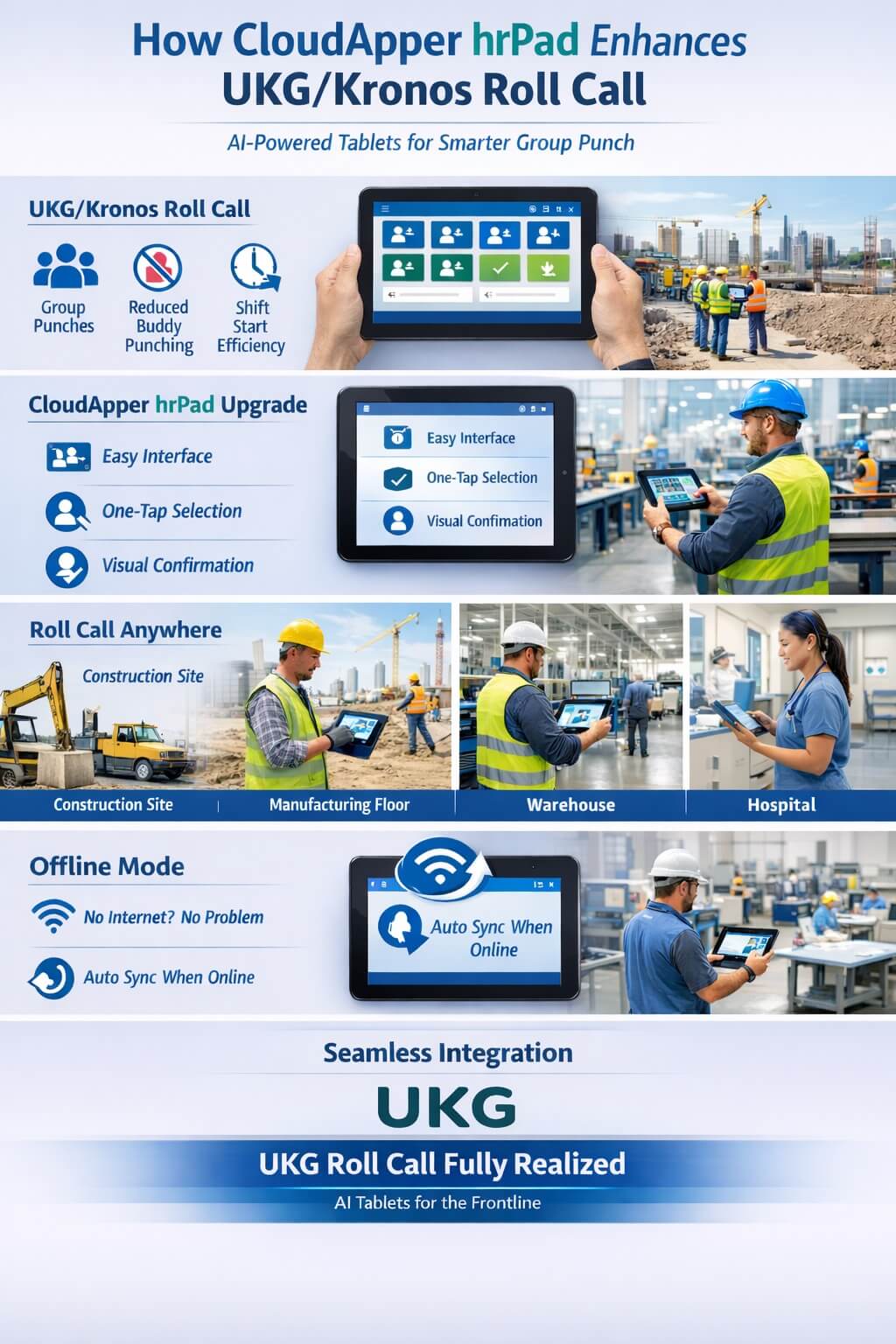
Understanding UKG/Kronos Roll Call through the lens of CloudApper hrPad reveals how AI-powered technology can transform the user experience. Rather than navigating through multiple screens on a desktop interface, supervisors can quickly select their team members, assign job codes or departments, and execute group punches in a matter of seconds.
The AI-powered interface prioritizes speed and accuracy, with intelligent features that learn from usage patterns and anticipate supervisor needs. Large, touch-friendly controls optimized for tablet interaction make the process intuitive even for supervisors with limited technical experience. Visual confirmation mechanisms prevent errors, showing supervisors exactly which employees are being clocked in before the action is finalized. This combination of AI assistance, speed, and verification ensures that understanding UKG/Kronos Roll Call translates into practical operational benefits.
True Mobility: Take Roll Call Anywhere
Understanding UKG/Kronos Roll Call’s full potential requires mobility—and this is where CloudApper hrPad truly transforms the experience. Because hrPad runs on affordable commercial tablets, supervisors can perform group punches at the actual work location—whether that’s a construction trailer, a manufacturing floor, a warehouse loading dock, or a hospital nursing station.
This mobility eliminates the disconnect between where employees report for work and where their time is recorded. A construction foreman can conduct UKG/Kronos Roll Call right at the job site gate as workers arrive. A manufacturing supervisor can perform shift change roll call on the production floor itself. Understanding UKG/Kronos Roll Call in this mobile context reveals how proximity to actual work locations improves accuracy and allows supervisors to verify employee presence visually before recording their time.
Offline Capability for Uninterrupted Operations
Perhaps the most critical enhancement for truly understanding UKG/Kronos Roll Call in field-based operations is hrPad’s offline functionality. Unlike traditional implementations that require constant connectivity, hrPad continues working even when internet access is unavailable or unreliable.
For construction companies working in remote locations, agricultural operations in rural areas, or any organization dealing with connectivity challenges, understanding UKG/Kronos Roll Call’s offline capability through hrPad is transformative. Supervisors can perform their group punch duties regardless of network conditions, with all data automatically syncing to UKG systems once connectivity is restored. This ensures uninterrupted time tracking operations and eliminates the compliance gaps that occur when supervisors can’t access systems due to technical issues.
AI-Powered Verification and Accountability
Understanding UKG/Kronos Roll Call at an advanced level means incorporating AI-powered verification features that strengthen accountability and reduce time theft. While standard implementations rely primarily on supervisor oversight, hrPad adds intelligent verification layers:
AI-Enhanced Photo Capture: During group punch operations, hrPad can capture and analyze photos of employees as they’re clocked in, creating visual records that verify actual presence. The AI can detect anomalies or flag potential issues, providing an additional layer of security. Understanding UKG/Kronos Roll Call with this capability means having defensible documentation of who was actually present.
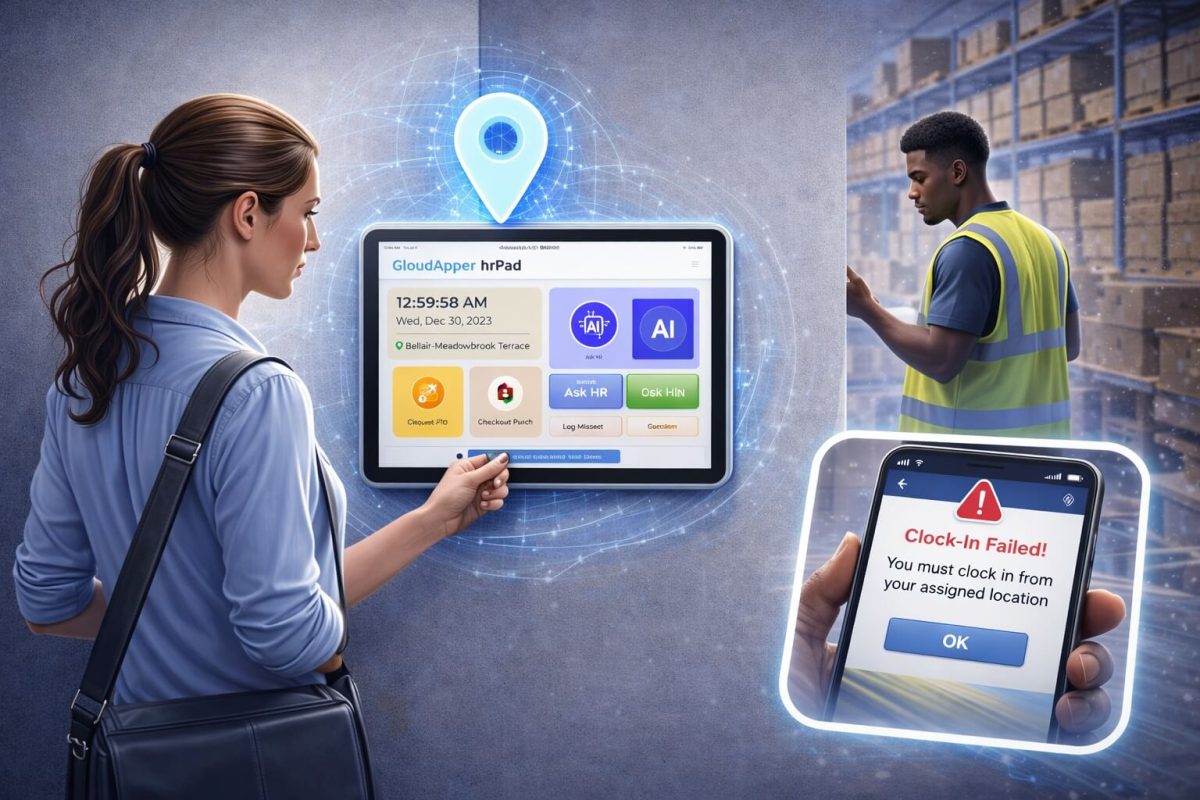
Smart Geofencing: hrPad’s AI-powered geofencing enforces location-based rules, ensuring that UKG/Kronos Roll Call can only be performed within defined geographic boundaries. The system learns normal patterns and can alert administrators to unusual activity. Understanding UKG/Kronos Roll Call with geofencing prevents supervisors from clocking in employees who haven’t actually arrived at the work location.
Intelligent Badge and QR Code Integration: For organizations using employee badges or ID cards, hrPad supports scanning during roll call operations with AI that can detect fraudulent attempts or unusual patterns. Understanding UKG/Kronos Roll Call with this intelligent verification adds an identity confirmation step that ensures the right employees are being clocked in.
These AI-powered verification features don’t slow down the process—they’re seamlessly integrated into the workflow, adding intelligence and accountability without sacrificing the speed advantages that make understanding UKG/Kronos Roll Call valuable in the first place.
Real-Time Labor Distribution with Smart Suggestions
Understanding UKG/Kronos Roll Call for accurate job costing requires assigning employees to the correct cost centers, projects, or departments at the moment of punch. CloudApper hrPad makes this critical function seamless within the group punch workflow, with AI that learns from historical patterns and suggests appropriate assignments.
As supervisors clock in their teams, they can simultaneously assign employees to specific projects, job codes, departments, or labor categories—with the AI suggesting the most likely assignments based on past behavior, schedules, and current operational conditions. This real-time allocation ensures that labor costs are tracked accurately from the first minute of work, providing finance teams with reliable data for project profitability analysis and operational planning.
For construction companies tracking multiple concurrent projects, understanding UKG/Kronos Roll Call through hrPad means foremen can assign crew members to specific jobs during morning roll call with intelligent suggestions that reduce errors. For manufacturers running multiple product lines, production supervisors can assign workers to the appropriate cost centers as they clock in, guided by AI that knows typical patterns. This granular labor tracking happens naturally within the punch process rather than requiring separate allocation steps later.
Flexible Operational Modes
Understanding UKG/Kronos Roll Call comprehensively means recognizing that different situations call for different approaches. hrPad supports both supervisor-managed group punch and individual self-service modes, with AI that can automatically suggest which mode is most appropriate based on context, time of day, and operational patterns.
During shift starts or project mobilizations, supervisors can use hrPad for traditional UKG/Kronos Roll Call, processing multiple employees rapidly. During the workday, the same tablet can operate in self-service mode, allowing employees to clock in and out independently for breaks or when moving between job sites. Understanding UKG/Kronos Roll Call flexibility maximizes hardware utilization while supporting diverse operational workflows within a single AI-powered solution.
Seamless UKG Integration
Understanding UKG/Kronos Roll Call enhancement through hrPad requires knowing that it’s not a standalone system—it’s a purpose-built extension of your UKG environment. All time entries, labor allocations, and attendance data flow directly into UKG Pro, Ready, or Dimensions, maintaining data integrity and ensuring that existing payroll, reporting, and compliance processes continue working exactly as configured.
From UKG’s perspective, hrPad-recorded punches are indistinguishable from any other legitimate time entry. This seamless integration means organizations can deepen their understanding UKG/Kronos Roll Call capabilities and enhance them without disrupting established workflows, reconfiguring integrations, or retraining payroll personnel.
Real-World Impact: Understanding UKG/Kronos Roll Call Success Stories
The true value of understanding UKG/Kronos Roll Call becomes clear when examining real-world operational improvements that AI-powered tablets have enabled:
Construction Company: From Chaos to Control
A mid-sized construction company managing 15 active job sites struggled with their understanding UKG/Kronos Roll Call implementation. Foremen were required to call the office each morning to report crew arrivals, with office staff manually entering the information into UKG. This process was time-consuming, error-prone, and provided no verification that employees were actually on site.
After implementing CloudApper hrPad and truly understanding UKG/Kronos Roll Call potential, foremen began conducting on-site group punches directly from their job site trailers. Each morning, they used AI-powered tablets to clock in their crews, assign them to the correct project codes with intelligent suggestions, and capture verification photos—all within five minutes. The company immediately saw reductions in time theft, improved job costing accuracy, and eliminated the administrative burden on office staff who previously handled manual data entry.
Healthcare Facility: Solving Shift Change Bottlenecks
A 200-bed assisted living facility experienced daily bottlenecks during nursing shift changes, revealing gaps in their understanding UKG/Kronos Roll Call implementation. With 40-50 caregivers needing to clock in or out within a 15-minute window, lines at wall-mounted time clocks stretched down hallways, causing some employees to clock in late and creating compliance concerns about accurate time recording.
The facility deployed CloudApper hrPad tablets on each floor, fundamentally improving their understanding UKG/Kronos Roll Call capabilities. Nursing supervisors now conduct AI-assisted group punches for their teams during shift changes, processing their entire floor teams in under three minutes and eliminating queues. The facility also gained the compliance benefit of AI-powered supervisor verification for each punch, with the system learning normal patterns and alerting to anomalies, strengthening their labor law compliance posture.
Warehouse Operation: Accountability and Accuracy
A distribution center operating three shifts discovered discrepancies between scheduled staff and actual attendance, revealing their understanding UKG/Kronos Roll Call needed enhancement. They suspected buddy punching but lacked concrete evidence, as their standard group punch process provided no identity verification beyond supervisor oversight.
After implementing hrPad with AI-powered photo capture and learning capabilities, their understanding UKG/Kronos Roll Call transformed into actionable intelligence. Shift supervisors began documenting employee presence visually during roll call, with the AI system detecting patterns and flagging anomalies. Within two weeks, the operation identified and addressed several cases of employees being clocked in when they weren’t actually present. Beyond catching fraud, the AI-powered verification feature created a deterrent effect—employees knew their presence would be documented and analyzed, virtually eliminating time theft. The warehouse reported that accurate attendance data also improved their ability to respond to staffing shortages and make real-time operational adjustments.
Seasonal Agriculture: Offline Reliability
An agricultural operation employing 100+ seasonal workers in rural locations faced constant connectivity challenges that disrupted their understanding UKG/Kronos Roll Call process. When internet connections failed—which happened frequently—supervisors couldn’t clock in their crews, forcing them to maintain paper records that required time-consuming manual entry later.
CloudApper hrPad‘s offline functionality and AI capabilities completely transformed their understanding UKG/Kronos Roll Call implementation. Crew supervisors now conduct morning and evening group punches regardless of network conditions, with AI-powered features working seamlessly offline and data automatically syncing when connectivity is available. The system learns typical crew patterns and can suggest assignments even without connectivity. This eliminated hundreds of hours of administrative work previously spent on manual data entry while ensuring complete and accurate time records for their entire seasonal workforce.
Implementation: Making Your Understanding UKG/Kronos Roll Call Actionable
Organizations concerned about the complexity of enhancing their understanding UKG/Kronos Roll Call capabilities will find CloudApper hrPad’s implementation process refreshingly straightforward.
Minimal Deployment Complexity
Because hrPad is a cloud-based AI-powered solution that integrates with existing UKG environments, deployment doesn’t require on-premises servers, complex infrastructure changes, or lengthy implementation projects. Organizations can typically deploy hrPad across multiple locations within days rather than months, immediately improving their practical understanding UKG/Kronos Roll Call operations.
The solution runs on affordable commercial tablets, eliminating the need for specialized hardware purchases. Most organizations use standard Android or iOS tablets that cost a fraction of traditional time clocks, making it economically feasible to deploy hrPad wherever understanding UKG/Kronos Roll Call functionality is needed.
Intuitive AI-Assisted Experience Requires Minimal Training
Supervisors who understand UKG/Kronos Roll Call concepts can typically master hrPad’s AI-powered interface within minutes. The tablet-based interface is intuitive enough that even supervisors with limited technical experience can confidently conduct group punch operations after brief orientation, with AI assistance guiding them through the process.
This ease of use accelerates adoption and ensures that enhanced understanding UKG/Kronos Roll Call capabilities are actually utilized rather than abandoned due to complexity or user resistance.
Scalable Across Your Entire Organization
Whether your organization operates three locations or 300, CloudApper hrPad scales to meet your needs. Cloud-based administration allows IT teams to configure, monitor, and update tablets across the entire organization from a central console, ensuring consistent understanding UKG/Kronos Roll Call experiences regardless of location.
As your organization grows or operational needs change, adding new hrPad deployments or reconfiguring existing ones requires no additional infrastructure investment—just deploy AI-powered tablets where they’re needed and configure them for local requirements.
Ongoing Support and Evolution
CloudApper provides ongoing support to ensure your understanding UKG/Kronos Roll Call capabilities continue meeting operational needs. As UKG releases platform updates, as AI capabilities evolve, or as your organization’s requirements change, hrPad adapts through regular software updates delivered seamlessly to deployed tablets.
This ongoing evolution ensures that your investment in enhanced group punch capabilities and deepened understanding UKG/Kronos Roll Call delivers value for years to come, rather than becoming obsolete as technology and business needs change.
The Future of Group Time Tracking: Complete Understanding UKG/Kronos Roll Call
Understanding UKG/Kronos Roll Call functionality is essential for organizations managing group-based workforces, but its value is maximized when that understanding translates into implementations matched to real-world operational environments. Traditional desktop-based approaches, while functional, don’t align with how modern workforces operate—particularly in field locations, manufacturing environments, healthcare facilities, and other settings where supervisors need mobility, offline capability, and AI-enhanced verification features.
CloudApper hrPad represents the evolution of understanding UKG/Kronos Roll Call from a basic administrative concept to a strategic operational tool powered by artificial intelligence. By combining UKG’s powerful workforce management backend with a mobile, intuitive, and AI-enhanced interface, hrPad enables organizations to fully realize the benefits of group punch functionality: reduced time theft, improved job costing accuracy, streamlined shift change processes, and stronger compliance postures.
For organizations currently struggling with UKG/Kronos Roll Call bottlenecks, accuracy issues, or operational limitations, the path forward is clear. Deepening your understanding UKG/Kronos Roll Call through AI-powered solutions that bring group punch functionality to where work actually happens—on manufacturing floors, at construction sites, in warehouse operations, and throughout healthcare facilities—transforms time tracking from an administrative burden into a competitive advantage.
FAQ
1. What is UKG/Kronos Roll Call?
UKG/Kronos Roll Call is a powerful feature in UKG Pro WFM (formerly Kronos Dimensions) designed for quick group attendance verification and time tracking—ideal for emergency evacuations, muster points, shift changes, or daily crew check-ins to maintain safety and accountability.
2. How do CloudApper AI tablets enhance UKG/Kronos Roll Call?
CloudApper tablets simplify UKG/Kronos Roll Call by allowing supervisors to clock in/out groups with a single tap, verified through facial recognition and geofencing, then syncing data instantly to UKG for accurate, real-time muster reporting.
3. Is UKG/Kronos Roll Call only for emergencies?
No—while primarily for safety scenarios, organizations use enhanced UKG/Kronos Roll Call for routine tasks like shift-start group punches, field crew attendance in construction or manufacturing, and daily safety briefings.
4. How does CloudApper ensure security and prevent fraud in UKG/Kronos Roll Call?
Biometric facial recognition verifies individual presence during group punches, geofencing restricts activity to approved locations, and custom attestations log acknowledgments—all creating robust audit trails in UKG.
5. Does CloudApper support offline functionality for UKG/Kronos Roll Call?
Yes—tablets capture group punches, biometrics, and attestations offline during outages or remote operations, then automatically sync to UKG once connectivity returns, ensuring no data loss.
Discover How CloudApper hrPad Can Deepen Your Understanding UKG/Kronos Roll Call
If your organization relies on group punch functionality but finds that standard implementations don’t match your operational reality, CloudApper hrPad offers the AI-powered solution you’ve been seeking. Whether you’re managing construction crews, manufacturing shifts, healthcare staff, warehouse teams, or any other group-oriented workforce, hrPad’s enhanced capabilities can streamline your operations while improving accuracy and accountability.
Visit CloudApper hrPad for UKG to explore how AI-powered tablet technology can revolutionize your time tracking operations and deepen your understanding UKG/Kronos Roll Call potential. For organizations specifically focused on optimizing group punch workflows, learn more about CloudApper’s Group Punch Solution for UKG and discover how leading organizations are transforming their understanding UKG/Kronos Roll Call into operational excellence.
The future of workforce management isn’t about replacing proven systems like UKG—it’s about extending their capabilities through AI-powered solutions that match how modern work actually happens. With CloudApper hrPad, your organization can maintain the power and reliability of UKG while gaining the flexibility, mobility, intelligence, and enhanced functionality that today’s operational environments demand. True understanding UKG/Kronos Roll Call means recognizing its potential and implementing tools that unlock it completely.