Manufacturing labor tracking directly impacts job costing accuracy, productivity, and margin control. When engineering and shop-floor hours aren’t captured correctly, costs drift and reporting becomes unreliable. This guide explains how manufacturers can streamline labor tracking, reduce customization complexity, and turn time data into actionable operational insights.



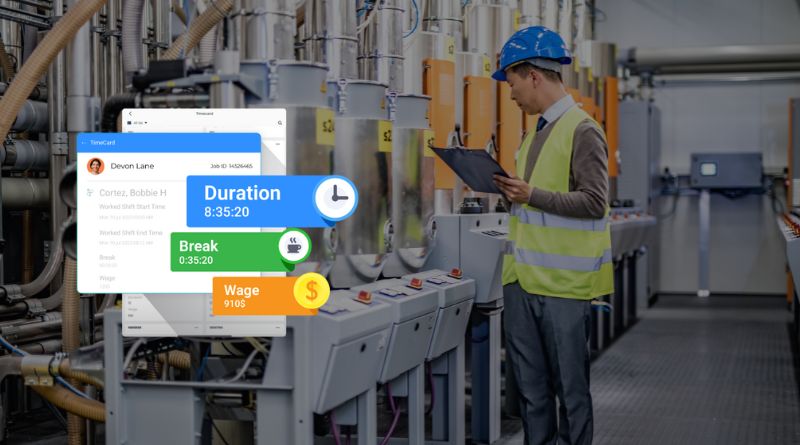
Table of Contents
- What is manufacturing labor tracking?
- The real cost of poor labor tracking: job costing drift and decision delays
- What “good” looks like in a manufacturing labor tracking system
- The UKG/Kronos reality: powerful systems, but customization adds friction
- How CloudApper improves manufacturing labor tracking with less IT dependency
- Real-world examples of labor tracking workflows manufacturers actually need
- A simple implementation approach
- Why this matters: labor becomes an asset, not an administrative burden
- FAQ
“Time is money” is literally true in manufacturing. Labor hours don’t just affect payroll—they shape job costing, work-in-progress (WIP) visibility, productivity analysis, overtime control, and margin accuracy. If labor is tracked loosely or inconsistently, your project costs drift, estimates become unreliable, and leadership ends up making decisions from “almost-right” data.
The challenge is that manufacturing labor tracking isn’t one workflow—it’s usually two. Professional labor (engineering, maintenance planning, and supervisors) is typically entered on a computer or mobile device. Production labor is often captured at a time clock or shared station, where employees must record not only time, but also what they worked on (job, operation, work order, task, cost center).

When those two worlds aren’t aligned, job costing breaks down.
What is manufacturing labor tracking?
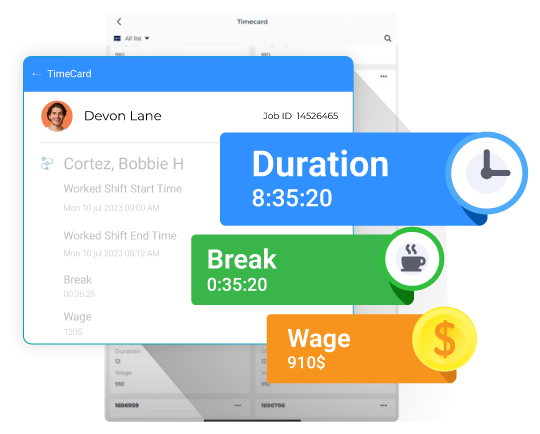
In manufacturing, labor tracking means categorizing worked time to a specific task, project, job, or work order—not just capturing clock-in and clock-out.
It also includes what happens next: approvals, exports, and cost allocation so that the business can monitor WIP and labor costs during production.
It gets complex fast because manufacturers often need:
- Different rules for different labor types (direct vs indirect labor)
- Accurate mapping of labor to cost drivers (work order, operation step, job code)
- Approval workflows (employee + manager signoff), especially for audit scenarios
- Near real-time updates to ERP/GL so WIP and costs don’t lag behind reality
And this is exactly where traditional implementations can become expensive: every plant has “its own way” of tracking labor, and constant customization becomes a permanent IT project.
The real cost of poor labor tracking: job costing drift and decision delays
Manufacturing cost calculations rely on accurate labor inputs. Labor is one of the major components of total manufacturing cost (alongside direct materials and overhead), and it’s often analyzed as a percentage of total manufacturing cost to understand where margins are leaking.
When time is captured without the right context (job code, operation, indirect reason code), you see predictable outcomes:
- Direct labor gets misallocated, distorting job profitability.
- Nonproductive time hides inside productive buckets, so improvement efforts miss the real bottlenecks.
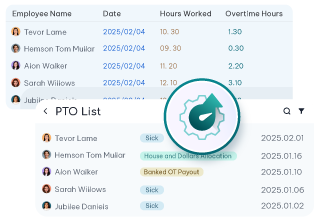
- Overtime becomes reactive instead of controlled.
- Supervisors spend hours fixing timecards rather than running the floor.
Good labor tracking is not “more data.” It’s the right fields and validations at the moment time is captured, so you don’t pay the correction cost later.
What “good” looks like in a manufacturing labor tracking system
A manufacturing-ready labor tracking system should do five things well:
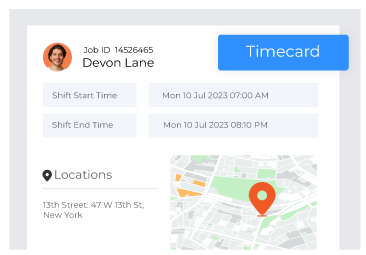
First, it should support both professional and production labor capture, because these are fundamentally different entry experiences
Second, it should enforce charge validation—meaning employees can only charge to authorized jobs, activities, and cost centers
Third, it should maintain a strong audit trail, with structured approvals and traceability for edits.
Fourth, it should feed labor transactions into downstream systems—ERP/GL for WIP and costing, payroll for pay accuracy—without delay.
Finally, it must be easy to adapt. Manufacturing changes constantly: new product lines, work orders, compliance requirements, and departments. If every change requires consultants, you will eventually stop improving the process.
The UKG/Kronos reality: powerful systems, but customization adds friction
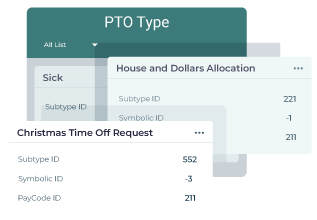
UKG/Kronos environments can provide a strong foundation for workforce management. The friction usually appears when manufacturing teams need very speciflabor tracking flows—like capturing operation steps, tracking indirect labor to different overhead accounts, adding new labor fields for a new contract, or changing validation rules quickly.
This is why manufacturers often end up with “workarounds”: spreadsheets, manual supervisor logs, delayed job cost updates, and timecard edits after the fact.
How CloudApper improves manufacturing labor tracking with less IT dependency
CloudApper’s value in this scenario is not “another time system.” It’s the ability to build and adjust manufacturing labor workflows faster—without turning every process change into a development cycle.
Instead of repeatedly customizing core UKG/Kronos configurations for every new labor-tracking requirement, you can use CloudApper hrPad employee self service kiosk to:
- standardize labor capture experiences across roles
- collect the exact job-costing fields you need
- enforce validations and prompts at the point of entry,
- and adapt workflows when production changes—without constantly pulling in IT resources.
In practical terms, this matters because manufacturing labor tracking isn’t static. If a manager needs a new tracking field for a new product launch, or HR needs a reminder workflow for break compliance, speed of change becomes an advantage.
Real-world examples of labor tracking workflows manufacturers actually need
Here are a few common situations where “basic timekeeping” isn’t enough:
Example 1: Engineering time vs production time
Engineering time is often entered on a laptop or mobile device, while production labor is typically captured at a time clock where employees select what they’re doing at that moment.
If these two capture methods don’t align to the same costing structure, job costing becomes inconsistent.
Example 2: Tracking nonproductive time accurately
Manufacturers benefit when they can see “gap” time, incidental overtime, or indirect labor that isn’t tied to direct orders, because these often go unnoticed.
Example 3: Audit-driven environments (DCAA-style signoffs)
When compliance requires both employee and manager signoff—and edits remove signoffs until re-approved—your workflow must support that cleanly.
A simple implementation approach
If you want to fix labor tracking without creating a never-ending customization project, use this approach:
Start by defining your costing structure: what you want labor charged to (job/work order/operation/cost center). Then separate capture flows by worker type: professional vs shop floor.
Next, determine the minimum fields that must be captured at the time of labor entry to ensure reliable job costing (for example: work order, operation step, and indirect reason code, when applicable). Manufacturing platforms often support capturing customer-defined charge details like operation steps and tasks—use that structure, not spreadsheets.
Finally, enforce approvals and ensure labor transactions feed the right downstream systems so you can monitor WIP and costs throughout production instead of discovering surprises at month-end.
Why this matters: labor becomes an asset, not an administrative burden
Labor hours will always be one of the clearest signals of operational reality in manufacturing. When labor tracking is accurate and timely, you get more than payroll correctness—you gain sharper job costing, cleaner productivity insights, better overtime control, and fewer correction cycles.
The goal isn’t “tracking more.” The goal is capturing labor in a way that’s aligned to how manufacturing actually runs, while keeping the system flexible enough to change without breaking operations.
FAQ
How do you track labor in manufacturing?
You track labor by capturing hours and assigning them to the correct job/work order/operation or cost center. Manufacturing labor tracking also requires validations, approvals, and exports so labor costs can update ERP/GL and payroll correctly.
What’s the difference between timekeeping and labor tracking?
Timekeeping records when someone worked. Labor tracking records what they worked on (task, job, operation, order) so you can do job costing, WIP monitoring, and productivity analysis.
Why do manufacturers struggle with labor tracking in UKG/Kronos?
Because manufacturing often needs role-specific capture (engineering vs shop floor), cost-driver fields (operation steps/tasks), and frequent workflow changes. Those changes can become expensive if every adjustment requires deep system customization.



October 19, 2026
Nurse Mandatory Overtime Limits in UKG: Documenting Voluntary Overtime at Clock-Out
New York, Pennsylvania and Washington restrict mandatory overtime for nurses, which makes documented consent the key record. Learn how UKG Pro WFM and UKG Ready separate voluntary and mandated overtime, and how CloudApper AI TimeClock captures consent on an affordable unit tablet.

October 16, 2026
Heat Illness Recovery Breaks in UKG for Construction and Logistics Crews
State heat rules in California, Washington and beyond require cool-down breaks that payroll must be able to prove. Learn how UKG Ready and UKG Pro WFM track recovery periods, and how CloudApper AI TimeClock captures them on an affordable jobsite tablet that works offline.

October 15, 2026
PUMP Act Lactation Breaks in UKG: Tracking Them Without Breaking Meal Rules
Lactation breaks protected by the PUMP Act often show up as meal break exceptions in UKG. Learn what federal law requires, how to configure UKG Ready and UKG Pro WFM pay codes, and how CloudApper AI TimeClock records these breaks privately on an affordable tablet clock.

October 14, 2026
Enforcing Minor Work Hour Limits at the UKG Time Clock
Child labor hour limits are usually built into UKG schedules, but violations happen at the punch. Learn the federal rules for 14 to 17 year olds, how UKG Pro WFM and UKG Ready handle minor rules, and how CloudApper AI TimeClock adds age-based checks on an affordable tablet clock.