The accommodation request rarely arrives as one - it arrives as missed-punch discipline. Because clocking in is a condition of employment, the time clock is an ADA Title I issue: here is the interactive process to run, what to configure inside UKG first, and where fixed terminals push the conversation to hardware.


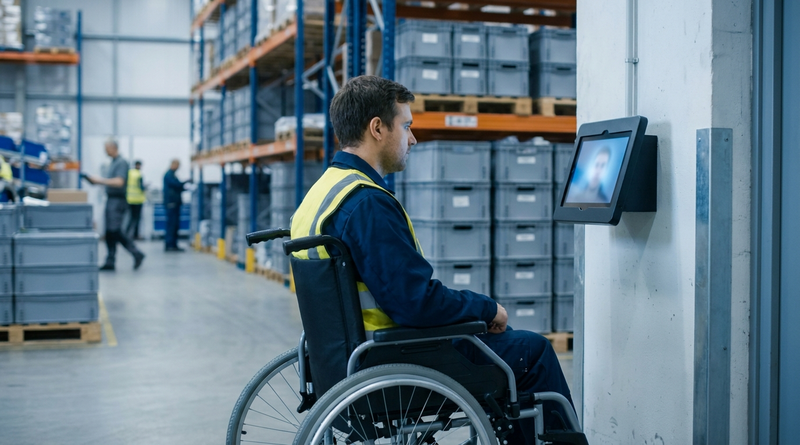
Table of Contents
- What UKG Handles Natively
- Where the Friction Shows Up
- What to Do Inside UKG First
- Where Native Tools Run Out
An ADA accommodation request at a UKG time clock rarely arrives labeled as one. It arrives as an attendance problem: an employee with three missed-punch occurrences in two weeks, sitting in a disciplinary meeting, explaining that she cannot reliably reach the badge target on the wall unit from her chair.

At that moment, the organization is already late. Clocking in is a condition of getting paid, which makes the time clock a term and condition of employment under ADA Title I, and Title I obligations attach when the employer knows about the limitation, not when a form gets filed. Organizations running tablet kiosks with CloudApper AI TimeClock have more options on the table in that conversation, but the obligation applies to every employer the same way, whatever device is on the wall.
What UKG Handles Natively
UKG gives employers real flexibility here, and it should be used before anything else is considered. Punches can be captured through multiple channels: hardware terminals, the web clock, and mobile entry where the organization enables them. Badge, PIN, and biometric options exist across the terminal line, profiles can vary by employee, and multi-language support is built in. Nothing in UKG locks an employer into a single punch path for every worker.
The important nuance is legal, not technical. The 48-inch side-reach maximum in the 2010 ADA Standards for Accessible Design governs public-facing and common-use elements; employee work areas are covered differently, and Title I imposes an individualized accommodation duty rather than a fixed mounting measurement. There is no safe-harbor height for a time clock. There is only a defensible process.
Where the Friction Shows Up
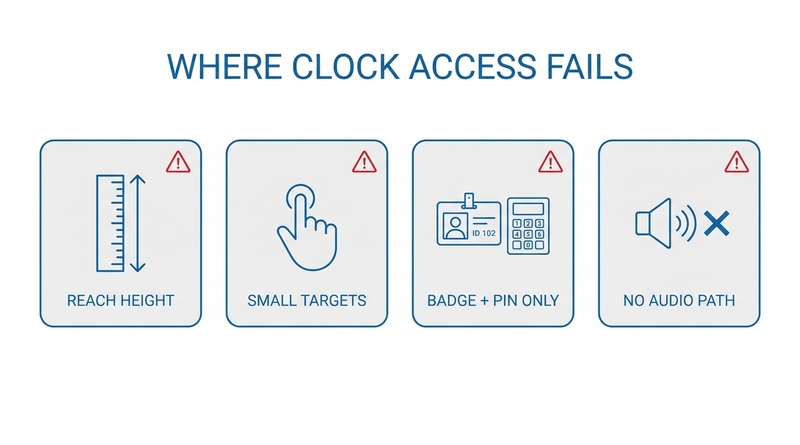
The failure pattern is rarely the device and almost always the process around it.
Clock access gets treated as a facilities detail, so nobody owns it: HR assumes IT mounted the terminal correctly, IT assumes facilities followed a spec, facilities followed the electrical drawing. When an employee cannot reach the unit, hit small touch targets, distinguish a low-contrast screen, or manage a swipe-and-PIN sequence, the symptom that surfaces is missed punches — and missed punches route to attendance discipline, not to accommodation. That is how an access limitation becomes a write-up, and per the EEOC’s own enforcement data, disability discrimination has run at roughly a third of all charges filed in recent years. Disciplining someone for punches they physically could not make is the fact pattern those charges are built from, which is why missed punch policy design and accommodation handling cannot live in separate binders.
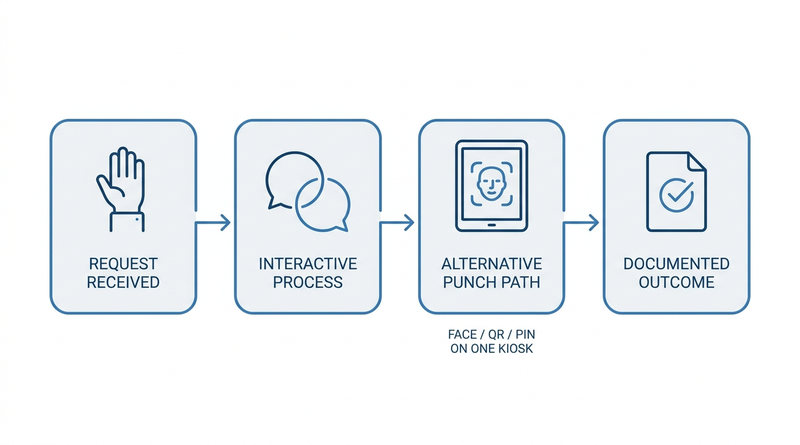
The second failure is silence in the record. Title I expects an interactive process — a documented, individualized conversation about limitations and options. An employer who quietly hands the employee a paper timesheet has arguably accommodated, but has no evidence of having engaged, and no answer when the arrangement breaks down a year later under a new supervisor.
What to Do Inside UKG First
- Assign an owner. A time capture accommodation request belongs to HR, executed jointly with the UKG admin — not to facilities.
- Inventory the punch paths already licensed: web clock, mobile, terminal modalities, and the display and field options that can simplify what the employee sees.
- For each request, run and document the interactive process: the limitation as the employee describes it, the options considered, the option chosen, and the review date. The Job Accommodation Network’s employer surveys have found roughly half of accommodations cost nothing, and the median cost of the rest sits near $300 — the documentation is usually more work than the fix.
- Configure the chosen path as policy, not favor: punch permissions and profiles set per employee, the same discipline as access levels and permissions generally.
- Check the collective bargaining agreement before changing anyone’s punch method — CBA rule configuration often specifies capture methods, and an accommodation that sidesteps the union process creates a second problem while solving the first.
Where Native Tools Run Out
Sometimes the interactive process lands on an answer the installed hardware cannot deliver: a punch station at a different height or location, a modality with no fine-motor step at all, larger touch targets, or a screen the employee can actually read. Fixed terminals make each of those a facilities project with a lead time, and lead time is the enemy — the employee is missing punches now. This is the point where the accommodation conversation becomes a hardware conversation, and where CloudApper AI TimeClock changes what is easy to say yes to.
Where CloudApper AI TimeClock Widens the Options
To be plain about the boundary: no device makes an employer ADA compliant. The accommodation duty, the interactive process, and the documentation belong to the employer, and mounting a tablet does not discharge any of them.
What a tablet-based clock changes is the menu. CloudApper AI TimeClock runs on any Android tablet or iPad, so a punch station can be mounted at whatever height the process concludes is right, added at a second location, or handed to the employee on a stand — a placement decision, not a capital request. Facial recognition removes the badge-swipe-and-PIN sequence entirely, which is frequently the whole barrier for dexterity and vision limitations, and the same flexibility covers multiple punch modalities on one device — face, QR, PIN — so the accommodated path and the standard path run side by side on the same kiosk, syncing identically to UKG Ready and UKG Pro WFM. Large on-screen targets, adjustable text, and multi-language prompts are configuration, not custom work. Deployment planning for placement and mounting follows the same logic as any tablet time clock rollout, with the accommodation cases informing where stations go.
Frequently Asked Questions
Q: Does the ADA require time clocks to be accessible?
Clocking in is a term and condition of employment, so ADA Title I requires employers to reasonably accommodate employees whose disabilities interfere with using the installed time clock. That is an individualized duty triggered by knowledge of the limitation, not a fixed equipment specification, and it applies regardless of which vendor’s hardware is on the wall.
Q: What height should a time clock be mounted for wheelchair users?
The 48-inch side-reach maximum in the 2010 ADA Standards applies to public and common-use elements, and employee work areas are treated differently, so there is no single mandated height for an employee time clock. The defensible approach is an interactive process with the affected employee that lands on a placement they can actually use, documented with the reasoning.
Q: What counts as a reasonable accommodation for clocking in?
Common outcomes include relocating or re-mounting the punch station, enabling the web clock or mobile punch, switching the employee to a punch method with no fine-motor step such as facial recognition, enlarging on-screen targets, or assigning a supervisor-assisted procedure. The right answer is whichever option resolves the specific limitation without undue hardship, chosen with the employee.
Q: Can we discipline an employee for missed punches caused by an inaccessible clock?
Doing so is how attendance policy turns into an EEOC charge. Once the employer knows a disability is interfering with punching, occurrences tied to that barrier should be suspended while the interactive process runs, and the missed-punch policy should say so explicitly.
Q: Who owns a time clock accommodation request — HR, IT, or facilities?
HR owns the accommodation process and its documentation; the UKG admin executes the configuration; facilities executes any physical change. Requests fail when clock access is treated as a facilities detail, because the legal duty and the deadline sit with HR whether or not HR knows the request exists.
Q: Does switching to tablet-based time clocks make us ADA compliant?
No. Compliance is a property of the employer’s process, not the device. Tablets widen the accommodation options — flexible mounting, facial recognition instead of badge-and-PIN, larger targets — but the interactive process, the individualized decision, and the documentation still have to happen and still belong to the employer.
The cheapest time to think about clock accessibility is before the disciplinary meeting, while the options are still open and nothing is on the record. If your accommodation conversations keep colliding with what a fixed terminal can do, see how CloudApper AI TimeClock puts multiple punch paths on tablets you already own, syncing directly with UKG Ready and UKG Pro WFM, at https://ukg.cloudapper.ai/affordable-ukg-kronos-time-clock/.



November 5, 2026
Tablet Time Clocks in Cold, Wet and Dusty Sites: Who Answers the Work Order When the Screen Fogs Over
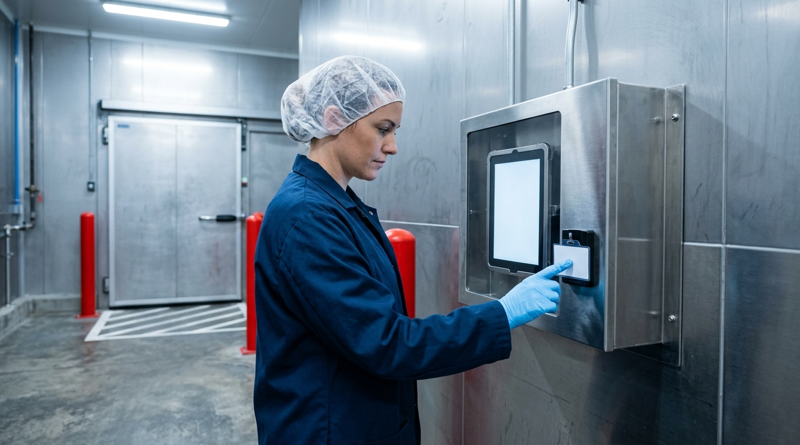
Putting a tablet time clock in cold storage, a washdown line or a dusty dock works when ownership is settled first. This guide gives UKG admins placement rules, fallback punch options, a test plan and a named support owner for each site.

November 4, 2026
Weekend Cutover from Intouch DX to Tablet Time Clocks: The Rollback Rule to Agree Before Friday
A weekend swap from Intouch DX to tablet time clocks works only when the rollback rule is agreed first. This runbook gives UKG admins a Friday to Monday sequence, plant manager acceptance criteria, and a payroll-based trigger for reverting a site.

November 3, 2026
Wi-Fi Site Survey for UKG Tablet Time Clocks: Who Owns the Network Before the First iPad Is Mounted
Moving from wired UKG clocks to tablets shifts a hidden dependency onto your wireless network. This guide shows UKG admins and IT how to survey each clock position, test outage behavior, and assign ownership of access point fixes before go-live.

November 2, 2026
Changing the Time Clock in a Union Shop on UKG: What to Settle Before the First Tablet Ships
Changing the time clock in a union workplace is a labor relations task as much as an IT one. This checklist shows UKG admins and HR leaders what to settle first: agreement review, frozen pay rules, steward briefings, biometric consent alternatives, and a one-site pilot.