A national fuel and convenience retailer documents age-restricted sales violations and other store-level counseling the same way at every location. CloudApper launches a structured counseling form from the UKG Pro Jobs menu, with second-level manager review, employee remarks and an auditable record that replaces paper forms.


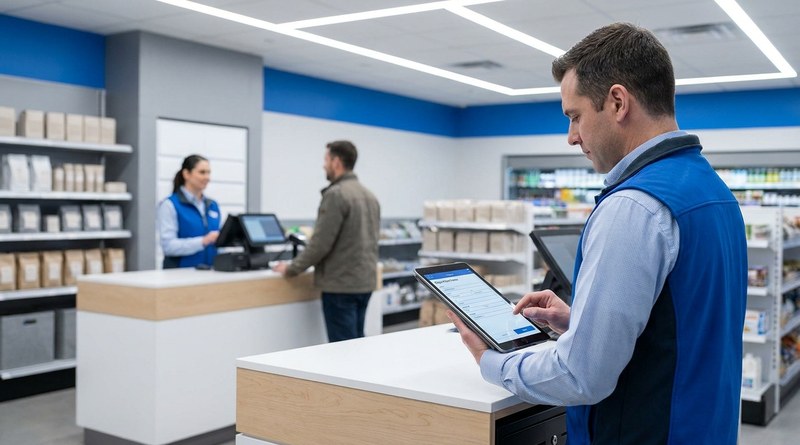
Table of Contents
In fuel and convenience retail, most discipline starts at the register. A cashier sells a lottery ticket without checking ID, or a drive-off goes unreported. The store manager handles it, and what gets written down decides whether the company can later stand behind a written warning.

For one national fuel and convenience retailer running UKG Pro, the employee data was never the problem. Every person, location and reporting line already lived in UKG Pro. CloudApper built an employee counseling form for UKG Pro on the CloudApper AI Platform so every store documents a violation the same way.
Why the Record Has to Hold Up Later
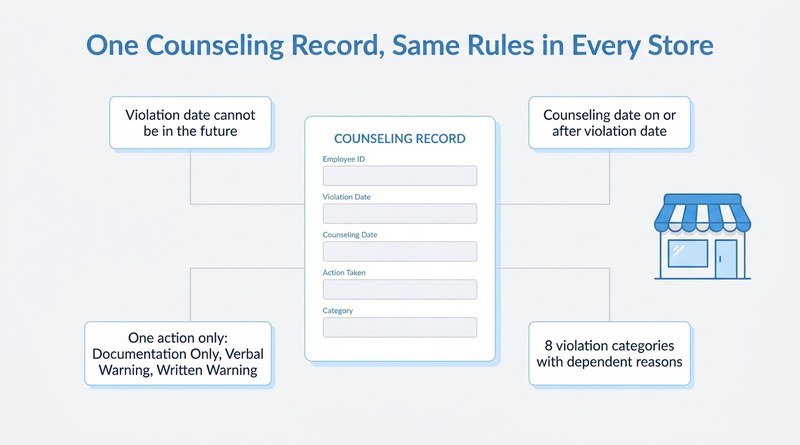
Counseling records get read by people who were not in the store: a district manager, HR, sometimes a regulator or an attorney. Age-restricted product compliance (alcohol, tobacco, e-cigarettes, lottery) is one of eight categories. A record that reads differently from store to store is hard to defend, the same pressure behind any employee relations case that someone will review later.
The retailer’s HR team wrote requirements to close those variations. A violation date cannot be in the future, and the counseling date cannot fall before it. Every record carries exactly one action: Documentation Only, Verbal Warning or Written Warning. Managers choose from eight violation categories, and the reasons change with the category, so leaders can report by location and type instead of reading free text.
Managers had a requirement of their own. In the words of the HR requirements author at the retailer, “As a manager, I want to be able to save my work easily so that I can come back to it later and not lose my progress and also save any changes I make to the page.”
Launched From the Employee Record
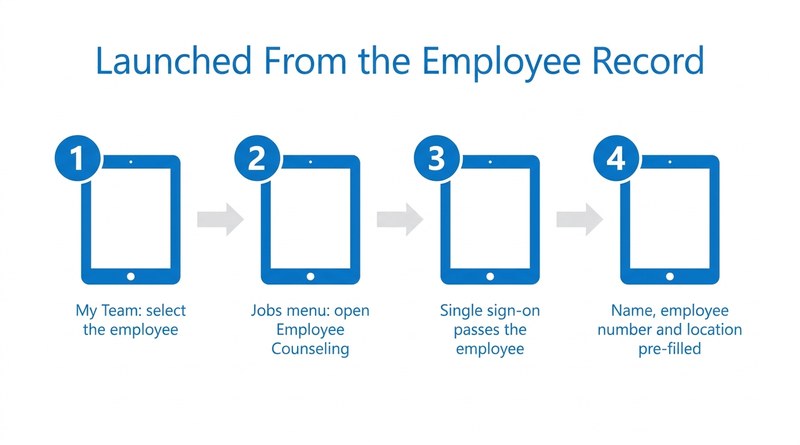
A store manager does not leave UKG Pro to document an issue. From My Team, the manager selects the employee and opens Employee Counseling under the Jobs menu. Single sign-on passes the employee into the form, so the name, employee number and location arrive pre-filled from UKG Pro.
CloudApper AI for UKG Personalization puts the workflow inside the screen managers already know. Because it extends UKG Pro rather than altering its configuration, it follows the principle behind customizing UKG Pro without breaking it on the next update.
Two Gates Before the Record Closes
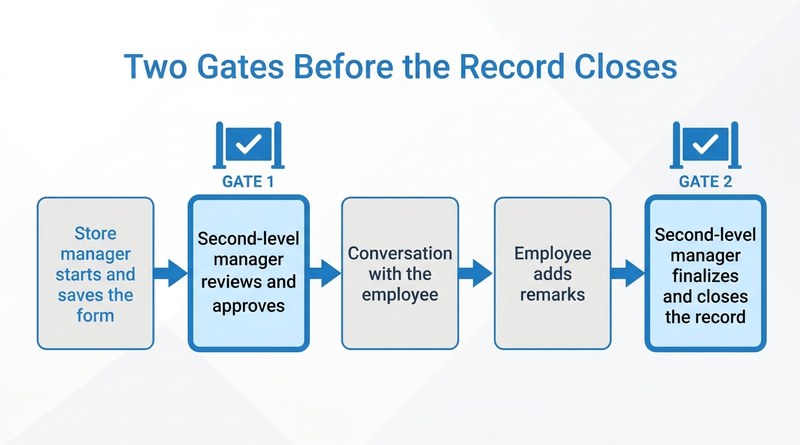
A second-level manager approves the form before the conversation with the employee. The store manager then holds it, the employee can add remarks, and the second-level manager closes the record. The requirements describe the reviewer’s role:
“As a Second Level Manager, I want to review and approve the counseling form, so that it’s validity is verified”
HR requirements author, national fuel and convenience retailer
The facts are on screen before anyone sits across from the employee, with the same attention to who approves what that a delegation matrix brings to other manager self-service workflows.
The form also carries an acknowledgement, written by the retailer’s HR and employee relations team:
“I acknowledge that this counseling form has been reviewed with me by my manager or a member of management. Should I choose to provide remarks, it does not necessarily mean that I agree with the counseling nor is it an admission of wrongdoing.”
HR and Employee Relations, national fuel and convenience retailer (form language)
What the Retailer Has Today
Two outcomes are on record. Paper counseling forms have been replaced by a digital, auditable record launched from UKG Pro, and the counseling procedure is the same across all store locations, which reduces the legal risk of inconsistent documentation.
The broader point for HR and operations leaders is that consistency belongs in the workflow, not in each manager’s memory of the handbook. CloudApper builds these workflows on top of UKG Pro so the system that holds the employee record also holds the counseling record.
If counseling records at your locations look different from store to store, the CloudApper team can show how a structured workflow fits inside your UKG environment.



October 5, 2026
Employee Relations Case Management in UKG: How a Building Products Manufacturer Moved ER Cases Out of the Inbox
A multi-plant building products manufacturer tracked employee relations cases in email threads. CloudApper brought ER case management inside UKG with structured intake, AI risk triage, SLA-driven escalation and audit trails, giving HR one consistent process and leadership anonymized trend visibility across the organization.

August 31, 2026
Five Stations, One Curtain Time: Event-Day Union Onboarding on UKG Pro
A metropolitan convention center onboards hundreds of union workers on event days knowing little more than a name and a union card number. CloudApper already files their documents into UKG. The next step is live stage tracking across five stations, and its purpose is reassignment mid-flow, with a record the union steward can check.

March 14, 2025
Simplify On-Call Scheduling with UKG HR Service Delivery Solution
CloudApper hrPad simplifies on-call scheduling for UKG users, reducing errors and enhancing workforce management with AI and automation.
February 11, 2025
Automate UKG Pro SMS Shift Fill To Avoid Last-Minute Absences
Streamline your shift management with CloudApper hrPad and UKG Pro SMS Shift Fill. Automate shift confirmations, reduce no-shows, and improve employee engagement—all while minimizing HR effort.