A healthcare products distributor migrating from ADP to UKG Pro built four critical enterprise integrations at go-live using CloudApper iPaaS — not after cutover. Here is how treating integrations as a parallel workstream changed what migration day actually meant.


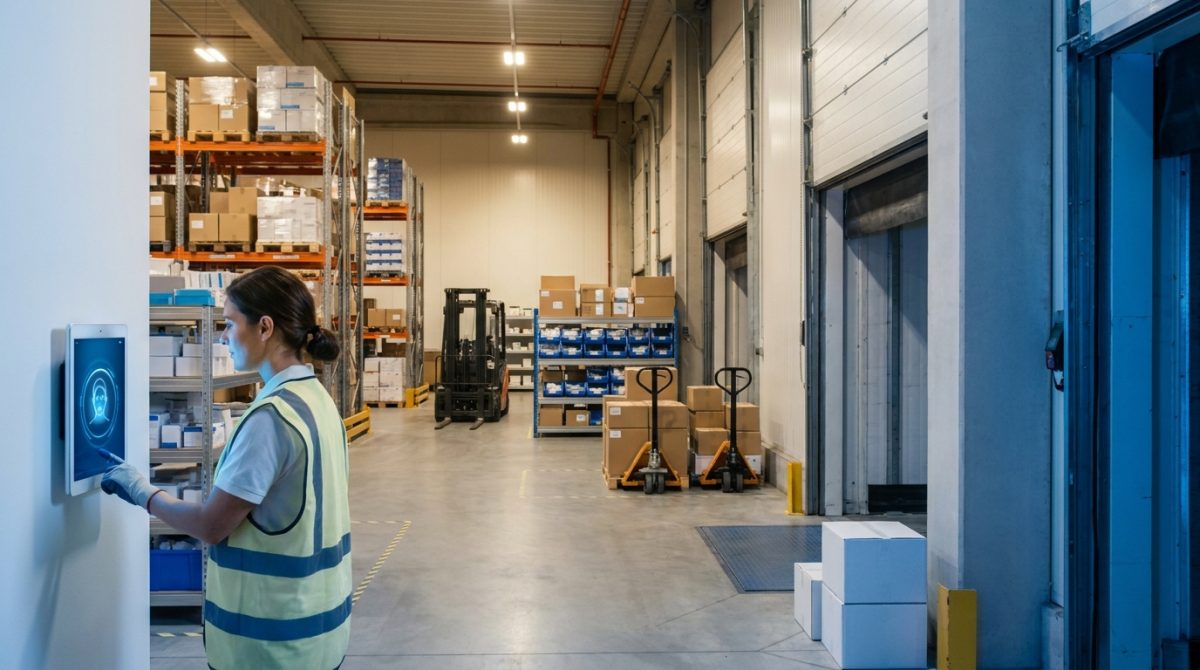
Table of Contents
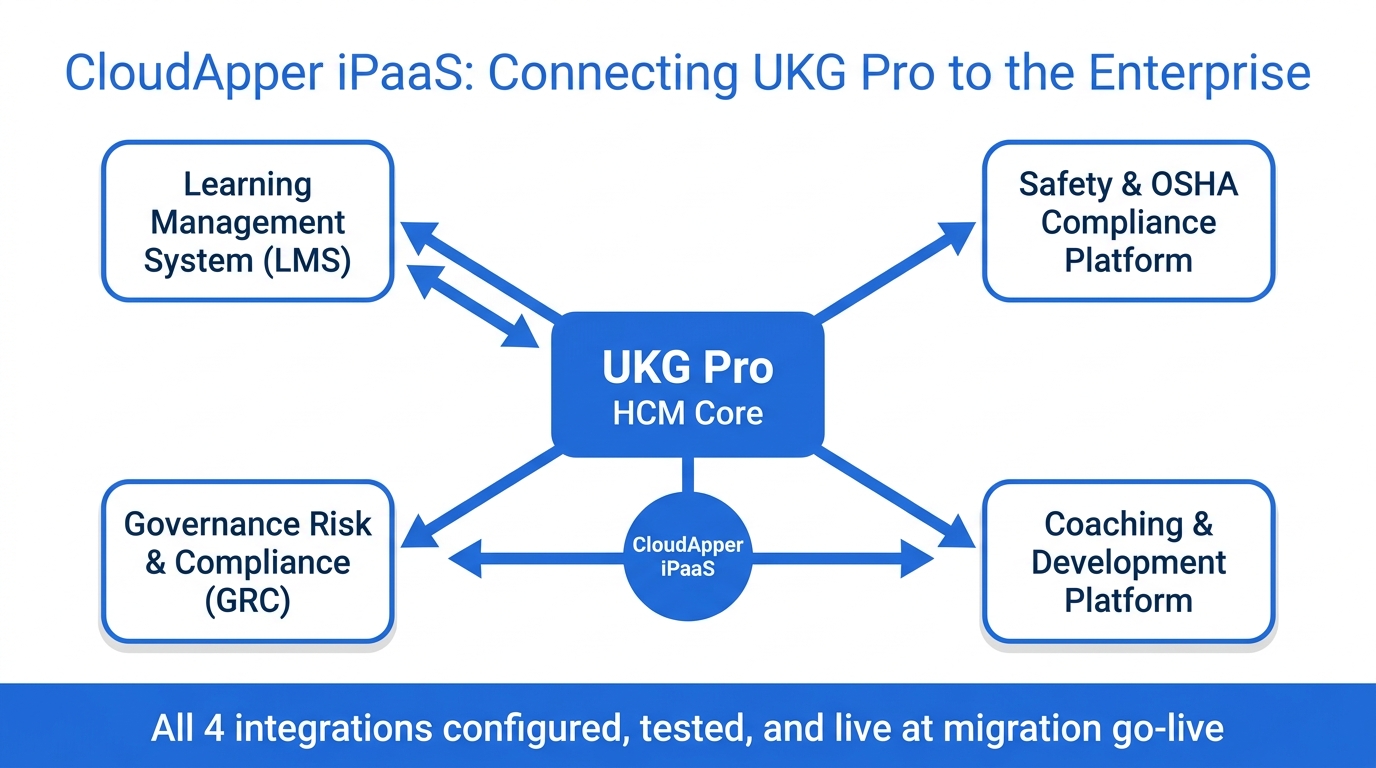
A healthcare products distributor with more than 1,500 employees kept four critical systems live through its move from ADP to UKG Pro by rebuilding each integration before cutover. Weeks before go-live, the IT Director saw the risk: the learning management system, the safety and OSHA compliance platform, the governance, risk and compliance tool, and the employee coaching platform all needed a new connection into UKG Pro. Without those links, the company would switch on a new HCM with four compliance and development platforms effectively dark. In a regulated distribution business, that meant audit exposure from the first day on UKG Pro.
The Integration Problem Nobody Plans Early Enough
Most HCM migrations are scoped around the core system move — org structure, payroll configuration, data validation, parallel runs. Third-party platforms are often treated as a second phase: reconnect them once the primary system is stable. That approach works until you map the actual data flows and realize how many compliance functions depend on those connections staying live.

In this company’s case, OSHA recordkeeping ran through one platform. Training completions and certification tracking fed another. GRC risk assessments required accurate role and department hierarchy. Employee coaching records depended on receiving new hire and role-change events in real time. “Second phase” meant each of those functions went dark at cutover — with no clear timeline for when they’d come back online.
“We’ve been on ADP for a while and now we’re looking to move into UKG. As you would expect, we have several integrations with ADP and now we’re needing to address those integrations over into UKG,” said the company’s senior enterprise solutions architect.
Running Four Integrations as a Parallel Workstream
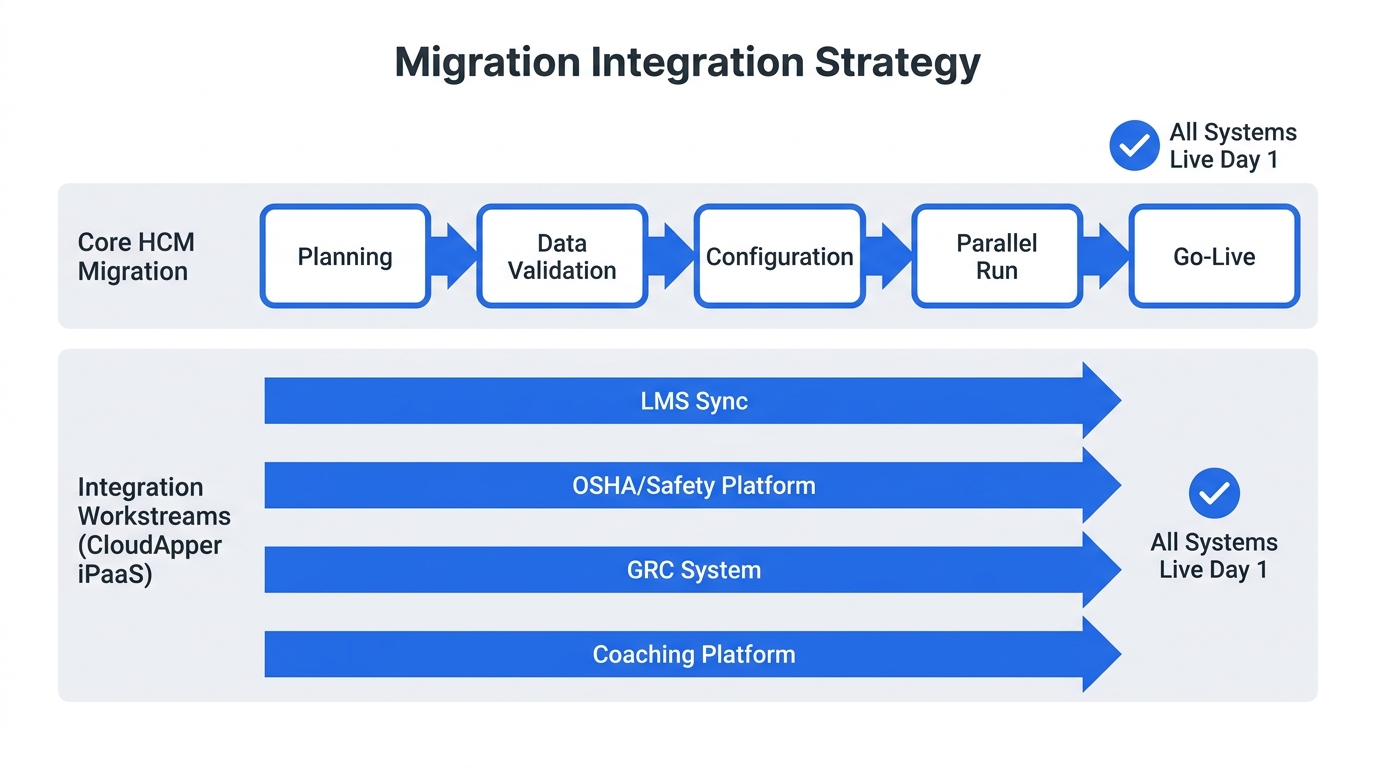
The company engaged CloudApper iPaaS for UKG to build all four connections simultaneously — not sequentially after migration, but as a parallel workstream running alongside the core system move. Each integration was configured as a pipeline, not written as custom code, which meant when the UKG Pro data model shifted during migration (and it shifted more than once), the integration logic could be updated without rebuilding from scratch.
The four systems required different data directions. The LMS needed bidirectional sync: employee enrollment data flowing in, completion and certification records flowing back. The OSHA platform needed one-way pulls of employee records with incident linkage. The GRC tool required role and department hierarchy updates from UKG Pro whenever org changes occurred. The coaching platform needed new hire and role-change events as real-time triggers. None were available through the UKG marketplace. All four were built, tested, and validated within the same migration window.
“We have developers on site, but their time has taken up,” the senior enterprise solutions architect said. “If we can find easier ways to implement our own integrations, not necessarily referring to the developers, we’d like to explore that opportunity.”
For organizations focused on connecting UKG Pro to a full enterprise tech stack, the configured pipeline model versus custom scripting matters most in a migration, when the underlying data structure is still evolving. Custom code that breaks at the wrong moment is the kind of problem that turns a go-live into a war room.
Replacing End-of-Life Hardware on the Same Timeline
The integration project wasn’t the only parallel workstream. The company’s warehouse operations ran on dedicated time clock hardware that predated the UKG migration and was approaching end-of-life. The migration created the forcing function to replace it — and doing both at once made more operational sense than running two separate change events six months apart.
CloudApper hrPad for UKG was deployed across the warehouse floor on commercial-grade tablets, replacing the dedicated hardware with biometric facial recognition for clock-in and clock-out. For the IT security team, the approval process was the critical gate — hrPad’s enterprise authentication architecture meant the tablets cleared the same security review standards as the rest of the UKG environment. For warehouse supervisors, biometric verification addressed a long-standing buddy-punch concern without changing how floor workers actually interacted with the clock.
As the senior enterprise solutions architect put it, “As we roll out the UKG platform we’re looking to change the clock-in/clock-out process for our warehouse employees.”
Teams evaluating tablet time clock options for enterprise environments consistently find that IT approval timeline is the longer pole, not hardware cost. The combination of off-the-shelf tablets and enterprise-grade security certification is what shortens that cycle.
What Go-Live Actually Looked Like
When the company activated UKG Pro, all four third-party integrations were live and tested. The LMS had completion data flowing back within hours of cutover. OSHA records were syncing. The GRC platform reflected the new org structure from day one. The coaching platform was receiving new hire events before end of business.
The warehouse hardware transition had completed in the same window — new tablets, biometric verification, no legacy infrastructure to decommission in parallel.
The lesson from this deployment isn’t that integration complexity disappears. It’s that treating integrations as a planned, tested parallel workstream — rather than post-migration cleanup — changes what go-live actually means for the business. The migration window is the right moment to close every open connection. For teams working through similar decisions on external time and compliance systems feeding UKG Pro WFM, or on replacing dedicated UKG hardware with tablet-based solutions, the parallel workstream model is worth building into the project plan from day one.
If your organization is planning a UKG Pro migration and needs to keep third-party integrations live through the transition, CloudApper can help you plan and execute the integration workstream alongside your core migration.


October 16, 2026
Public Holiday Substitution Rules Around the World: Why UKG Pro WFM Still Needs Manual Checks
New Zealand calls it Mondayisation, the UK calls it a substitute bank holiday, Canada calls it holiday pay in lieu, and the US calls it an observed holiday. Four names, four rules, and the same manual-check problem for global UKG Pro WFM deployments.


October 16, 2026
UKG Pro Position Management at a Food Producer: Who Sets the Defaults When 75 Employees Change Jobs Every Week
A large food producer on UKG Pro handles about 75 internal transfers a week. CloudApper automates the position defaults behind each move, including comp codes, cost centers, standard hours and union codes, through the UKG Pro API, and HR now owns and updates the rules without a database request.
October 15, 2026
Health and Welfare Pay for Military Base Stores: How a Retailer Made Every H&W Hour Traceable in UKG
A national specialty retailer with stores on US military installations moved health and welfare pay out of spreadsheets. CloudApper now applies the 40-hour weekly cap, multi-store proration and employer cost recovery against UKG time data, posting H&W pay codes to each timecard with a trail back to the hours.
September 30, 2026
When Your Best Candidates Already Worked for You: How a 50,000-Employee Home Care Organization Automated Rehire Campaigns and Geographic Filtering in UKG Pro
A 50,000-employee home health care organization extended UKG Pro Recruiting with CloudApper AI Recruiter to add geographic zip-code filtering, automated rehire outreach campaigns for former employees, and blind-ranking — reducing recruiter workload and improving hiring quality at scale.
