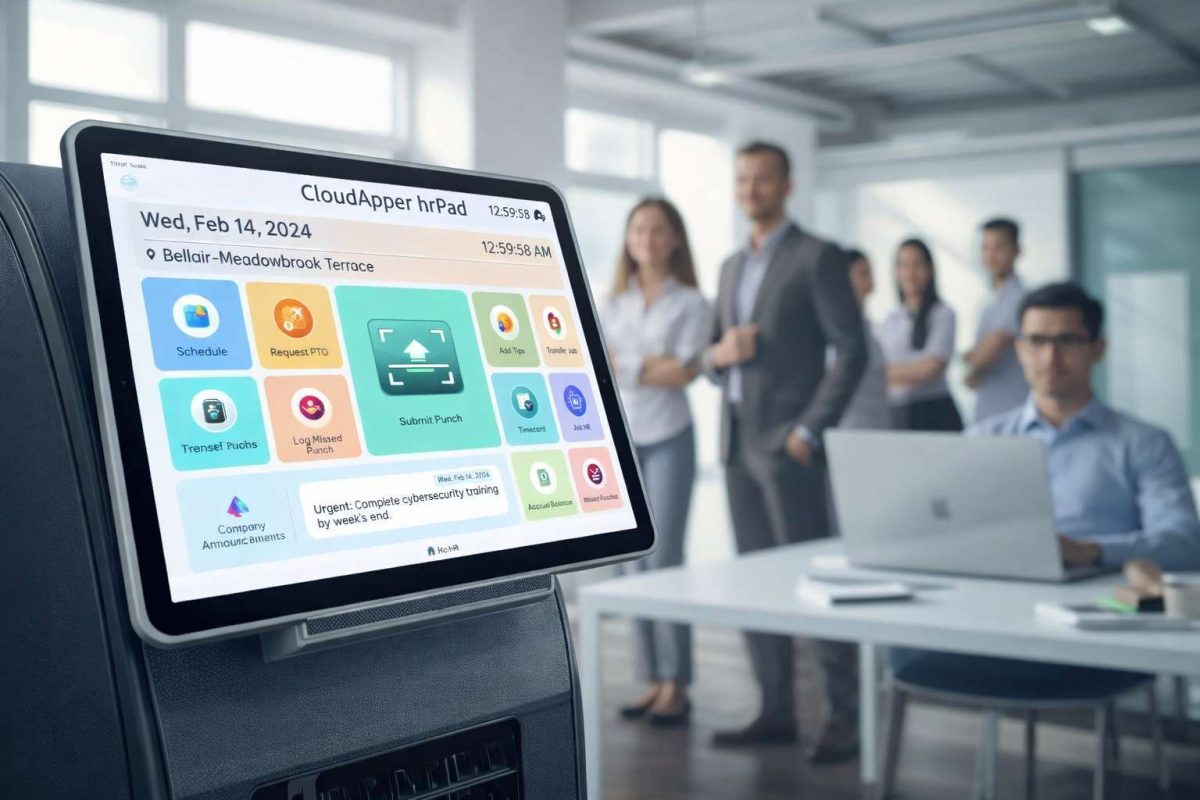

Accurate UKG job cost center transfers ensure proper labor cost allocation across projects, departments, and grants. Manual tracking leads to errors and compliance risks. CloudApper hrPad automates seamless job/pay code capture at clock-in, real-time UKG sync, and customizable workflows—delivering precise costing and reduced admin burden.



Table of Contents
For global enterprises and mid-market leaders alike, the ability to precisely track labor allocation is the difference between a profitable operation and one burdened by “hidden” costs. In the world of Human Capital Management (HCM), specifically within the UKG ecosystem—including UKG Pro, UKG Dimensions (WFM), and UKG Ready—the “Job Transfer” or “Cost Center Transfer” is the vital link between payroll and project accounting.
However, for most organizations, the process of moving an employee from one task, department, or location to another is fraught with manual errors, “buddy punching,” and administrative bottlenecks. This guide serves as a master resource for UKG customers looking to automate these processes. By leveraging CloudApper hrPad, an AI-powered tablet solution, businesses can finally bridge the gap between their workforce in the field and their data in the cloud.
TL;DR
UKG job cost center transfers track labor costs accurately across projects/departments. CloudApper hrPad simplifies the process with employee-driven job selection at punch, automated rules, real-time UKG integration, and custom reporting—eliminating errors, ensuring compliance, and saving HR time without complex configurations.
Understanding the High Cost of Inaccurate Job Costing
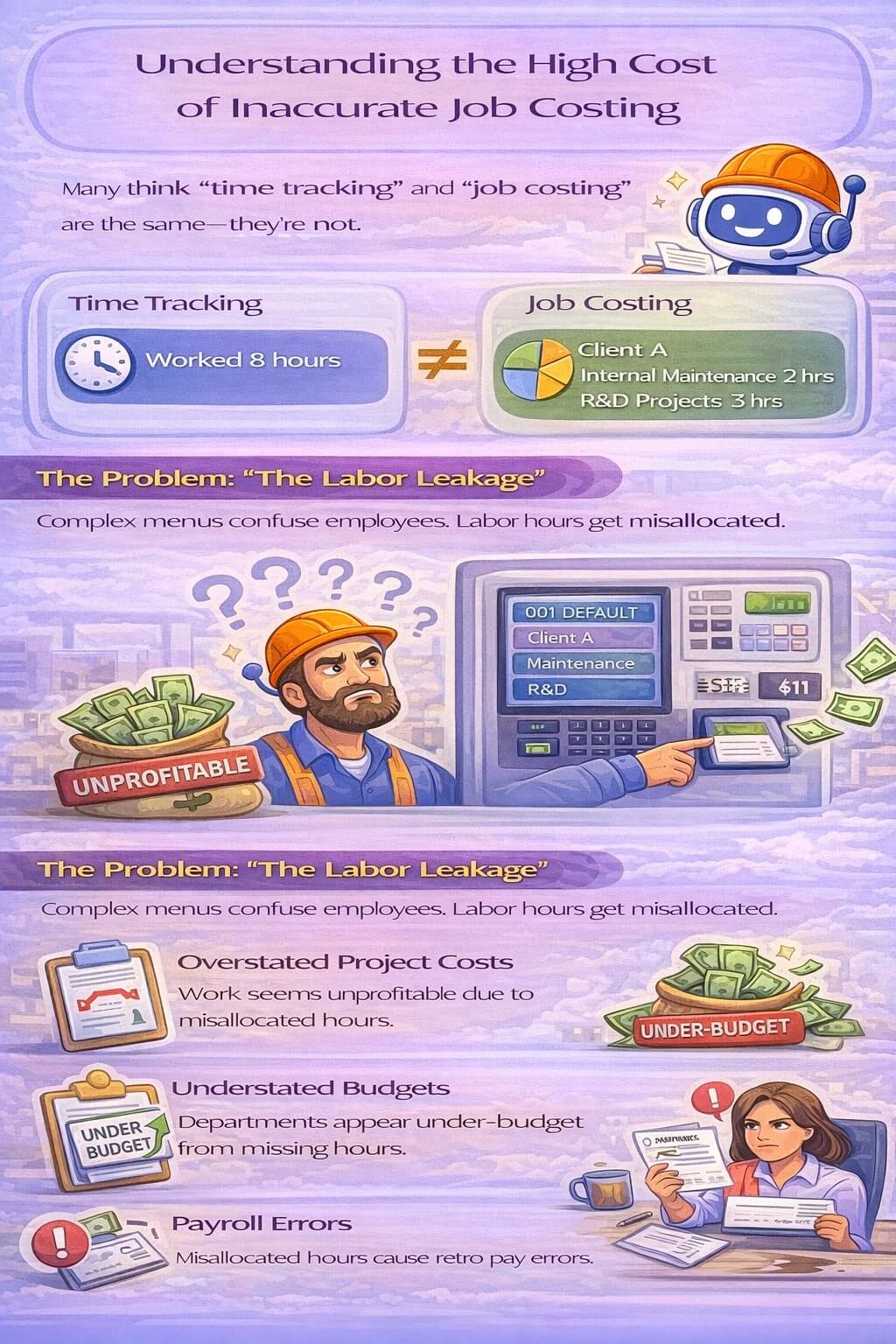
Before diving into the solution, it is critical to understand the financial impact of poor labor allocation. Many organizations treat “time tracking” and “job costing” as the same thing, but they are fundamentally different. Time tracking tells you an employee worked 8 hours. Job costing tells you which 3 hours were spent on Client A, which 2 hours were on internal maintenance, and which 3 hours were on high-priority R&D.
The Problem: “The Labor Leakage”
When employees are forced to use complex, archaic menus on a traditional time clock to switch job codes, they often don’t do it. Instead, they stay clocked into their default code. This results in:
-
Overstated Project Costs: Some projects appear unprofitable because they are absorbing labor hours that belong elsewhere.
-
Understated Budgets: Departments appear to be under-budget because the hours worked for them weren’t recorded correctly.
-
Payroll Errors: If different job codes carry different pay rates (prevailing wage, shift differentials, etc.), the employee ends up with an incorrect paycheck, leading to frustration and manual “retro-pay” adjustments by HR.
The CloudApper hrPad Solution
hrPad solves this by moving the decision-making process to an intuitive, AI-driven interface. By using a tablet or smartphone, employees are prompted to verify their role or location at the start of a shift or during a transition. This ensures that the data entering your UKG system is accurate from the very first second.
Scenario Analysis—Common Challenges and hrPad Solutions
1. The Multi-Role Professional (Healthcare, Hospitality, and Retail)
In these industries, an employee’s role can change multiple times a day. A nurse may move from a general ward to a specialized clinic; a hotel staff member may move from the front desk to the concierge.
The Scenario: An employee works across three different roles with three different pay rates. Using a standard UKG clock, they must enter a 6-digit code for each transfer. They forget the codes, guess, or simply skip the step.
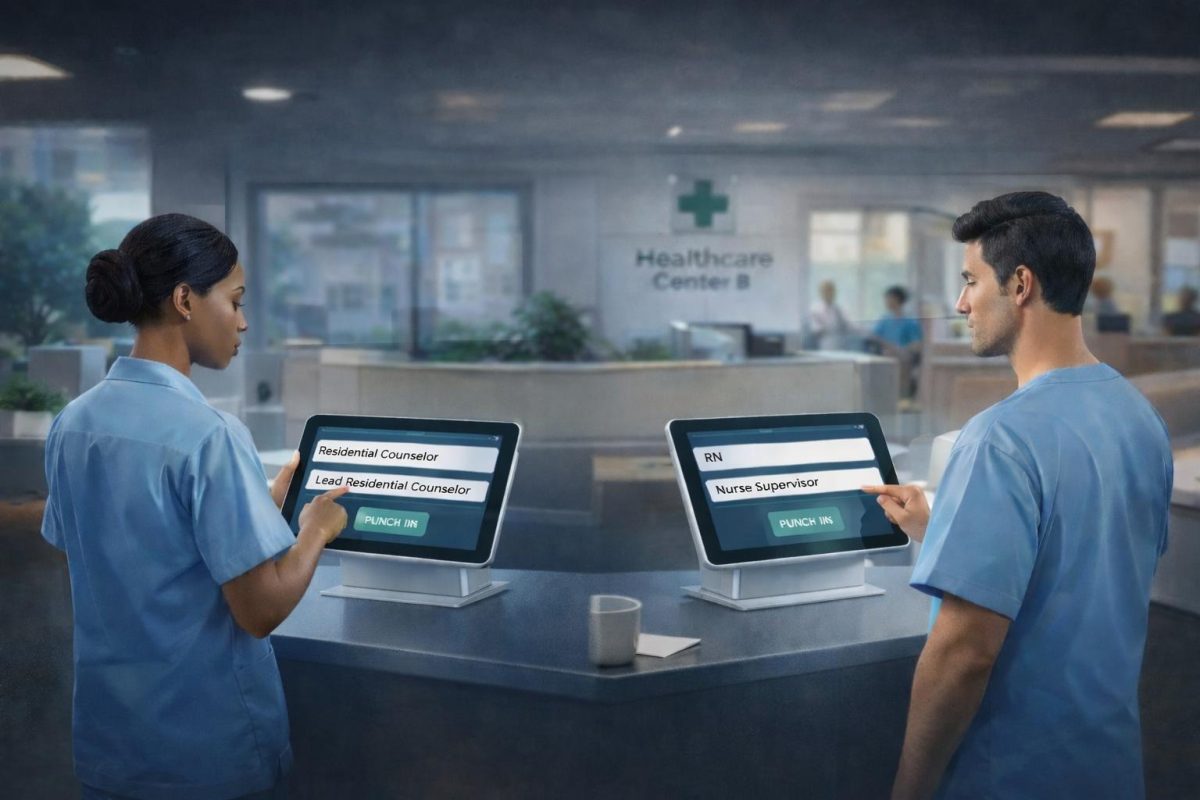
The Solution with hrPad: When the employee approaches the hrPad tablet, the device recognizes them (via FaceID or QR code). The screen displays a “Smart Menu” showing only the roles assigned to them in UKG. With one tap, the job transfer is complete. No codes to remember, no room for error.
2. High-Volume Site Transfers (Auto Dealerships and Franchise Management)
Auto dealerships often have hundreds of service bays or separate “rooftops” across a city. Mechanics and sales staff frequently move between these locations to meet demand.
The Scenario: A service technician at a multi-store dealership group travels from Store A to Store B to help with a backlog. Because the time clock at Store B doesn’t “know” them as a local employee, they are unable to punch in, or they punch into a “generic” code that doesn’t reflect the store’s actual labor spend.
The Solution with hrPad: hrPad is location-aware. Because it is a cloud-native tool, any employee in your UKG database can walk up to any hrPad in your organization. The system identifies the technician, recognizes they are at Store B, and offers a “Store Transfer” option. This ensures that Store B’s budget is correctly charged for the technician’s time, maintaining the integrity of store-level P&L statements.
3. Crew Logistics and Mobile Workforces (Construction and Facilities)
Construction crews move from site to site throughout the day. Expecting 15 workers to individually clock out of “Site 1” and into “Site 2” creates a 20-minute productivity drain every time they move.
The Scenario: A foreman leads a crew of 10 people. They finish a foundation pour at 10:00 AM and arrive at a framing site at 10:45 AM. Individual punching leads to “staggered” start times in UKG, making it look like half the crew arrived late.
The Solution with hrPad: This is where CloudApper Group Punch changes the game. The foreman uses their mobile tablet to select the entire crew. With one action, they perform a Group Job Transfer to the new site code. This ensures 100% synchronization of labor hours for the entire team, instantly updating the project costing in UKG Dimensions or Pro.
4. The “Travel Time” Compliance Trap
Under many labor laws, travel time between job sites must be paid, but it should not be billed to the client’s project budget.
The Scenario: An employee drives 45 minutes from a morning client to an afternoon client. They don’t clock out, so the morning client is billed for the 45-minute drive. This inflates project costs and can lead to billing disputes.
The Solution with hrPad: hrPad makes “Travel Time” a standard, visible option. By prompting the employee to select “Start Travel” when leaving a site, hrPad sends a transfer record to UKG. When they arrive at the new site and tap “Arrived,” another transfer is triggered. This creates a clean “sandwich” of travel data in UKG, ensuring the client is billed fairly while the employee is paid legally for their time.
One of the biggest “blind spots” in UKG is tracking the labor of salaried, exempt employees. While they don’t “punch a clock” for payroll, their time is often the most expensive asset an organization has. For companies claiming R&D tax credits or managing federal grants, tracking where a salaried engineer or project manager spends their time is a legal requirement.
Why Traditional Clocks Fail Salaried Staff
Standard time clocks are designed for “shift work.” Salaried professionals find them demeaning or cumbersome. As a result, they often manually fill out spreadsheets at the end of the month, which are notoriously inaccurate.
How hrPad Solves Cost Center Tracking for Salary
CloudApper hrPad offers a “Passive Tracking” or “Task-Based” approach. Instead of a “punch,” salaried employees can use the hrPad Conversational AI.
-
The Workflow: An engineer walks past an hrPad tablet and says, “I’m working on the Aerospace Design project for the rest of the day.”
-
The Backend: The AI parses this intent, finds the matching project code in UKG, and creates a “cost center transfer” entry.
-
The Result: Accurate project costing without the friction of a traditional time-tracking system.
Technical Excellence—The Power of UKG API Integration
CloudApper hrPad is not a standalone silo; it is a specialized extension of your existing UKG investment. It utilizes the UKG Job Transfer API to ensure that data flows seamlessly between the device and your system of record.
Real-Time vs. Batch Sync
Many third-party tools use “batch processing,” where data is sent once every 24 hours. This is useless for managers who need to see labor levels now. CloudApper hrPad utilizes real-time API calls.
-
Instant Updates: When a transfer is made on the tablet, it is reflected in the UKG supervisor dashboard immediately.
-
Validation at the Point of Entry: hrPad doesn’t just “accept” any code. It queries UKG to ensure the job code or cost center is active and that the employee is authorized to work in that role. If a code is invalid, the employee is notified instantly, preventing “rejected punches” that HR has to fix later.
Offline Data Integrity
What happens when a construction crew is in a basement with no Wi-Fi? Traditional API-dependent tools fail. CloudApper hrPad uses an Offline-First architecture. It caches the employee’s transfer locally with a verified timestamp and pushes the data to UKG the moment a connection is restored. This prevents the “missing punch” syndrome common in field operations.
The “Total Cost of Ownership” (TCO) Argument
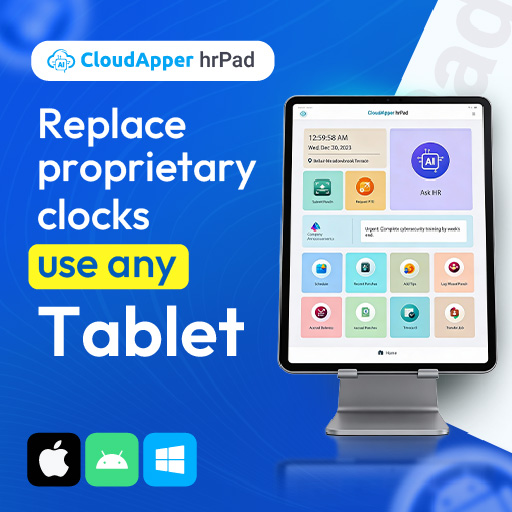
For many UKG customers, the decision to move to hrPad is driven by more than just features—it’s driven by the bottom line. Traditional hardware clocks from major HCM providers can cost thousands of dollars per unit, plus installation and ongoing maintenance fees.
1. Hardware Agnostic Flexibility
CloudApper hrPad runs on standard iPads or Android tablets. This allows organizations to:
-
Deploy 4–5 tablets for the price of one proprietary hardware clock.
-
Easily replace a broken unit by visiting a local electronics store rather than waiting weeks for a specialized technician.
-
Use “ruggedized” cases for industrial environments, ensuring the technology lasts as long as the job site.
2. Reduced Administrative “Clean-Up”
The average HR manager spends 4–6 hours per week fixing incorrect job transfers or missing punches. For a large organization, this adds up to hundreds of thousands of dollars in lost administrative productivity annually. hrPad reduces these errors by over 90% by validating data at the source.
Industry-Specific Applications of hrPad Job Transfers
Manufacturing: The Shift to “Lean” Labor
In Lean Manufacturing, every minute must be accounted for. Workers move from “Assembly” to “Quality Control” to “Packaging.” CloudApper hrPad allows for Barcode/QR Scanning of work orders. A worker scans their badge, then scans the QR code on a work order. hrPad instantly triggers a job transfer in UKG to that specific production run.
Facility Management: The “Building-to-Building” Shuffle
For janitorial or security firms managing dozens of commercial buildings, the travel between sites is constant. hrPad allows for Geofencing. If an employee punches in at Building A, but the tablet is located at Building B, the system flags the anomaly or automatically transfers them to the correct building code based on GPS data.
Retail and Hospitality: Managing Peak Demand
During a busy holiday shift, a “Stock Associate” might be pulled to the “Cashier” line. With hrPad, a quick tap on the tablet at the front of the store switches their pay rate and job code, ensuring the store manager has a real-time view of front-end vs. back-end labor costs.
Transform Your UKG Experience with hrPad
The ability to move employees between jobs and cost centers seamlessly is no longer a “luxury”—it is a necessity for modern business intelligence. If your managers are still relying on paper logs, or if your HR team is drowning in manual payroll corrections, it is time for a change.
CloudApper hrPad provides the bridge between your workforce’s daily activities and your UKG HCM’s powerful analytics. By simplifying the transfer process, you aren’t just tracking time—you are gaining a clear, unfiltered view of your organization’s most valuable resource: your people.
Frequently Asked Questions
1. What are job cost center transfers in UKG?
Job cost center transfers allow employees to allocate time to specific projects, departments, grants, or cost centers in UKG Pro WFM for precise labor costing and reporting.
2. Why are accurate UKG job cost center transfers important?
They ensure correct payroll allocation, project budgeting, grant compliance, and financial reporting—preventing cost leaks, audit issues, and inaccurate profitability analysis.
3. How do employees perform job transfers in native UKG?
Employees typically select job/pay codes via the UKG mobile app, web portal, or time clock—but native options can be limited, clunky, or error-prone.
4. What challenges occur with manual UKG job cost center transfers?
Common issues include forgotten transfers, incorrect selections, delayed entries, buddy punching on jobs, and heavy admin burden for corrections.
5. How does CloudApper hrPad improve UKG job cost center transfers?
It prompts employees to select jobs/projects at every punch via intuitive tablet kiosks, enforces rules, captures custom data, and syncs instantly to UKG.
6. Can CloudApper handle complex multi-level cost center hierarchies in UKG?
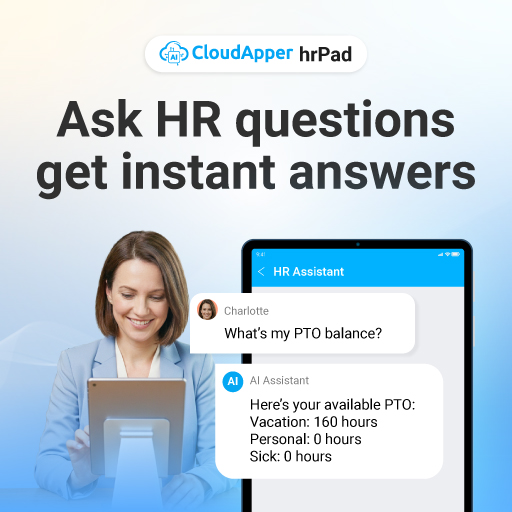
Yes—customizable dropdowns and rules support multi-level hierarchies, parent-child relationships, and dynamic options based on employee/role/location.
7. Does CloudApper support offline job cost center transfers for UKG?
Absolutely—employees can select and transfer jobs offline; data syncs automatically to UKG once connectivity returns.
8. How does CloudApper ensure compliance with grant or project funding requirements?
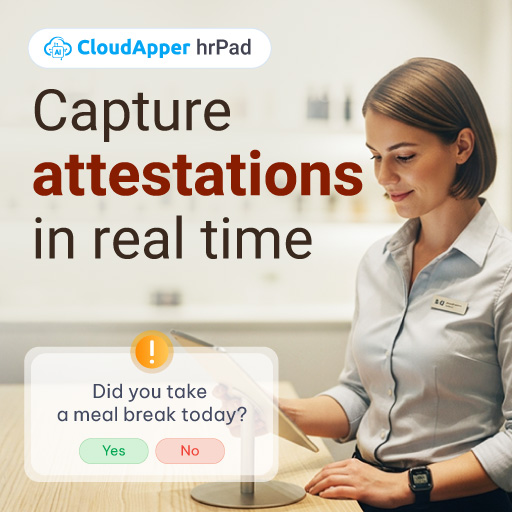
Automated prompts, required fields, and audit trails guarantee accurate allocation to funded projects—simplifying reporting and compliance.
9. Can I track tips or other custom data alongside job transfers?
Yes—CloudApper allows collection of tips, attestations, or industry-specific data during punches for complete UKG records.
10. Is setup complex for UKG job cost center transfers with CloudApper?
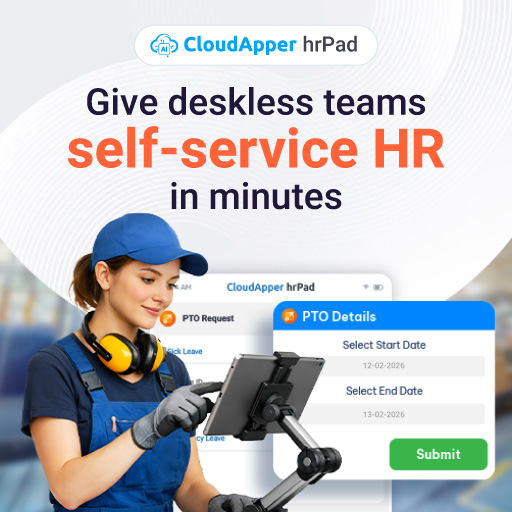
No—intuitive configuration maps directly to your UKG pay codes and rules, with guided implementation from certified UKG partner experts.
Next Steps for UKG Customers:
-
Identify the “Blind Spots”: Where do your employees move most frequently without a digital record?
-
Audit Your Error Rate: How many hours does your team spend correcting job codes every week?
-
Experience the Difference: See how an AI-powered tablet can replace your legacy hardware.
Ready to automate your UKG job transfer process?Schedule a Demo with the CloudApper Team Today.