Ensure every punch is accurate and compliant with CloudApper hrPad for UKG. From location validation to photo-capture auditing, hrPad enhances UKG WFM with smarter time tracking, automated alerts, and seamless self-service—helping organizations boost accountability and efficiency.



Table of Contents
- What happens when UKG returns an error
- Compliance and accountability without turning work into surveillance
- Why this matters financially (beyond “better timekeeping”)
- Why UKG customers choose hrPad
For organizations running UKG Workforce Management (WFM), time tracking isn’t just “clock in, clock out.” It’s schedules that change daily, employees moving across departments and locations, and managers spending too much time fixing exceptions. Those “small” gaps add up fast: the American Payroll Association is often cited estimating time theft at ~1.5%–5% of gross payroll. And even when there’s no fraud, simple punch errors are expensive—EY research reported missing/incorrect punches can cost about $78,700 per 1,000 employees per year.

That’s the backdrop for why many UKG customers extend WFM with CloudApper hrPad employee self-service kiosk: not to replace UKG, but to make punches validated, location-aware, and audit-ready—with an employee-friendly kiosk experience on tablets or PCs.
Why “punch capture” is not the same as “punch accuracy”
Most organizations don’t struggle because they can’t collect punches. They struggle because they can’t trust them without manual cleanup. This usually shows up as:
Employees clocking at the wrong kiosk (or the “closest” one).
Punches that don’t match the posted schedule or assigned job.
Off-location punches that get corrected later, with little context.
Managers buried in exceptions and back-and-forth emails.
UKG WFM is strong at time and scheduling. The weak spot is often the last mile: how a punch gets captured and validated in the moment.
How hrPad clock-in/out works (simple for employees, strict for compliance)
With hrPad running on a tablet or PC, employees clock in/out by entering their Employee ID. If you choose, hrPad can also capture a non-biometric photo at the moment of the punch for accountability and auditing. (UKG timeclock ecosystems commonly support punch-time photo capabilities; UKG’s own device documentation describes camera-based face detection/photo options on certain devices, which many organizations use as part of their verification strategy and policy controls. )
From an employee’s perspective: it’s fast.
From a compliance perspective: it creates a clean record of who punched, when, and at which kiosk/location, with optional image evidence.
The key difference: hrPad validates in real time against UKG WFM
Before processing a punch, hrPad queries UKG WFM to retrieve the employee’s daily schedule. That makes validation rules consistent with the system of record—so you’re not running a second set of rules outside UKG.
When a schedule exists in UKG WFM
If UKG returns a schedule for that employee and day, hrPad checks two things immediately:
1) Schedule alignment
The punch must align to what UKG considers the planned working day.
2) Location alignment
hrPad compares the employee’s scheduled location in UKG to the assigned location of the kiosk/device.
If locations match, hrPad submits the punch to UKG and the time event lands where it should—supporting cleaner totals, fewer corrections, and fewer payroll surprises.
If locations don’t match, hrPad displays a clear message on the kiosk and notifies the manager so the exception can be handled with context, not guesswork.
This matters because location controls aren’t just an HR preference—they’re often tied to cost accounting, union rules, and compliance expectations. UKG also publishes guidance around location enforcement concepts like geofencing for controlled, monitored punches in UKG Pro WFM environments.
When no schedule exists in UKG WFM
This is where a lot of time systems get messy: someone comes in unscheduled, a shift is swapped late, or the schedule wasn’t published correctly.
hrPad handles this cleanly by validating the punch using the kiosk’s assigned location as the source of truth. If the employee punches at their home/assigned location, the punch proceeds. If they attempt to punch off-location, it’s flagged so managers can resolve it intentionally.
The practical benefit: “no schedule” days stop becoming a free-for-all.
What happens when UKG returns an error
Instead of burying UKG errors until payroll day, hrPad surfaces them immediately:
The employee sees the error on the kiosk (so they know the punch didn’t go through).
The manager receives the error context (so it doesn’t become a mystery later).
That single change—closing the feedback loop at punch time—is one of the fastest ways to reduce exceptions and rebuild trust in time data.
Compliance and accountability without turning work into surveillance
Organizations want accountability, but they also have to think about policy, privacy, and labor considerations.
hrPad’s approach is practical: optional photo capture at punch time (non-biometric, if that’s your preference), plus a consolidated audit trail that HR can review when needed. UKG timeclock ecosystems already document camera-based features like face detection/photo options on certain devices, which many customers enable based on policy and local requirements.
The goal isn’t to “monitor employees.” The goal is to make punches defensible during disputes, audits, and compliance reviews—without adding more manual steps.
Why this matters financially (beyond “better timekeeping”)
Timekeeping problems are one of those issues that quietly drain time and money until leadership asks why payroll is always “a fire drill.”
-
Time theft is widely cited at ~1.5%–5% of gross payroll across businesses.
-
Missing/incorrect time punches alone can cost about $78,700 per 1,000 employees per year, according to EY research reported by HR Dive.
Even if your organization is already disciplined, improving validation typically pays back through fewer corrections, fewer disputes, and fewer manager hours spent on cleanup.
Why UKG customers choose hrPad
UKG WFM remains the system of record. hrPad is the layer that makes punches cleaner before they ever hit payroll.
It’s chosen because it:
Extends UKG WFM with schedule- and location-based validation (in real time).
Runs on tablets or PCs, so you’re not locked into proprietary hardware.
Provides audit-ready records with optional photo capture.
Cuts down manager/HR cleanup with automatic error handling and alerts.
Gives employees a simple self-service clocking experience that works.
Practical example: what “audit-ready” looks like in real life
A manager gets an alert that an employee attempted to punch at a kiosk that doesn’t match their scheduled location. Instead of finding it two weeks later during payroll review, they can resolve it the same day—while the schedule, shift swap, and staffing context are still fresh. If there’s a dispute later, HR can pull the punch record (and optional photo evidence) and close the loop quickly.
That’s what “audit-ready” means: not a mountain of reports—just a clean, defensible trail.
Final takeaway
If your workforce operates across multiple locations, time accuracy in UKG WFM depends on validation at the moment of punch, not cleanup after the fact. hrPad adds that missing layer: employees get a simple kiosk experience, managers get real-time exception visibility, and HR gets an audit-ready trail.

October 23, 2026
No Tax on Overtime: What It Means for Your UKG Payroll
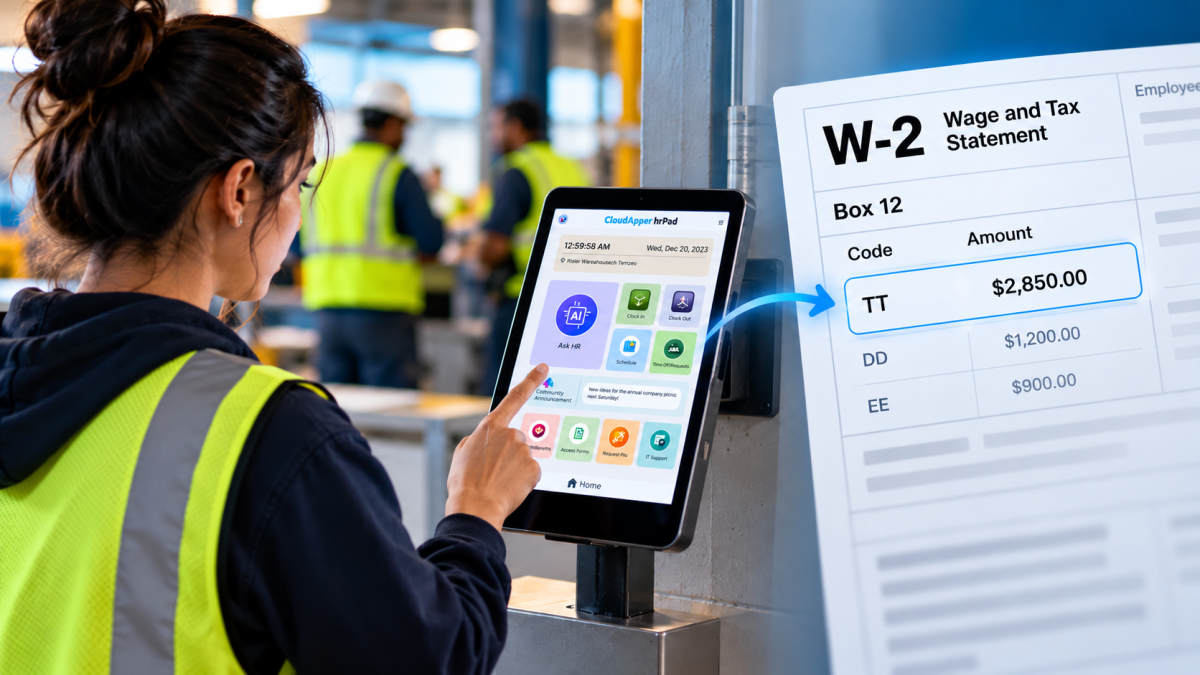
Starting with 2026 wages, employers using UKG must report qualified overtime in W-2 Box 12 (code TT), and only part of the overtime you pay counts. hrPad by CloudApper AI helps capture the details at the time clock.

October 23, 2026
Barcode Labor Tracking on UKG Ready: Two Clocks, One Labor Record, and an ERP-Validated Hierarchy
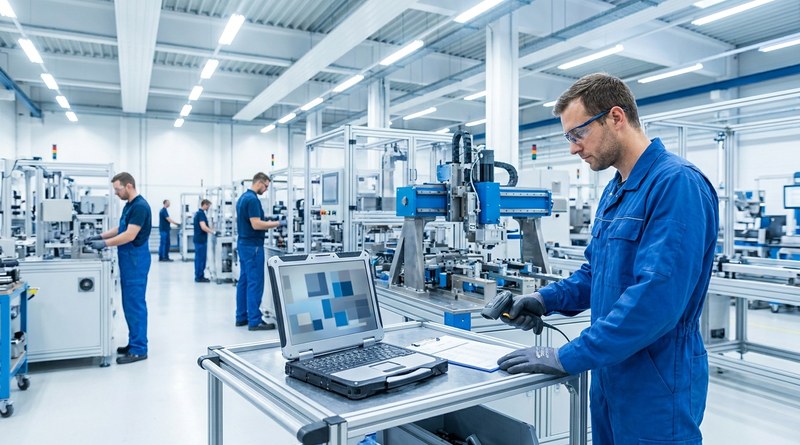
Some plants keep attendance on the clocks at the door and capture job labor at the workstation. This piece looks at that two-clock model on UKG Ready: scan-only capture for gloved operators, work orders validated against the ERP, and how CloudApper adds that layer using the PCs and scanners already on the line.
October 13, 2026
Paperless HR for Rural Hospitals on UKG: Extending One Kiosk to Documents, E-Signatures and Benefits Data
A rural hospital using CloudApper hrPad as its UKG time clock still handled much of HR on paper. Its next step is extending the same kiosk to documents, e-signatures and transfers, with CloudApper iPaaS moving benefits data to providers, all within network rules that block external AI services.
October 7, 2026
Shared Tablet SSO in UKG: One Time Clock for Every Login Type
Hourly staff on basic UKG logins and managers on SSO can share one tablet time clock without login mix-ups. This guide explains each login type in plain English, compares three shared-tablet setups and shows how hrPad by CloudApper AI makes it work.