Recruiters, managers, and HR check their calendar constantly, and UKG Pro data helps most once it's there too. UKG Pro calendar integration pushes interviews, shifts, and deadlines onto Google Calendar, Outlook, and Calendly, using CloudApper iPaaS to sync it automatically.



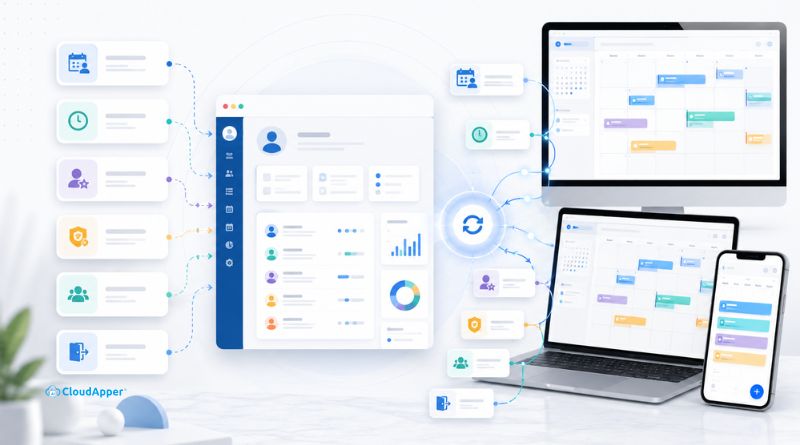
Table of Contents
- TL;DR:
- Why Calendar Integration Matters for Workforce Operations
- Common Use Cases for Integrating UKG Pro with Calendar Apps
- How CloudApper iPaaS Delivers UKG Pro Calendar Integration
- What This Gives Your Organization
- Frequently Asked Questions
- The Calendar Is Where the Work Actually Gets Seen
A calendar app is where most people start their day, checking what’s on it before opening anything else. Recruiters, managers, and HR are no different, and they typically run that day from Google Calendar, Outlook, or whatever booking tool candidates are using. UKG Pro holds the underlying data accurately, and it becomes useful to them fastest once it shows up on the calendar they’re already checking. UKG Pro calendar integration is what makes that happen automatically, so an interview, a shift, or a review cycle created in UKG Pro appears on the calendar someone’s actually looking at, instead of waiting for them to log in and check. Organizations typically set this up through CloudApper iPaaS for UKG, a no-code connector built for exactly this kind of integration.
TL;DR:
- Interviews, shifts, reviews, and deadlines can sync to a personal calendar automatically.
- UKG Pro already syncs some data, like Learning sessions and time off.
- CloudApper iPaaS extends that to Recruiting, Talent, and compliance in one connector.
- New hire and offboarding milestones can trigger calendar entries the same way.
- Setup runs through Connect, Automate, and Validate, no code required.
Why Calendar Integration Matters for Workforce Operations
When UKG Pro data has to be looked up separately, in a different login, on a different day, something eventually gets missed: a review nobody prepped for, a shift a manager forgot to cover, a license renewal that lapsed quietly.
None of this is about UKG Pro falling short. UKG Pro Recruiting, Time and Attendance, and Talent are all built to hold that data correctly, and they do. Calendar integration is simply about getting that same information in front of people at the moment it’s useful to them, on the tool they already have open.
The cost of not doing it rarely shows up all at once. It’s small and constant: a recruiter double-checking two systems before confirming a time, a manager missing a coverage gap because the time-off request lived somewhere they didn’t happen to look that day, a certification lapsing not because anyone ignored the warning but because the warning was in a report nobody was reading that week. UKG Pro isn’t to blame for any of it. The problem is how far one login sits from where a decision actually gets made.
Common Use Cases for Integrating UKG Pro with Calendar Apps
Once UKG Pro data can reach a calendar automatically, the possibilities go well beyond a single use case. Interviews, shift coverage, review cycles, certification deadlines, and even onboarding and offboarding milestones all follow the same basic pattern: something changes in UKG Pro, and the right person sees it on the calendar they’re already using.

Interview Scheduling Lands Directly on the Interviewer’s and Candidate’s Calendar
Getting an interview scheduling event onto an interviewer’s Outlook calendar and a candidate’s Google Calendar without a manual invite is one of the most common reasons organizations look at calendar integration in the first place, and it’s also its own topic with enough depth to deserve a dedicated explanation, including how candidate self-booking through Calendly fits in.
Shift and Time-Off Visibility Shows Up on a Manager’s Own Calendar
UKG Pro already has a way to push shift and time-off data to a personal calendar, so this isn’t a capability that’s missing. What changes with a connected setup is where that feed lives. Instead of shift schedules arriving through one integration and everything else in this article, interviews, reviews, deadlines, through separate ones, it all runs through the same connector. A manager looking at their calendar sees an approved time-off request next to a scheduled review and an upcoming interview, without having to know that three different UKG Pro modules produced those three events.
That consolidation is worth more than it sounds like it should be. A manager covering for someone on leave doesn’t want to check one feed for the absence and another for who’s supposed to fill in. When both live in the same calendar setup, the coverage gap and the fix for it show up together, on the same screen, at the same glance.
Manager Check-ins and Performance Review Cycles Get Scheduled Automatically
When a performance review cycle opens in UKG Pro Talent, the check-ins that go with it can be scheduled straight onto both the manager’s and the employee’s calendars, at the cadence the cycle calls for. Nobody has to remember to send the invite, and a review cycle that’s supposed to include three check-ins over a quarter doesn’t quietly become one, because the calendar carries the reminder UKG Pro doesn’t send on its own.
Managers running review cycles for a dozen or more direct reports at once feel this the most, since remembering which check-in is due for which person becomes its own small project. Once the cadence lives on the calendar instead of in someone’s memory, it holds regardless of how many cycles are running in parallel.
Certification and License Deadlines Get a Calendar Reminder Before They Lapse
Any certification or license tracked on an employee’s record with an expiration date can trigger a calendar reminder for the employee and their manager well before it lapses, not just when a compliance report happens to catch it. For roles where an expired credential means someone can’t legally do their job that day, a reminder sitting in a calendar app tends to get noticed a lot faster than a line in a spreadsheet.
New Hire Onboarding Milestones Appear on the Calendar Before Day One
The same event-based approach that triggers a calendar entry for an interview can trigger one when a new hire record is created in UKG Pro. Orientation, the first check-in with a manager, and any paperwork deadline can land on a new employee’s calendar before they’ve even logged into anything else, so their first week isn’t the first time they see a schedule of what’s expected.
Role Changes and Offboarding Milestones Get Their Own Calendar Entries
That same trigger doesn’t stop at new hires. It works just as well on a promotion, a transfer, or a termination. A role change can prompt a calendar entry for whatever review or transition step follows it, and an offboarding date can prompt entries for an exit interview or equipment return, so the milestones tied to a status change aren’t only visible to whoever thought to check UKG Pro that day.
How CloudApper iPaaS Delivers UKG Pro Calendar Integration
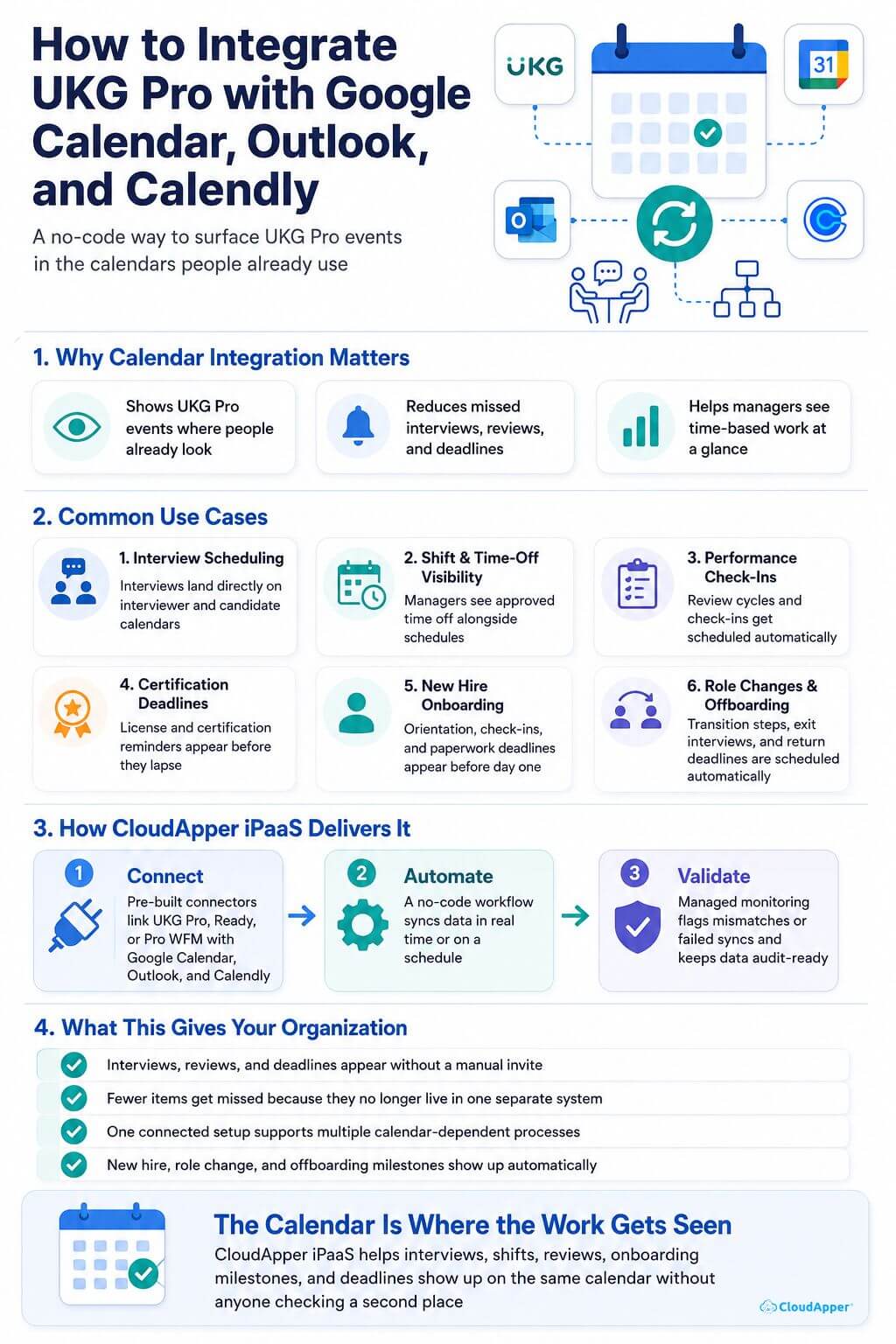
Making all six of those use cases work comes down to three steps: connecting UKG Pro to the calendar tool, building the workflow that keeps them in sync, and monitoring that sync so nothing quietly breaks. That’s the Connect, Automate, and Validate framework CloudApper iPaaS runs on.
Connect: Pre-Built Connectors Link UKG Pro to Your Calendar Tools
CloudApper iPaaS uses pre-built connectors to link UKG Pro, Ready, or Pro WFM with Google Calendar, Outlook, and Calendly, the same way it connects to thousands of other third-party systems.
Automate: A No-Code Engine Builds the Workflow Behind Each Sync
Once connected, a no-code engine builds the workflow that processes and syncs the data, running in real time as something changes in UKG Pro or on a scheduled cycle that matches how your team already works. Setting it up or adjusting it happens through a drag-and-drop interface, so it doesn’t require a developer.
Validate: Managed Monitoring Keeps the Sync Accurate and Audit-Ready
CloudApper’s managed services and monitoring keep the data accurate, compliant, and audit-ready, flagging a mismatch or a failed sync to your team instead of letting it sit unnoticed.
What This Gives Your Organization
Once everything runs through the same connector, the difference shows up in how little anyone has to think about it.
- Interviews, reviews, and deadlines appear on the calendar people actually check, without a manual invite.
- Fewer things get missed because they only existed inside a system nobody opened that day.
- One connected setup instead of a separate integration for every calendar-dependent process.
- New hire, role change, and offboarding milestones show up automatically instead of depending on someone remembering to check a status change.
- UKG Pro Recruiting, Talent, and Time and Attendance keep working exactly as configured underneath it.
Frequently Asked Questions
Does This Require Custom Development To Set Up?
No. CloudApper iPaaS uses prebuilt, no-code connectors for Google Calendar, Outlook, and Calendly, so setup is configuration rather than custom code.
Does UKG Pro Already Sync With Calendar Apps On Its Own?
In some areas, yes. UKG Learning syncs training sessions to a personal calendar, and shift and time-off data can feed into one as well. CloudApper iPaaS brings that alongside Recruiting, Talent, and compliance deadlines in a single connected setup.
Can Candidates Book Their Own Interview Slots Through Calendly?
Yes, and that specific workflow is covered in more detail in the dedicated article on syncing interview scheduling with calendars.
Does This Also Work With Apple Calendar?
Yes. Apple Calendar is supported alongside Google Calendar and Outlook, so the same setup extends to it if that’s what part of your organization uses.
Which UKG Products Does This Work With?
CloudApper iPaaS connects with UKG Pro, Ready, Pro WFM, and HRSD, pulling from whichever modules, Recruiting, Talent, Time and Attendance, hold the data being synced.
The Calendar Is Where the Work Actually Gets Seen
UKG Pro calendar integration isn’t about replacing anything UKG Pro does. It’s about making sure what UKG Pro already tracks shows up where people are looking, instead of sitting in a system that only gets opened when something’s already gone wrong. Connect it once through CloudApper iPaaS and interviews, shifts, reviews, onboarding milestones, and deadlines all show up the same way, on the same calendar, without anyone having to check a second place.
Want UKG Pro data showing up automatically in Google Calendar, Outlook, or Calendly? Contact us to see how CloudApper iPaaS connects them.


October 14, 2026
UKG Costpoint Integration for Defense Contractors: Who Owns the 65 Fields Between Payroll and the Audit
A defense services contractor needs its HRIS to update more than 65 Costpoint fields through an API. CloudApper iPaaS handles the UKG Costpoint integration, and the real lesson is governance: HRIS, finance and IT each own their part of the mapping rules, so labor cost data stays audit-ready as contracts change.

October 12, 2026
ATS to UKG Ready Integration: Making Every Light Industrial Staffing Placement Payroll-Ready on Day One
A light industrial staffing firm placing 20 to 40 new workers a week re-enters every hire from its ATS into payroll by hand. CloudApper's sync creates UKG Ready records at assignment and carries updates and terminations across, so every placement can be payroll-ready on day one.

October 9, 2026
UKG Pro and Mexico Payroll Integration: Keeping Cross-Border Employee Data in Sync
US employers with Mexico operations often run UKG Pro as the system of record and a local platform for Mexican payroll. CloudApper connects the two with an automated sync that sends hires, terminations and pay changes to the Mexico platform and brings payroll results back into UKG Pro.

October 7, 2026
Client-Site Employees and UKG Pro WFM: Keeping Embedded Automotive Engineers Paid Right
Engineers working inside a client’s facility log time in the client’s system, so their paycheck is the employer touchpoint that matters most. For an automotive engineering services firm, CloudApper moves those hours into UKG Pro WFM automatically, removing the manual re-entry where pay errors start.
