Your UKG Ready Company ID (CID) and Company Short Name are required for tasks like signing in to the UKG Ready mobile app, configuring integrations, and contacting support. Both values are visible inside the Ready portal — here is the fastest way to find them.
How to Find Your Company ID and Company Short Name in UKG Ready
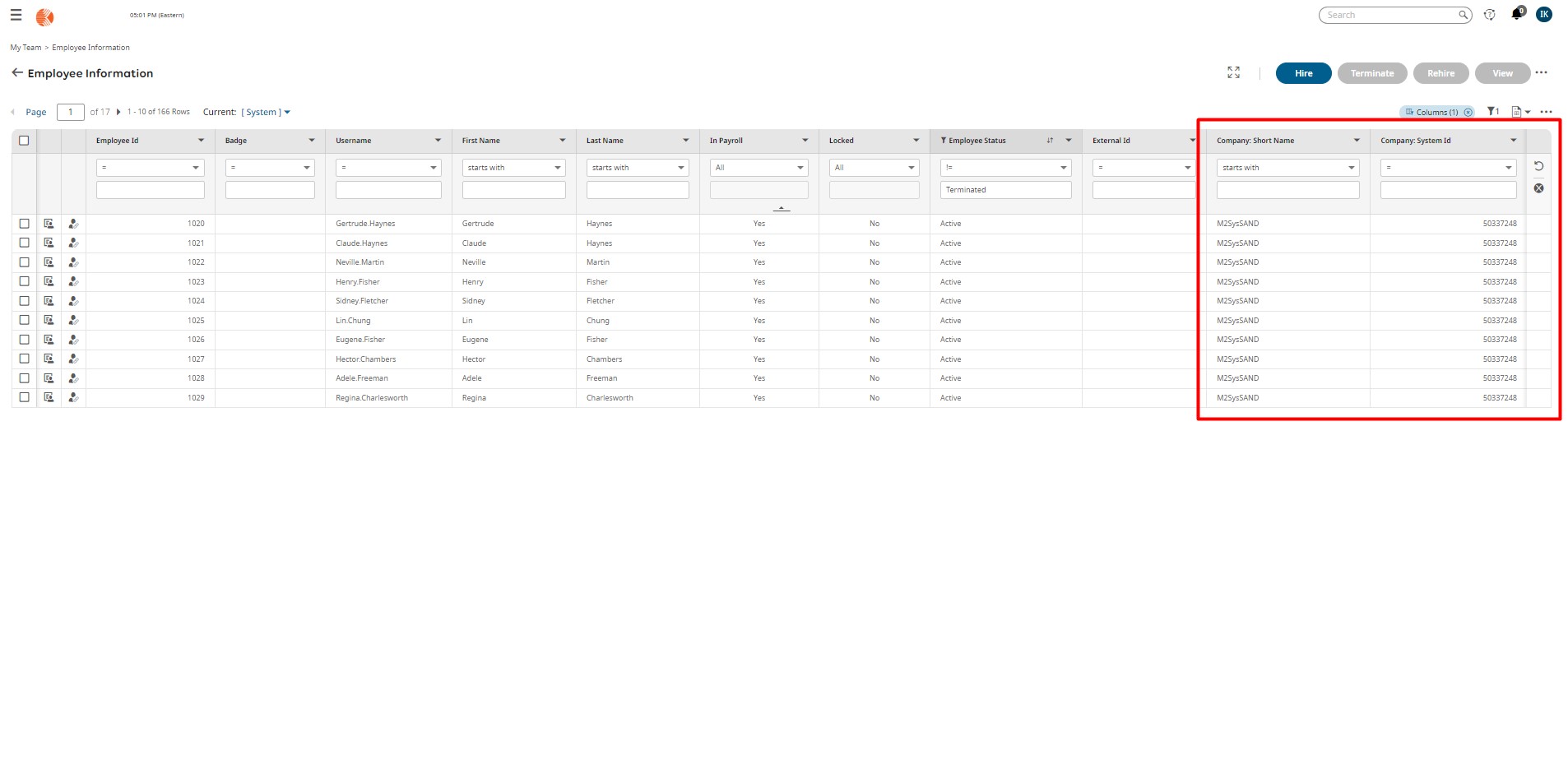
- After logging in to the Ready portal, click on the hamburger icon on the top left, select Team, go to My Employees, and select Employee Info.
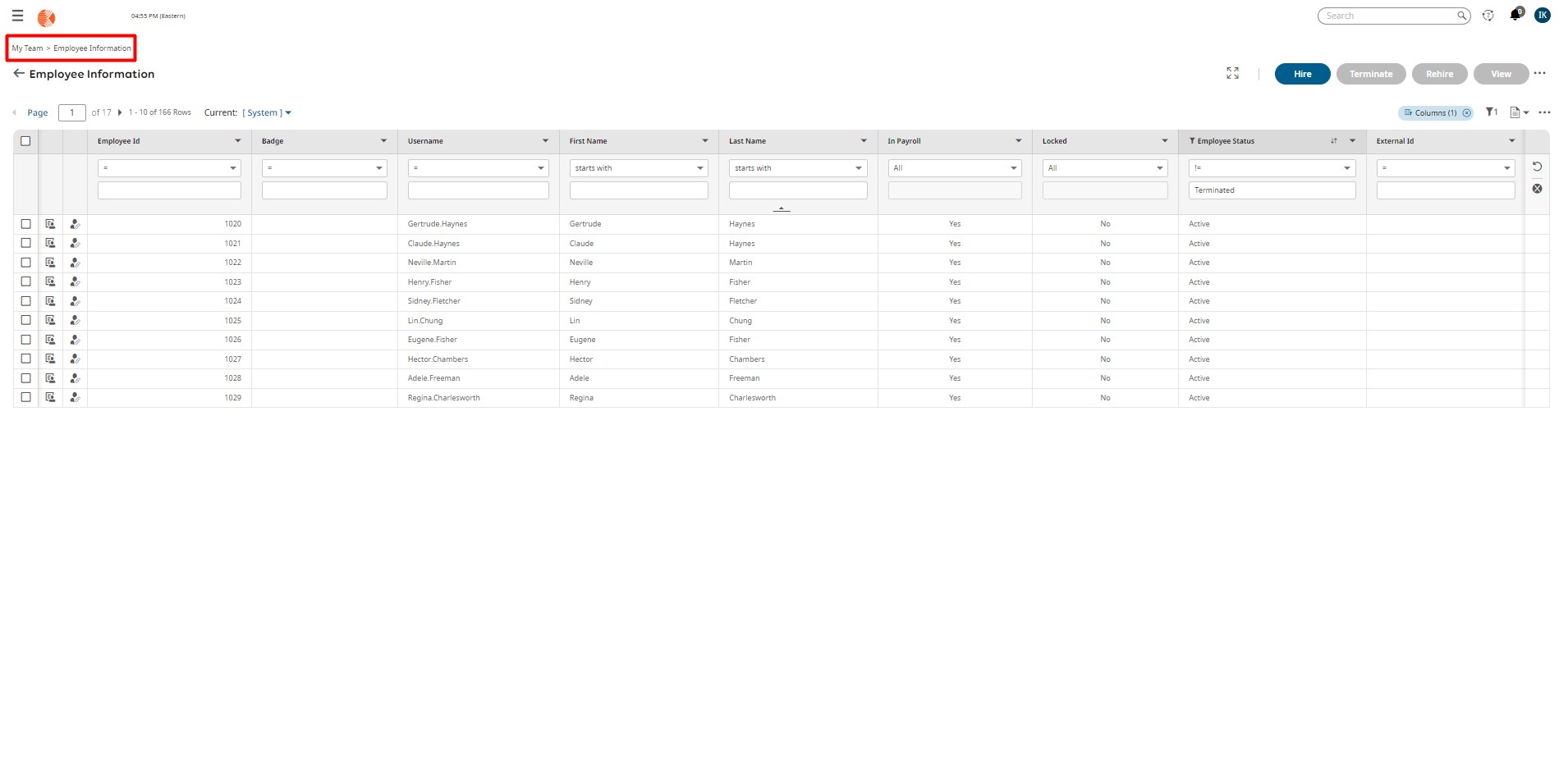
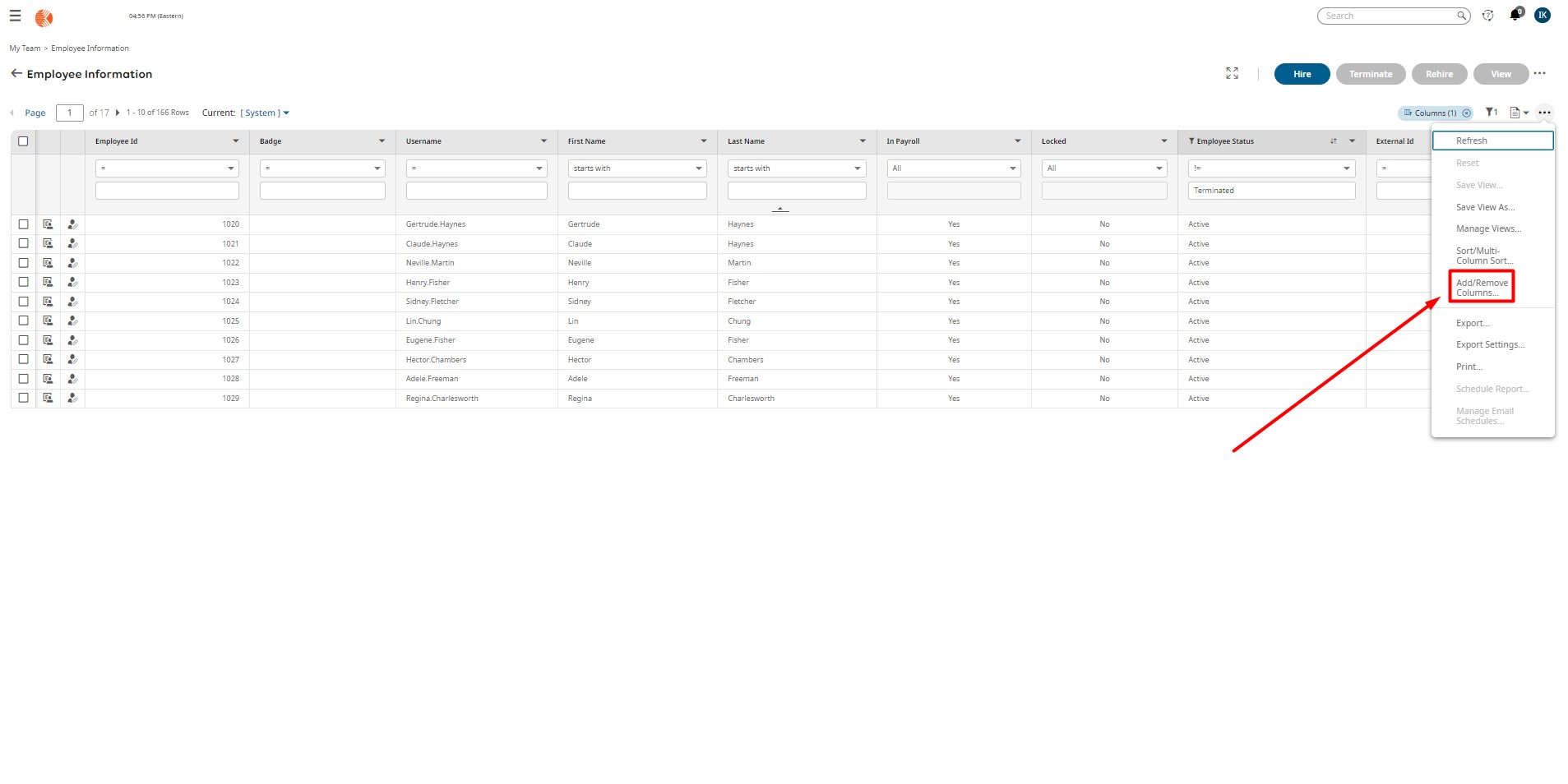
- Click on Select Columns.
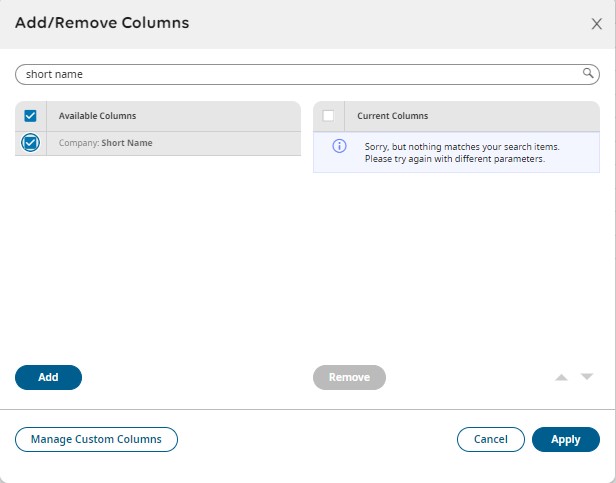
- From the left column, find Company ID/Company System ID and Company Short Name, and click on the arrow next to each one.

- . Click on ADD.
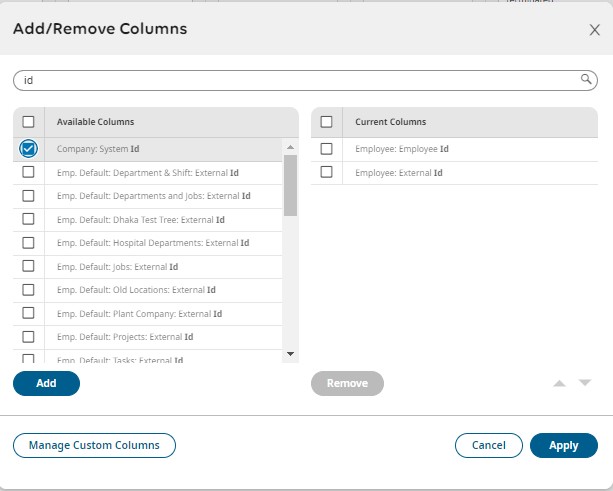
- You’ll find CID and Company Short Name in the Employee Information view now.
FAQ: UKG Ready Company ID & Company Short Name
What is the company short name in UKG Ready?
The company short name is a short text identifier assigned to your organization’s UKG Ready instance. Employees typically need it to sign in to the UKG Ready mobile app, where it is requested together with the username and password.

Is the UKG Ready company ID the same as the company short name?
No. The Company ID (also shown as Company System ID or CID) is a numeric identifier for your UKG Ready instance, while the company short name is a text identifier. The UKG Ready mobile app asks for the company short name, whereas integrations and support requests usually reference the Company ID.
Where do employees find the company short name for the UKG Ready mobile app?
Employees usually get the company short name from HR or their manager, since it is the same for everyone in the organization. Administrators can look it up in the Ready portal by adding the Company Short Name column to the Employee Information view, as shown in the steps above.
Why can’t I see the Company ID column in UKG Ready?
Column visibility depends on your security profile. If Company ID/Company System ID or Company Short Name is not listed under Select Columns, ask your UKG Ready administrator to grant access or to look up the values for you.
Stop answering the same UKG questions over and over
“What’s our company ID?” is exactly the kind of question that lands on HR dozens of times a month. CloudApper hrPad turns any tablet into a UKG-connected self-service kiosk where employees get instant answers to HR questions, check schedules and timesheets, and submit requests — without opening a ticket.
See a free demo of hrPad for UKG Ready