Relying on manual reminders to collect paperwork slows your team down. Discover how to notify employees to fill out custom forms in UKG ready using instant mobile alerts that capture digital signatures and sync data straight to your primary database.



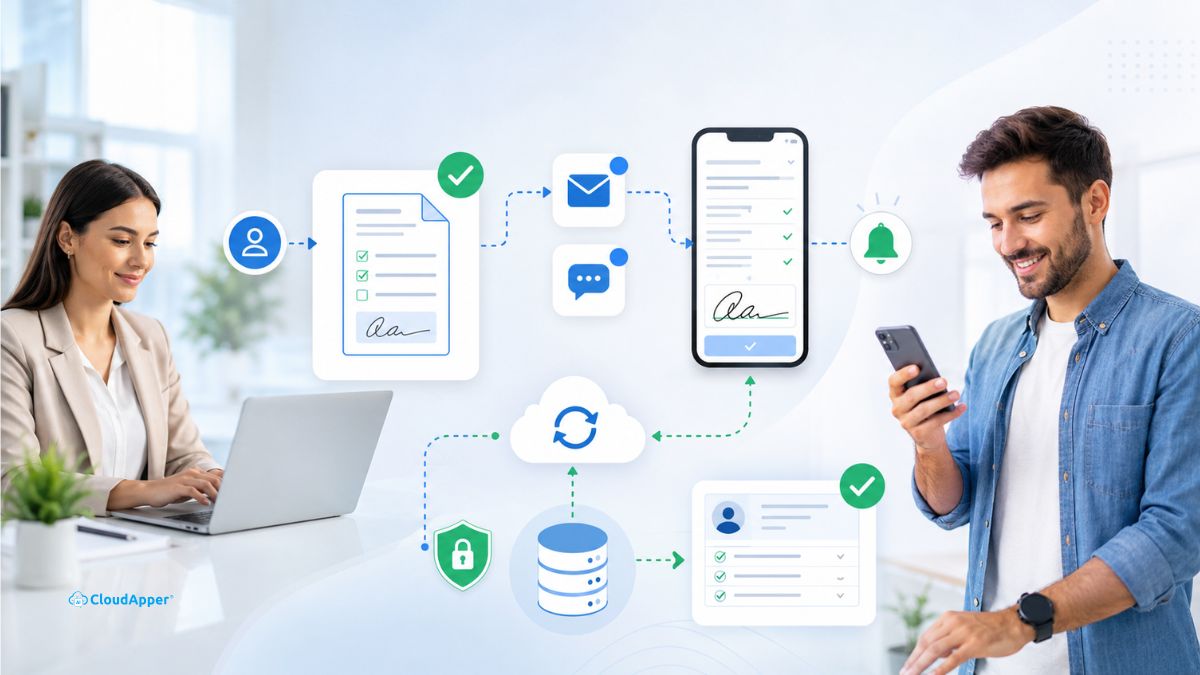
Table of Contents
- TL;DR:
- How to Send Automated Notifications to Employees to Fill Out Custom Forms
- Common Use Cases for Automated Form Notifications
- Frequently Asked Questions
When you assign a custom form to an employee in UKG Ready, you want them to see it right away, not a week later when a deadline is already approaching. With the CloudApper AI Platform connected to your existing UKG Ready system, you can build custom forms and send automated notifications to the employees who need to fill them out. It stops you from chasing people down for signatures and keeps your paperwork from piling up.
TL;DR:
- Build custom forms easily: Create tailored paperwork in minutes to capture the exact data your operations need.
- Trigger instant alerts: Send an email or SMS directly to an employee’s phone the moment you assign a document.
- Enable mobile signing: Give workers a secure link so they can review and submit paperwork from wherever they are.
- Sync data automatically: Push submitted form answers back into UKG Ready without any manual data entry.
How to Send Automated Notifications to Employees to Fill Out Custom Forms
Setting up automated notifications doesn’t require a major overhaul. By letting the AI platform handle outreach, you connect required paperwork directly to your employees’ phones without touching your core UKG database. Here is how the process works.

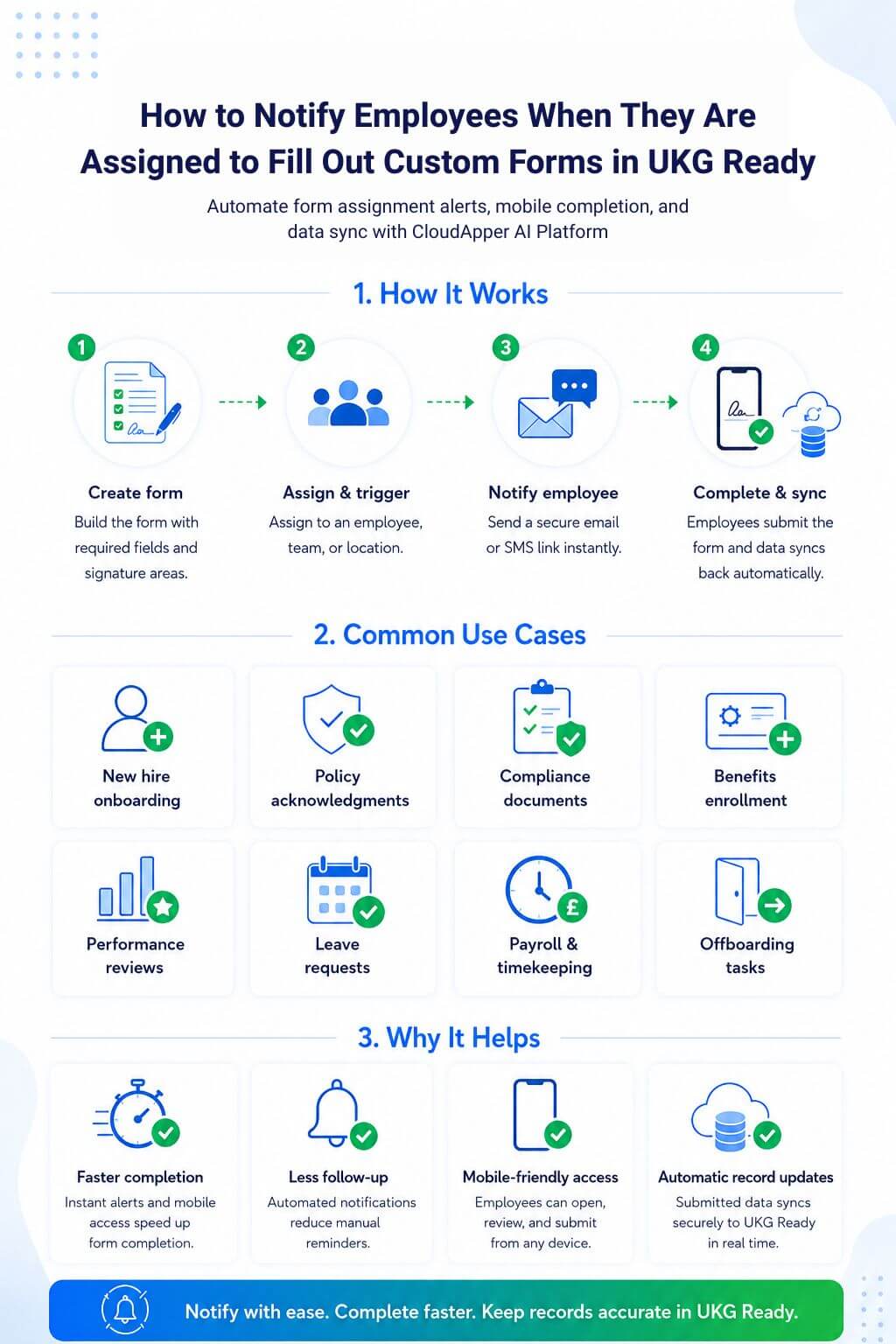
Create Custom Forms and Data Fields with The AI Platform
Using the CloudApper AI platform, you can build tailored forms with the exact fields your operations need. A simple dropdown for uniform sizes, a digital signature field, a date picker, or whatever the form requires- you can put it together in minutes.
Send Custom Forms to Employees Via Email/SMS Notification
Once the form is ready, setting up a notification takes just a few clicks. You configure a simple trigger that fires automatically and sends an email or SMS to a specific employee or an entire department. The message tells them a form needs their attention and includes a direct link to it. You can also set up to send a reminder notification if the employees don’t fill out and submit the form within a certain time-frame.
Bi-directionally Sync Data with UKG Ready
The CloudApper AI platform runs outside your UKG Ready system as a separate processing layer. When an employee submits a form, that layer captures the data and sends it back into UKG Ready automatically. Your records stay current without anyone on your team needing to manually re-enter anything.
Common Use Cases for Automated Form Notifications
Connecting automated alerts to your forms takes a real load off HR. When employees get an immediate notification about a pending task, completion rates go up, and the back-and-forth stops. Here are the situations where automated form alerts tend to make the biggest difference:
| Use Case | When Organizations Need It |
| New hire onboarding tasks | When a new employee needs to complete direct deposit forms, tax forms, policy acknowledgments, emergency contact info, handbook sign-offs, or equipment forms. |
| Policy acknowledgments | When HR rolls out a new attendance policy, PTO policy, safety policy, harassment policy, or company handbook update, and needs employees to confirm they reviewed it. |
| Compliance documentation | For required forms like certifications, licenses, safety training acknowledgments, workplace agreements, background check consent, or annual compliance confirmations. |
| Benefits enrollment or life event forms | When employees need to submit benefit-related forms during open enrollment, qualifying life events, dependent updates, or insurance changes. |
| Performance and review forms | For self-evaluations, managers review inputs, goal-setting forms, promotion requests, or development plans. |
| Leave and accommodation requests | When employees are assigned forms for FMLA, medical leave, ADA accommodation, return-to-work documentation, or other HR case-related paperwork. |
| Payroll and timekeeping updates | For missed punch attestations, pay change acknowledgments, job transfer forms, tip declaration forms, or schedule availability updates. |
| Offboarding tasks | Exit interviews, asset return forms, final pay acknowledgments, access removal confirmations, or resignation-related documentation. |
Frequently Asked Questions
Does sending automated mobile alerts require us to change our UKG Ready setup?
No. The CloudApper AI platform runs as a separate external layer alongside your existing system. It handles notification delivery and drops submitted answers back into employee profiles without altering your core UKG database configuration.
Can employees fill out these custom forms on their personal smartphones?
Yes. The SMS or email alert includes a secure link that opens in any standard mobile browser. Employees do not need to download an app or log into a desktop portal to complete their forms.
Can we set custom form triggers for specific departments or job roles?
Yes. You control the distribution rules. You can assign a form to one employee, send it to an entire shift or location, or set it to trigger automatically based on milestones like a 90-day review.
Can the platform send follow-up reminders if an employee forgets to submit their form?
Yes. If an employee misses the initial message, you can configure the platform to send automatic follow-up reminders by text or email after a set number of days. The form stays on their radar without anyone on your team having to manually check in or send individual follow-ups.
Maximize the Value of Your UKG Ready Investment
Pairing UKG Ready with automated SMS and email alerts takes the manual effort out of collecting employee paperwork. Forms get signed on time, follow-up drops off your plate, and your core records stay updated without any extra legwork from your team.
If you want to customize your UKG workflows, contact us today to see how the CloudApper AI Platform for UKG can help your HR department work more efficiently.



October 6, 2026
Union Vacation Accrual in UKG Pro: How Manager Self-Service Keeps Time-Off Approvals Contract-Compliant
Union contracts decide how vacation accrues and what managers may approve, yet approvals usually rely on the balance on screen. A unionized envelope and packaging manufacturer worked with CloudApper to apply CBA accrual rules inside UKG Pro manager self-service, ending manual workarounds and cutting union time-off payroll errors.
October 1, 2026
12-Month Pay for 10-Month Employees in UKG Ready: How a School-Based Nonprofit Automated Pay Spreading
A school-based services nonprofit pays ten-month staff over twelve months. Its pay spread lived in a fragile spreadsheet until CloudApper added a pay spread engine to UKG Ready that splits school-year earnings evenly across every pay period, recalculates mid-year changes automatically, and keeps summer paychecks predictable for staff.

September 25, 2026
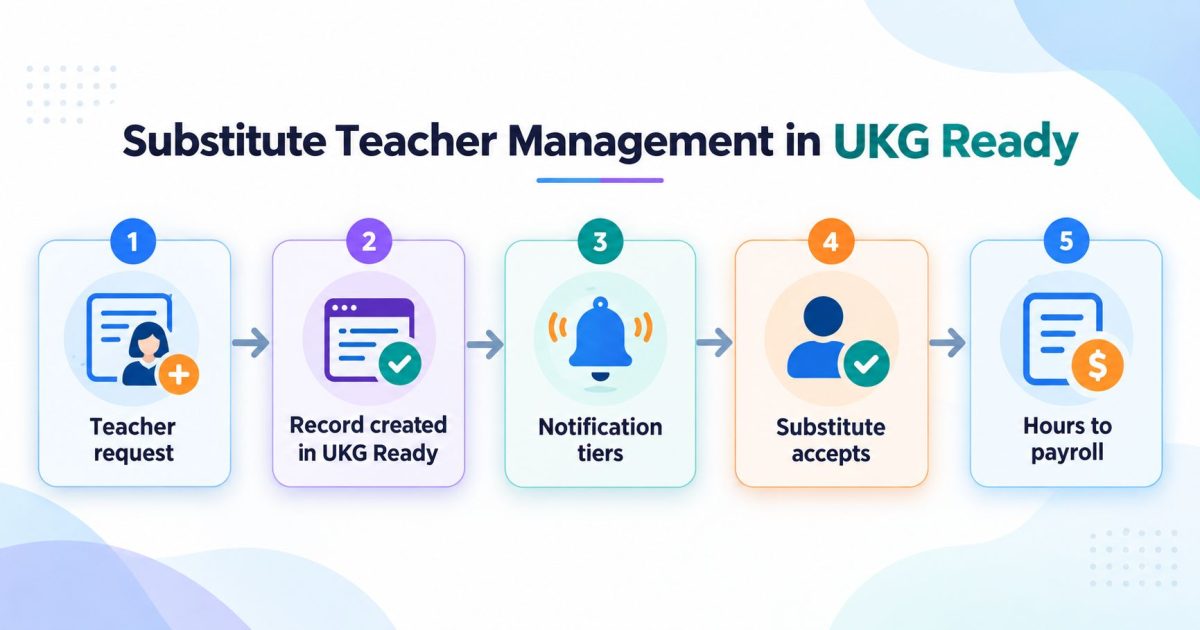
Substitute Teacher Management in UKG Ready
Substitute teacher management is the process of turning a staff absence into a covered classroom. In UKG Ready, the absence record and the approval rules already exist. What sits on top is the dispatch process: who gets asked, in what order, and how the hours reach payroll with the right code.

August 25, 2026
Manager Self-Service in UKG Pro Built for SOX: Why the Delegation Matrix Comes Before the Forms
Enterprises have automated parts of the workforce change process, but the parts are scattered across email, chat, the HCM and a ticket queue, so the control exists while its evidence does not. A national mortgage lender built SOX-audited manager self-service in UKG Pro by settling the delegation matrix before anyone designed a form.