Upgrade your time tracking and HCM procedures with CloudApper AI Time Clock, a revolutionary AI-powered alternative to outdated UKG Touchbase Web Clock and InTouch series. With easy integration, affordability, and customizable workflows, it's the future of timekeeping and HR automation.


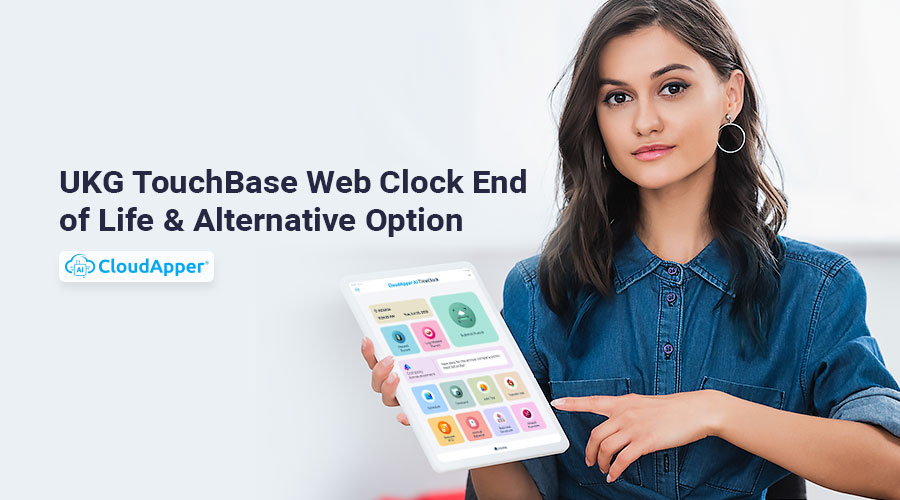
Table of Contents
- The End of an Era: Retirement of UKG TouchBase Web Clock and Related Devices
- Your Migration Options
- The Risks of Waiting
- Introducing CloudApper AI Time Clock: The Future of Time Tracking
- Why Choose CloudApper AI Time Clock?
- Still on TouchBase? How to Punch In and Out Until You Migrate
- Download: TouchBase Migration Checklist
- FAQ: UKG TouchBase End of Life
- Final Words
UKG has retired the TouchBase Web Clock and its related devices — TouchBase Gen4 (UTB1xxx / T1S0), TouchBase Gen5 (UTB2xxx), and the TimeBase Clock. These devices are no longer available, which means every organization still punching on TouchBase needs a migration plan: move to newer UKG hardware, or replace wall clocks entirely with a tablet-based time clock. This hub covers the affected devices, your options, the risks of waiting, and how to keep using TouchBase correctly until you switch.
The End of an Era: Retirement of UKG TouchBase Web Clock and Related Devices
Numerous businesses have relied on the TouchBase Web Clock and its ancillary devices, the TouchBase Gen4 and Gen5 Clocks, and the TimeBase Clock. UKG has opted to phase out the TouchBase Web Clock devices and software in favor of more modern alternatives due to technological advancements and the need for increased productivity. Because of this, businesses who previously used these tools to track employees’ clock ins and outs are now looking for a more up-to-date, functional, and affordable replacement.
Your Migration Options
Organizations leaving TouchBase generally choose between three paths. Option 1: newer UKG hardware (InTouch or InTouch DX) keeps the dedicated wall-clock model, but note that the InTouch 9000 and 9100 face their own end of life in 2027 — migrating from one sunsetting device to another buys limited time. Option 2: a tablet-based time clock such as CloudApper AI TimeClock turns any iPad or Android tablet into a UKG-connected clock with Face ID verification, offline punch capture, and self-service — typically at a fraction of dedicated-hardware cost, and immune to hardware sunsets. Option 3: web and mobile punching only works for desk-based teams but rarely suits frontline environments that need a shared physical clock. The comparison that matters: purchase and replacement cost per unit, features per punch point (verification, attestation, self-service), and how exposed the option leaves you to the next hardware retirement.
The Risks of Waiting
Running retired clocks is a slow leak: no new units when one fails, shrinking support and parts, and a compliance surface that grows as verified punch methods and attestation become the norm. The practical failure mode is sudden — a broken clock at one site forces a rushed replacement decision under payroll deadline pressure. Planning the migration now, while TouchBase still runs, keeps the timeline and the negotiating leverage on your side.
Introducing CloudApper AI Time Clock: The Future of Time Tracking
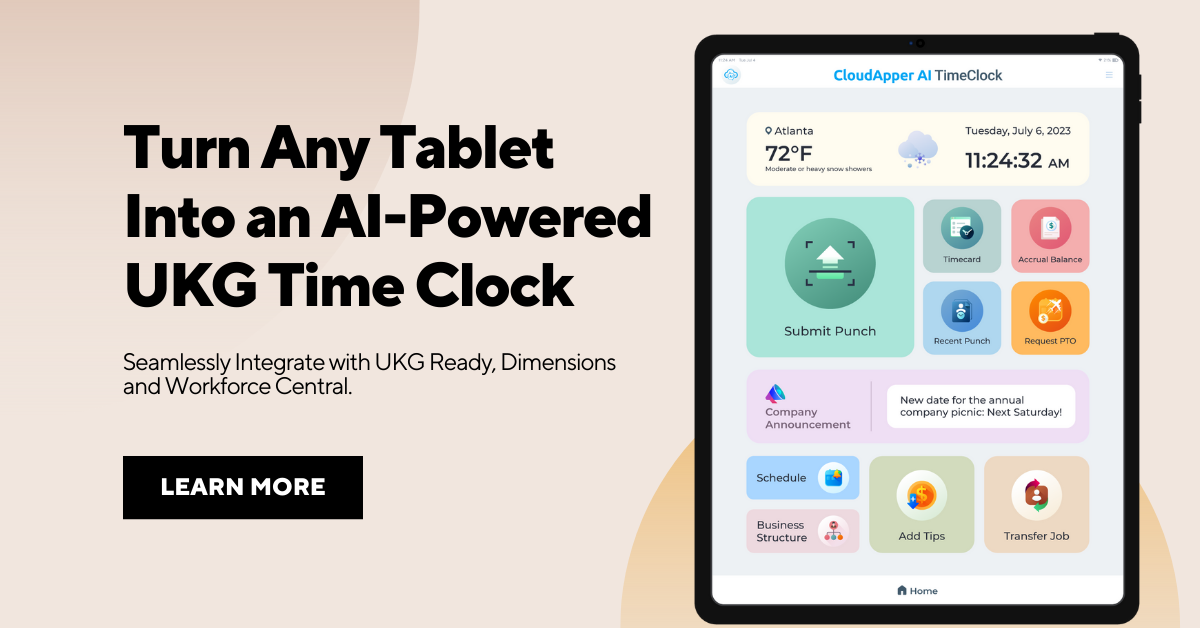
Using cutting-edge AI technology, CloudApper AI Time Clock revolutionizes how businesses track and manage employee time and attendance. CloudApper AI Time Clock is a better alternative to the TouchBase Web Clock and the more recent UKG InTouch or InTouch DX Time Clock due to its extensive feature set, device independentness, easy integration possibilities, and unequaled customization choices.

Why Choose CloudApper AI Time Clock?
CloudApper AI Time Clock outperforms conventional timekeeping methods in terms of precision, efficiency, and dependability. It eliminates the need for expensive time clock devices, manual punch mechanisms because of its facial recognition, QR/barcode scanning, and NFC functions.
Seamless Integration with UKG and Other HCM Platforms: CloudApper AI Time Clock can be easily integrated with current UKG solutions and other HCM platforms, unlike any other proprietary time clocks. By removing the need for PIN/Barocode/QR code entry and thereby increasing accuracy, this seamless interface guarantees that all data is always up to date in real time.
Cost-Effective Solution: In comparison to InTouch and InTouch DX Time Clocks, the CloudApper AI Time Clock is more affordable. It may be used on standard Android and iOS tablets rather than costly and cumbersome timekeeping devices.
Customizable Workflows: CloudApper AI Time Clock offers exceptional adaptability, letting businesses tailor processes to meet their specific needs. Easy customization allows for the implementation of company-specific notificaion, time off rules, shift swap requests, and employee self-service facilities.
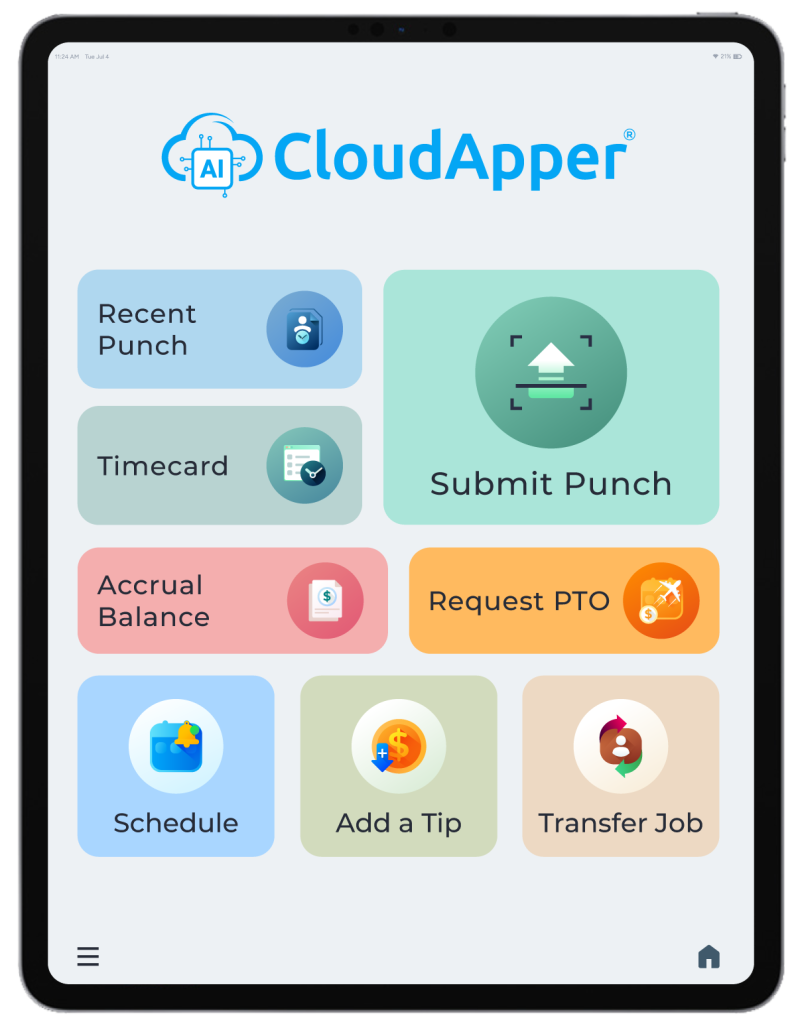
User-Friendly Interface: CloudApper AI Time Clock’s user interface is straightforward, so employees can punch in and out fast. Employees will be able to adjust quickly and easily because of the minimum learning curve provided by this user-friendly interface.
Enhanced Security and Compliance: Compliance and security are top concerns for CloudApper AI Time Clock. Only authorized employees will be able to use the clock thanks to its face recognition and dual identification capabilities, which prevent time theft and identity fraud. It also helps with attestation by making it possible to digitally record employee contracts in accordance with applicable labor laws and regulations.
Still on TouchBase? How to Punch In and Out Until You Migrate
UltiPro gives workers several ways to start the clock-out process, depending on what they need. We’ll take you through each situation and give you specific directions for each:
Punch In: To initiate the clock in process on UltiPro, employees have the option to key in their badge number using the clock keypad or swipe their badge.
Lunch Break: To start your lunch break, click the Start Meal button. To stop your lunch break, click the stop Meal button.
Punch Out: Click the Clock Out button in the tools menu to start the clock out process.
Punch Out with Attestation Only: If you have to answer a question before you can clock out, choose your answer and continue with the clock out process.
Punch Out with Tips Only: If you need to enter tip information before clocking out, follow the steps to enter the tip amount and continue with the clock out process.
When you end your job and click the “Clock Out” button on the Employee Home Screen, a Daily Summary prompt will appear. This screen shows a summary of your day’s hits, including any that were recorded at TouchBase clocks. You can tap any punch to see the picture that goes with it.
Choosing from the Daily Summary Screen
After reading the punch description, you’ll be asked to choose based on your opinion:
I Approve: Choose this choice to show that you agree with the information in the punch report and want to move on to the next step in the clocking out process.
Something is Wrong: Choose this choice if you think that the hits shown for the day are wrong. The system will record your “disapproval,” but it’s important to follow up with your boss to fix the problem.
No matter which option you choose, your CLOCK OUT punch will be sent. If you don’t make a choice within 15 seconds, the screen will time out and send the CLOCK OUT as if you had chosen “Continue.”
Download: TouchBase Migration Checklist
Planning the switch? Download the free UKG Pay Codes Reference PDF — a one-page worksheet covering device inventory, option comparison, pilot planning, and cutover steps.
FAQ: UKG TouchBase End of Life
Which UKG TouchBase devices are end of life?
The TouchBase Web Clock, TouchBase Gen4 Clock (UTB1xxx or model numbers starting with T1S0), TouchBase Gen5 Clock (UTB2xxx), and the TimeBase Clock have been retired and are no longer available from UKG.
Can we keep using TouchBase clocks after end of life?
Existing devices keep punching until they fail, but no new units are available and support and parts diminish over time. Each failed clock forces an unplanned replacement, so a proactive migration is far safer than running to failure.
What replaces the UKG TouchBase Web Clock?
Two main paths: newer UKG hardware such as InTouch DX (noting the InTouch 9000/9100 face their own 2027 sunset), or a tablet-based time clock like CloudApper AI TimeClock, which turns any iPad or Android tablet into a UKG-connected clock with Face ID, offline capture, and employee self-service.
Is a tablet time clock cheaper than replacing TouchBase with new UKG hardware?
Generally yes – consumer tablets cost a fraction of dedicated time clock hardware per punch point, and a software-based clock is not exposed to future hardware end-of-life cycles.
Final Words
The TouchBase Web Clock’s (and similar devices’) impending obsolescence signals a sea change in corporate attitudes toward upgrading to more modern options. If your company is looking to improve its timekeeping, employee attendance records, and human resources operations, CloudApper AI Time Clock is a fantastic option to consider. CloudApper AI Time Clock equips businesses with the means to improve efficiency, accuracy, and productivity thanks to its AI-powered technology, easy integration possibilities, and user-friendly interface.
CloudApper AI Time Clock is the obvious solution for firms concerned with future-proofing their HR systems. As a result, businesses will be able to usher in a new age of cutting-edge time tracking and HCM automation, setting themselves up for future success in an increasingly competitive market.



October 19, 2026
Nurse Mandatory Overtime Limits in UKG: Documenting Voluntary Overtime at Clock-Out
New York, Pennsylvania and Washington restrict mandatory overtime for nurses, which makes documented consent the key record. Learn how UKG Pro WFM and UKG Ready separate voluntary and mandated overtime, and how CloudApper AI TimeClock captures consent on an affordable unit tablet.

October 16, 2026
Heat Illness Recovery Breaks in UKG for Construction and Logistics Crews
State heat rules in California, Washington and beyond require cool-down breaks that payroll must be able to prove. Learn how UKG Ready and UKG Pro WFM track recovery periods, and how CloudApper AI TimeClock captures them on an affordable jobsite tablet that works offline.
October 15, 2026
PUMP Act Lactation Breaks in UKG: Tracking Them Without Breaking Meal Rules
Lactation breaks protected by the PUMP Act often show up as meal break exceptions in UKG. Learn what federal law requires, how to configure UKG Ready and UKG Pro WFM pay codes, and how CloudApper AI TimeClock records these breaks privately on an affordable tablet clock.
October 14, 2026
Enforcing Minor Work Hour Limits at the UKG Time Clock
Child labor hour limits are usually built into UKG schedules, but violations happen at the punch. Learn the federal rules for 14 to 17 year olds, how UKG Pro WFM and UKG Ready handle minor rules, and how CloudApper AI TimeClock adds age-based checks on an affordable tablet clock.
