Tired of navigating complex parameters in UKG TimeClock for accrual detail reports? Say goodbye to inefficiencies and hello to simplicity with just two clicks! CloudApper AI TimeClock streamlines the process, empowering you to check balances, generate reports, and more, effortlessly. Don't settle for hassle - embrace cutting-edge AI technology and elevate your workforce management with CloudApper AI TimeClock.




Table of Contents
- What Is an Accrual Detail Report With Running Balance?
- How UKG Customers Typically Generate an Accrual Detail Report With Balance
- How CloudApper AI TimeClock Simplifies Accrual Checks for UKG Users
- Example: From 10 Clicks to 2 Clicks
- Beyond Accrual Detail Reports: What Else CloudApper AI TimeClock Can Do
- Why This Matters for HR Strategy and Compliance
- How CloudApper AI TimeClock Works With UKG
- When Should a UKG Customer Consider CloudApper AI TimeClock for Accruals?
Accurately managing an accrual detail report with balance is critical for payroll accuracy, PTO compliance, and employee trust. If you are using UKG for timekeeping, you already know that getting a simple answer like “How much PTO does this employee have right now?” can involve several steps, filters, and report runs. Over time, those extra steps add up. HR teams already spend 30–60% of their time on administrative and compliance tasks instead of strategy. A big portion of that is answering basic questions about balances and leave.

CloudApper AI TimeClock is designed to simplify that experience. Instead of running a complex report every time you need balances, it surfaces real-time accrual data directly on the time clock and in a self-service dashboard—turning a multi-step process into a quick, intuitive interaction for employees and HR.
What Is an Accrual Detail Report With Running Balance?
An accrual balance report shows how much leave an employee has earned, how much they have used, and what remains for each leave type (vacation, sick, PTO, etc.), often over a given period. A good report includes:
- Accrued amounts
- Usage
- Adjustments
- Carryovers
- Remaining balance
This kind of report helps you enforce PTO policies, stay compliant with labor laws, and understand your leave liability. For employees, it answers the everyday questions: “How much leave do I have left?” and “Will I have enough PTO for next month’s vacation?”
How UKG Customers Typically Generate an Accrual Detail Report With Balance
UKG provides strong reporting capabilities, but pulling a specific accrual detail report with running balance looks like this:
-
Open the Report Library in UKG.
-
Navigate through the Timekeeping category.
-
Locate and select “Accrual Detail Report With Running Balance.”
-
Configure several parameters:
- Date range or pay period
- Locations or cost centers
- Employees or groups
- Special conditions, such as probationary balances
-
Choose the output format:
- Excel
- Interactive
- CSV
-
Click Run Report and wait for processing to complete.
-
Close the run panel, confirm status, and then:
- Find the generated file at the bottom of the Report Library, or
- View it in a new tab if you selected an interactive format.
For a single one-off report, this is manageable. But repeated throughout payroll cycles and across large teams, it becomes a time-consuming routine. Every time an HR manager needs to validate a balance, or a supervisor needs to confirm if an employee has enough PTO before approving time off, the same sequence has to happen again.
How CloudApper AI TimeClock Simplifies Accrual Checks for UKG Users
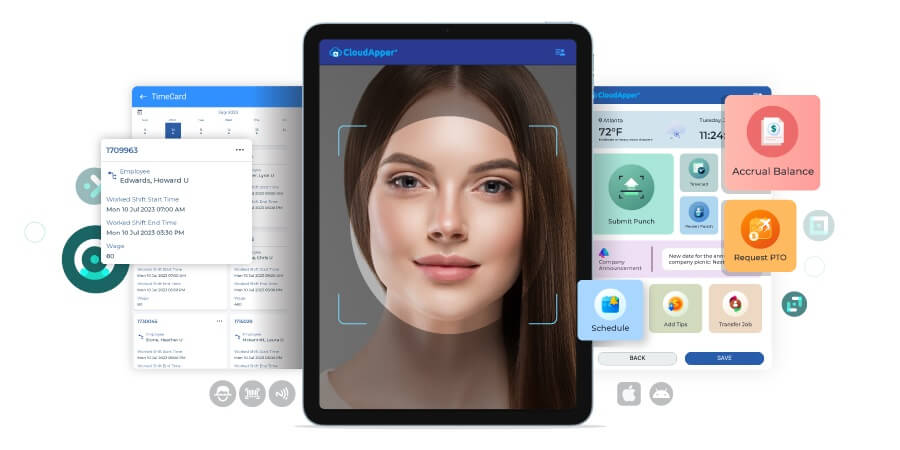
CloudApper AI TimeClock is a tablet-based time clock and HR self-service solution that integrates with UKG. Instead of forcing users to run a full report each time, it brings accrual balances and history directly to the employee and HR dashboards.
For employees: Check accrual balances in two taps
From an employee’s perspective, the experience can be as simple as:
-
Tap the AI TimeClock on the tablet and authenticate (e.g., PIN, badge, or biometric, depending on your configuration).
-
Open “My Balances” or “My PTO” to see:
- Vacation/PTO balance
- Sick time
- Any other configured leave types
- Pending requests and upcoming approved time off
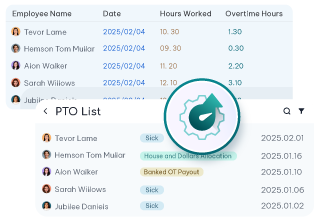
Instead of asking HR, employees get clear, current information right on the clock screen—at the start of their shift, during breaks, or when planning time off.
For HR and payroll: Instant accrual detail views
On the HR/manager side, CloudApper AI TimeClock pulls accrual data from UKG and presents it in an intuitive interface:
-
View accrual detail with running balances per employee or group.
-
Filter by location, department, pay period, or leave type without recreating a full report each time.
-
Drill into how a balance was built—accrued amounts, adjustments, and usage—without exporting to Excel.
In practice, this means HR can answer common questions in seconds rather than minutes, and managers can make faster decisions about PTO approvals and schedule coverage.
Example: From 10 Clicks to 2 Clicks
Imagine a frontline supervisor in a multi-location hospitality or casino environment:
-
With a traditional report-only flow, they must ask HR for a fresh report or log into UKG, go to the report library, run the accrual detail report, wait, download, and then search for a specific employee.
-
With CloudApper AI TimeClock, they can authenticate on the dashboard, filter by location and team, and immediately see the accrual balances and history relevant to their direct reports.
Across dozens of supervisors and hundreds of employees, these time savings are significant. Time-and-attendance platforms and PTO trackers have been shown to save hours of administrative work each week by automating balances and self-service. CloudApper builds on that concept specifically for UKG customers.
Beyond Accrual Detail Reports: What Else CloudApper AI TimeClock Can Do
Accruals are just one piece of the workforce management puzzle. CloudApper AI TimeClock is designed to centralize more of the everyday tasks that clog up HR inboxes.
Self-service PTO management
Employees can:
- Check current and projected accrual balances.
- Request PTO right from the clock or kiosk.
- See pending and approved time off in one place.
Managers can review requests with balance and schedule context, helping them avoid approving time off that would violate staffing rules or leave policies.
Timecard visibility and corrections
Instead of submitting manual questions, employees can:
- Review their timecards directly from the clock.
- Confirm punches, hours worked, and overtime.
- Initiate simple correction workflows (e.g., “missed punch” requests) through configured forms.
This increases transparency, reduces disputes, and cuts down on back-and-forth emails.
Tips, premiums, and other inputs
In industries like hospitality, restaurants, and gaming, employees often need to:
- Enter tips at the end of their shift.
- Indicate premium pay (e.g., shift differentials, night shifts).
CloudApper AI TimeClock can present streamlined forms for these inputs right after clock-out, sending clean data back into UKG.
Why This Matters for HR Strategy and Compliance
When accruals and timekeeping processes are complicated, HR spends more time on clerical tasks and less on strategic work. Studies show HR platforms and HRIS solutions can save up to 2 hours per day by automating administrative tasks and centralizing data. AIHR+1
Simplifying accrual reporting and self-service with CloudApper AI TimeClock helps you:
-
Reduce manual work tied to running reports and answering balance questions.
-
Improve accuracy by eliminating manual spreadsheets and duplicate data entry.
-
Support compliance with labor laws and PTO policies by making balances and usage transparent.
-
Increase employee trust and engagement by giving them real-time, self-serve access to their information.
And importantly, CloudApper does this on top of your existing UKG environment—you are not replacing your core HCM or timekeeping system; you are making it easier and more intuitive to use.
How CloudApper AI TimeClock Works With UKG
From an architecture standpoint:
-
CloudApper integrates with UKG via secure APIs.
-
Accrual balances, timecards, and relevant employee data are synchronized based on your configuration.
-
CloudApper then presents that information on a tablet-based time clock and in manager dashboards, with custom workflows built to match your policies.
Because CloudApper is highly configurable, you can tailor:
-
Which leave types appear on the clock.
-
How often balances sync.
-
What HR workflows (PTO request, missed punch, tips) are available to employees.
The result is a UKG-centric experience that feels modern and simple, without forcing you to rebuild your HCM stack.
When Should a UKG Customer Consider CloudApper AI TimeClock for Accruals?
CloudApper AI TimeClock is especially useful if:
-
Your HR team repeatedly runs accrual detail reports just to answer routine questions.
-
Supervisors and employees frequently email HR asking, “What is my PTO balance?”
-
You have many deskless or frontline employees who rarely log into a browser-based portal.
-
You want to consolidate timekeeping, PTO requests, balances, and basic HR self-service into a single, kiosk-style experience.
If any of these sound familiar, adding CloudApper AI TimeClock can drastically reduce administrative friction while making UKG more accessible to everyone.


October 23, 2026
New York Spread of Hours Pay in UKG: Catching the 10-Hour Span Before Payroll Does
New York owes an extra hour of pay when a workday spans more than 10 hours or includes a split shift. Learn how UKG Pro WFM and UKG Ready calculate the premium, why missed split-shift punches hide it, and how CloudApper AI TimeClock keeps punches accurate on affordable tablets.
October 22, 2026
Illinois One Day Rest in Seven Act: Configuring UKG for Meal and Seventh-Day Rest Rules
Since 2023, Illinois requires 24 hours of rest in every rolling seven-day period and earlier, more frequent meal periods. Learn how UKG Pro WFM and UKG Ready can enforce ODRISA rules, and how CloudApper AI TimeClock adds seventh-day and meal checks on an affordable tablet.
October 19, 2026
Nurse Mandatory Overtime Limits in UKG: Documenting Voluntary Overtime at Clock-Out
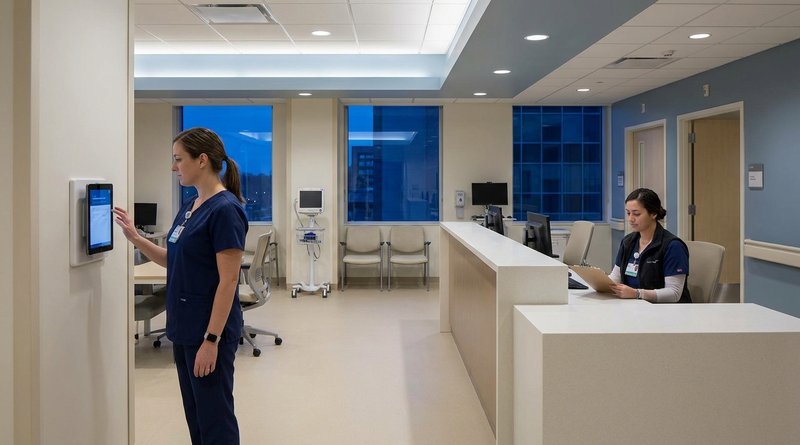
New York, Pennsylvania and Washington restrict mandatory overtime for nurses, which makes documented consent the key record. Learn how UKG Pro WFM and UKG Ready separate voluntary and mandated overtime, and how CloudApper AI TimeClock captures consent on an affordable unit tablet.
October 16, 2026
Heat Illness Recovery Breaks in UKG for Construction and Logistics Crews
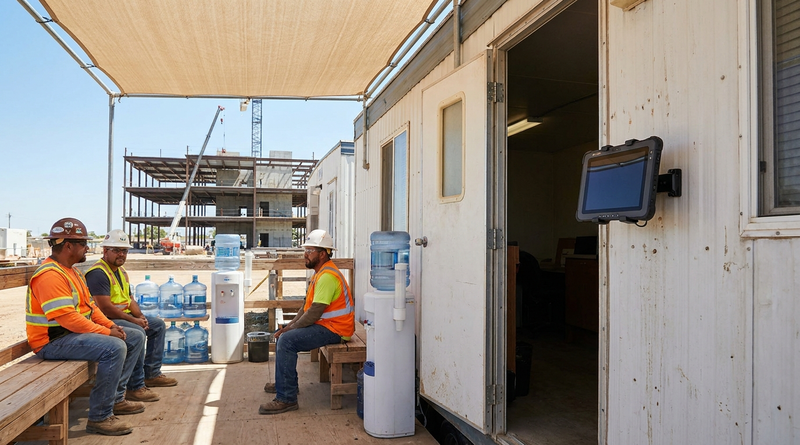
State heat rules in California, Washington and beyond require cool-down breaks that payroll must be able to prove. Learn how UKG Ready and UKG Pro WFM track recovery periods, and how CloudApper AI TimeClock captures them on an affordable jobsite tablet that works offline.