Customizing UKG Punch is crucial for simplifying time tracking, reducing errors, and enhancing employee experience. Experts recommend using CloudApper hrPad for deeper customization without altering UKG's backend, improving clarity and usability across various roles.



Table of Contents
Customizing UKG Punch is no longer just a nice-to-have—it’s become essential for organizations aiming to simplify time tracking, reduce errors, and improve the employee experience. While UKG provides core functionality and some access configuration options, many HR and IT professionals are looking for deeper customization—specifically, the ability to rename Punch tiles, remove options, and tailor interfaces based on employee roles.

We spoke with three workforce technology experts who shared their insights on what companies should prioritize when customizing UKG Punch, and how solutions like CloudApper hrPad help make that possible without altering the UKG backend.
1. Alex R., HR Systems Analyst – “Clarity Leads to Fewer Errors”
“When you give employees too many choices on the Punch tile—especially ones that don’t apply to them—you’re inviting confusion and mistakes.”
Alex has spent years managing UKG Pro environments for large retail teams. He points out that the “Add Transfer” or “Scan” options, while useful for some, often clutter the interface for others.
“For entry-level or hourly employees who just need to clock in and out, removing these extras simplifies everything. Customizing UKG Punch means showing only what’s needed, and nothing more.”
Alex recommends a layered interface where the Punch tile can be tailored per department or role. This approach, according to him, not only reduces training time but also results in fewer support tickets from users confused about which option to select.
2. Priya M., Workforce Tech Consultant – “Branding and Simplicity Matter”
“Custom labels on the Punch tile go a long way. If your employees don’t use the word ‘Punch’ in everyday language, changing it to something like ‘Clock In’ or ‘Start Shift’ creates immediate clarity.”
Priya works with clients in healthcare and logistics—industries with complex scheduling needs. She emphasizes that user interface design plays a huge role in technology adoption, especially when rolling out digital tools to frontline employees.
“Customizing UKG Punch doesn’t just improve usability—it helps reinforce your internal language and workflows. When employees see language that matches their daily routine, they engage with the system more naturally.”
She adds that many companies overlook the value of branding their internal tools, and customizing something as simple as a Punch tile is a quick win.
3. Daniel T., IT Manager – “No-Code Tools Save Time and Resources”
“We had to lean on our IT team every time someone wanted to tweak the interface or change what appears on the homepage. It wasn’t sustainable.”
Daniel oversees UKG Pro WFM across multiple manufacturing sites. He struggled to accommodate department-specific requests to hide features like “Scan” or automate location-specific punch options. According to him, using a no-code platform like CloudApper hrPad finally gave his team the flexibility they needed.
“With hrPad, we can customize punch screens per site, remove unused fields, and even add biometric prompts—all without needing to update UKG’s backend.”
Daniel says the biggest win was empowering the HR and Ops teams to manage their own punch experiences, freeing IT from repetitive customization tasks.
Why Experts Agree: The Front-End Experience Matters
All three experts agree on one point: while UKG handles time data well, the employee-facing punch experience often needs additional flexibility. By customizing how the Punch tile looks and functions—without touching the core UKG logic—companies create a smoother, more intuitive interaction for their teams.
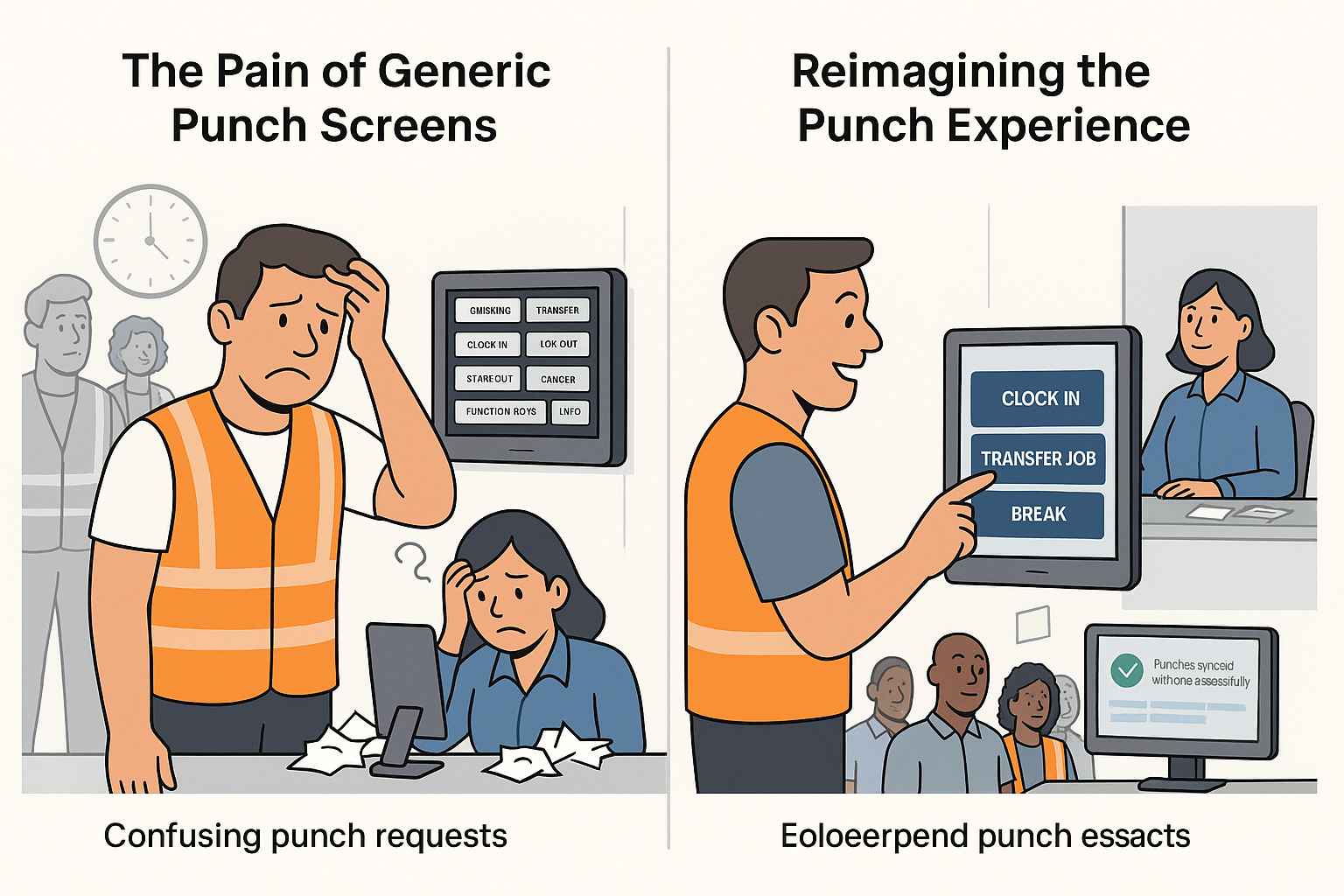
Whether it’s simplifying options, renaming buttons, or enabling department-specific views, Customizing UKG Punch is about reducing friction and making daily tasks easier.
The CloudApper hrPad Advantage
What sets solutions like CloudApper hrPad apart is that they complement UKG—not replace it. The data still flows through UKG’s powerful backend, but the user experience becomes highly customizable. From custom punch flows and label changes to biometric check-ins and real-time validations, the platform acts as a flexible visual layer that reflects your organization’s needs.
For industries with distributed teams, rotating shifts, or high turnover, this level of customization can significantly reduce error rates and improve adoption.
Conclusion: Tailor the Punch Experience to Fit the Workforce
Customizing UKG Punch is about more than aesthetics—it’s about aligning the system with how your people work. Experts agree that giving employees the right tools—and the right interface—makes a huge impact on efficiency, security, and satisfaction.


October 23, 2026
No Tax on Overtime: What It Means for Your UKG Payroll
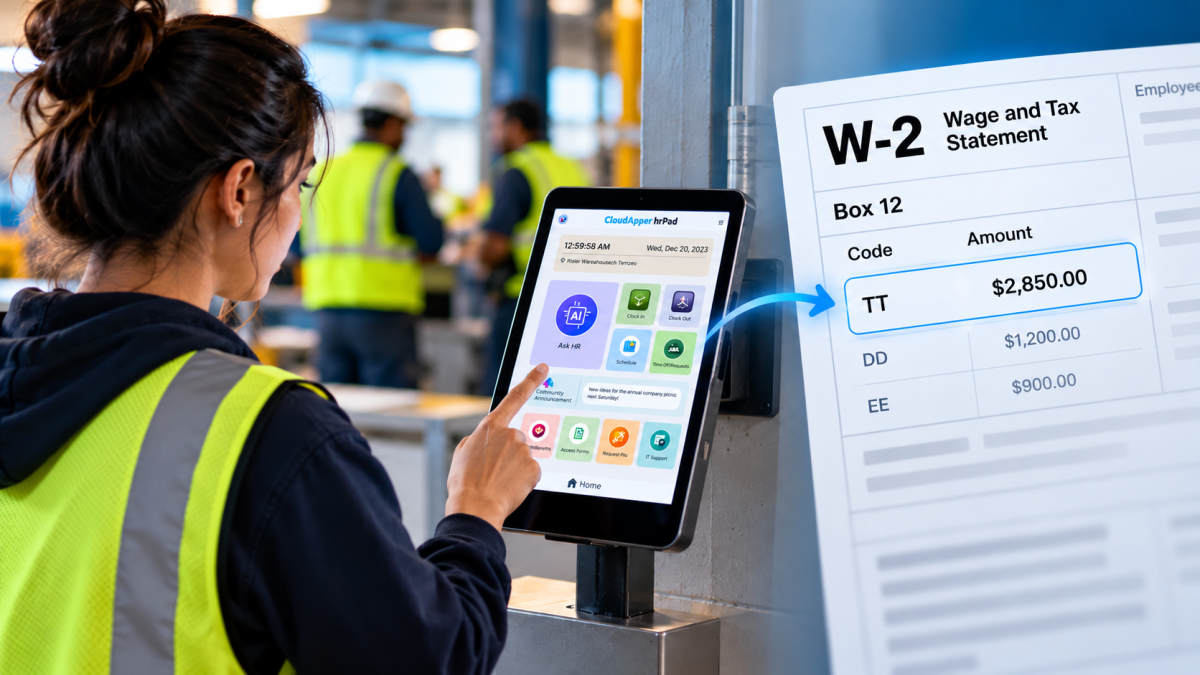
Starting with 2026 wages, employers using UKG must report qualified overtime in W-2 Box 12 (code TT), and only part of the overtime you pay counts. hrPad by CloudApper AI helps capture the details at the time clock.

October 23, 2026
Barcode Labor Tracking on UKG Ready: Two Clocks, One Labor Record, and an ERP-Validated Hierarchy
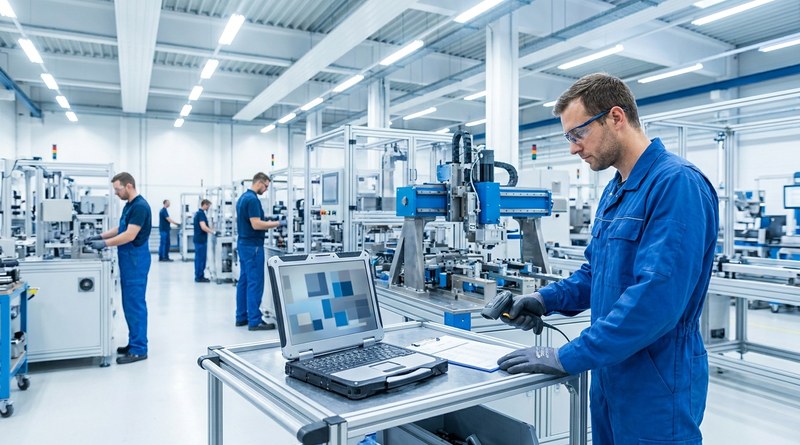
Some plants keep attendance on the clocks at the door and capture job labor at the workstation. This piece looks at that two-clock model on UKG Ready: scan-only capture for gloved operators, work orders validated against the ERP, and how CloudApper adds that layer using the PCs and scanners already on the line.
October 13, 2026
Paperless HR for Rural Hospitals on UKG: Extending One Kiosk to Documents, E-Signatures and Benefits Data
A rural hospital using CloudApper hrPad as its UKG time clock still handled much of HR on paper. Its next step is extending the same kiosk to documents, e-signatures and transfers, with CloudApper iPaaS moving benefits data to providers, all within network rules that block external AI services.
October 7, 2026
Shared Tablet SSO in UKG: One Time Clock for Every Login Type
Hourly staff on basic UKG logins and managers on SSO can share one tablet time clock without login mix-ups. This guide explains each login type in plain English, compares three shared-tablet setups and shows how hrPad by CloudApper AI makes it work.



