
Today, we’re putting the power in your hands by exploring how employees can easily submit timesheet change requests. Whether you need to modify a punch, change a cost center, or adjust an approved time off request, we’ve got you covered. Let’s dive in and discover how you can take control of your time.
Understanding Timesheet Change Requests:
Timesheet change requests offer employees the flexibility to make adjustments to their recorded work hours. Here’s what you need to know:

- Common Scenarios: Change requests are commonly used to modify punches (in or out), change cost centers, or cancel approved time off requests.
- Variety of Requests: The types of change requests available may vary based on company policy and configuration, ensuring flexibility to meet diverse employee needs.
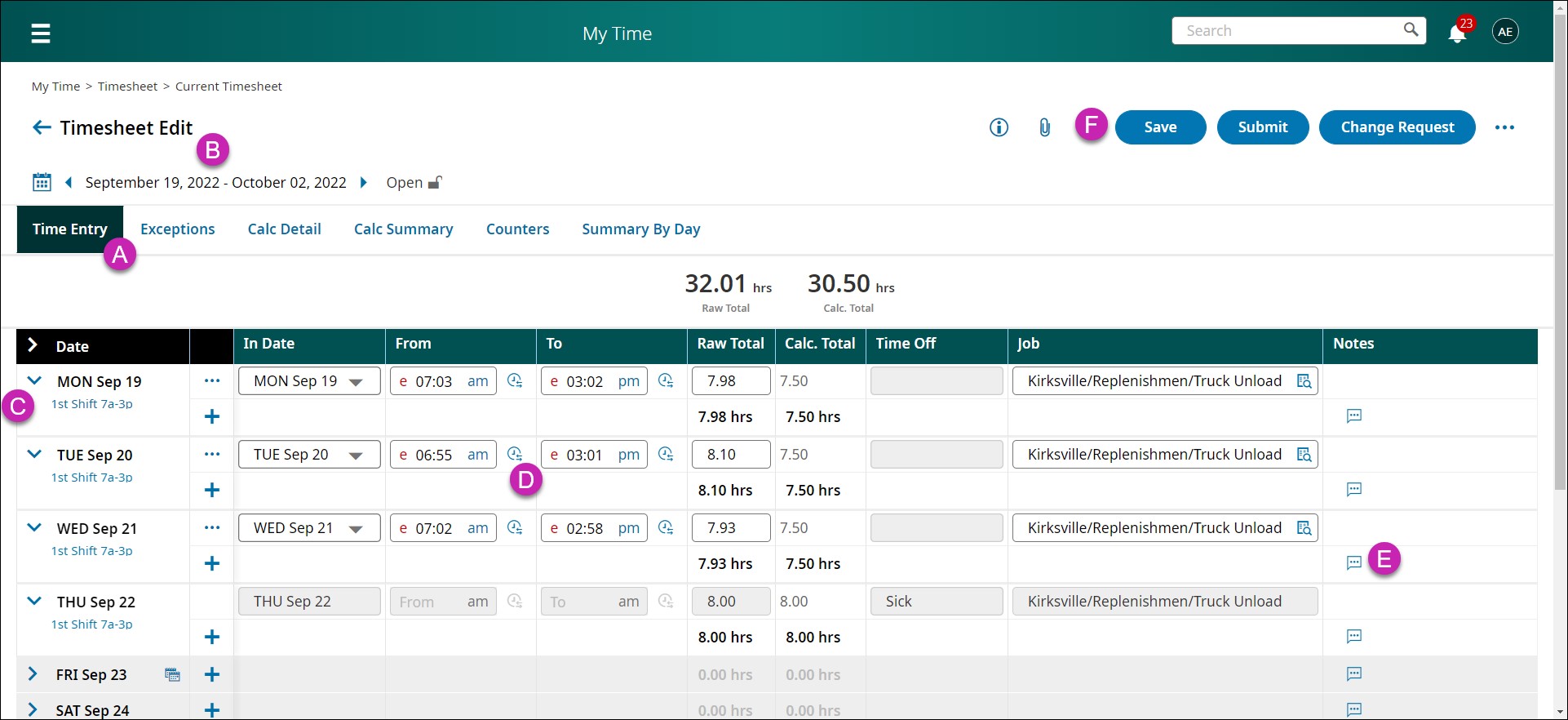
Modifying Punches:
If you need to adjust a punch in or out, follow these steps:
- Navigation: Go to Menu > My Info > My Time > Timesheet > Current Timesheet.
- Initiate Change Request: Select the Change Request button from the Timesheet Edit page.
- Select Change Type: Choose either “Modify Punch In” or “Modify Punch Out” from the Change Type dropdown list.
- Enter Details: Select the applicable date and punch. Enter the new punch time in the “From” or “To” fields. Optionally, provide a comment.
- Submit Changes: Click on “Submit Changes” to finalize your request.
Modifying Cost Centers:
For modifying cost centers, the process is equally straightforward:
- Navigation: Access the Timesheet Edit page from Menu > My Info > My Time > Timesheet > Current Timesheet.
- Initiate Change Request: Click on the Change Request button.
- Select Change Type: Choose “Modify Cost Center” from the Change Type dropdown list.
- Enter Details: Select the applicable date and punch. Choose the desired cost center from the dropdown list or browse additional options. Optionally, provide a comment.
- Submit Changes: Finalize your request by clicking on “Submit Changes.”
Benefits of Submitting Change Requests:
- Flexibility: Change requests empower employees to make necessary adjustments to their timesheets, ensuring accuracy in recorded work hours.
- Efficiency: By providing a streamlined process for requesting changes, employees can save time and effort.
- Compliance: Ensuring timesheet accuracy helps maintain compliance with company policies and regulatory requirements.
Proactive Time Management:
Submitting timesheet change requests puts you in control of your time. Whether it’s adjusting punches or modifying cost centers, taking proactive steps to manage your timesheet ensures accuracy and efficiency in workforce management. Stay tuned for more insights and tips from UKG, your trusted partner in optimizing time management. Happy time tracking!
Fewer change requests start with cleaner punches
Most timesheet change requests exist to fix a punch that went wrong at capture. CloudApper hrPad lets employees verify and correct punches at the clock with attestation — so fewer corrections ever reach the timesheet.
See a free demo of hrPad for UKG Ready