UKG is a powerful HCM platform. But out of the box, it's built for the general case — not your union rules, your frontline workflows, or your compliance requirements. Here's how organizations are extending UKG to match the way they actually operate, without rebuilds or long timelines.


Table of Contents
- Why UKG Customization Is Harder Than It Should Be
- What “Extending UKG” Actually Looks Like
- The Workflows That Usually Drive the Conversation
- The Build Timeline Is the Other Problem
- What Happens When You Migrate From UKG Ready to Pro
- UKG Is the Foundation. CloudApper AI Platform for UKG Fills the Gaps.
- Customizing UKG Pro specifically? Read this too
- Frequently Asked Questions
UKG Pro, UKG Ready, and UKG Pro WFM are serious platforms. They handle payroll, compliance, time tracking, and workforce management for some of the most complex organizations in the country. If you’re running UKG, you made a solid call.
But here’s the thing most UKG customers figure out within the first year: UKG is built for the general case. Your organization is not a general case.
You have union pay rules that UKG doesn’t natively support. A frontline workforce that needs to clock in from a tablet on the floor, not a laptop in a back office. Multi-state compliance requirements that don’t fit any standard workflow. Reporting needs that go three levels beyond what the default dashboards show. Integration requirements with legacy systems that no pre-built connector covers.
None of that means UKG is wrong for you. It means UKG, like every enterprise HCM platform, was built to work well for most organizations — not specifically for yours. That gap is exactly where UKG customization becomes the conversation.
Why UKG Customization Is Harder Than It Should Be
UKG gives you a powerful core. What it doesn’t always give you is an easy path to modifying that core to fit your specific workflows.
Getting something changed inside UKG typically means one of three things. You submit an idea to the UKG community board and wait for it to collect enough votes to be considered for a future release. You engage UKG professional services for a custom build — which takes time, costs money, and still has to fit within the boundaries of what UKG will support. Or you build a workaround using spreadsheets, email chains, and manual processes that technically get the job done but quietly tax your HR team every pay cycle.
None of those are great options when what you actually need is a shift bidding workflow that respects your union contract, or a custom employee check-in form for your healthcare workers, or a way to auto-advance pay steps based on your specific grade and tenure milestones.
This is not a knock on UKG. It’s just reality. No single HCM platform can natively accommodate every policy variation across every industry. The organizations that get the most out of UKG are the ones that figure out how to extend it without breaking it.
What “Extending UKG” Actually Looks Like
The smarter approach to UKG customization is adding a layer outside the core — one that reads from UKG, writes back to UKG, and handles all the custom logic in between, without touching UKG’s data model or creating instability in your existing setup.
That’s the model behind CloudApper AI Platform for UKG. It sits outside UKG as an AI-native personalization layer — connecting to UKG Pro, Ready, and Pro WFM via API, and handling workflows, automations, integrations, and custom applications that UKG doesn’t natively support.
Because CloudApper AI Platform for UKG operates outside UKG’s core, your UKG data stays clean. There’s no risk to your existing configuration. And when UKG releases updates, your customizations don’t break. For HR teams that have been burned before by customizations that turned into maintenance headaches, that architecture matters.
The Workflows That Usually Drive the Conversation
Most UKG customization requests fall into a handful of categories. A few that come up constantly:
Union & Step Progression Rules
Public sector agencies and unionized workforces often have pay advancement rules tied to tenure milestones, performance ratings, or step-and-grade tables that UKG can’t enforce automatically. CloudApper’s Step Progression solution automates these advancements and syncs them back to UKG — no manual tracking, no missed progressions.
Frontline Time Capture
Retail associates, warehouse workers, and hospitality staff need to clock in, request PTO, and ask HR questions from wherever they work — not from a back-office computer. CloudApper hrPad turns any tablet into a UKG-integrated HR kiosk.
Shift & Vacation Bidding
Call centers and healthcare organizations with complex shift structures need employees to bid on shifts, jobs, and vacation slots based on seniority rules that aren’t generic. CloudApper’s bidding solution automates fair, rule-based bidding that syncs results back into UKG scheduling.
Custom Reporting & Dashboards
UKG’s native reporting covers the basics. When you need a dashboard that combines UKG workforce data with ERP output, or a report that tracks compliance tasks across a dispersed field team, the standard tools hit a wall fast. CloudApper’s custom reporting lets you build exactly what you need without writing a line of code.
Third-Party Integrations
Whether it’s syncing employee data with a legacy ERP, connecting UKG to a payroll system that doesn’t have a native connector, or building a real-time data feed into a BI platform, integration work is where HR teams burn the most IT capital. CloudApper’s iPaaS solution handles these connections without the middleware complexity.
These aren’t edge cases. They’re the day-to-day reality for a big chunk of UKG’s customer base.
25→5%
Missed punch rate — before and after hrPadOne customer brought their missed punch rate from 25–30% per week down to under 5% after deploying CloudApper hrPad with UKG.
The Build Timeline Is the Other Problem
Even if you know exactly what you need, UKG customization projects have historically come with long timelines. A custom workflow that should take two weeks can easily stretch to three months once you account for requirements gathering, development queues, testing cycles, and deployment approvals.
CloudApper AI Platform for UKG is designed specifically to compress that timeline. Custom apps, workflow automations, and integrations are delivered in days — not months. That’s not a marketing claim, it’s a structural advantage of building outside the core rather than inside it.
The process is straightforward. You tell CloudApper’s team what you need — your specific workflows, compliance rules, and integration requirements. They build and deliver it. You deploy it, and it stays with your UKG environment whether you’re on Ready, Pro, or making the transition between the two.
What Happens When You Migrate From UKG Ready to Pro
One of the quieter pain points in the UKG ecosystem is migration anxiety. A lot of organizations on UKG Ready know they eventually need to move to UKG Pro WFM — but the prospect of rebuilding every customization they’ve accumulated over the years is enough to delay the decision indefinitely.
CloudApper AI Platform for UKG solves this cleanly. Because the customization layer lives outside UKG rather than inside it, it migrates with you. The custom forms, workflows, and integrations you’ve built don’t need to be rebuilt from scratch when you upgrade. You carry them forward. For organizations sitting on a Ready-to-Pro migration decision, that’s often the thing that unblocks it.
UKG Is the Foundation. CloudApper AI Platform for UKG Fills the Gaps.
CloudApper AI Platform for UKG is not a replacement for UKG. UKG remains your system of record, your payroll engine, your compliance backbone. CloudApper AI Platform for UKG is the layer that makes it run the way your organization actually works.
If you’re running UKG and there’s a workflow you’ve been handling manually, a report you can’t quite build, or a policy you can’t quite enforce — that’s the gap CloudApper AI Platform for UKG is built for.
See what UKG customization looks like in practice.
CloudApper AI Platform for UKG extends UKG Pro, Ready, and Pro WFM with the workflows, apps, and integrations your organization actually needs — without rebuilding what’s already working.
Customizing UKG Pro specifically? Read this too
This guide covers extending UKG broadly across Pro, Ready, and Pro WFM. If you manage UKG Pro and your main worry is customizations surviving release cycles, see how to customize UKG Pro without breaking it on the next update. And for the full picture of what an extension layer looks like, see the UKG customization platform overview.
Frequently Asked Questions
What is UKG customization?
UKG customization refers to extending UKG Pro, Ready, or Pro WFM beyond native functionality to match an organization’s specific workflows, compliance rules, and integration needs. This can include custom forms, automated workflows, third-party integrations, and specialized reporting.
Can you customize UKG Pro without professional services?
Yes. CloudApper AI Platform for UKG allows organizations to build custom apps, automate complex workflows, and add integrations to UKG Pro without relying on UKG professional services or long development timelines. Custom solutions are typically delivered in days.
Does UKG customization affect my existing UKG setup?
With CloudApper AI Platform for UKG, customizations are built outside UKG’s core via API. Your existing UKG data and configuration remain unchanged, so there’s no risk of instability from custom builds.
Will my UKG customizations survive a migration from Ready to Pro?
With CloudApper AI Platform for UKG, yes. Because the customization layer operates outside UKG, it migrates with you when you move from UKG Ready to UKG Pro WFM — no rebuild required.



October 6, 2026
Union Vacation Accrual in UKG Pro: How Manager Self-Service Keeps Time-Off Approvals Contract-Compliant
Union contracts decide how vacation accrues and what managers may approve, yet approvals usually rely on the balance on screen. A unionized envelope and packaging manufacturer worked with CloudApper to apply CBA accrual rules inside UKG Pro manager self-service, ending manual workarounds and cutting union time-off payroll errors.

October 1, 2026
12-Month Pay for 10-Month Employees in UKG Ready: How a School-Based Nonprofit Automated Pay Spreading
A school-based services nonprofit pays ten-month staff over twelve months. Its pay spread lived in a fragile spreadsheet until CloudApper added a pay spread engine to UKG Ready that splits school-year earnings evenly across every pay period, recalculates mid-year changes automatically, and keeps summer paychecks predictable for staff.

September 25, 2026
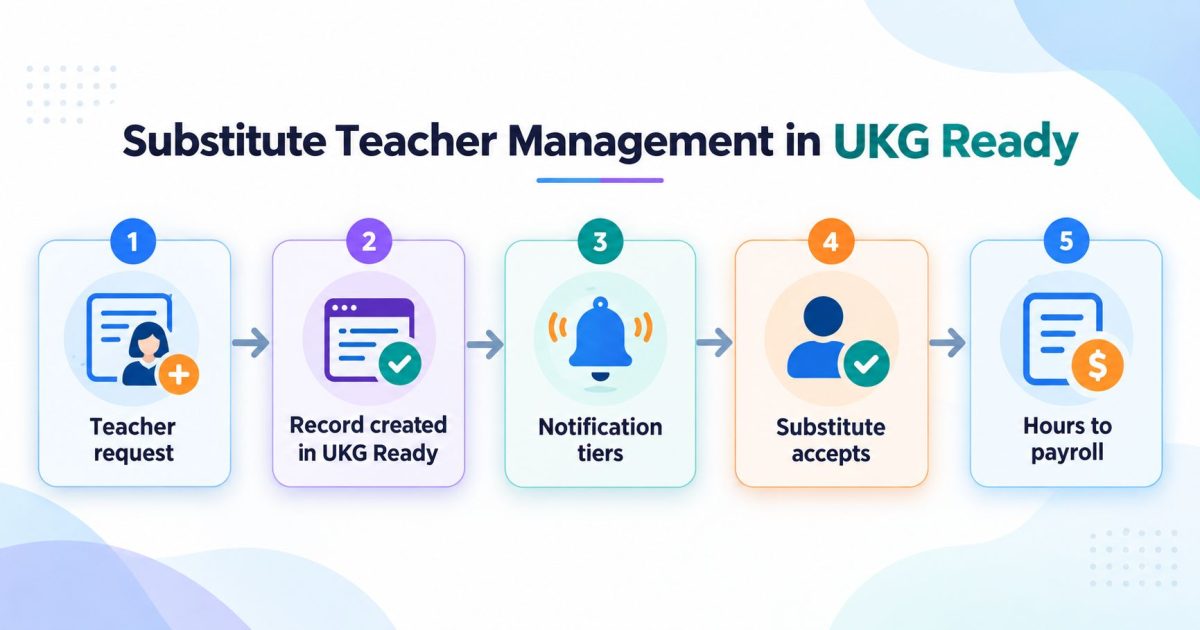
Substitute Teacher Management in UKG Ready
Substitute teacher management is the process of turning a staff absence into a covered classroom. In UKG Ready, the absence record and the approval rules already exist. What sits on top is the dispatch process: who gets asked, in what order, and how the hours reach payroll with the right code.

August 25, 2026
Manager Self-Service in UKG Pro Built for SOX: Why the Delegation Matrix Comes Before the Forms
Enterprises have automated parts of the workforce change process, but the parts are scattered across email, chat, the HCM and a ticket queue, so the control exists while its evidence does not. A national mortgage lender built SOX-audited manager self-service in UKG Pro by settling the delegation matrix before anyone designed a form.