Learn how to replace expensive hardware by turning tablets into powerful, cost-saving time clocks with CloudApper’s UKG/Kronos solution.


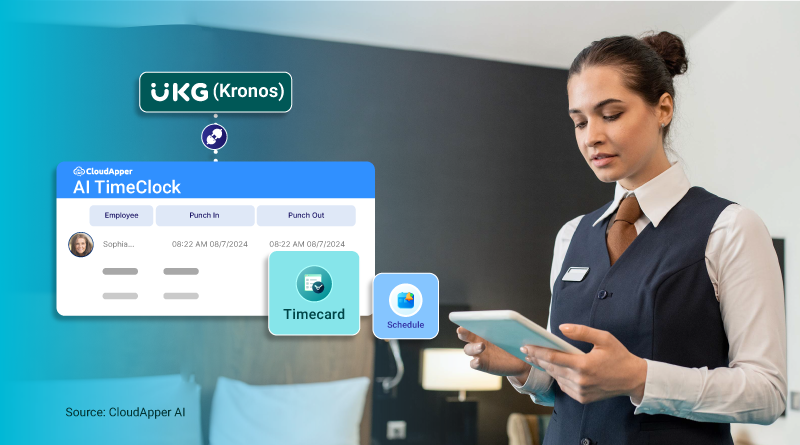
Replacing outdated and overpriced time clock hardware might sound like a complicated task—but it doesn’t have to be. With CloudApper, organizations using UKG/Kronos can simplify time tracking and significantly reduce costs using off-the-shelf tablets. Here’s how to replace expensive hardware with CloudApper’s affordable and scalable solution.
Step 1: Understand the Hidden Costs of Traditional Time Clocks
Before making any changes, take stock of the actual costs tied to your existing hardware. This includes:

- High purchase price of proprietary time clocks
- Maintenance and repair expenses
- Setup and installation fees
- Downtime during hardware failure or shipment delays
These costs add up quickly—especially across multiple locations. Understanding the pain points helps justify the need for a modern, budget-friendly alternative.
Step 2: Choose the Right Tablets for Your Environment
CloudApper employee time clock transforms Android or iOS tablets into powerful time tracking tools. Instead of waiting for expensive hardware to arrive, you can use:
- Existing devices in storage
- Low-cost tablets available online or at retail stores
- Rugged tablets for industrial or outdoor use
Make sure to choose models with the necessary screen size and durability for your specific workplace.
Step 3: Configure CloudApper’s Time Clock App
Once you’ve selected your tablets, install CloudApper employee time clock for UKG. It’s designed to work seamlessly with UKG/Kronos systems and supports various authentication methods like:
- Facial recognition
- NFC or badge-based clock-ins
- PIN or QR code access
The setup is simple, and the app can be remotely configured to match your company’s policies and compliance rules.
Step 4: Connect It with Your UKG/Kronos System
CloudApper’s time clock is fully compatible with UKG/Kronos, ensuring accurate data transfer. Once connected, attendance data flows directly into your existing system without the need for manual syncing.
You can manage:
- Real-time time capture
- Shift scheduling and exceptions
- Location-based rule enforcement
- Time-off requests and approvals
Everything stays aligned with your current workforce management setup—just without the traditional hardware.
Step 5: Deploy Across Multiple Locations
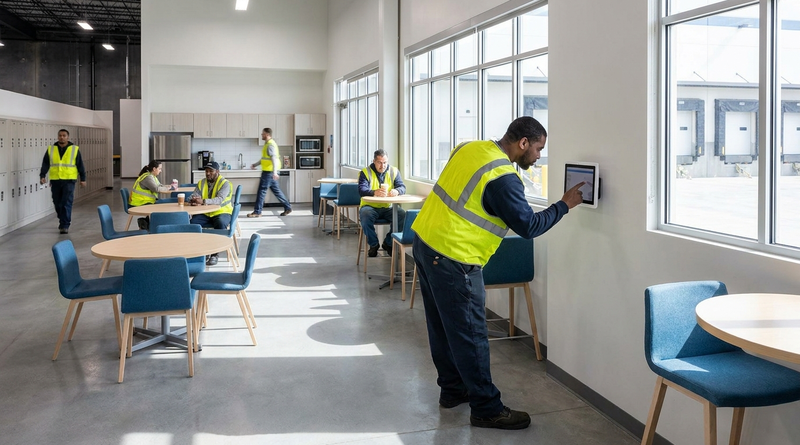
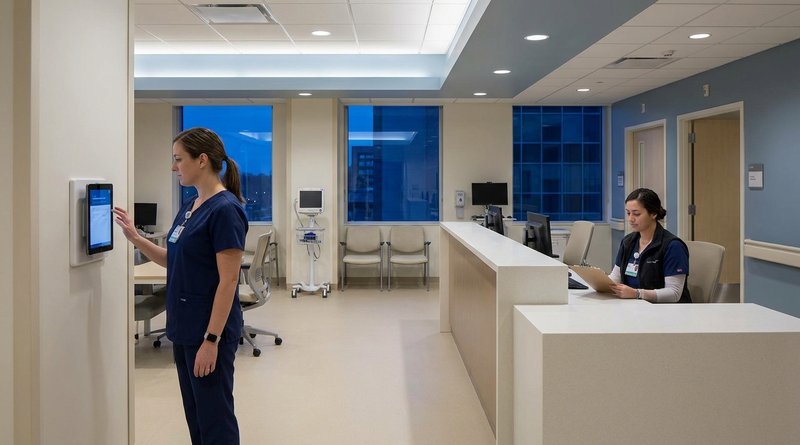
Whether you operate in retail, manufacturing, healthcare, or logistics, CloudApper makes it easy to scale. Tablets can be mounted at entrances, break rooms, or designated check-in areas.
Rollout benefits include:
- No delay from shipping or installation
- Remote device monitoring and updates
- Quick onboarding for staff
- Minimal IT support required
Your organization gains the flexibility to expand or relocate time tracking stations without being tied to expensive infrastructure.
Step 6: Monitor, Optimize, and Save
With CloudApper’s centralized dashboard, HR and admin teams can view attendance data, track device performance, and generate reports—all in one place. This real-time visibility leads to faster issue resolution and better compliance management.
Most importantly, you save:
- Money on hardware costs
- Time on deployment and configuration
- Resources on long-term maintenance
Consult our experts today to see how to replace expensive hardware with CloudApper’s solution and take control of your UKG/Kronos time tracking costs.


October 26, 2026
California Seventh Consecutive Day Overtime in UKG: Flagging It at Clock-In
California pays premium rates on the seventh consecutive workday in a workweek, even when total hours stay at 40. Learn how UKG Pro WFM and UKG Ready calculate it, why the cost decision happens before the punch, and how CloudApper AI TimeClock flags it at clock-in.
October 23, 2026
New York Spread of Hours Pay in UKG: Catching the 10-Hour Span Before Payroll Does
New York owes an extra hour of pay when a workday spans more than 10 hours or includes a split shift. Learn how UKG Pro WFM and UKG Ready calculate the premium, why missed split-shift punches hide it, and how CloudApper AI TimeClock keeps punches accurate on affordable tablets.
October 22, 2026
Illinois One Day Rest in Seven Act: Configuring UKG for Meal and Seventh-Day Rest Rules
Since 2023, Illinois requires 24 hours of rest in every rolling seven-day period and earlier, more frequent meal periods. Learn how UKG Pro WFM and UKG Ready can enforce ODRISA rules, and how CloudApper AI TimeClock adds seventh-day and meal checks on an affordable tablet.
October 19, 2026
Nurse Mandatory Overtime Limits in UKG: Documenting Voluntary Overtime at Clock-Out
New York, Pennsylvania and Washington restrict mandatory overtime for nurses, which makes documented consent the key record. Learn how UKG Pro WFM and UKG Ready separate voluntary and mandated overtime, and how CloudApper AI TimeClock captures consent on an affordable unit tablet.