CloudApper enhances UKG (Kronos) time clocks by adding customizable features like biometric verification and QR codes. These features streamline employee attendance tracking, reduce fraud, and ensure compliance, all without requiring technical expertise.


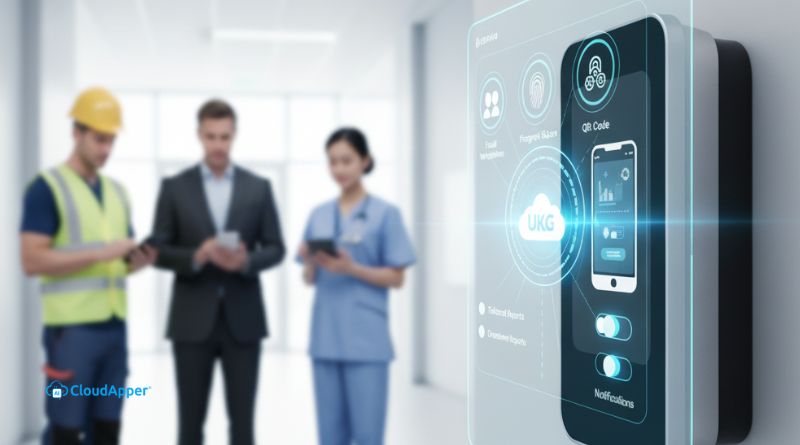
Table of Contents
Every organization runs differently. You might have unique shifts, labor rules, or compliance needs that standard systems can’t always meet. UKG already handles workforce management beautifully—but sometimes, you need something that fits your exact operations. That’s where CloudApper’s customizable AI TimeClock for UKG comes in. Built on CloudApper’s powerful AI platform, it connects directly with your UKG system, syncs employee and time data in real time, and adapts to your specific workflows. With it, you can customize your UKG employee time clock to perfectly match the way your business runs.
TL;DR
-
Seamlessly integrate with any UKG system — CloudApper’s customizable AI TimeClock connects with UKG Pro, Ready, Pro WFM, and HRSD to sync data in real time.
-
Choose how employees clock in/out — Use facial recognition, QR code, or barcode methods, or combine them by department.
-
Tailor for your industry — Add features like break reminders for manufacturing or DOE-compliant reports for schools.
-
Add or remove features anytime — Customize workflows, screens, and notifications as your operations evolve.
-
Easy setup and rollout — CloudApper’s experts build and deploy a tailored solution quickly, with full UKG synchronization.
Why CloudApper’s Customizable AI TimeClock Is a Smart Choice
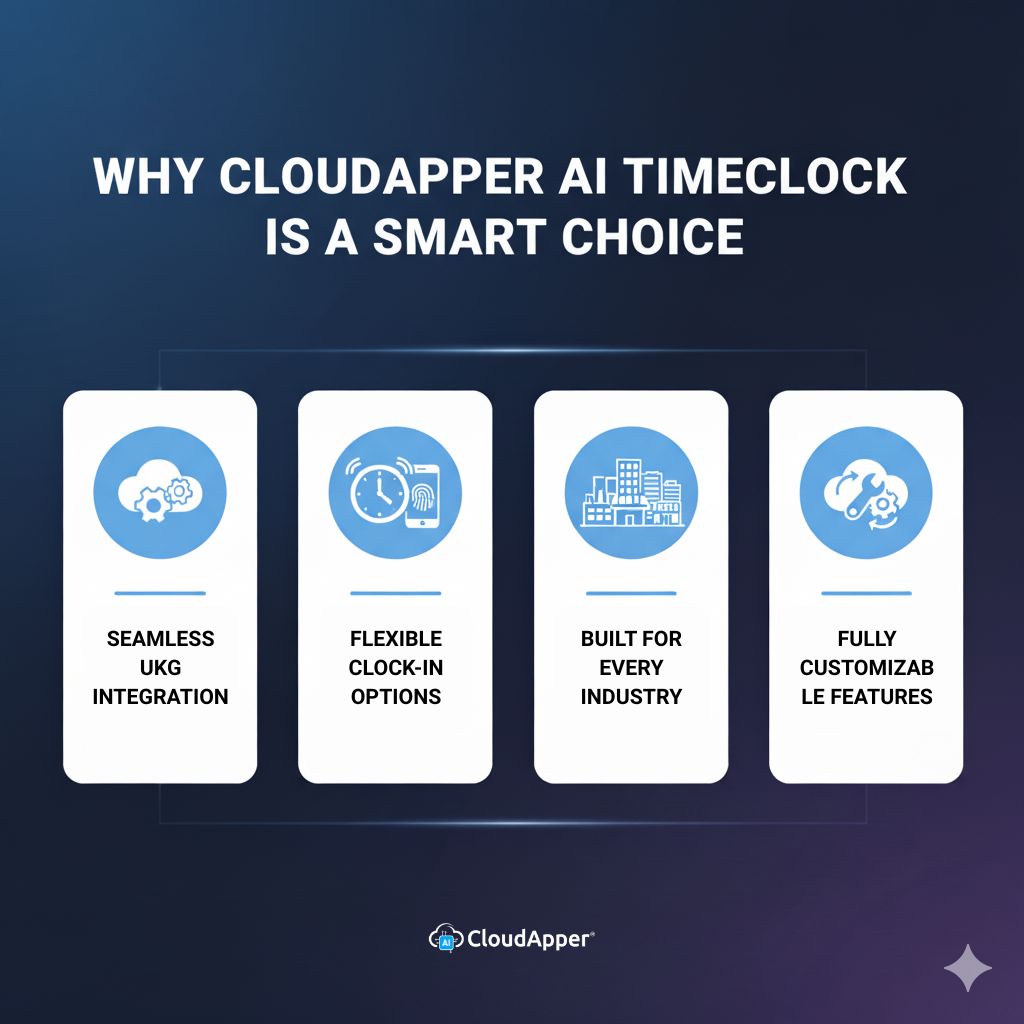
If you already use UKG, you know it’s reliable. But every business has small differences that matter—how employees punch in, how breaks are tracked, or what reports HR needs. CloudApper’s AI TimeClock bridges those gaps effortlessly.
1. Seamless Integration With All UKG Systems
CloudApper’s AI TimeClock connects directly with UKG Pro, UKG Ready, UKG Pro WFM (Dimensions), and UKG HRSD. Once integrated, it continuously syncs punches, employee details, and schedules.

This real-time data sync lets you customize your UKG employee time clock however you want. You can automate shift-specific workflows, generate tailored reports, or even trigger notifications when overtime kicks in. Everything stays updated without manual data entry.
2. Flexible Ways to Clock In and Out
Every workplace has different needs. CloudApper lets you decide how employees record their time. You can choose facial recognition, QR code, or barcode verification—or combine methods across departments.
Because CloudApper syncs directly with UKG, each punch is validated and recorded instantly. That means fewer errors and faster payroll runs. When you customize your UKG employee time clock, you create a smoother process for both HR and staff.
3. Tailored for Every Industry
Different industries expect different things from their employee time clocks, and CloudApper can be shaped to fit them all.
For manufacturing, CloudApper’s AI TimeClock can analyze punch data and automatically send lunch-break reminders to employees who haven’t taken their breaks yet—helping you stay compliant with labor laws. For K-12 schools, it can tailor the interface for teachers and staff. And it’s not limited to only these two industries. No matter the industry you work in, CloudApper got you covered.
By syncing your workforce information and letting you customize the interface, CloudApper’s AI TimeClock transforms a standard employee time clock into a tool built for your exact environment.
4. Add or Remove Any Functionality You Need
Your needs evolve—and your time clock should keep up. With CloudApper, you can easily add or remove features as your operations change.
Need attestation questions at punch-out? Add them. Want alerts for missed shifts or location-based check-ins? Create them. Prefer a simplified screen for hourly staff? Remove extra options.
Since every change updates instantly through your UKG connection, your employee time clock always stays current without reconfiguring the entire system.
Want to see what your customized time clock might look like?
How to Customize UKG Time Clock in Three Simple Steps
You don’t need developers or months of setup. Here’s how you can get started:
-
Talk to CloudApper’s Solution Experts
Explain your unique requirements—whether it’s new verification methods, break compliance, or specific reports. The team will map how your UKG data can support those features. -
Get a Custom Version Built for You
CloudApper will use your live UKG data to create a fully tailored AI TimeClock that reflects your workflow. Most organizations receive a working prototype quickly. -
Test and Launch Company-Wide
Try it with a small group first. Once it performs as expected, roll it out across the company. The system stays fully synced with your UKG solution for seamless adoption.
This simple process makes it easy to customize your UKG employee time clock without disrupting daily operations.
Conclusion
Your business deserves an employee time clock that fits how you operate—not one that limits you. CloudApper’s customizable AI TimeClock connects directly with UKG systems, syncs data in real time, and gives you complete control over how attendance and compliance are managed.
If you’re ready to get started, connect with the CloudApper team today and see how simple it is to make UKG work exactly the way you want.
Take control of your UKG employee time tracking today.
Frequently Asked Questions
-
What is CloudApper’s customizable AI TimeClock for UKG?
It’s a flexible employee time clock that connects to your UKG system, syncs employee/time data in real time, and lets you tailor workflows, screens, and rules to match your operations. -
Which UKG products does it integrate with?
It integrates with UKG Pro, UKG Ready, UKG Pro WFM (Dimensions), and UKG HRSD, keeping punches, schedules, and profiles aligned across systems. -
What clock-in/clock-out methods are supported?
You can use facial recognition, QR code, or barcode (and mix methods by site or role) to balance security and convenience. -
How do we customize and roll it out?
1) Discuss requirements with CloudApper’s solution experts, 2) receive a tailored build based on your UKG data, 3) pilot, refine, and deploy company-wide. -
Can it handle compliance and industry-specific reporting?
Yes—add break attestations, overtime prompts, and custom reports. Examples include lunch-break reminders for manufacturing and DOE-compliant reports for K-12.


October 2, 2026
How a UKG Admin Validates a Third-Party Time Clock Integration Before You Buy
A vendor demo proves one punch works. Before approving a third-party time clock, UKG admins should run a seven-step test script in a non-production tenant covering transfers, pay codes, attestation, offline replay, and failure handling, then reconcile results against UKG timecards. Here is the script, and how CloudApper AI TimeClock fits.
October 1, 2026
CapEx vs. OpEx for UKG Time Clocks: How Finance Budgets a Hardware Refresh vs. Tablet Licensing
Is a time clock CapEx or OpEx? Learn how finance typically classifies UKG terminal refreshes, tablet hardware, and hosted time clock subscriptions, how each moves through budget approval, and how to compare an Intouch refresh against CloudApper AI TimeClock on yearly cash flow while UKG stays the system of record.

September 30, 2026
UKG Renewal Checklist: Right-Sizing Your Time Clock Hardware Before You Re-Sign
UKG renewal is the right moment to review time clock hardware site by site. Keep UKG Ready or Pro WFM as the system of record, tag each location retain, refresh, or evaluate, and see where a tablet running CloudApper AI TimeClock is a more affordable fit for small, new, or remote sites.

September 29, 2026
UKG Time Clock RFP: An Evaluation Scorecard for HR, IT, Payroll, and Procurement
A UKG time clock RFP stalls when HR, IT, payroll, finance, and procurement each score differently. Use this weighted scorecard to evaluate UKG Intouch devices and tablet options like CloudApper AI TimeClock on the same terms, test them in your own UKG tenant, and keep UKG as the system of record.