


- What is Geofencing?
- How to Set Up Geofencing for Employee Punch-In Using RightPunch
- Benefits of Implementing Geofencing
- RightPunch: The Best Time Clock for UKG
- Defining Approved Punch Locations in UKG Ready
- Related Geofencing & Location Guides
- FAQ: Geofencing Setup for UKG
Setting up geofencing for UKG means defining approved punch zones around your work locations, assigning them to the employees who should be restricted, and letting the time clock block or flag punches from outside those zones. In UKG Ready and Pro WFM environments this is typically done through a geofencing-capable time clock such as CloudApper AI TimeClock, configured per site and per employee group. Here’s how it works.

Organizations are constantly striving to improve workforce management and promote employee accountability. Geofencing, an innovative solution, has emerged as a valuable tool for achieving these objectives. By harnessing CloudApper’s cutting-edge geofencing technology, businesses that utilize the UKG solution can effectively track their employees in real time, ensuring they are present at the correct location and fulfilling their duties as required. This blog aims to delve into the concept of geofencing, provide guidance on how to set up geofencing for employee punch-ins using RightPunch, highlight the numerous benefits of adopting geofencing practices, and emphasize why RightPunch serves as the ultimate choice for a time clock solution within the UKG solutions.
What is Geofencing?
Geofencing is a technology that uses GPS or RFID to create a virtual boundary or “fence” around a specific geographic area. With geofencing, organizations can define specific locations and trigger actions when employees enter or exit those areas. In the context of workforce management, geofencing enables companies to track employee attendance and ensure that they are physically present in the designated work areas.
How to Set Up Geofencing for Employee Punch-In Using RightPunch
Setting up geofencing for employee punch-ins with RightPunch is a straightforward process that can be accomplished with ease. Here’s a step-by-step guide:
Access RightPunch
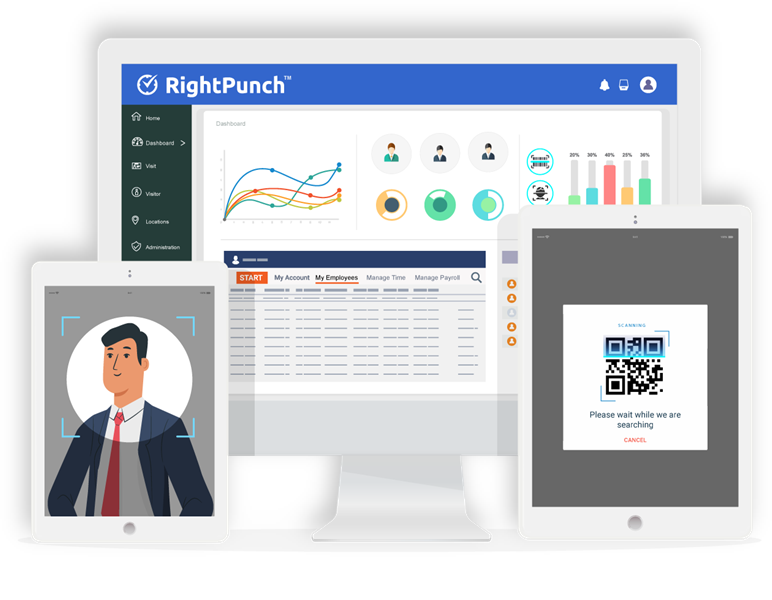
RightPunch is a robust time clock solution that integrates seamlessly with the UKG system. Ensure that you have the RightPunch software installed and configured for your organization.
Enable Geofencing
Within RightPunch, navigate to the settings or configuration menu and locate the geofencing feature. Enable geofencing functionality to start defining the virtual boundaries for employee punch-ins.
Define Geofence Parameters
Specify the location coordinates, radius, and trigger actions for each geofence. For example, you can set up a geofence around your office premises. It can also be configured to automatically only record employee attendance when they punch in from the designated area.
Save and Test Geofence Settings
After defining the geofence parameters, save the settings and conduct a test to ensure that the system accurately detects and records employee punch-ins when they enter the specified areas.
 Benefits of Implementing Geofencing
Implementing geofencing for employee punch-ins offers several benefits, including:
Enhanced Accuracy
Geofencing ensures accurate recording of employee attendance, as it relies on GPS or RFID technology to determine the exact location of employees. This eliminates the possibility of manual errors or fraudulent punch-ins.
Improved Workforce Accountability
Geofencing promotes accountability among employees by ensuring that they are physically present in the designated work areas during their scheduled shifts. This helps to discourage tardiness and unauthorized absences.
Streamlined Payroll Processes
With geofencing, payroll processes become more efficient and streamlined. Accurate attendance data captured through geofencing can be seamlessly integrated with the UKG solution, eliminating the need for manual data entry and reducing payroll errors.
Compliance with Labor Regulations
Geofencing helps organizations comply with labor regulations by providing accurate records of employee attendance. This can be invaluable in industries where labor laws and regulations are strictly enforced.
Real-Time Monitoring and Notifications
Geofencing allows managers and supervisors to monitor employee attendance in real-time. They can receive instant notifications when employees enter or exit the defined geofenced areas, enabling prompt action and intervention if necessary.
RightPunch: The Best Time Clock for UKG
When it comes to time clock solutions for UKG, RightPunch stands out as the ideal choice. RightPunch seamlessly integrates with the UKG solution, providing a user-friendly interface to set up geofencing capabilities. With its drag-and-drop functionality, configuring geofences and defining parameters becomes effortless, even for non-technical users. Additionally, RightPunch offers comprehensive reporting features, real-time data synchronization, and excellent customer support, making it the preferred time clock solution for organizations using UKG.
Geofencing is a powerful technology that can greatly enhance employee attendance tracking and workforce management. By leveraging CloudApper’s geofencing capabilities and integrating RightPunch with UKG, organizations can ensure that employees are physically present in designated work areas. automate attendance recording, and streamline payroll processes. The benefits of implementing geofencing, such as enhanced accuracy, improved workforce accountability, and compliance with labor regulations, make it a valuable tool for organizations seeking to optimize their time and attendance management. Embrace geofencing with RightPunch and transform your workforce management practices for improved efficiency and productivity.
Defining Approved Punch Locations in UKG Ready
For UKG Ready users, the practical setup is location-first: define each site’s punch zone (the geofence radius around the work location), then assign which employees or groups may punch within each zone. Once configured, clock-in and clock-out attempts outside an approved zone are blocked or flagged for review, which is especially valuable for multi-site operations, field crews, and remote locations where supervisors can’t visually confirm who is on site. Punches that pass validation post to UKG Ready with the location stamp attached, keeping timecards audit-ready.
Related Geofencing & Location Guides
For the broader picture of what UKG can capture about punch locations — and the employee privacy questions that come with it — see does UKG track location? Clock-in GPS & geofencing explained.
FAQ: Geofencing Setup for UKG
Can I apply geofencing to only certain employees in UKG?
Yes. Geofencing zones are assigned per employee or group, so field crews or specific sites can be restricted while office staff punch normally. This is configured in the geofencing-capable time clock rather than in core UKG.
What happens when an employee tries to punch outside the geofence?
Depending on configuration, the punch is either blocked outright or accepted and flagged for manager review, with the actual location recorded alongside the punch.
Does UKG Ready support geofencing natively?
Location capture options vary by UKG edition and configuration. Many UKG Ready and Pro WFM organizations add geofencing through an integrated time clock layer such as CloudApper AI TimeClock, which enforces punch zones and posts validated punches back to UKG.