Months. That's how long a custom UKG request can sit in the backlog. On September 23, a live audience saw it shrink to 34 minutes, as CloudApper AI turned a requirements document into a complete app. Then came a timesheet rebuilt from one Excel screenshot in four minutes, and a compensation planner built from a sales call. Missed it? Here's the full story, plus the replay.


Table of Contents
- UKG live-build workshop recap: the key takeaways
- The old way of handling the backlog is a slow leak
- The fourth answer: build it around UKG, fast
- Four steps from requirement to production
- Five moments from the live demo
- This is already live in UKG environments
- What the room was asking for
- Workshop Q&A: what UKG teams asked
- What happens if you keep waiting
- Missed it? Watch the replay, then bring your requirement
- The takeaway
Months. That’s how long a custom HR request can sit in an internal backlog. Scoping calls. Proposals. Budget approvals. A spot on next year’s roadmap, if it’s lucky.
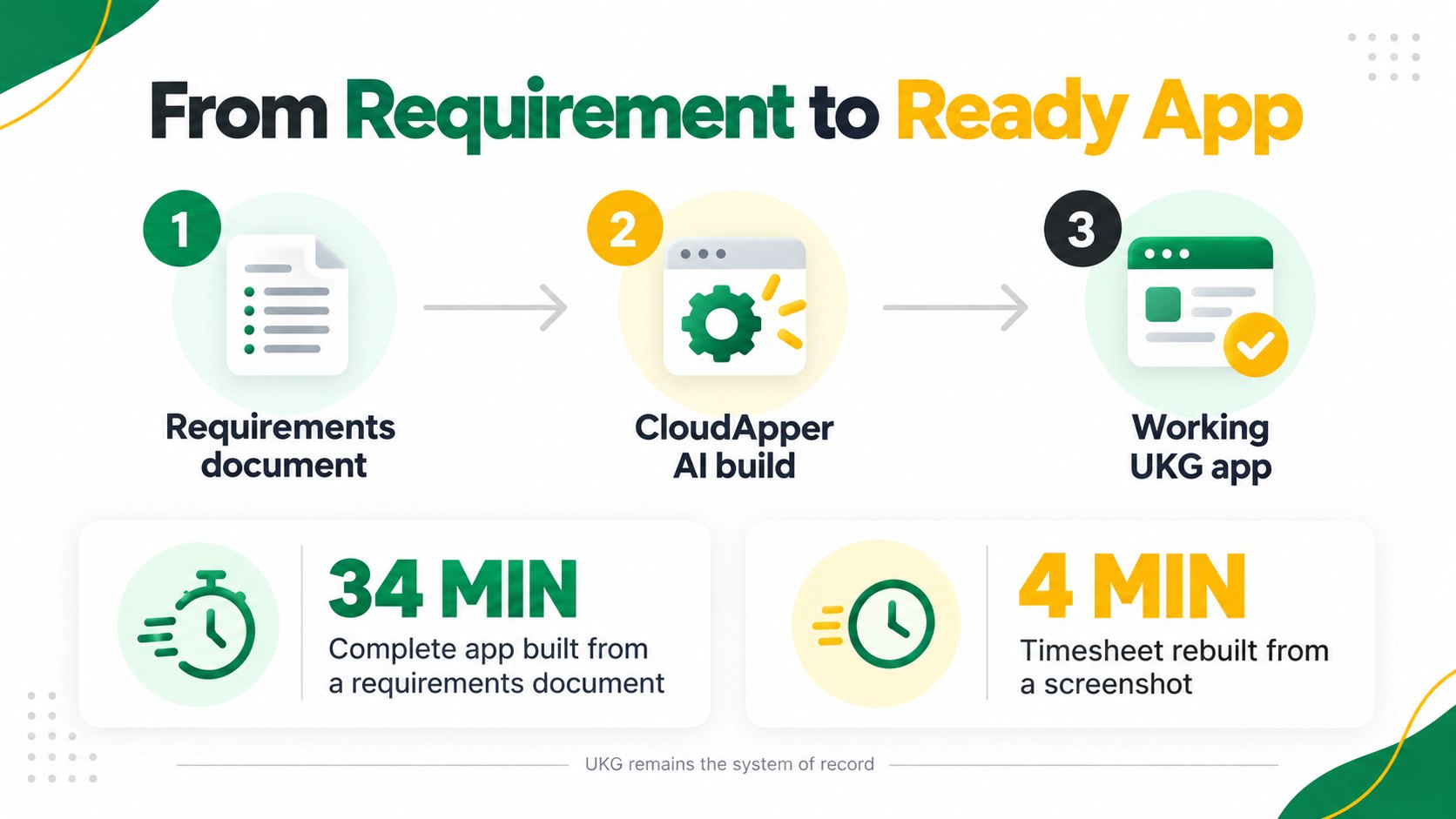
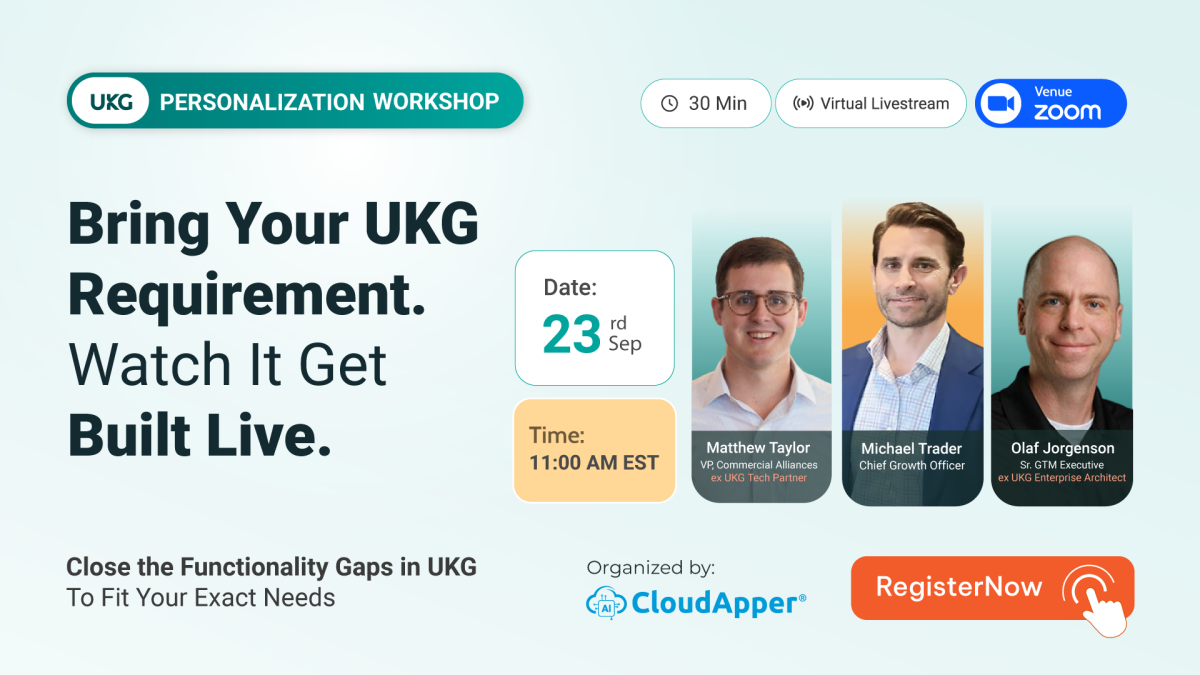
On September 23, the UKG Personalization Live-Build Workshop showed a live audience what happens when that timeline breaks. A requirements document went into CloudApper AI. The AI asked for a few permissions, then got to work. About 34 minutes later, every form and every automation the application needed was built.
And that wasn’t even the best part. Later in the session, a timesheet got rebuilt from a single Excel screenshot in about four minutes, and a compensation planner turned up that had been built from the transcript of a sales call.
The engine behind all of it was CloudApper AI, the vibe-coding platform for HR systems like UKG. You describe what your business needs in plain language. CloudApper AI builds the complete solution around UKG, with security, integrations and the interface already in place, while UKG stays your system of record.
Leading the session were Chief Growth Officer Michael Trader, VP of Commercial Alliances Matthew Taylor, and Senior GTM Executive Olaf Jorgenson. Between Matthew and Olaf, that’s 14 years spent inside UKG before they crossed over to build around it.
When we announced the UKG Personalization Live-Build Workshop, the promise was simple: bring a real UKG requirement and watch it become a working application. On the day, the hosts went further. They brought two real requirements that came to CloudApper through UKG, showed the finished apps, then walked back through exactly how each one was built.
UKG live-build workshop recap: the key takeaways
- What it was: a free, 40-minute live session on September 23, 2026, showing how CloudApper AI builds custom applications around UKG Pro, UKG Pro WFM and UKG Ready.
- The headline build: a complete application, every form and automation, generated from a requirements document in about 34 minutes.
- The “aha” moment: a timesheet rebuilt from a single Excel screenshot in about four minutes.
- The safety net: CloudApper AI never modifies UKG configuration. It connects through UKG’s supported APIs, and UKG stays the system of record.
- The proof: solutions already running in production for public sector, healthcare, home health and services organizations.
- The replay: the full recording is available on demand.
The old way of handling the backlog is a slow leak
Every HR, payroll and IT team has one.
The list.
The union pay rule unique to one contract. The approval flow still stuck in three rounds of email. The report finance keeps asking for. The request someone logged as “nice to have” a year ago.
Chief Growth Officer Michael Trader laid out the three options most teams fall back on:
- Change the business process to fit a standard setup. Some rules, like union contracts and state laws, can’t change.
- Build a side tool. One person ends up owning it forever. When they leave, so does the knowledge.
- Park it for a future project. Which usually means never.
Every one of those options costs something. Usually it shows up as hours in spreadsheets and payroll corrections, and the list keeps getting longer.
Then the workshop introduced a fourth option.
The fourth answer: build it around UKG, fast
Matthew Taylor, VP of Commercial Alliances and a six-year veteran of UKG’s alliances program, put it in one sentence:
“CloudApper automatically builds things around UKG that your business needs and that standard configuration doesn’t cover.”
He was quick to give UKG its due. “No platform will be able to meet 100% of the requirements by themselves. And that’s fine, because those platforms do what they’re good at.” UKG runs the core. CloudApper AI builds the business-specific pieces around it.
For HRIS and IT leaders, the safety story is what matters most. UKG stays your system of record, so employee data, pay and payroll don’t move. CloudApper AI never touches your UKG configuration. It works through UKG’s supported APIs on its own logic layer, which means UKG upgrades and your UKG support relationship stay exactly as they are. Ownership stays clear too: UKG supports UKG, and CloudApper supports CloudApper.
Senior GTM Executive Olaf Jorgenson spent eight years at UKG as a pre-sales enterprise architect, and he explained why that design matters so much. “The thing that always worried me when I was at UKG was modifying a customer’s product configuration. You can’t mess with product configs, and that’s why this matters.”
Four steps from requirement to production
Chief Growth Officer Michael Trader broke the build process down:
- Gather your requirements. The rules, the approvers, the exceptions.
- Open CloudApper AI and choose to create with AI.
- Describe it in plain language. Answer the AI’s questions the way you’d brief a new teammate.
- Connect your UKG API credentials. Start using a production-ready solution.
VP of Commercial Alliances Matthew Taylor, who has watched close to a thousand go-lives, shared the part most vendors skip. Projects rarely fail because of technology. They fail because requirements weren’t clear. With CloudApper AI, the requirements are most of the work. The build is the fast part.
And the input can be simpler than you think. Even the transcript of a discovery call can feed the AI.
Then the hosts handed the screen to a CloudApper product manager for the live demo.
Five moments from the live demo
Moment 1: The 34-minute app
The platform opened up on screen. Builder Studio for data and integrations. A full user experience designer. An automations hub for AI agents, agent flows and complete workflows.
The demo showed how you can just type “I want a payroll app” and start a conversation. Then came the faster path: drop in a requirements document. The AI asked for a few permissions, then built the whole application in about 34 minutes.
“Traditionally, mapping out a solution like this could take months,” the product manager said. “With CloudApper AI, the same work happens in days.”
Moment 2: A real telecom problem, solved on UKG Ready
A telecom client needed to track technicians’ field time against project budgets. Technicians entered custom billing codes on the go. Managers juggled mixed pay models against one budget.
The CloudApper AI solution digitized mobile time entry, synced billing codes automatically and added real-time budget control. A working version was running in about an hour.
Moment 3: The four-minute timesheet
This was the one.
The client saw the new timesheet and pushed back. Their technicians lived in Excel. A big interface change could backfire.
So the team took a screenshot of the old spreadsheet, handed it to the AI and asked for a timesheet that matched.
About four minutes later, it was done. The new timesheet looked like the spreadsheet the technicians already knew, except now expenses added up on their own and there was a submit button at the bottom.
Then they fed the AI a design file and got another version of the app in that style. One application, different interfaces for different roles.
Moment 4: A compensation planner built from a sales call
Supervisors get an interactive proposal worksheet. Spending limits are enforced automatically. Proposals move through an approval hierarchy. Final pay lands in employee records.
The twist? The need came up on a prospective client call one of the hosts took less than two weeks before the workshop. The team built most of it from the transcripts of that conversation, in a few hours.
Moment 5: A CloudApper AI app inside UKG Ready
The demo closed inside a UKG Ready sandbox. SubConnect, a substitute management solution built for a school district, sat right inside a UKG Ready tile. Teachers report an absence and request a substitute where they already work.
Teachers don’t need a separate login or another app to learn. It’s just there, in the tool they already open every day.
This is already live in UKG environments
These aren’t prototypes. The hosts walked through solutions running today across UKG Pro, UKG Pro WFM, UKG Ready and UKG HR Service Delivery:
- Public sector: multi-union seniority shift bidding across five bargaining units for a transit agency, integrated with UKG Pro WFM and its data warehouse.
- Healthcare: union step and grade pay progression, rolling overtime bonuses and accrual carryover compliance, fully automated.
- Home health: HIPAA-compliant mileage calculation for more than 3,000 field staff, tied to patient visits and synced with payroll.
- Services and distribution: historical timecard recalculation, overtime recoupment and accrual corrections.
Olaf Jorgenson, the former UKG enterprise architect, named the pattern. At UKG, the most common requests he heard were about business-specific pay calculations, like union pay rules, incentive pay and mileage, “and it’s kind of not even close.” Every organization’s rules are different, which is exactly where custom calculation engines make the biggest difference.
And there’s a fast lane too. Ready-made CloudApper AI solutions for step and grade pay, K-12 substitute management, tip pooling, bidding, mileage tracking, reference checks, AI Recruiter and hrPad by CloudApper AI. If one gets you 80% of the way, the platform configures the last 20%.
What the room was asking for
You can tell a live session landed by what people ask before it ends. Two requests from attendees during the broadcast said more than any applause could:
Can we get a screenshot of that compensation planner?
Workshop attendee, before the session wrapped
Can CloudApper AI build and deliver a 401(k) file from our UKG data?
Workshop attendee, during the live Q&A
People ask for screenshots and file formats when they’re already picturing the solution running in their own UKG environment. The hosts took those questions, and a few more, head on.
Workshop Q&A: what UKG teams asked
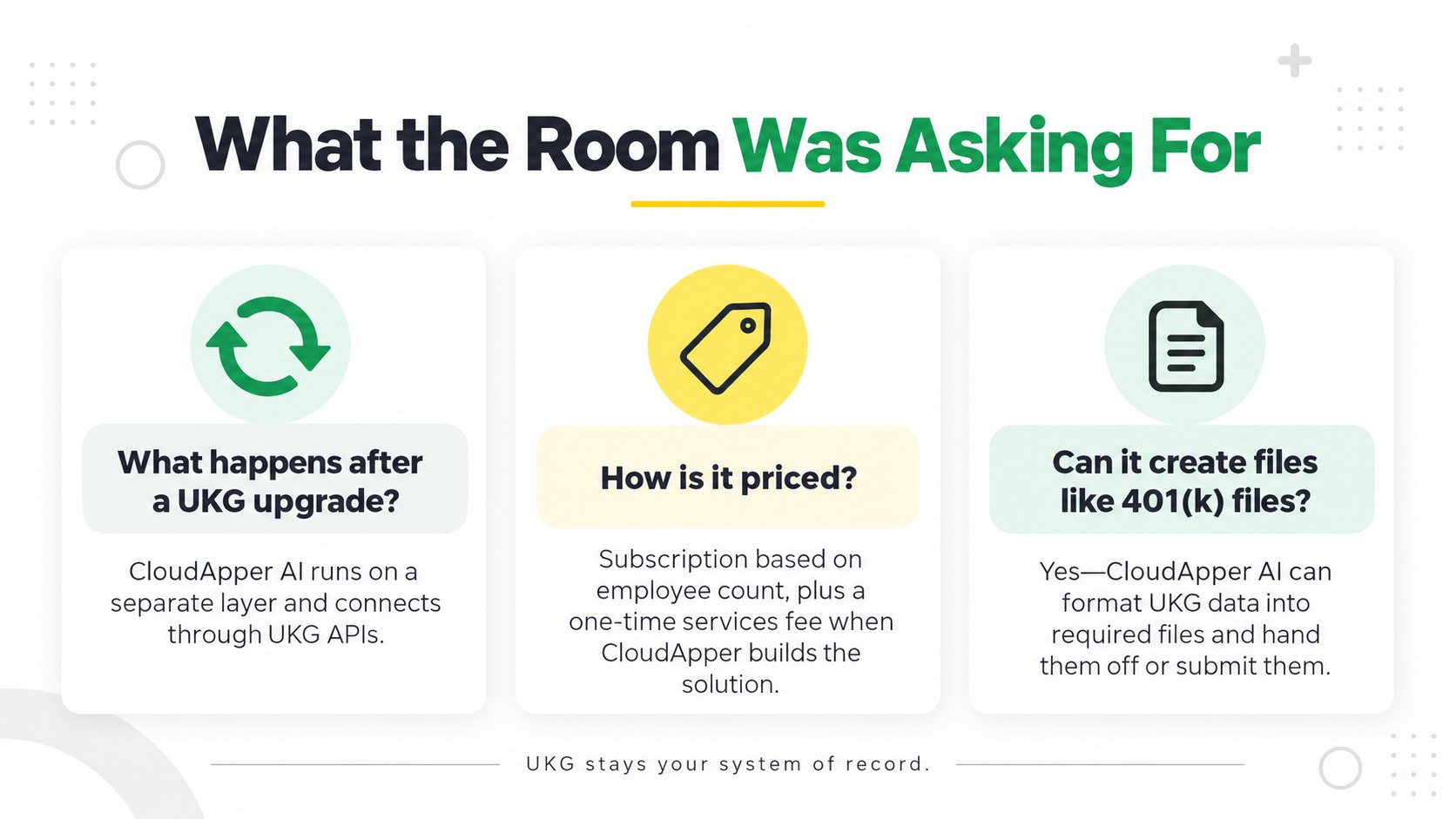
What happens to CloudApper AI solutions when UKG releases an upgrade?
Nothing changes. CloudApper AI solutions run on a separate layer and connect through UKG’s APIs, Senior GTM Executive Olaf Jorgenson explained. VP of Commercial Alliances Matthew Taylor added that, as a UKG partner, CloudApper gets sandbox access, upgrade previews and release notes, often months ahead.
How is CloudApper AI priced?
Chief Growth Officer Michael Trader kept it simple: a subscription based on employee count, much like UKG. If CloudApper’s team builds a solution for you, there’s a one-time services fee based on scope.
Can CloudApper AI create and deliver files UKG teams need, like a 401(k) file?
Yes, said Olaf Jorgenson. If UKG has the data, CloudApper AI can format it, including state-required XML formats, and either hand the file over or submit it. Matthew Taylor summed up the mindset: when it comes to data, assume the answer is yes.
What happens if you keep waiting
Chief Growth Officer Michael Trader closed with a point worth repeating. CloudApper AI doesn’t stop at generating code. It delivers complete solutions for web, mobile and desktop, with security, governance, scalability and two-way UKG integration built in.
That changes the math on every item in your backlog.
The request you parked last quarter? It could be a working app this month. The spreadsheet your payroll team rebuilds every pay period? It could be retired. The side tool that only one person understands? Replaced with something governed, supported and connected to UKG.
Teams that move now will spend next year building on top of UKG. Teams that wait will spend it managing the same list.
Missed it? Watch the replay, then bring your requirement
Step 1: Watch the full session. The recording is waiting on the UKG Personalization Live-Build Workshop page. Send it to your payroll lead and your HRIS team.
Step 2: Send the request that’s been stuck. Contact the CloudApper team for a free 30-minute conversation. You’ll find out whether it’s a fit and roughly what it takes to deliver.
Step 3: Be in the room next time. When you reach out, ask to be on the list for the next live build. This one moved fast. The next one won’t wait either.
The takeaway
For years, the HR request backlog has worked the same way. A request comes in. It gets scoped, priced and parked. Months go by.
That workshop showed what happens when the cycle breaks. A requirements document became a working app in about 34 minutes, and a sales call turned into a compensation planner in a few hours. Through all of it, UKG stayed exactly where it was, still the system of record.
Your UKG requirements can be built. What’s left to decide is how long they stay on the list.
So watch the replay, pick the request that’s cost your team the most, and bring it to CloudApper AI before the next live build fills up.


September 14, 2026
UKG Customers Vote, CloudApper Builds It Live: Free Workshop Sept. 23
CloudApper AI is hosting a free 30-minute live-build session on September 23, 2026, where UKG users vote on a real functionality gap and watch CloudApper build, configure, and demo the fix live. Attendees will vote on a real UKG challenge, then watch CloudApper build, configure, and demo the fix live during the 30-minute session.

November 13, 2025
CloudApper Lights Up UKG Aspire 2025: What We Saw, Who We Met, and Why It Was Awesome
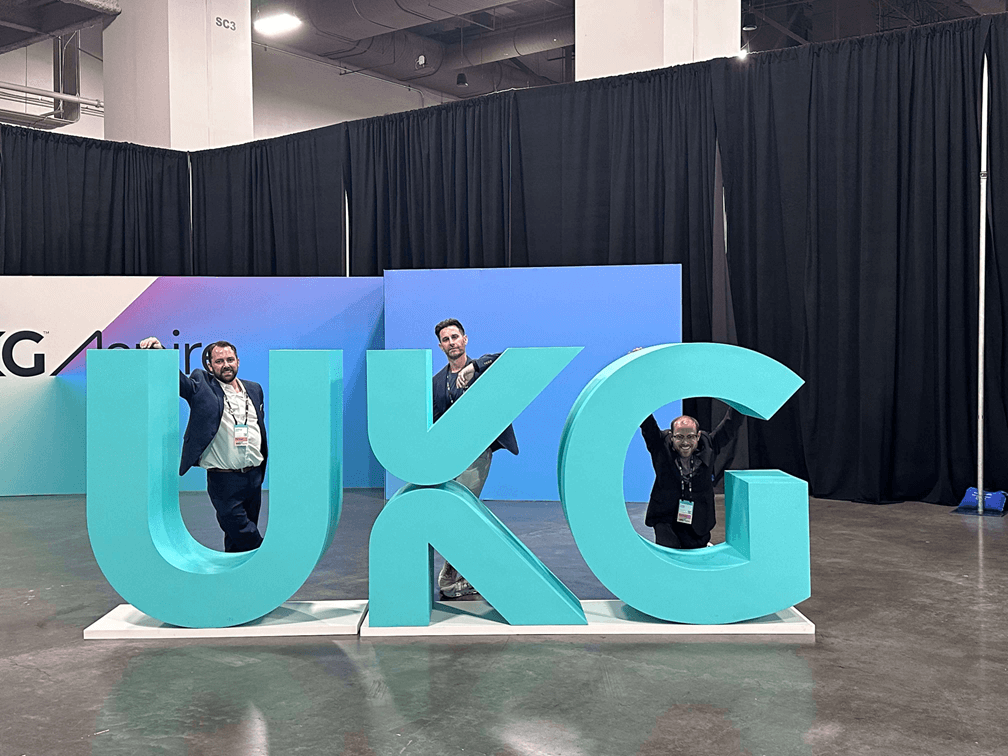
CloudApper stole the show at UKG Aspire 2025! Non-stop booth action, live demos of AI-powered time clocks on everyday tablets, seamless UKG personalization, and game-changing solutions for frontline self-service, recruiting, and complex scheduling. UKG customers from every industry left excited about making their HCM work harder—without complexity or big budgets. Aspire 2026, we’re ready!