UKG time punch rounding applies the seven-minute rule by default: punches 0–6 minutes before/after the scheduled time round down/up to the nearest quarter-hour. CloudApper AI TimeClock lets you customize or disable rounding rules, apply grace periods, and maintain compliance while preventing payroll errors and disputes in UKG Ready or Dimensions environments.


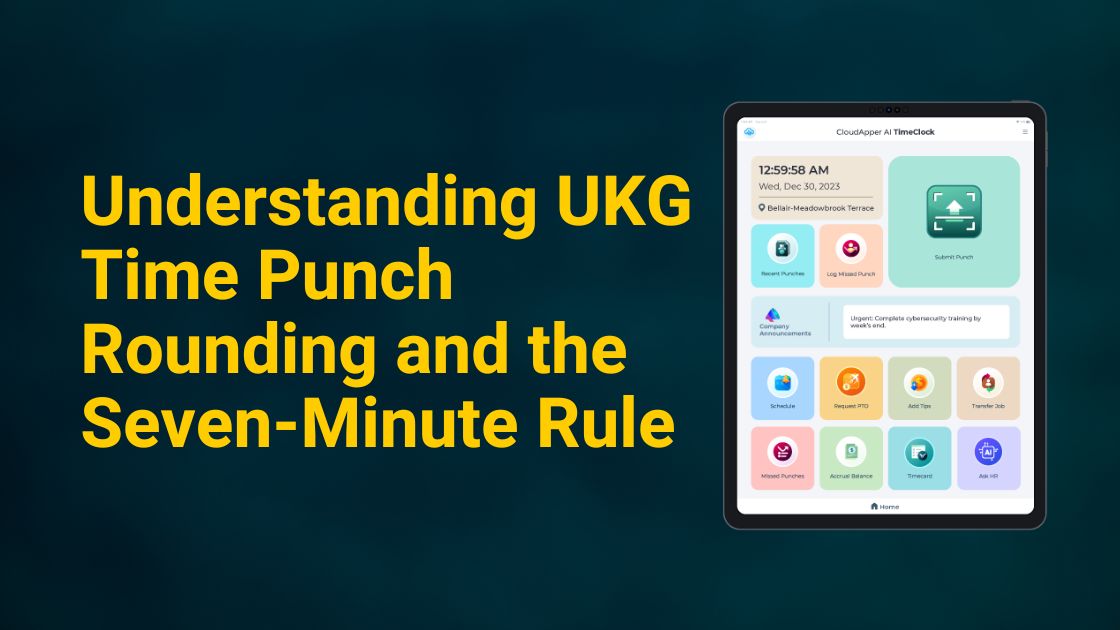
Table of Contents
- Common Rounding Configurations in UKG
- Factors Influencing Rounding
- How to Set Up Punch Round Rules in UKG Pro
- How to View Rounded Punch Times in the Timecard (UKG Pro WFM)
- CloudApper AI TimeClock: Simplifying Rounding and More
- Frequently Asked Questions
UKG time punch rounding is one of the most commonly misunderstood features in modern workforce management — yet it directly affects every employee’s paycheck and your organization’s payroll accuracy. In UKG Ready and UKG Dimensions, the system applies the well-known Seven-Minute Rule to round time punches to the nearest quarter-hour. Understanding exactly how UKG time punch rounding works, when it benefits (or penalizes) employees, and how to customize or override it is essential for fair compensation, legal compliance, and preventing payroll disputes. This article explains the rule in detail, shows real-world examples, and highlights how CloudApper AI TimeClock gives administrators full flexibility to configure rounding policies that best suit your workforce and business needs.
For more information on CloudApper AI TimeClock for UKG visit our page here.
TL;DR
UKG time punch rounding follows the seven-minute rule: punches within 0–6 minutes of the scheduled time round to the nearest quarter-hour (e.g., 7:02 → 7:00, 7:08 → 7:15). CloudApper AI TimeClock gives admins full control to customize rounding rules, enforce grace periods, or disable rounding entirely — ensuring payroll accuracy, compliance, and flexibility for UKG Ready & Dimensions users.
The Seven-Minute Rule Explained
This rule allows employers to round employee clock-in and clock-out times to the nearest quarter-hour increment. In simpler terms, time punches within 7 minutes before or after a quarter-hour mark are rounded up or down accordingly:
- Punches between 0-7 minutes after the quarter-hour are rounded down (e.g., 8:07 AM becomes 8:00 AM).
- Punches between 8-14 minutes after the quarter-hour are rounded up (e.g., 8:13 AM becomes 8:15 AM).
Legality and Implementation
The Fair Labor Standards Act (FLSA) allows this rounding practice, but with specific conditions:
- It must be applied consistently, rounding both up and down for all employees.
- The practice shouldn’t significantly disadvantage employees overall.
- Employers must maintain accurate records of actual start and stop times.
Benefits of the Seven-Minute Rule
While some concerns exist, this rule offers potential benefits for both employers and employees:

- Reduced Administrative Burden: Streamlines timekeeping and payroll processing.
- Minimizes Minor Discrepancies: Accounts for natural variations in arrival and departure times.
- Potential Cost Savings: May reduce payroll costs in some cases.
However, it’s crucial to ensure fair implementation and consider potential drawbacks like:
- Potential loss of compensation for employees if not applied consistently.
- Possible employee morale concerns if rounding primarily benefits the employer.
Common Rounding Configurations in UKG
1. Rounding to the Nearest Quarter Hour:
- Default Setting: The majority of UKG time clock installations use this default value.
- Mechanics:
- If you time yourself within seven and a half minutes of a quarter-hour interval, you will be rounded to the nearest quarter-hour.
- If you start to clock in between seven and fifteen minutes before the end of a quarter hour, it will be rounded down to the previous quarter hour.
- Objective: Ensures accurate payroll by maintaining a reasonable balance between employees’ needs and the need for precise timekeeping.
2. Rounding to the Nearest Minute:
- Precision Focus: Particularly important for sectors that rely on precise timekeeping, some companies choose to round up to the closest minute.
- Mechanics: The time is rounded to the nearest whole minute if it is not exactly in the exact minute.
3. Rounding by Employee Type or Project:
- Flexibility Feature: Depending on the type of employee or the project, UKG permits customisation.
- Example: For hourly workers, it’s to the quarter of an hour, and for salaried workers, it’s to the nearest minute.
- Adaptability: Adapted rounding rules for each project to meet their individual requirements.
Factors Influencing Rounding
1. Grace Period Settings:
- Consideration: A waiting time before and after planned shifts is a common practice in many companies.
- Configuration: One option is to use the same rounding criteria for the entire workday, while another is to use non-rounded values for the grace time.
2. Overtime Calculations:
- Policy Variations: Overtime computations can differ in rounding nuances depending on pay policies.
- Example: Fair compensation for employees is ensured by certain organizations by rounding up all hours after a specific threshold.
How to Set Up Punch Round Rules in UKG Pro
To configure rounding rules directly in UKG Pro Timekeeping:
- Access Punch Round Rules: navigate to the Punch Round Rules page under the Administration section of UKG Pro Timekeeping.
- Define in-punch rounding: configure early and late inside rounds to accommodate variations in shift start times, ensuring rounds exceed their corresponding grace periods.
- Specify out-punch rounding: set up early and late inside rounds for shift end times, and define change points that determine when rounds and graces apply.
- Establish round and grace increments: define outside and inside rounds along with grace increments that match your pay policies.
How to View Rounded Punch Times in the Timecard (UKG Pro WFM)
Users have the flexibility to switch between viewing actual punch times and their rounded equivalents in the timecard display. Enabling this functionality allows users to view all punches within the specified timeframe with their rounded times, facilitating a swift confirmation of accuracy in totals.
Upon activating the Rounded Punch Times feature, users within the designated timecard display profile can opt to view rounded punches in the timecards for the loaded timeframe. It’s important to ensure that punch edits are saved before activating this feature. If unsaved punch edits are present in the timecard, the Rounded Punches button will be disabled.
To enable this feature, follow these steps:
- Navigate to Main Menu > Administration > Application Setup > Display Preferences > Display Profile Building Blocks > Timecard Settings.
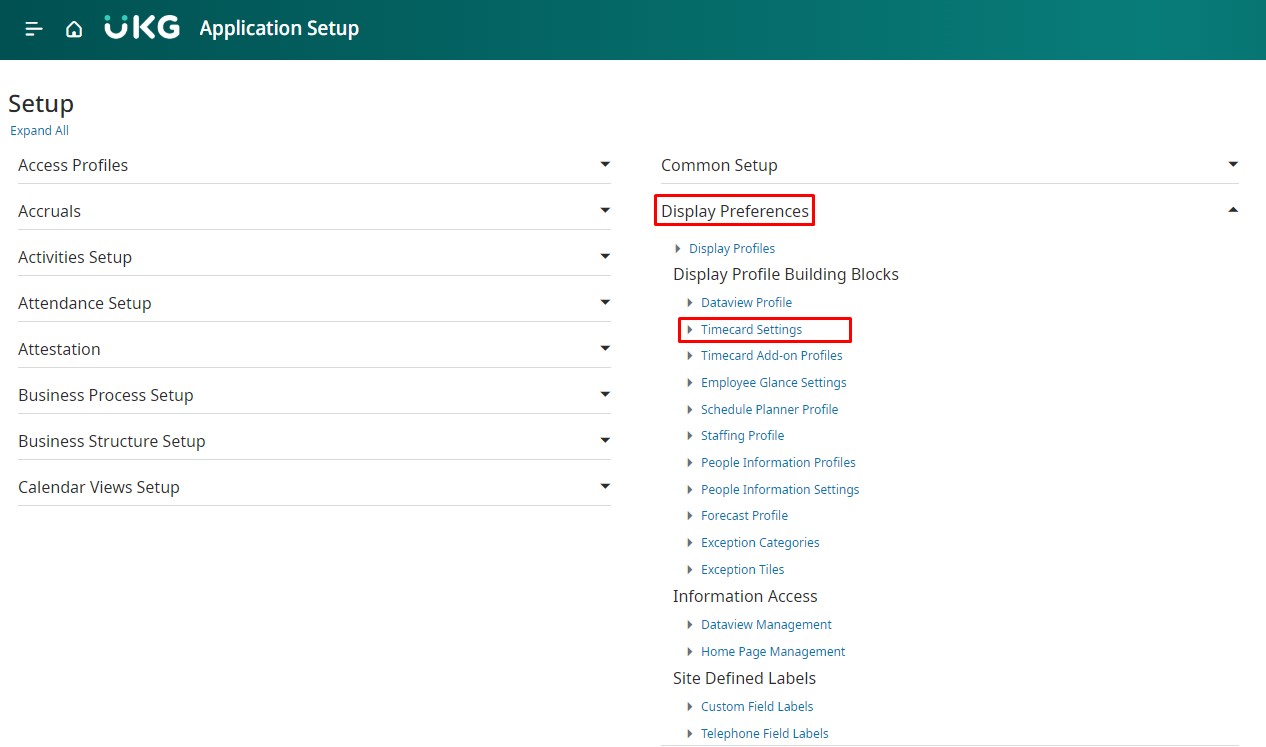
- From the Timecard Settings page, choose the name of the timecard setting display profile and click on Edit.
- Check the box next to “Allow Rounded Punch Toggle“. When the Rounded Punches button is activated, any edits to the timecard will be automatically disabled, and an alert will be displayed.
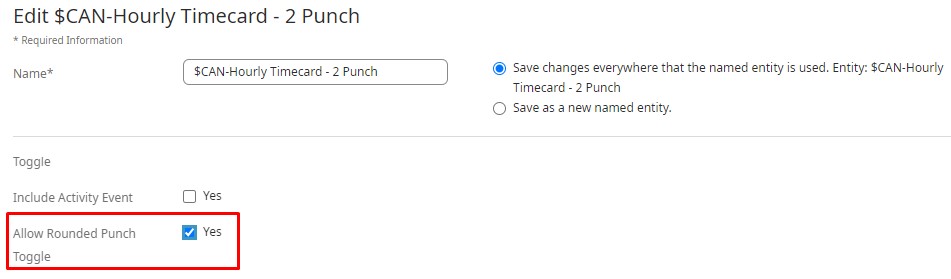
- Click Save on the top right corner to apply the changes.
CloudApper AI TimeClock: Simplifying Rounding and More
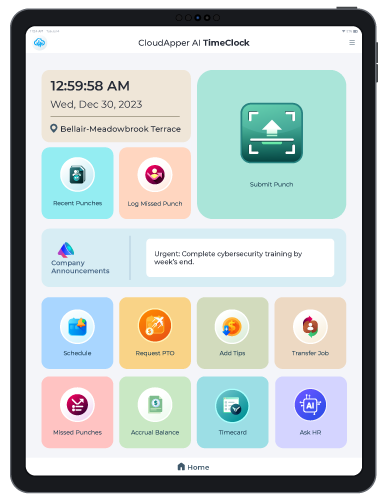
Whether you utilize the Seven-Minute Rule or not, ensuring accurate and efficient timekeeping is essential. That’s where CloudApper AI TimeClock comes in.
This advanced solution offers numerous time tracking advantages:
- Mobile Convenience: Employees clock in/out using their own Android/iOS devices or iPads, eliminating fixed hardware costs and location limitations.
- Cellular Connectivity: Clocking in/out happens seamlessly, even without internet access (data syncs automatically).
- Advanced Features: Facial recognition, project tracking, offline functionality, and customization options enhance accuracy and flexibility.
- Seamless Integration: Effortlessly integrates with UKG Ready and other HR systems, ensuring data accuracy and streamlining processes.
CloudApper AI TimeClock simplifies rounding compliance, regardless of your chosen method:
- Automatic Rounding: Configurable settings ensure consistent and compliant rounding based on your policy.
- Detailed Reporting: Gain comprehensive insights into time-punch data, including actual and rounded times.
- Eliminates Manual Errors: Automated processes minimize human error and discrepancies in rounding.
Embrace Flexibility and Accuracy with CloudApper AI TimeClock
Key Takeaway
The Seven-Minute Rule in timekeeping allows for rounding clock-in and clock-out times to the nearest quarter-hour increment, offering benefits like reduced administrative burden and minimized minor discrepancies. However, ensuring fair implementation and considering potential drawbacks is essential. CloudApper AI TimeClock simplifies rounding compliance and enhances accuracy, offering advanced features and seamless integration with UKG Ready and other HR systems. Embrace flexibility and accuracy with CloudApper AI TimeClock to transform your timekeeping processes and boost employee satisfaction.
Frequently Asked Questions
What is the UKG seven-minute rule for time punch rounding?
The UKG time punch rounding seven-minute rule rounds punches 0–6 minutes before or after the scheduled time to the nearest quarter-hour (e.g., 9:02 → 9:00, 9:08 → 9:15). Punches exactly on the 7-minute mark round up.
Can I customize rounding rules in UKG?
Yes — while UKG applies the standard seven-minute rule by default, CloudApper AI TimeClock allows admins to customize rounding intervals, grace periods, or disable rounding completely for specific groups, departments, or pay policies.
Does rounding always benefit the employee in UKG?
No — rounding can go either way. A punch at 9:02 rounds down (employee loses 2 minutes), while 9:08 rounds up (employee gains 7 minutes). Custom rules in CloudApper help balance fairness and compliance.
How does punch rounding affect payroll accuracy in UKG?
Proper UKG time punch rounding prevents small discrepancies from accumulating into large payroll errors. CloudApper ensures rounding is applied consistently, logged transparently, and synced in real-time to UKG Ready or Dimensions.
Is the seven-minute rule required by law in the UKG system?
No — the seven-minute rule is a common practice (based on FLSA guidelines allowing rounding if neutral over time), but it is not mandatory. CloudApper lets you configure rounding to meet your company policy or legal requirements.
Embrace a mobile, flexible, and compliant solution. CloudApper AI TimeClock empowers you to:
- Simplify UKG time punch rounding with confidence.
- Enhance accuracy and streamline timekeeping processes.
- Boost employee convenience and satisfaction.
Take control of your timekeeping and experience the difference. Contact us today to explore how CloudApper AI TimeClock can transform your UKG system!




October 19, 2026
Nurse Mandatory Overtime Limits in UKG: Documenting Voluntary Overtime at Clock-Out
New York, Pennsylvania and Washington restrict mandatory overtime for nurses, which makes documented consent the key record. Learn how UKG Pro WFM and UKG Ready separate voluntary and mandated overtime, and how CloudApper AI TimeClock captures consent on an affordable unit tablet.

October 16, 2026
Heat Illness Recovery Breaks in UKG for Construction and Logistics Crews
State heat rules in California, Washington and beyond require cool-down breaks that payroll must be able to prove. Learn how UKG Ready and UKG Pro WFM track recovery periods, and how CloudApper AI TimeClock captures them on an affordable jobsite tablet that works offline.
October 15, 2026
PUMP Act Lactation Breaks in UKG: Tracking Them Without Breaking Meal Rules
Lactation breaks protected by the PUMP Act often show up as meal break exceptions in UKG. Learn what federal law requires, how to configure UKG Ready and UKG Pro WFM pay codes, and how CloudApper AI TimeClock records these breaks privately on an affordable tablet clock.

October 14, 2026
Enforcing Minor Work Hour Limits at the UKG Time Clock
Child labor hour limits are usually built into UKG schedules, but violations happen at the punch. Learn the federal rules for 14 to 17 year olds, how UKG Pro WFM and UKG Ready handle minor rules, and how CloudApper AI TimeClock adds age-based checks on an affordable tablet clock.