Improving employee experience in UKG doesn’t require replacing the system. With practical strategies and CloudApper tools, you can enhance workflows, support your teams better, and make everyday HR interactions smoother while keeping UKG at the center.


Table of Contents
- What Is Employee Experience & Why It Matters
- How UKG Users Can Measure Employee Experience
- Common Employee Experience Challenges in UKG Workflows
- How CloudApper AI Helps Improve Employee Experience in UKG
If you use UKG for HCM and workforce management, you already understand how powerful it is. But when I speak with HR leaders across industries, one question comes up often:

“How do we improve employee experience without replacing UKG or changing everything we already have?”
You probably feel the same way. Your team might already be using UKG daily. Employees clock in, check schedules, and manage HR tasks. But if you want to take employee experience to the next level, the right approach is not to replace UKG. It is to enhance it with the right tools and workflows that make your HCM smoother, faster, and more employee-friendly.
That is exactly where CloudApper AI solutions for UKG come in. It does not compete with UKG. It helps UKG users do more with what they already have.
Let’s walk through how you can improve employee experience in UKG using practical strategies and real examples.
What Is Employee Experience & Why It Matters
Employee experience includes everything your employees feel, see, and interact with during their time at your company. It covers communication, onboarding, scheduling, feedback, pay clarity, career growth, leadership, teamwork, and day-to-day tools.
If you create a better employee experience, you usually see:
- Improved productivity
- Lower turnover
- Higher employee satisfaction
- Better compliance
- A smoother HR workflow
The best part is this. Employee experience does not always require big changes. Sometimes small improvements make a major impact.
How UKG Users Can Measure Employee Experience
If you want to improve employee experience, start by measuring it. UKG already has strong workforce data, but with the right add-ons, you can collect employee sentiment in real time.
Here are simple ways to measure employee experience:
| KPI / Metric | What It Reveals |
| eNPS (Employee Net Promoter Score) | Employee advocacy & satisfaction |
| Shift swap requests | Schedule flexibility needs |
| Time-to-resolution for HR queries | HR responsiveness |
| Absenteeism trends | Stress or dissatisfaction |
| Feedback from clock-ins | Daily sentiment insights |
You can combine UKG usage data with CloudApper tools to gather feedback directly during punches or after shift completion. That helps you understand how employees actually feel while they work.
Common Employee Experience Challenges in UKG Workflows
From conversations with HR leaders, these issues come up repeatedly — and most of them come from workflow friction, not system limitations:
- Communication often feels delayed, mostly because HR teams cannot respond to every request immediately. Employees start to feel disconnected when answers take too long.
- Schedules change quickly, but updates aren’t always communicated clearly, leaving employees feeling “out of the loop” when shifts or priorities shift.
- Feedback is difficult to collect naturally, so employees feel unheard unless they speak up directly — which doesn’t always happen.
- Some HR processes require too many steps, making simple tasks feel complicated or confusing, especially for frontline teams.
- Compliance becomes stressful when labor laws differ by state, and there’s no simple way to capture attestations or confirm policy alignment.
The good news? None of these problems requires replacing your UKG system. They only require extending it with tools that make it easier to use and more employee-friendly.
How CloudApper AI Helps Improve Employee Experience in UKG
CloudApper works with UKG to add practical enhancements such as:
| Employee Experience Challenge | CloudApper Solution |
| Time theft & buddy punching | Face ID + Geofencing in AI TimeClock |
| Employee feedback collection | CloudApper hrPad |
| HR queries on demand | hrGPT AI assistant |
| PTO / schedule requests | Self-service workflows |
These improvements help your employees feel supported while keeping your UKG system at the center of operations.
Want to see how these enhancements work inside your current UKG setup?/p>
Explore Your UKG Enhancement Opportunities
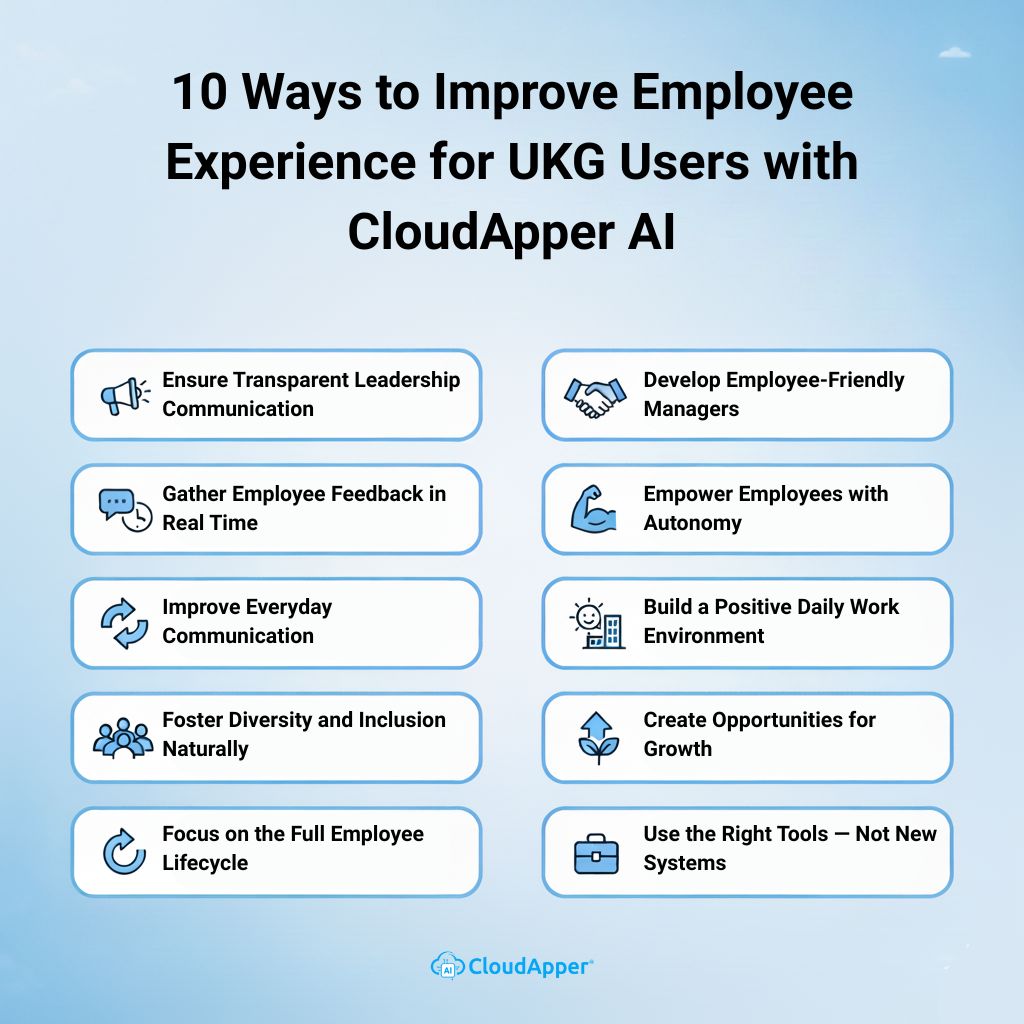
10 Initiatives to Improve Employee Experience for UKG Users with CloudApper AI
1. Ensure Transparent Leadership Communication
Employees feel more connected when leadership communicates clearly and consistently. Sharing updates, goals, and changes builds trust and alignment. You can also use pulse surveys or quick feedback forms to understand employee sentiment instead of waiting for annual reviews.
2. Gather Employee Feedback in Real Time
Waiting a full year for feedback means problems stay hidden. CloudApper AI TimeClock lets UKG users capture feedback directly during clock-ins with short questions like “How was your shift today?” or “Any concerns we should know about?” It feels natural and helps HR act quickly.
3. Improve Everyday Communication
HR often receives questions about accruals, PTO, and policies — and employees sometimes wait days for a response. With CloudApper hrGPT, employees can ask these questions from their phone and get instant answers. HR saves time, employees get clarity faster, and communication stays consistent.
4. Foster Diversity and Inclusion Naturally
Diversity is not achieved through policy alone. It requires listening, measuring, and acting. With CloudApper workflows integrated into UKG, you can track D&I efforts, collect employee sentiment, and understand where improvement is needed — without making it feel forced.
5. Focus on the Full Employee Lifecycle
Employee experience begins at onboarding and often ends at resignation. Every step matters. Offer clear guidance during onboarding, check in early during their tenure, track growth opportunities, and ensure exit feedback is recorded. Each touchpoint builds either loyalty or frustration — the difference is consistency.
6. Develop Employee-Friendly Managers
Managers shape the daily experience more than any tool. Providing them with training on communication, feedback, and goal-setting can greatly improve team morale. When employees feel heard and supported, they stay longer and perform better.
7. Empower Employees with Autonomy
Autonomy improves confidence and performance. Give employees access to schedules, the ability to request PTO, swap shifts, or view HR information without waiting on someone else. CloudApper helps bring these self-service tools into your UKG workflows without changing your core system.
8. Build a Positive Daily Work Environment
Work culture is often shaped by the small things. If tools are slow, processes are confusing, or responses take too long — frustration builds. Giving employees a smooth way to clock in, access information, and feel acknowledged helps reduce negativity and stress during daily tasks.
9. Create Opportunities for Growth
Growth is not just about promotions. It can be learning, mentorship, or responsibility. CloudApper workflows can help collect performance data, track development progress, and capture employee interests. When employees see a path forward, they are more likely to stay engaged.
10. Use the Right Tools — Not New Systems
Improving employee experience does not mean moving away from UKG. It means using tools that make UKG easier to use. CloudApper AI TimeClock can turn any tablet into a UKG-compatible time capture device with Face ID, self-service, and compliance tools. Employees stay engaged, and HR gets clean data — without changing the core system.
Final Thought
Your HCM is already strong. You just need to make it easier for employees to use it every day. By combining UKG with practical tools from CloudApper, you can build a smooth experience that employees appreciate and HR teams can manage with confidence.
You already have UKG. Now let’s make it work even better for your people.
Frequently Asked Questions
-
How can we improve employee experience without replacing UKG?
You do not need to replace UKG to improve employee experience. Instead, you can extend it with tools like CloudApper AI TimeClock and hrGPT that simplify daily tasks, improve communication, and add self-service options while keeping UKG as the main system.
-
What are the first metrics to track when trying to improve employee experience?
Start with simple, practical metrics such as eNPS, absenteeism trends, shift swap requests, time to resolve HR queries, and quick feedback from clock-ins. These give you a clear view of how employees feel and where friction appears in your UKG workflows.
-
How does CloudApper AI TimeClock help UKG users improve employee experience?
CloudApper AI TimeClock turns tablets into UKG compatible time capture devices with Face ID, geofencing, self-service options, and in clock surveys. This makes clocking in smoother, reduces time theft, and lets you collect employee feedback during normal workflows.
-
Can CloudApper help reduce HR workload while improving employee experience?
Yes. CloudApper hrGPT answers routine HR questions instantly, while self service workflows handle PTO, schedules, and basic requests. This frees HR from repetitive tasks and gives employees faster responses, improving both efficiency and experience.
-
Is CloudApper a replacement for UKG HCM?
No. CloudApper does not replace UKG. It works alongside it to enhance employee experience by adding automation, feedback collection, identity verification, and self service features. Your UKG system stays at the center of your HCM and payroll processes.



September 11, 2026
UKG Geofencing Time Clock for Field Workers: GPS Enforcement When Intouch Terminals Aren’t an Option
For field crews and remote-site operations, native UKG geofencing relies on individual smartphones without biometric verification. CloudApper AI TimeClock for UKG delivers GPS zone enforcement plus facial recognition from a managed tablet kiosk — syncing directly with UKG Ready and Pro WFM.


September 10, 2026
Show-Up Pay Compliance: The Reporting-Time Rule Hiding in Cancelled UKG Shifts
Seven states require reporting time pay when a scheduled shift is cancelled or cut short, and the obligation triggers at clock-in, not at the schedule notice. Learn how CloudApper AI TimeClock documents the reporting event so UKG can apply the correct premium automatically.
September 10, 2026
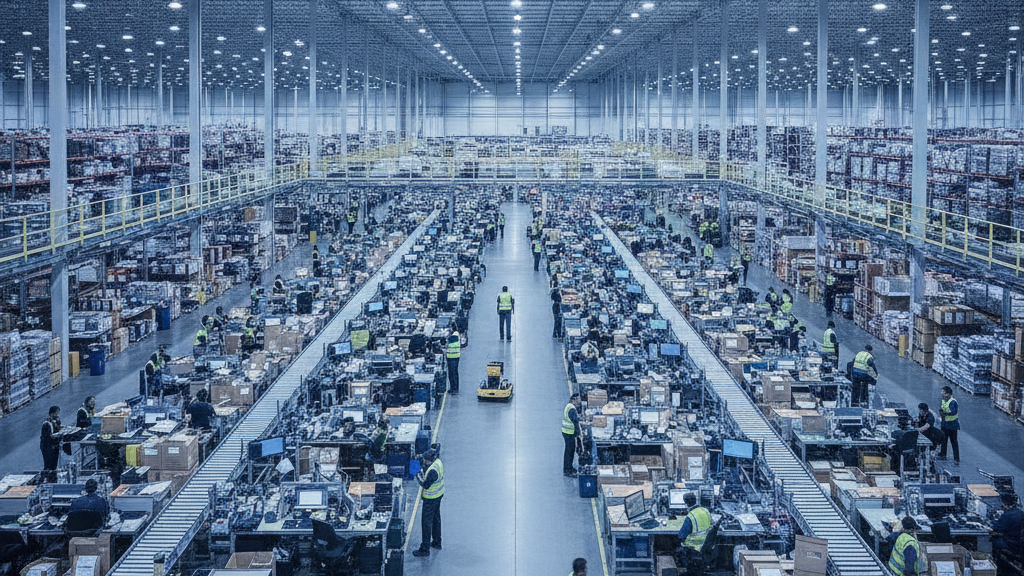
UKG Time Clocks in Warehouses: Why Wave Shifts, Job Transfers, and High Turnover Break Standard Punch Compliance
Wave shifts, mid-shift job transfers, and 25-35% monthly turnover break standard UKG Intouch time clock workflows in warehouse and fulfillment center environments. Here's what operations managers running UKG Ready and Pro WFM actually do about it.
September 9, 2026
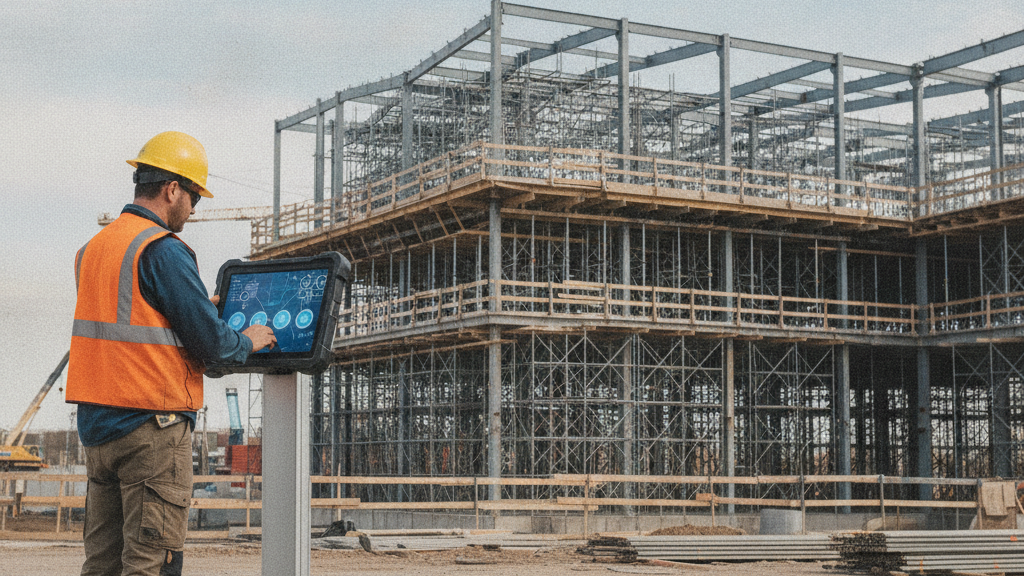
Davis-Bacon Compliance in UKG: Why Trade Classification Must Happen at the Time Clock, Not the Payroll Desk
Government contractors running UKG Ready or Pro WFM can't generate WH-347 certified payroll from standard timecard exports because UKG doesn't capture trade classification by project at the punch level. The gap: classification decisions migrate to the payroll desk and get reconstructed from foreman notes — which is exactly what DOL auditors investigate. Here's what must change at the time clock level.