Split shifts create hidden payroll risks in UKG, from missed premiums to compliance fines. Inaccurate punch data leads to costly errors and employee disputes. By enforcing rules at the point of punch, CloudApper AI TimeClock ensures real-time accuracy, seamless UKG integration, and consistent payroll compliance across industries.


Table of Contents
- TL;DR: Fixing Split Shift Payroll Issues in UKG
- What Is a Split Shift—and Why It’s a Payroll Nightmare
- Real Consequences of Ignoring Split Shift Precision
- Common UKG-Related Causes Behind the Problem
- How I Tackled Split Shift Chaos (And You Can, Too)
- When Good UKG Configuration Isn’t Enough: Enter CloudApper AI TimeClock
- Benefits Beyond Split Shift Fixes
- Best Practices for Payroll Pros
- Frequently Asked Questions (FAQ)
TL;DR: Fixing Split Shift Payroll Issues in UKG
Struggling with split shift payroll issues and UKG payroll errors? Split shifts cause premium pay miscalculations, compliance risks, and employee frustration. CloudApper AI TimeClock automates UKG split shift management by detecting split shifts, ensuring payroll accuracy UKG, and enforcing split shift compliance. With real-time monitoring and seamless CloudApper integration with UKG payroll, it prevents payroll discrepancies, supports California split shift regulations, and streamlines hospitality payroll challenges. Transform your payroll process with automated time capture UKG for accurate, compliant results.

With over a decade managing payroll in hospitality and service industries, I’ve tackled persistent split shift payroll issues that disrupt UKG payroll accuracy. Split shifts—workdays with multiple clock-ins and unpaid gaps—often trigger UKG payroll errors, leading to premium pay miscalculations and compliance risks. These challenges, especially in meeting California split shift regulations, create headaches for payroll teams and erode employee trust when paychecks falter.
Let’s unpack the problem step-by-step with clear, actionable insights—no buzzwords, just facts. By leveraging tools like CloudApper AI TimeClock, you can transform UKG split shift management into an opportunity for efficiency and payroll accuracy UKG. Its automated time capture UKG integration ensures split shift compliance, streamlines hospitality payroll challenges, and minimizes errors, making payroll a proactive strength.
What Is a Split Shift—and Why It’s a Payroll Nightmare
A split shift is a workday where an employee works in two or more separate blocks, separated by a non-paid break longer than a standard rest or meal period, such as morning from 6–10 AM and evening from 5–9 PM. These schedules create significant split shift payroll issues for UKG payroll accuracy.
Why it’s tricky: Split shift premium pay is often required—for example, in California split shift regulations, this means one additional hour at minimum wage (or offset if total pay exceeds it). Calculating this premium hinges on precise tracking of hours worked, wage rates, and local minimums, leaving subtle gaps where UKG payroll errors can emerge, complicating split shift compliance and increasing the risk of costly discrepancies.
Real Consequences of Ignoring Split Shift Precision
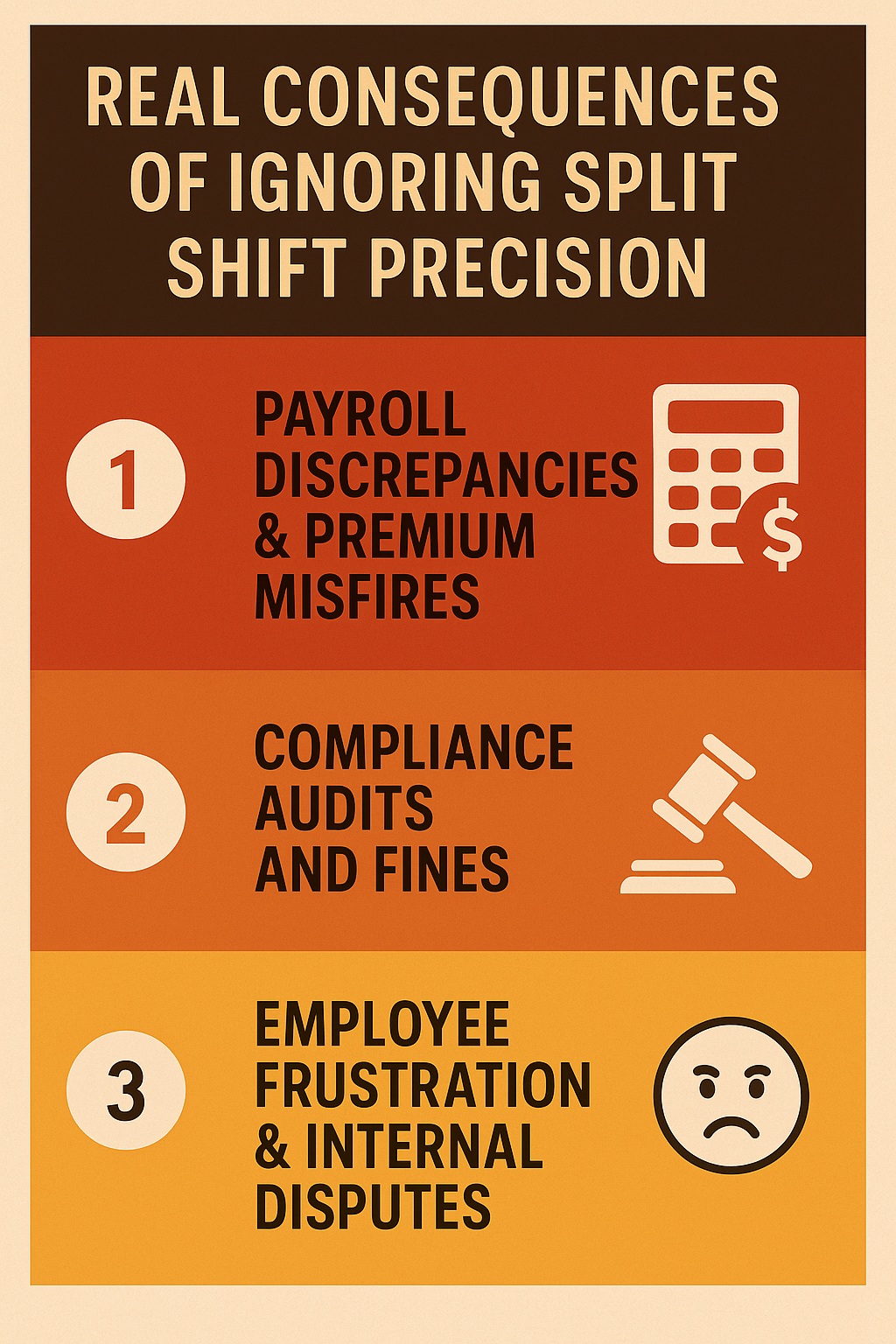
1. Payroll Discrepancies & Premium Misfires
If UKG doesn’t detect or tag a split shift properly, employees miss out on premiums—or payroll overpays them. Both scenarios lead to payroll re-runs, adjustments, and unhappy employees.
2. Compliance Audits and Fines
Failing to accurately record split-shift premiums, especially in regulated states, increases legal exposure. UKG can only calculate what it’s fed—erroneous punches or missing breaks mean non-compliance.
3. Employee Frustration & Internal Disputes
Employees hate inconsistencies in their pay—especially when downtime between shifts isn’t properly compensated. Trust erodes fast when paychecks don’t reflect the reality of their work.
Common UKG-Related Causes Behind the Problem
- Manual punch data leads to missed or overlapping punches around break periods.
- Inaccurate or missing break tagging, causing UKG’s pay rules to misclassify or ignore split-shifts.
- Complex pay rule setup—UKG can enforce split-shift premiums, but it’s only as reliable as the input data and rule configuration.
How I Tackled Split Shift Chaos (And You Can, Too)
In a hotel I managed, split shift payroll issues led to quarterly audits revealing multiple UKG payroll errors, including discrepancies in overtime, rest rules, and split shift premium pay. To address these hospitality payroll challenges, we took decisive steps:
-
Mapped all split shift scenarios across job roles and California split shift regulations.
-
Configured UKG split shift management pay rules to detect and flag gaps exceeding state-defined thresholds.
-
Educated staff and managers on accurate clock-in/out to ensure payroll accuracy UKG for split shifts.
-
Audited payroll weekly, comparing reports to schedules to catch and correct UKG payroll errors.
Despite these efforts, human error persisted, causing ongoing split shift compliance issues—until we implemented CloudApper AI TimeClock. Its automated time capture UKG standardized punch data, ensuring seamless CloudApper integration with UKG payroll and eliminating discrepancies for accurate, compliant payroll processing.
When Good UKG Configuration Isn’t Enough: Enter CloudApper AI TimeClock
Let’s be practical. UKG handles split-shift premium logic—yes—but it depends entirely on accurate, rule-enforced punch data. That’s where CloudApper AI TimeClock becomes indispensable.
How It Solves Split Shift Payroll Challenges
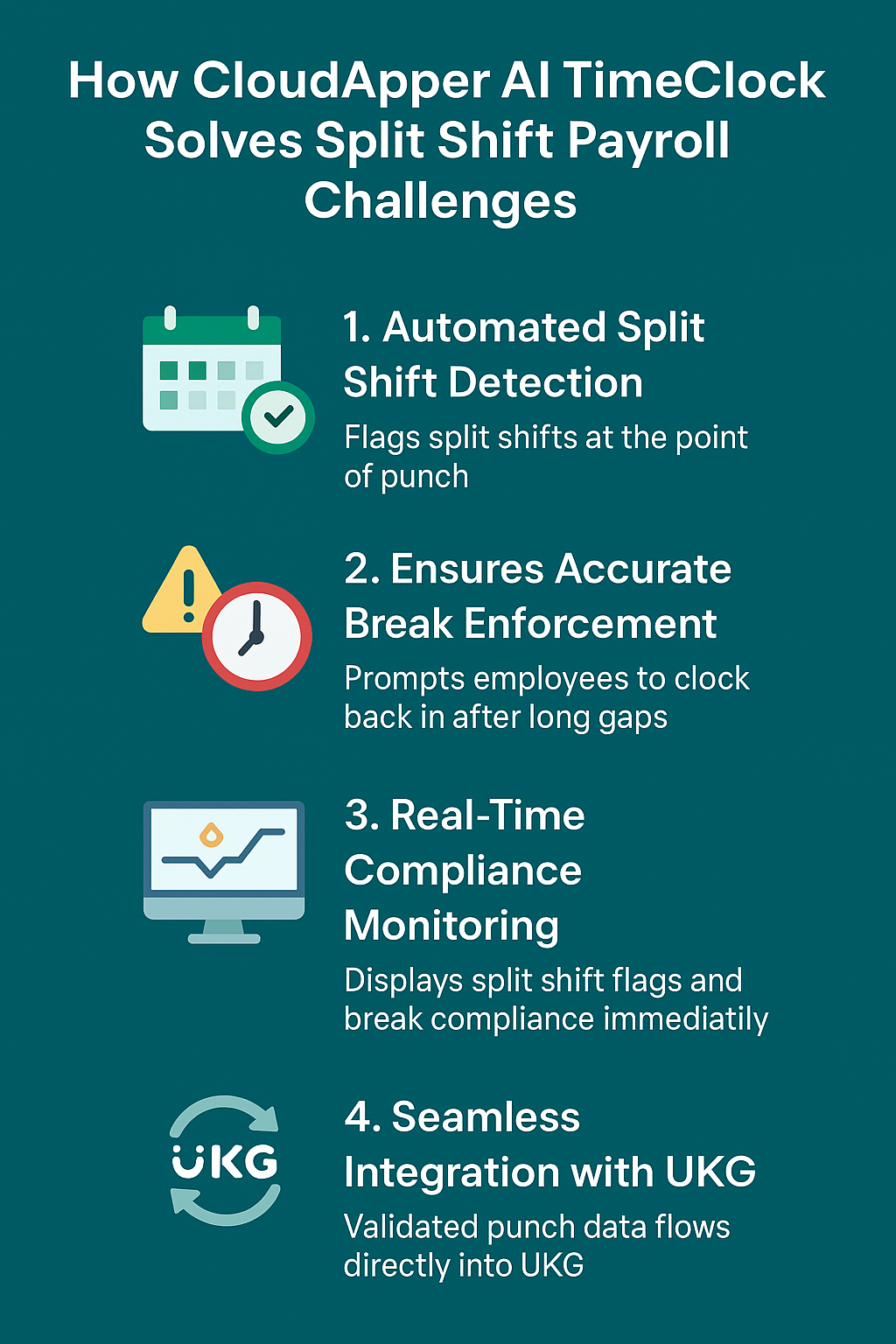
1. Automated Split Shift Detection
CloudApper applies predefined rules to flag split shifts at the point of punch—so “did we just create a split shift?” becomes a real-time question, not a post-paycheck audit.
3. Ensures Accurate Break Enforcement
Whether it’s rest or meal breaks—with built-in compliance logic, CloudApper prompts employees to clock back in after long gaps, ensuring UKG receives accurate contiguous shift data.
3. Real-Time Compliance Monitoring
Managers can see split shift flags, schedule adherence, and break compliance immediately—transforming reactive audits into real-time reassurance.
4. Seamless Integration with UKG
All validated punch data flows directly into UKG (Ready, Pro, Pro WFM), preserving accuracy while slashing manual corrections.
Benefits Beyond Split Shift Fixes
- Custom workflows & data capture: Need job codes, project tags, tip declarations per punch? CloudApper can adapt—UKG just ingests it.
- Self-service for staff: Employees verify shift details, see pending split-shift premiums, and reduce HR disruption.
- Cross-system integration: CloudApper works with other HR, HCM, Payroll, and ATS systems—not just UKG—streamlining multi-system environments.
- Better workforce visibility: BI-ready reports on compliance, shift anomalies, and punch behavior help optimize schedules and labor cost.
Table: Impact Snapshot
| Issue | Without CloudApper | With CloudApper AI TimeClock |
| Split Shift Detection | Relies on manual audits and hotfixes | Real-time detection at punch time |
| Premium Pay Accuracy | Often missed or overpaid | Automatically applied per rules |
| Payroll Adjustments | Frequent re-runs and corrections | Rare—data clean on first pass |
| Compliance Risk | High, especially in stricter states | Proactively controlled and flagged |
| Employee Trust | Erodes with inconsistent pay | Trust builds via transparency |
Best Practices for Payroll Pros
- Map all jurisdiction rules (e.g., California’s specific split-shift premium logic) and codify them in the time tracking layer.
- Use automation at the punch level, not just in UKG—your upstream capture must enforce accuracy.
- Enable employee visibility, so they can self-correct or flag missed breaks.
- Monitor and report regularly—review split-shift data weekly to catch anomalies early.
- Promote integration consistency—ensure all systems downstream (HR, Payroll, ATS) ingest the same verified time data.
Frequently Asked Questions (FAQ)
Q1: How exactly does CloudApper detect split shifts?
It compares the gap between work blocks against a configurable threshold to flag a split shift automatically. That flag triggers the proper premium in UKG.
Q2: Will this work across multiple jurisdictions with different rules?
Yes—CloudApper lets you define unique rules per location, state, or contract, providing compliance-tailored automation.
Q3: Can employees see when they’ve triggered a split-shift premium?
Absolutely. Through the app or tablet interface, employees can view when premiums are applied, reducing disputes.
Q4: How does integration with UKG work?
CloudApper pushes validated punch data directly into UKG via secure API integration—no manual exports or error-prone file uploads.
Q5: What about custom workflows—can CloudApper handle other needs?
Yes—beyond split shifts, you can tailor workflows to capture job codes, project data, tip inputs, leave requests, and more at the point of punch.
Q6: Does this support industries beyond hospitality?
Totally. Anywhere split shifts occur—healthcare, retail, manufacturing, call centers—the solution applies. You’ll gain consistency across all such scenarios.
Split shifts pose one of the most persistent challenges for UKG payroll accuracy. The gap isn’t just a meal break—it’s a hidden compliance and cost risk. Trust me: addressing this at the point of punch—through automation—changes payroll from a reactive fixing game to a proactive control system.
CloudApper AI TimeClock isn’t just a tool—it’s the solution for ensuring accurate, compliant, and efficient payroll handling—even in the most complex split-shift environments.



October 19, 2026
Nurse Mandatory Overtime Limits in UKG: Documenting Voluntary Overtime at Clock-Out
New York, Pennsylvania and Washington restrict mandatory overtime for nurses, which makes documented consent the key record. Learn how UKG Pro WFM and UKG Ready separate voluntary and mandated overtime, and how CloudApper AI TimeClock captures consent on an affordable unit tablet.

October 16, 2026
Heat Illness Recovery Breaks in UKG for Construction and Logistics Crews
State heat rules in California, Washington and beyond require cool-down breaks that payroll must be able to prove. Learn how UKG Ready and UKG Pro WFM track recovery periods, and how CloudApper AI TimeClock captures them on an affordable jobsite tablet that works offline.
October 15, 2026
PUMP Act Lactation Breaks in UKG: Tracking Them Without Breaking Meal Rules
Lactation breaks protected by the PUMP Act often show up as meal break exceptions in UKG. Learn what federal law requires, how to configure UKG Ready and UKG Pro WFM pay codes, and how CloudApper AI TimeClock records these breaks privately on an affordable tablet clock.
October 14, 2026
Enforcing Minor Work Hour Limits at the UKG Time Clock
Child labor hour limits are usually built into UKG schedules, but violations happen at the punch. Learn the federal rules for 14 to 17 year olds, how UKG Pro WFM and UKG Ready handle minor rules, and how CloudApper AI TimeClock adds age-based checks on an affordable tablet clock.