Solution Community for UKG

UKG (Kronos) Time Clock

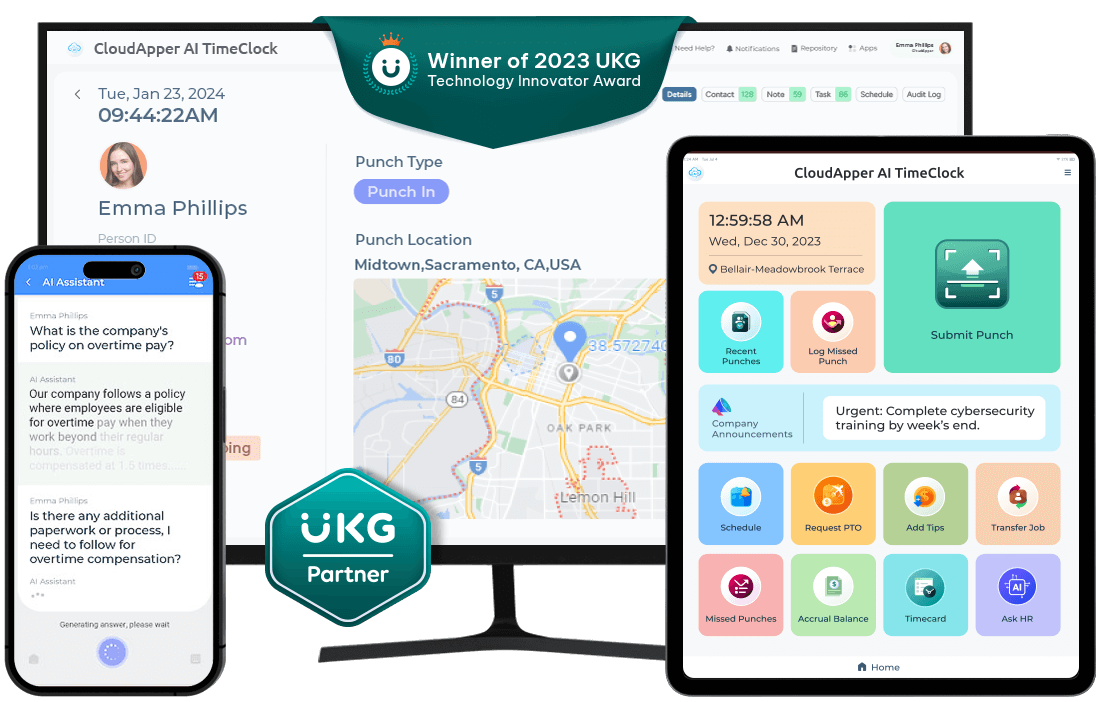
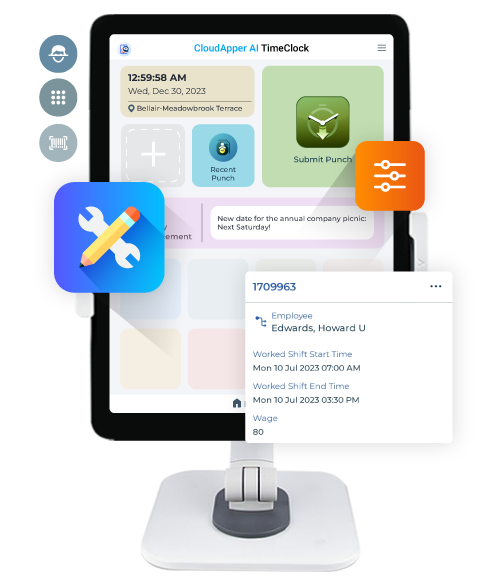
Turn any iPad/Tablet into an AI-powered Affordable Time Clock for UKG

Enhance your frontline worker’s clock-in/out experience with a cost effective iPad or tablet-based UKG (Kronos) time clock that has features like biometric facial recognition, 24/7 AI assistant, geo-fencing, offline time data capture, and self-service.
Trusted and loved by the users of
employee-time-tracking-for-UKG
employee-time-tracking-for-Kronos
Watch-How-It-Works
Turn-any-device-into-a-UKG-time-clock
 

Empower Employees, Simplify Workforce Management,
and Automate HR Workflows

Our iPad/Tablet-based time clock application offers a flexible alternative to the highly-regarded UKG (Kronos)
Intouch DX, 9000, 9100, and 4500 clocking systems.

Simplify Shift
Management

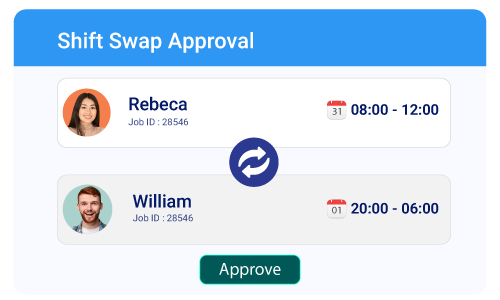
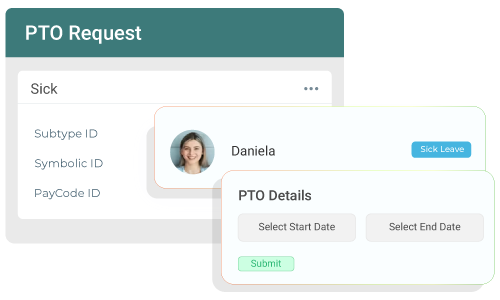
Empower employees to bid, swap, and confirm availability through a streamlined interface.

Touchless Face ID
Check-in

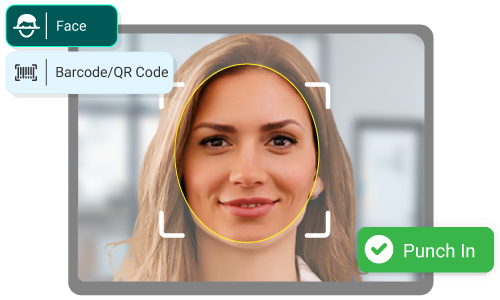
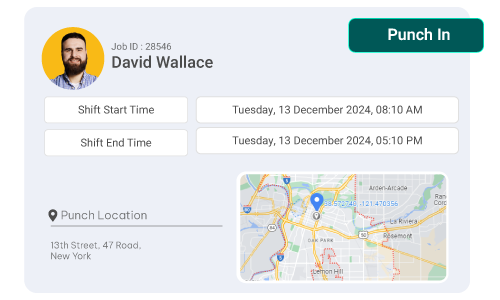
Eliminate buddy punching and ensure accurate timekeeping with facial recognition.

Automate PTO and Overtime

Calculations based on unique HR requirements and real-time calculation capabilities.

Geofence Location
Tracking

Giving decision makers information on absence trends and overtime data.
AI

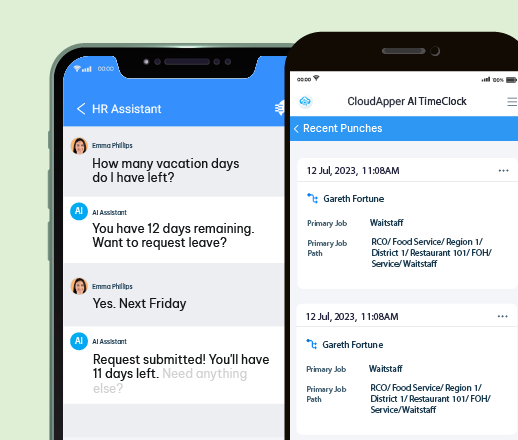
24/7 AI Assistant to
Answer

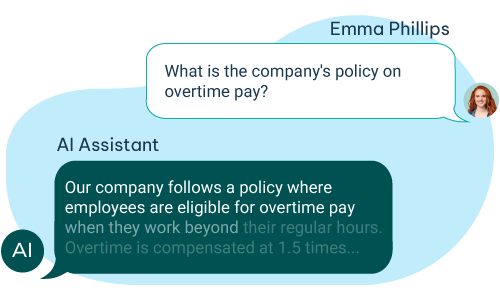
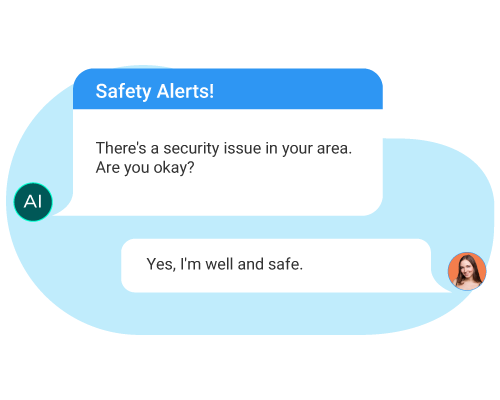
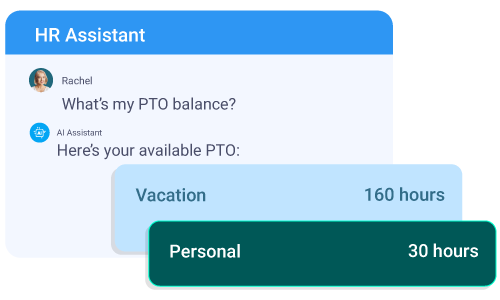
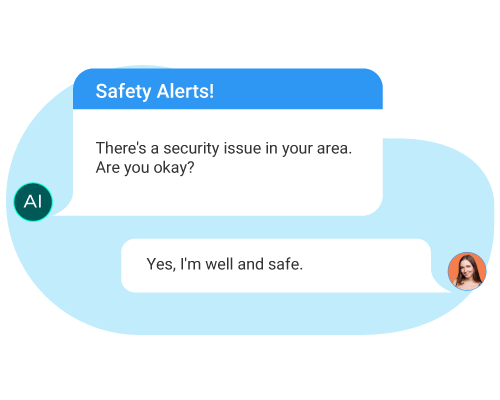
HR-related questions and automate tasks, reducing the manual burden of HR teams.

Employee Self-Service
Capabilities

Enable employees to manage their time effectively and increase transparency.

HR &
Payroll Integration

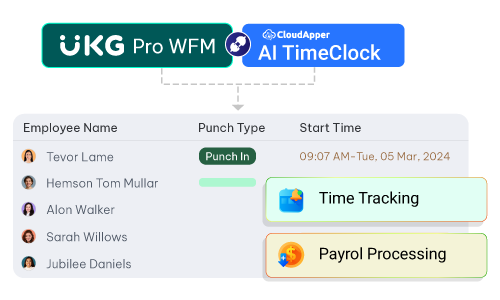
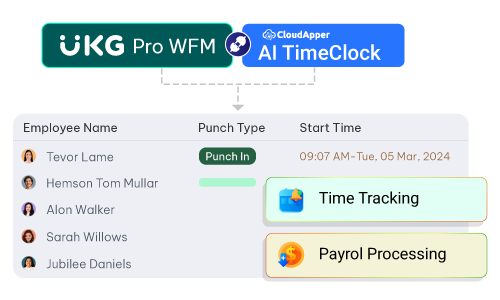
Effortless data exchange with your existing UKG Ready and Pro WFM.

HR Compliance Management

Automated compliance, minimized risks, and eliminated manual entry of pay rules.

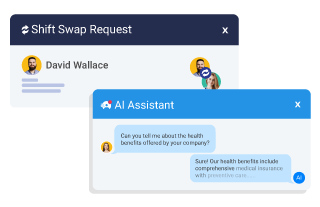
Empower employees to bid, swap, and confirm availability seamlessly. UKG-Time-Clock-Simplify-Shift-Management

Eliminates time theft and buddy punching, boosting productivity and cutting costs. UKG-Time-Clock-Simplify-Shift-Management

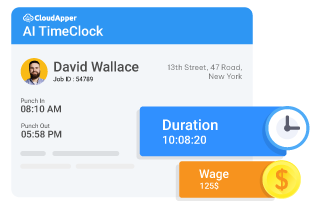
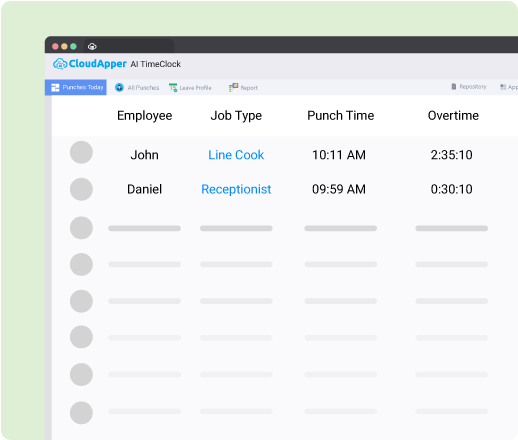
Calculations tailored to HR needs with real-time capabilities. UKG-Time-Clock-Automate-PTO-and-Overtime

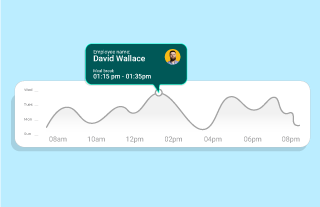
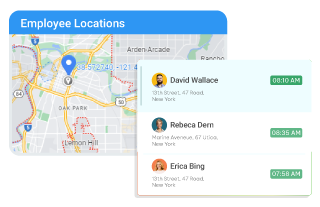
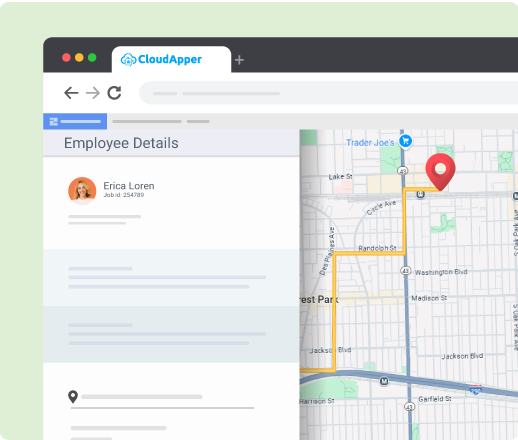
Collect clock in and out data with accurate location, promoting efficient workforce management. UKG-Time-Clock-Geofence-Location-Tracking

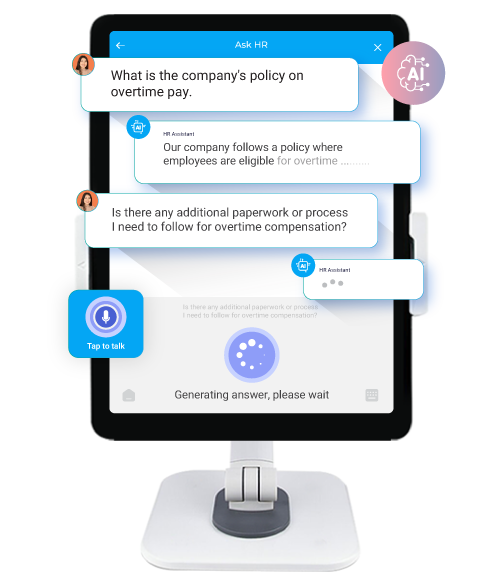
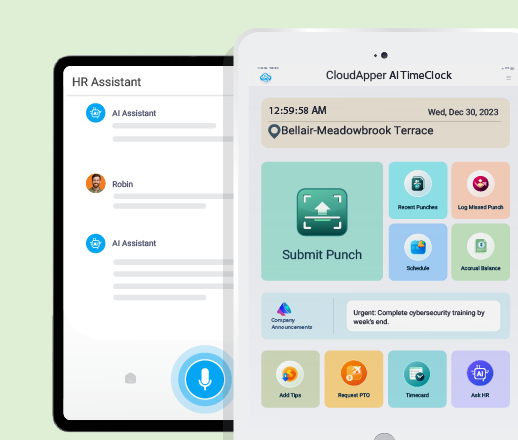
HR-related questions and automate tasks, reducing the manual burden of HR teams. UKG-Time-Clock-24-7-AI-Assistant-to-Answer

Enable employees to manage their time effectively and increase transparency. UKG-Time-Clock-Employee-Self-Service-Capabilities

Effortless data exchange with your existing UKG Ready and Pro WFM. UKG-Time-Clock-HR-&-Payroll-Integration

Automated compliance, reduced risks, and no manual pay rule interpretation. UKG-Time-Clock-HR-Compliance-Management

Experience the Future of UKG
(Kronos) Time Tracking!

Affordable UKG (Kronos) Time Clock
+ Employee Self-Service Kiosk

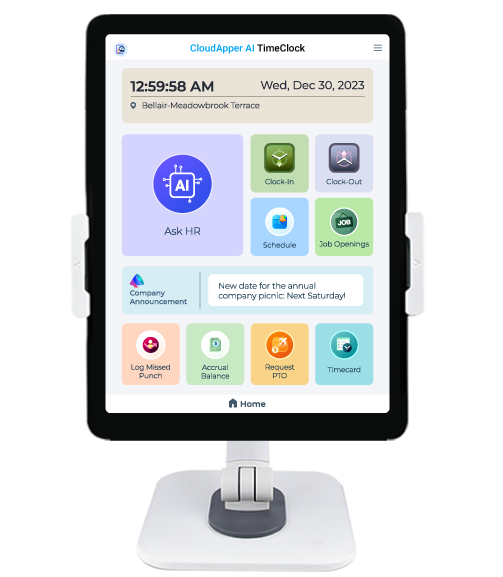
Our AI-powered TimeClock solution for UKG (Kronos) works with any iOS or Android tablet for employee punch submissions,
self-service, and more – creating a versatile solution for optimizing workforce management.
Cost-Effective-Solution-UKG-Kronos-Time-Clock

Cost Effective Solution

CloudApper AI TimeClock helps to reduce overall costs by transforming tablets into smart time clocks. Improve your bottom line and expand employee interaction touchpoints with a flexible solution that runs on standard Android tablets and iPads.
UKG-Kronos-Time-Clock-24-7-ai-assistant

24/7 AI Assistant

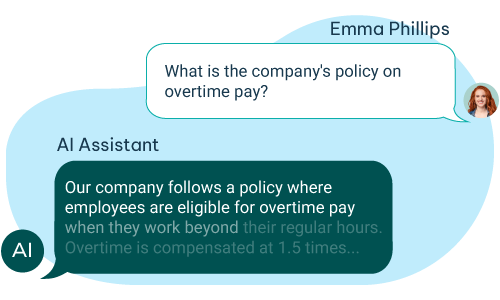
CloudApper AI TimeClock includes a 24/7 AI Assistant to instantly answer HR questions for employees. From HR policies to employment benefits, this virtual assistant is always available to enhance employee engagement and satisfaction, no matter the time.

Highly-Customizable-UKG-Kronos-Time-Clock

Highly Customizable

CloudApper AI TimeClock adapts to your needs. Customize punch submission methods, data capture forms, and more to seamlessly integrate with your workflows. This high level of customization ensures a perfect fit for your organization’s unique requirements.

Cut Costs, Boost Efficiency,
Empower Employees

Seamless Field Workforce Time Tracking , Even When Offline

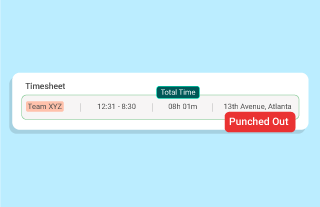
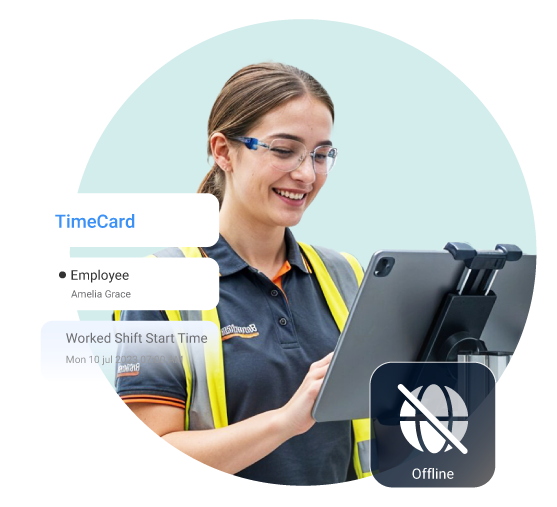
Empower your field workforce with the flexibility to track time accurately, even in areas with unreliable internet connectivity. Our app seamlessly captures time offline and automatically syncs all data to UKG (Kronos) once a network connection is established. This ensures:

Employee-Self-Service-UKG-Kronos-Time-Clock

Group Time Capture:

Field employees in construction, agriculture, or remote locations can be clocked in/out in groups, and manage activities without worrying about connectivity.
UKG-Time-Clock-Group-Time-Capture
Streamlined-Workflows-UKG-Kronos-Time-Clock

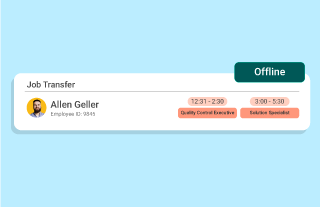
Streamlined Workflows:

Job transfers, custom data capture, and attestations can be completed offline, eliminating the need for manual data entry upon returning to the office.

UKG-Time-Clock-Streamlined-Workflows
Improved-Data-Accuracy-UKG-Kronos-Time-Clock

Improved Data Accuracy:

Offline functionality and seamless integration with UKG (Kronos) eliminates the risk of lost or inaccurate data due to network issues.

UKG-Time-Clock-Improved-Data-Accuracy

Focus on What Matters
Most – Managing Your Workforce, Not Worrying About Connectivity.

Save on Your UKG (Kronos)
Time Clock Investment

At 25% of the cost, UKG (Kronos) users can streamline management with CloudApper AI TimeClock on any device, featuring self-service, customizable forms, tip management, and more.

Key Features of Our AI TimeClock

Time Capture

Use iPad/Tablet as a time clock for
workforce management
Submit punches via face ID,
QR code, barcode, or NFC
Historical corrections & time
capture proccess
Seamlessly exchange data with
UKG Pro, Ready & Pro WFM
Project, task or piece rate based
and time tracking
UKG-Time-Clock-Features-Time-Capture

Self Service

View Schedules, Submit request,
and swap shifts
Submit PTO, missed punch request
from the time clock
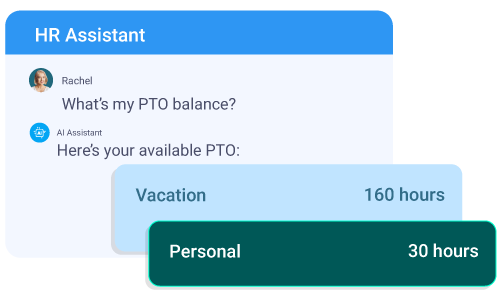
AI Assistant automates HR tasks &
answer queries
Check accrual balance (vacation,
sick leave, or other benefits)
Easily and quickly access the
paystub history
UKG-Time-Clock-Features-Self-service

Data Capture

Capture job transfer and
pay code details
Record employee tips data for
better compliance
Enable attestation to comply with
employment and labor laws
Use custom questionnaires to
gather employee feedback
Geofencing for accurate punch in
and out location tracking
UKG-Time-Clock-Features-Data-Capture

See How Efficient Your UKG (Kronos) Time Clock Can Be!

All the UKG (Kronos) Time Clock Features
- Minus the Hardware Cost

At an affordable price point, UKG (Kronos) customers can revolutionize workforce management by leveraging AI on any Android or iOS device and reduce costs in the process. CloudApper AI TimeClock streamlines employee punch submissions and supports important features like employee self-service functionality, customizable data capture forms, tip management, labor transfers, and much more.

Key Features of Our AI TimeClock

UKG-Kronos-Time-Clock-Employee-Self-Service

Self Service

UKG-Kronos-Time-Clock-Time-Capture

Time Capture

UKG-Kronos-Time-Clock-Data-Capture

Data Capture

See How Efficient Your UKG (Kronos) Time Clock Can Be!

Our system includes a free Face ID feature, with no additional cost for adding facial biometrics. Additionally, the system supports unlimited IDs, so the number of employees does not affect licensing costs. We also offer a free employee self-service (ESS) feature. Our solution has many exciting features that come at no extra cost, saving you over 80% in expenses. During the summer months, some of these features are on sale.

Join Hundreds of Happy UKG (Kronos) Customers

rate-4

Great experience!

- Kristin Slagel
rate-5

It is very easy for our employees to use.

- Rosa Lopez
rate-4

Gets the job done for what it is

- Verified User in Hospitality
rate-5

Easy to use

- Abigail W.
rate-5

Easy and takes no time at all to use!

- Kristen W.
rate-5

Very easy and simple to use

- Verified User in Automotive
rate-4.5

Good quick easy time recording

- Rohan D.
rate-5

Simplifying Time Tracking

- Sil Boydens
rate-3.5

The ability to track time using separate categories...

- Verified User in Health, Wellness and Fitness
rate-5

Easy to implement and works great once setup.

- Kerry Newell
rate-4

Simple and user-friendly solution for employee clock-ins and outs.

- Verified User
rate-5

Efficient, knowledgeable, and accommodating ...

- Kristy Jamieson
rate-5

Simplified UKG Time Tracking For Us

- Verified User in Health, Wellness and Fitness
rate-4.5

A Touchless and Unique Solution for Efficient Workforce Management

- Thomas Turner
rate-5

TimeClock that actually works

- Verified User in Computer Software
rate-5

Advanced, affordable iPad/Tablet-based ukg time clock

- Verified User in Retail

Time Tracking App For
All Your Devices

CloudApper Time Clock works across devices. Track time from anywhere — all data is synced online.

Mobile App

Android

iOS

UKG-Time-Clock-Mobile-App

Web App

Chrome

Edge

Firefox

UKG-Time-Clock-Web-App

Desktop App

Windows

Mac

UKG-Time-Clock-Desktop-App

Kiosk App

Any Device

UKG-Time-Clock-Kiosk-App

Focus on managing your workforce, not worrying about connectivity.

Frequently Asked Questions

CloudApper AI TimeClock is a tablet-based, low-cost alternative to traditional UKG or Kronos hardware. It connects directly with UKG Ready and UKG Pro WFM, giving organizations full control over time capture, attestation, and workforce communication. By replacing proprietary clocks with tablets, companies save thousands in upfront and recurring costs while maintaining seamless payroll integration.

CloudApper AI TimeClock is a tablet-based, low-cost alternative to traditional UKG or Kronos hardware. It connects directly with UKG Ready and UKG Pro WFM, giving organizations full control over time capture, attestation, and workforce communication. By replacing proprietary clocks with tablets, companies save thousands in upfront and recurring costs while maintaining seamless payroll integration.

Yes. CloudApper AI TimeClock turns any iPad or Android tablet into a complete UKG-compatible kiosk. Employees can punch in or out, verify their identity with face recognition, request time off, and even review their upcoming shifts. This flexibility helps organizations modernize attendance tracking while reducing dependency on proprietary UKG clocks.

You can use CloudApper’s secure API integration to sync punches, PTO requests, and schedules directly into UKG. Data flows automatically, ensuring your workforce information stays accurate and up to date without manual imports.

Yes. CloudApper supports full offline functionality, making it ideal for facilities with unstable internet connections. Employees can still record punches, transfers, or attestations while offline, and once the connection is restored, all data automatically syncs back to UKG. This guarantees no lost records and consistent payroll accuracy.

Missed punches are one of the biggest causes of payroll delays. CloudApper AI TimeClock minimizes them through real-time alerts, on-screen reminders, and validation prompts. The system notifies employees when a punch is incomplete or duplicated, while managers receive automatic alerts for unresolved issues. These features eliminate manual follow-ups and ensure clean timecards before payroll.

Yes. Employees can manage key scheduling tasks right from the CloudApper TimeClock interface. They can view shift assignments, submit PTO requests, or bid for open shifts, all of which sync instantly with UKG. This self-service experience reduces HR workload and empowers employees to take ownership of their schedules.

Organizations can use CloudApper AI TimeClock to display custom attestation questions at punch-in or punch-out. The system records answers, timestamps them, and sends them to UKG for compliance tracking and audits.

Buddy punching — when one employee clocks in for another — is prevented through biometric and location validation. CloudApper AI TimeClock uses face recognition, QR/NFC scans, and geofencing to confirm each punch. Only verified employees can record time, eliminating time theft and improving payroll accuracy across all shifts.

Yes. With CloudApper AI TimeClock, managers can send bulk SMS, push notifications, or on-screen alerts for weather closures, shift changes, or overtime reminders. All messages are linked to employee profiles in UKG.

UKG or Kronos clocks are hardware-dependent and costly to maintain. CloudApper AI TimeClock is software-based and customizable — running on any standard tablet. It offers advanced functions such as face ID, PTO management, attestation tracking, and geofencing, all integrated with UKG. The result is a more flexible and affordable workforce management solution.

CloudApper validates every time entry before it reaches UKG. Each punch is verified by biometric or GPS data, ensuring it belongs to the right employee and location. Managers can review entries through a dashboard and correct discrepancies instantly. This automatic verification process ensures payroll and compliance data stay consistent and reliable.

Yes. CloudApper AI TimeClock supports multi-location configurations and geofencing, allowing employees to punch only within authorized areas. Managers can track attendance across all sites from a unified dashboard.

Custom alerts keep both employees and managers informed about attendance issues in real time. CloudApper lets you define triggers for overtime, missed punches, or early departures. Notifications appear instantly in dashboards or via SMS/email, helping managers act before issues escalate. This proactive workflow improves compliance and payroll accuracy.

Absolutely. With CloudApper AI TimeClock, organizations can add their branding, adjust data fields, set custom workflows, and localize attestation questions — all without any coding.

CloudApper AI TimeClock automatically collects attestation data, monitors overtime thresholds, and generates reports that sync directly to UKG. This ensures accurate documentation for audits and labor law compliance.

Yes. Data security is a core part of CloudApper’s design. All communication with UKG occurs over encrypted APIs, and no sensitive employee information is stored locally on the tablet. Access controls, audit logs, and compliance with industry security standards keep time and payroll data fully protected.

Implementation is quick and straightforward. Most companies are up and running within hours. Simply install the app on tablets, connect to your UKG environment using secure credentials, configure your workflows, and deploy. There’s no hardware installation or IT involvement required.

Yes. CloudApper includes built-in analytics for time and attendance trends, overtime costs, and compliance tracking. HR and operations leaders can view dashboards, export reports, and monitor real-time workforce data synced directly from UKG. These insights help improve labor forecasting and operational decision-making.

Employees appreciate how easy it is to use. They can clock in with a glance, check schedules, request PTO, and view confirmations instantly. Real-time communication and transparency around hours and pay reduce confusion, increase engagement, and improve satisfaction across the workforce.

UKG customers use CloudApper AI TimeClock to extend the value of their existing systems. It delivers the same accuracy and compliance as native UKG devices but adds customization, AI automation, and cost savings. By replacing hardware with flexible software, organizations gain more control over their workforce management process.

CloudApper AI TimeClock can enforce union rules such as punch rounding, meal penalties, shift differentials, and authorized punch locations. It syncs these validations directly with UKG, ensuring time entries follow collective bargaining agreements. This reduces disputes and helps HR maintain consistent union compliance without manual interventions.

Absolutely. Through GPS tracking and geofencing, CloudApper ensures remote or mobile workers can only punch within approved job sites or client locations. Each punch includes verified coordinates and syncs with UKG for payroll accuracy. This is ideal for construction, home healthcare, maintenance, utilities, and distributed teams.

Yes. CloudApper AI TimeClock allows employees to add notes, select job codes, or choose tasks during their punch. These details are captured instantly and transferred into UKG for labor tracking, billing, and job costing. This removes the need for separate paperwork or after-the-fact data entry.

Yes. CloudApper automatically prompts employees for meal/break attestations and applies rules that align with labor laws or company policies. Managers receive alerts for missed or short breaks, and the data syncs with UKG to support labor-law compliance and reduce legal risk.

Yes. CloudApper AI TimeClock allows each device or kiosk to have its own configuration based on site, department, or workforce group. You can set different workflows, punch rules, attestation questions, geofencing boundaries, and communication settings for each location. All punches and updates sync directly to UKG with the correct site and labor mappings, making it easy for multi-location organizations to maintain accurate payroll, compliance, and reporting.

Yes. CloudApper lets employees perform job transfers, cost-center changes, or project selection directly from the kiosk. Each action is validated and synced with UKG, ensuring labor allocation and project reporting stay accurate throughout the day.

CloudApper integrates with UKG’s employee onboarding and deactivation data, allowing the clock to stay updated automatically as staff join or leave. Temporary and seasonal workers can be added instantly. This eliminates setup delays during peak seasons such as retail holidays or summer programs.

No. Even though it supports real-time sync, CloudApper is designed for offline operation. Punches, transfers, and attestations continue working without connectivity. Once the device is back online, all data syncs to UKG automatically, ensuring no punches are lost or overwritten.

Yes. CloudApper provides predictive alerts when employees approach overtime or break compliance thresholds. These notifications help managers make proactive scheduling decisions while ensuring UKG payroll rules remain accurate and legally compliant.

Any organization using UKG Ready or UKG/Kronos WFM can benefit, especially those looking to replace expensive hardware or improve workforce automation. Industries like healthcare, manufacturing, logistics, retail, distribution, hospitality, construction, and government adopt CloudApper to gain better flexibility, lower costs, and smarter attendance workflows.

The Benchmark of Trust
and Sustainability

A commitment to consistency,
innovation, and limitless support.

24/7

Support Anytime, Anywhere

100%

Green Tech

99.9%

Uptime Guarantee

>90%

Customer Retention

Contact Us Today!

Share your requirements, and our experts will help you find the best solution with the CloudApper AI platform.
AI-Powered Time Clock

UKG (Kronos)

Time Clock

Turn-any-device-into-a-UKG-time-clock
 
Turn any iPad or tablet into a cost-effective, AI-powered UKG time clock — with biometric facial recognition, geo-fencing, offline capture, and 24/7 self-service.
Trusted by users of
ukg-logo
Kronos_logo
Turn-any-device-into-a-UKG-time-clock
 

Core Capabilities

Empower Employees, Simplify Workforce Management, & Automate HR Workflows

A flexible alternative to UKG Intouch DX, 9000, 9100, and 4500 clocking systems — at a fraction of the cost.

🔄

Shift Management

Employees bid, swap, and confirm availability through a streamlined interface.

👤

Touchless Face ID

Eliminate buddy punching with biometric facial recognition for accurate timekeeping.

📊

PTO & Overtime

Automated calculations based on your HR requirements and real-time data.

📍

Geofence Tracking

Monitor absence trends and overtime with location-aware data for decision-makers.

🤖

24/7 AI Assistant

Instantly handle HR questions and automate tasks — reducing manual HR burden.

🙋

Employee Self-Service

Let employees manage time, schedules, and requests — boosting transparency.

💼

HR & Payroll Integration

Seamless data exchange with UKG Ready and UKG Pro WFM out of the box.

✅

HR Compliance

Automated pay rule compliance — eliminating risks and manual entry errors.

Experience the Future of UKG (Kronos) Time Tracking!

2-in-1

Affordable UKG Time Clock + Self-Service Kiosk

Works on any iOS or Android tablet for punch submissions, self-service, and workforce optimization.
Cost-Effective-Solution-UKG-Kronos-Time-Clock

Cost Effective

Transform standard tablets into smart time clocks. Cut hardware costs while expanding employee touchpoints on any Android or iPad device.

UKG-Kronos-Time-Clock-24-7-ai-assistant

24/7 AI Assistant

Instantly answer HR questions around the clock — from policies to benefits — enhancing employee engagement on every shift.
Highly-Customizable-UKG-Kronos-Time-Clock

Highly Customizable

Customize punch methods, data capture forms, and workflows to fit your organization’s unique operational requirements.

Offline-Ready

Seamless Field Workforce
Time Tracking — Even Offline

Capture time accurately in areas with poor connectivity. Data syncs automatically to UKG (Kronos) when a connection is restored.
Seamless-Field-Workforce
Employee-Self-Service-UKG-Kronos-Time-Clock

Group Time Capture

Clock teams in/out in construction, agriculture, or remote sites — no connectivity required.
Streamlined-Workflows-UKG-Kronos-Time-Clock

Streamlined Workflows

Complete job transfers, custom data capture, and attestations offline — no manual re-entry later.
Improved-Data-Accuracy-UKG-Kronos-Time-Clock

Improved Data Accuracy

Seamless sync eliminates the risk of lost or inaccurate data from network issues.

All Features

UKG (Kronos) Time Clock Features
— Minus the Hardware Cost

Leverage AI on any Android or iOS device to streamline workforce management at an affordable price point.
  • Use an iPad or tablet as a time clock for workforce management
  • Submit employee punches via Face ID, QR code, barcode or NFC
  • Historical corrections and time capture process
  • Seamlessly exchange data with UKG Pro, UKG Ready and Pro WFM
  • Project-, task- or piece-rate-based time tracking

See How Efficient Your UKG Time Clock Can Be!

Customer Reviews

Join Hundreds of Happy
UKG (Kronos) Customers

Great experience!

- Kristin Slagel

It is very easy for our employees to use.

- Rosa Lopez

Gets the job done for what it is

- Verified User in Hospitality

Easy to use

- Abigail W.

Easy and takes no time at all to use!

- Kristen W.

Very easy and simple to use

- Verified User in Automotive

Good quick easy time recording

- Rohan D.

Simplifying Time Tracking

- Sil Boydens

Great experience!

- Kristin Slagel

It is very easy for our employees to use.

- Rosa Lopez

Gets the job done for what it is

- Verified User in Hospitality

Easy to use

- Abigail W.

Easy and takes no time at all to use!

- Kristen W.

Very easy and simple to use

- Verified User in Automotive

Good quick easy time recording

- Rohan D.

Simplifying Time Tracking

- Sil Boydens

The ability to track time using separate categories...

- Verified User in Health, Wellness and Fitness

Easy to implement and works great once setup.

- Kerry Newell

Simple and user-friendly solution for employee clock-ins and outs.

- Verified User

Efficient, knowledgeable, and accommodating ...

- Kristy Jamieson

Simplified UKG Time Tracking For Us

- Verified User in Health, Wellness and Fitness

A Touchless and Unique Solution for Efficient Workforce Management

- Thomas Turner

TimeClock that actually works

- Verified User in Computer Software

Advanced, affordable iPad/Tablet-based ukg time clock

- Verified User in Retail

The ability to track time using separate categories...

- Verified User in Health, Wellness and Fitness

Easy to implement and works great once setup.

- Kerry Newell

Simple and user-friendly solution for employee clock-ins and outs.

- Verified User

Efficient, knowledgeable, and accommodating ...

- Kristy Jamieson

Simplified UKG Time Tracking For Us

- Verified User in Health, Wellness and Fitness

A Touchless and Unique Solution for Efficient Workforce Management

- Thomas Turner

TimeClock that actually works

- Verified User in Computer Software

Advanced, affordable iPad/Tablet-based ukg time clock

- Verified User in Retail

Cross-Device

Time Tracking on Any Device

CloudApper TimeClock syncs seamlessly across all platforms in real time.

📱

Mobile App

Android & iOS

🌐

Web App

Chrome · Edge · Firefox

💻

Desktop App

Windows & Mac

🖥️

Kiosk App

Any Device
Focus on managing your workforce, not worrying about connectivity.

FAQ

Frequently Asked Questions

CloudApper AI TimeClock is an employee time clock for UKG that runs on iPads and Android tablets. Built by a UKG Technology Partner, it adds touchless face ID, attestation, self-service, and offline time capture to UKG Ready and UKG Pro WFM (formerly Kronos), at 25% of the cost of a hardware clock.

CloudApper AI TimeClock is an employee time clock for UKG that runs on iPads and Android tablets. Built by a UKG Technology Partner, it adds touchless face ID, attestation, self-service, and offline time capture to UKG Ready and UKG Pro WFM (formerly Kronos), at 25% of the cost of a hardware clock.

Yes. The app turns any iPad or Android tablet into a UKG time clock and employee self-service kiosk. Employees punch in and out with face ID, a QR code, barcode, or NFC badge, then check schedules, accrual balances, and paystubs on the same screen. Add your branding and custom fields without coding.

It integrates with UKG Ready, UKG Pro, and UKG Pro Workforce Management (Pro WFM) through UKG APIs. Punches, transfers, PTO requests, attestation answers, and schedules sync to each employee’s UKG timecard automatically. It runs alongside existing UKG InTouch DX, 9000, 9100, or 4500 clocks, or at sites where a terminal isn’t practical.

Yes. Offline time capture keeps recording punches, transfers, and attestations when the connection drops, then syncs everything to UKG as soon as the device is back online. No punches are lost or overwritten, so payroll stays accurate at warehouses, job sites, and locations with unreliable Wi-Fi.

Every punch is verified with biometric facial recognition (touchless face ID) or a QR code, barcode, or NFC badge, and geofencing limits punches to approved locations. Only the right employee can clock in at the right site, and each verified punch syncs to UKG for accurate time and attendance data.

Yes. Geofencing and GPS let field and remote employees punch only within approved job sites, and each punch carries verified coordinates into UKG. Managers see attendance for every location on one dashboard, which suits construction, home healthcare, utilities, and other multi-site teams.

The employee self-service kiosk lets staff request PTO, swap shifts or bid on open shifts, view schedules, check accrual balances and paystubs, record tips, and add job codes, notes, or cost-center transfers to a punch. A 24/7 AI assistant answers routine HR questions. Every action syncs to UKG.

Yes. Custom attestation questions appear at punch in or punch out, and the timestamped answers sync to UKG. It prompts for meal and break attestations, alerts managers to missed or short breaks, and enforces punch rounding, meal penalties, shift differentials, and approved punch locations for unionized workforces.

On-screen reminders and validation prompts catch incomplete or duplicate punches before payroll. Managers get real-time alerts by SMS, email, or dashboard for missed punches, early departures, and employees approaching overtime thresholds, so timecards reach UKG clean and manual corrections drop.

Yes. Managers can send bulk SMS, push, or on-screen alerts for closures, shift changes, and overtime reminders, linked to UKG employee profiles. Built-in dashboards and exportable reports cover attendance trends, overtime cost, and attestation records for audits and compliance reporting.

Most teams are live within hours. Install the app on tablets, connect to UKG with secure credentials, and configure workflows. Each device can carry its own site, department, punch rules, and attestation settings, and new or seasonal hires appear automatically from UKG employee data. No hardware installation or IT project.

Yes. All communication with UKG runs over encrypted APIs, no sensitive employee information is stored on the tablet, and access controls plus audit logs protect time and payroll data, in line with industry security standards.

Any organization on UKG Ready or UKG Pro WFM that needs time tracking software for UKG across many sites, shifts, or devices. Healthcare, manufacturing, logistics, retail, hospitality, construction, and government employers use it to run time clocks on tablets and phones wherever a terminal doesn’t fit, with every punch landing in UKG.

24/7

Support Anytime

100%

Green Tech

99.9%

Uptime Guarantee

>90%

Customer Retention

Ready to Modernize Your UKG Time Tracking?

Share your requirements and our team will find the right solution for your workforce.