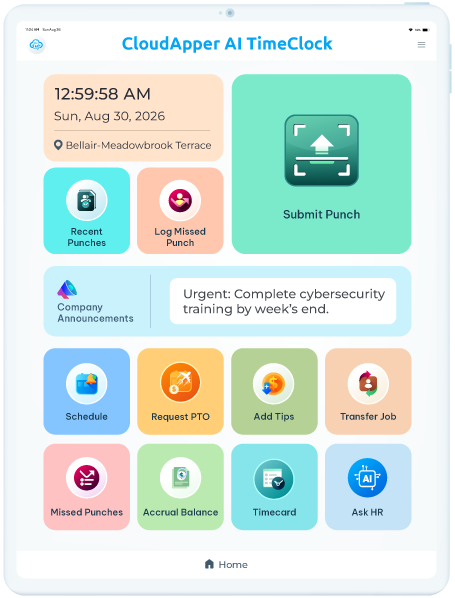
Touchless face check-in
Recognition at the tablet ends buddy punching without a fingerprint reader to sanitise or replace.
CloudApper AI Time Clock For iPad/Tablet
Certified UKG partner solution — works with UKG Pro, UKG Ready,
UKG Pro WFM, and HRSD.
CloudApper integrates directly with your Kronos system — employee punches write back into Kronos Workforce Central, Workforce Ready, or Workforce Dimensions automatically. Nothing changes for your timekeepers or managers.
Smart & affordable alternative to
A wall-mounted terminal does one job and takes a purchase order to replace. A tablet running CloudApper does the job, and everything the job was blocking.
| Dedicated Kronos terminal | CloudApper on a tablet | |
|---|---|---|
| Cost per clock | Terminal, mount, install, service contract | A tablet and a subscription |
| Replacing a broken unit | RMA, lead time, a shift punching on paper | Any tablet, reconfigured the same day |
| Adding a capability | Firmware release, vendor roadmap | Configured by your team, no code |
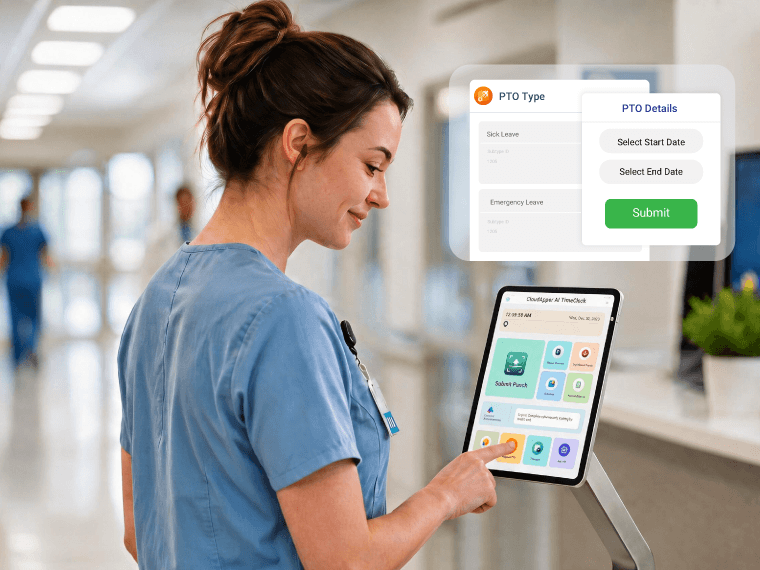
| Employee self-service at the clock | Limited to what the terminal shipped with | PTO, schedules, shift bids, HR questions |
| When the network drops | Varies by model | Captures offline, syncs on reconnect |
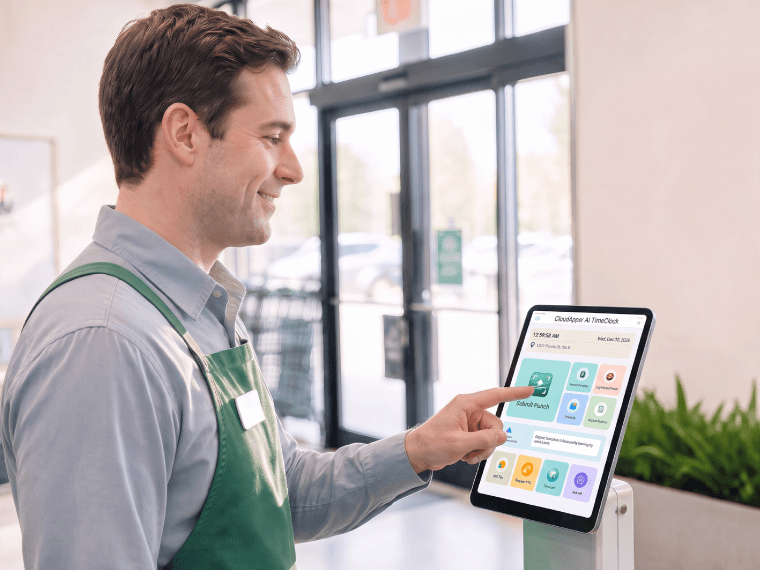
The clock is where every frontline employee touches your systems, every day. It is the most under-used interface in the building.
Recognition at the tablet ends buddy punching without a fingerprint reader to sanitise or replace.
Punches are pinned to a location and held locally when the network drops, then synced.
Requests and balances at the clock, calculated against your own rules rather than a generic template.
Open shifts filled by the people standing at the clock, not by a supervisor working a phone tree.
Policy and pay questions answered where the employee already is, instead of a queue at the HR desk.
Kronos stays the source of truth. Nothing about payroll close or your timekeeper workflow changes.
Payslips, schedules, balances and personal details handled by the employee at the clock — not by a form that lands on somebody’s desk.
Meal-break attestations, rounding rules and a full audit trail recorded at the moment it happens, so the record holds up when someone asks.
Your Kronos version, your migration stage — CloudApper meets you where you are. Punch data, self-service actions, and compliance records write back to whichever platform your organization runs.
| Kronos platform | How CloudApper connects |
|---|---|
| Kronos Workforce Central | Punches, job transfers, and attestation records write directly to WFC via native Kronos API in real time. |
| Kronos Workforce Dimensions (now UKG Pro WFM) | The same punch and self-service write-back works whether you are fully on Dimensions or mid-migration to UKG Pro WFM. |
| Kronos Workforce Ready (now UKG Ready) | Clock data flows to Workforce Ready's time module; the AI assistant and self-service features run without any platform changes. |
| Kronos WebClock | CloudApper kiosk tablets handle the same punch transactions WebClock manages, at physical locations where a browser-based clock is not the right fit. |
Three organisations, three industries, three different breaking points. None of them replaced a terminal, opened an IT project, or waited on a line in a Kronos release schedule — they put the clock on tablets they could buy anywhere and had their own team configure it. Names are withheld at each customer's request, but the profiles will be familiar, and the numbers are what their supervisors saw in the first quarter of running live.
70%
Lower cost per clocking position
Measured against the terminal quote the organisation was holding at the time, across the same number of wall positions.
Agriculture operator · 150+ locations
3-5 days
From kickoff to first live shift
Configured by the customer's own team. No development work, no IT project, no vendor timeline.
Retail operator · 15,000+ employees
20+ hrs/week
Returned to supervisors
Time that had been going to punch corrections, PTO paperwork and filling open shifts by phone — once employees could do all three themselves at the clock.
Hospitality operator · 600+ sites
No. Kronos stays your system of record and your timekeepers keep working the way they do now. CloudApper replaces the clocking hardware at the wall and adds what the terminal was never built to do.
Workforce Central, Dimensions, UKG Pro Workforce Management and Workforce Ready. If you are mid-migration between two of them, that is a common starting point rather than a blocker.
Not on day one. Most rollouts start with one site or one shift running tablets alongside the existing terminals, then extend once the punch data lines up.
The tablet keeps accepting punches and stores them locally, then syncs when the connection returns. Nobody stands in a line while a supervisor writes times on paper.
Weeks, not quarters, and it does not sit in an IT backlog. Configuration is done by your team without code, which is the whole point of the platform.
A subscription per clock plus whatever the tablets cost you. We will give you a real number on the walkthrough rather than making you fill in a second form for pricing.
Kronos handles the punch record, payroll, and scheduling — it stays your system of record. CloudApper gives your frontline a richer experience on top of it: face recognition clock-in, PTO requests, shift swaps, and HR answers — on any iPad or Android tablet, connected directly to Kronos. For locations that need more touchpoints than dedicated terminals justify, it deploys in days, not quarters.
See a 15-minute live demo See a 15-minute live demo